
1. பாதுகாப்பு தகவல்
Please read all safety instructions carefully before assembly and operation to prevent injury or damage to the product.
- Ensure the desk is assembled on a flat, stable surface.
- Do not exceed the maximum load capacity of 80 kg (dynamic).
- Keep children and pets away from the desk during height adjustment.
- Ensure there are no obstructions above or below the desk when adjusting its height.
- மேசை சட்டகத்தில் உட்கார்ந்து அல்லது நிற்க வேண்டாம்.
- Only use the power adapter provided with the desk.
- Regularly check all screws and bolts to ensure they are tightened.
2. தயாரிப்பு முடிந்துவிட்டதுview
The FLEXISPOT Electric Standing Desk frame is designed for ergonomic versatility, allowing seamless transitions between sitting and standing positions. It features a robust steel construction and a digital control panel for easy height adjustments and memory presets.
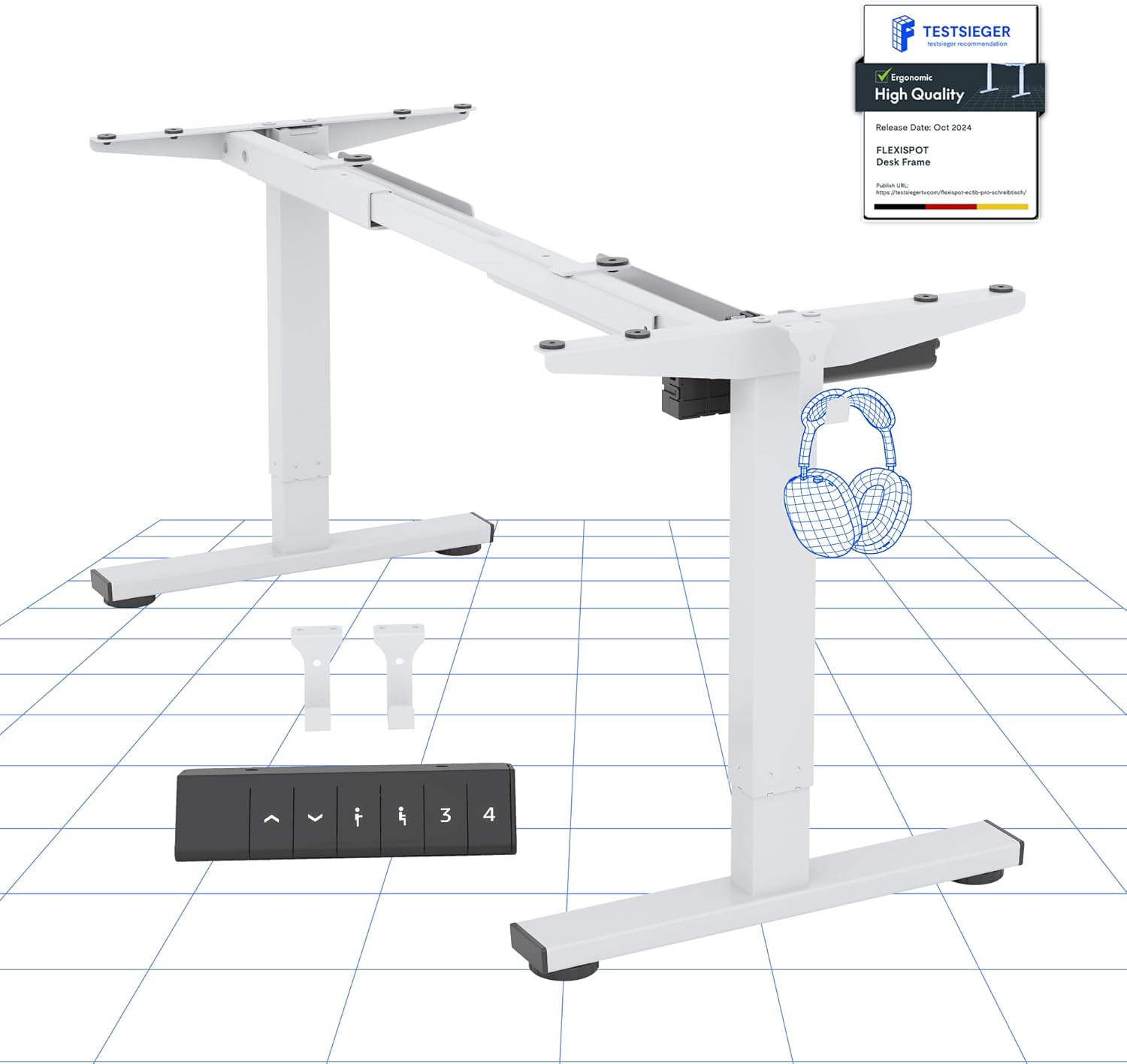
படம் 2.1: முடிந்ததுview of the FLEXISPOT Electric Standing Desk Frame and its digital control panel.
முக்கிய கூறுகள்:
- சரிசெய்யக்கூடிய கால்கள்: இரண்டு-கள்tage lifting columns for smooth height transitions.
- குறுக்கு பட்டை: Connects the legs and supports the desktop.
- பாதங்கள்: Provide stability and include anti-slip pads.
- டிஜிட்டல் கண்ட்ரோல் பேனல்: For height adjustment and memory functions.
- மோட்டார்: Powers the height adjustment mechanism.
- கட்டுப்பாட்டு பெட்டி: Houses the electronic components.
3. அமைவு வழிமுறைகள்
Follow these steps to assemble your FLEXISPOT Electric Standing Desk frame. A desktop (not included) is required for full functionality.
3.1 Desktop Compatibility
The desk frame is designed to accommodate desktops with the following dimensions:
- நீளம்: 100 செமீ முதல் 160 செமீ (39.4 அங்குலம் முதல் 63 அங்குலம் வரை)
- அகலம்: 50 செமீ முதல் 80 செமீ (19.7 அங்குலம் முதல் 31.5 அங்குலம் வரை)

Image 3.1: Illustration of the adaptable desktop size range for the desk frame.
3.2 சட்டசபை படிகள்
- கூறுகளைத் திறக்கவும்: Carefully remove all parts from the packaging and verify against the parts list (refer to your included physical manual for a detailed list).
- Assemble Feet: Attach the feet to the bottom of each lifting column using the provided screws.
- குறுக்குப்பட்டியை இணைக்கவும்: Extend the crossbar to the desired width for your desktop. Securely attach the crossbar to the lifting columns.
- கட்டுப்பாட்டுப் பெட்டி மற்றும் மோட்டாரை நிறுவவும்: Mount the control box and motor according to the instructions in your physical manual, ensuring all cables are connected correctly.
- கட்டுப்பாட்டுப் பலகத்தை இணைக்கவும்: Secure the digital control panel to the underside of your chosen desktop in an accessible location.
- டெஸ்க்டாப்பை ஏற்று: Carefully place your desktop onto the assembled frame. Align the pre-drilled holes (if any) or mark and drill new pilot holes. Secure the desktop to the frame using appropriate screws.
- கேபிள் மேலாண்மை: Organize and secure all cables to prevent tangling and ensure safe operation.
- ஆரம்ப பவர்-அப்: Plug the power adapter into the control box and then into a wall outlet.
4. இயக்க வழிமுறைகள்
Your FLEXISPOT Electric Standing Desk is equipped with a user-friendly digital control panel for effortless height adjustment.
4.1 Digital Control Panel Functions

படம் 4.1: விரிவானது view of the digital control panel.
- மேல்/கீழ் பொத்தான்கள் (▲ / ▼): Press and hold to manually adjust the desk height up or down. The current height is displayed on the LED screen.
- நினைவக முன்னமைவுகள் (1, 2, 3, 4): These buttons allow you to save and recall up to four preferred height settings.
- 'M' Button (or 'Set' button, if present): ஒரு உயரத்தை நினைவக முன்னமைவில் சேமிக்கப் பயன்படுகிறது.
4.2 நினைவக முன்னமைவுகளை அமைத்தல்
- மேல்/கீழ் பொத்தான்களைப் பயன்படுத்தி மேசையை உங்கள் விருப்பமான உயரத்திற்கு சரிசெய்யவும்.
- Press the 'M' button (or 'Set' button). The LED display will show 'S-'.
- Within 3 seconds, press one of the number buttons (1, 2, 3, or 4) to save the current height to that preset. The display will show the number you pressed, confirming the setting.
4.3 Anti-Collision System
The desk is equipped with an advanced anti-collision system. If the desk encounters an obstacle during height adjustment, it will automatically stop and reverse slightly to prevent damage or injury. This feature enhances safety during operation.

Image 4.2: Visual representation of the anti-collision system and other features.
5. பராமரிப்பு
Proper maintenance ensures the longevity and optimal performance of your standing desk.
- சுத்தம்: Wipe the desk frame and control panel with a soft, damp துணி. சிராய்ப்பு கிளீனர்கள் அல்லது கரைப்பான்களைத் தவிர்க்கவும்.
- கேபிள் மேலாண்மை: Periodically check that all cables are securely fastened and not pinched or damaged.
- ஃபாஸ்டென்சர்கள்: Ensure all screws and bolts remain tight. Retighten if necessary.
- ஸ்லிப் எதிர்ப்பு பட்டைகள்: Verify that the anti-slip pads on the feet are intact and providing stable contact with the floor.
6. சரிசெய்தல்
உங்கள் மேசையில் ஏதேனும் சிக்கல்கள் ஏற்பட்டால், பின்வரும் பொதுவான சிக்கல்கள் மற்றும் தீர்வுகளைப் பார்க்கவும்:
| பிரச்சனை | சாத்தியமான காரணம் | தீர்வு |
|---|---|---|
| மேசை அசையவில்லை. | Power cable disconnected, motor cable loose, overload. | Check all cable connections. Reduce weight on the desk. Perform a reset (see below). |
| மேசை சீரற்ற முறையில் நகர்கிறது. | Uneven load, loose connections. | Distribute weight evenly. Check all connections. Perform a reset. |
| பிழைக் குறியீடு காட்டப்பட்டுள்ளது. | குறிப்பிட்ட கணினி தவறு. | Refer to your physical manual for specific error code meanings. Often, a reset can resolve temporary errors. |
| மோதல் எதிர்ப்பு அமைப்பு அடிக்கடி தூண்டுகிறது. | Sensitivity too high, minor obstructions. | Ensure clear path for desk movement. Some models allow sensitivity adjustment (refer to physical manual). |
6.1 மீட்டமைப்பு செயல்முறை
A reset can often resolve minor operational issues. The exact procedure may vary slightly; refer to your physical manual for precise steps. A common reset method involves:
- Press and hold the Down (▼) button until the desk reaches its lowest position and then slightly rises or makes a sound.
- Release the button, then press and hold it again until the desk moves down slightly, then up, and stops. This indicates a successful reset.
சரிசெய்தலுக்குப் பிறகும் சிக்கல்கள் தொடர்ந்தால், வாடிக்கையாளர் ஆதரவைத் தொடர்பு கொள்ளவும்.
7. விவரக்குறிப்புகள்
Detailed technical specifications for the FLEXISPOT Electric Standing Desk frame:

Image 7.1: Detailed desk dimensions and performance metrics.
| அம்சம் | விவரம் |
|---|---|
| பிராண்ட் | ஃப்ளெக்ஸிஸ்பாட் |
| மாதிரி | B0D3Q89YP2 |
| உயரம் சரிசெய்தல் வரம்பு | 71.5 செ.மீ - 116 செ.மீ (28.1 அங்குலம் - 45.7 அங்குலம்) |
| அதிகபட்ச சுமை திறன் | 80 கிலோ (176 பவுண்ட்) |
| Adaptable Desktop Length | 100 செ.மீ - 160 செ.மீ (39.4 அங்குலம் - 63 அங்குலம்) |
| Adaptable Desktop Width | 50 செ.மீ - 80 செ.மீ (19.7 அங்குலம் - 31.5 அங்குலம்) |
| பொருள் | அலாய் ஸ்டீல் |
| கண்ட்ரோல் பேனல் | Digital with 6 buttons and 4 memory presets |
| காத்திருப்பு மின் நுகர்வு | < 0.5 W |
| Anti-Collision System | ஆம் |
| சான்றிதழ்கள் | CE/BIFMA/ROHS |
8. உத்தரவாதம் மற்றும் ஆதரவு
FLEXISPOT is committed to providing high-quality products and customer satisfaction.
8.1 உத்தரவாதத் தகவல்
- சட்ட உத்தரவாதம்: 5 ஆண்டுகள்
- மோட்டார் உத்தரவாதம்: 3 ஆண்டுகள்
These warranties cover manufacturing defects and malfunctions under normal use. Please retain your proof of purchase for warranty claims.
8.2 தொழில்நுட்ப ஆதரவு
FLEXISPOT offers free lifetime technical support for your product. If you have any questions, require assistance with assembly, operation, or troubleshooting, please contact our support team.
For further assistance, please visit the official FLEXISPOT store or contact customer service through your purchase platform.
FLEXISPOT Store: Visit FLEXISPOT on Amazon