
அறிமுகம்
ஆர்ampage Crack H11 is a versatile wireless gaming headset designed for an immersive audio experience across multiple platforms. It features dual connectivity options (2.4GHz wireless and Bluetooth 5.2), 7.1 virtual surround sound, a detachable microphone, and a lightweight design for extended comfort during long gaming sessions. This manual provides essential information for setting up, operating, maintaining, and troubleshooting your headset.
தொகுப்பு உள்ளடக்கங்கள்
நீங்கள் தொடங்குவதற்கு முன், அனைத்து பொருட்களும் தொகுப்பில் இருப்பதை உறுதிசெய்து கொள்ளுங்கள்:
- Rampage Crack H11 Wireless Gaming Headset
- USB 2.4GHz வயர்லெஸ் ரிசீவர்
- பிரிக்கக்கூடிய மைக்ரோஃபோன்
- Type-C Charging Cable (1.8 meters, braided)
- User Manual / Warranty Certificate
அமைவு
1. ஹெட்செட்டை சார்ஜ் செய்தல்
Before first use, fully charge the headset. Connect the supplied Type-C charging cable to the headset's charging port and the other end to a USB power source (e.g., computer USB port, USB wall adapter). The charging time is approximately 2.5 hours for a full charge.
2. 2.4GHz வயர்லெஸ் (USB ரிசீவர்) வழியாக இணைத்தல்
- Insert the USB 2.4GHz wireless receiver into an available USB port on your PC, PlayStation 4, or PlayStation 5.
- ஆற்றல் பொத்தானை அழுத்திப் பிடிப்பதன் மூலம் ஹெட்செட்டை இயக்கவும்.
- The headset should automatically connect to the receiver. If there is no sound or the microphone is not working, double-press the power button rapidly to switch between 2.4GHz and Bluetooth modes until the correct mode is selected.
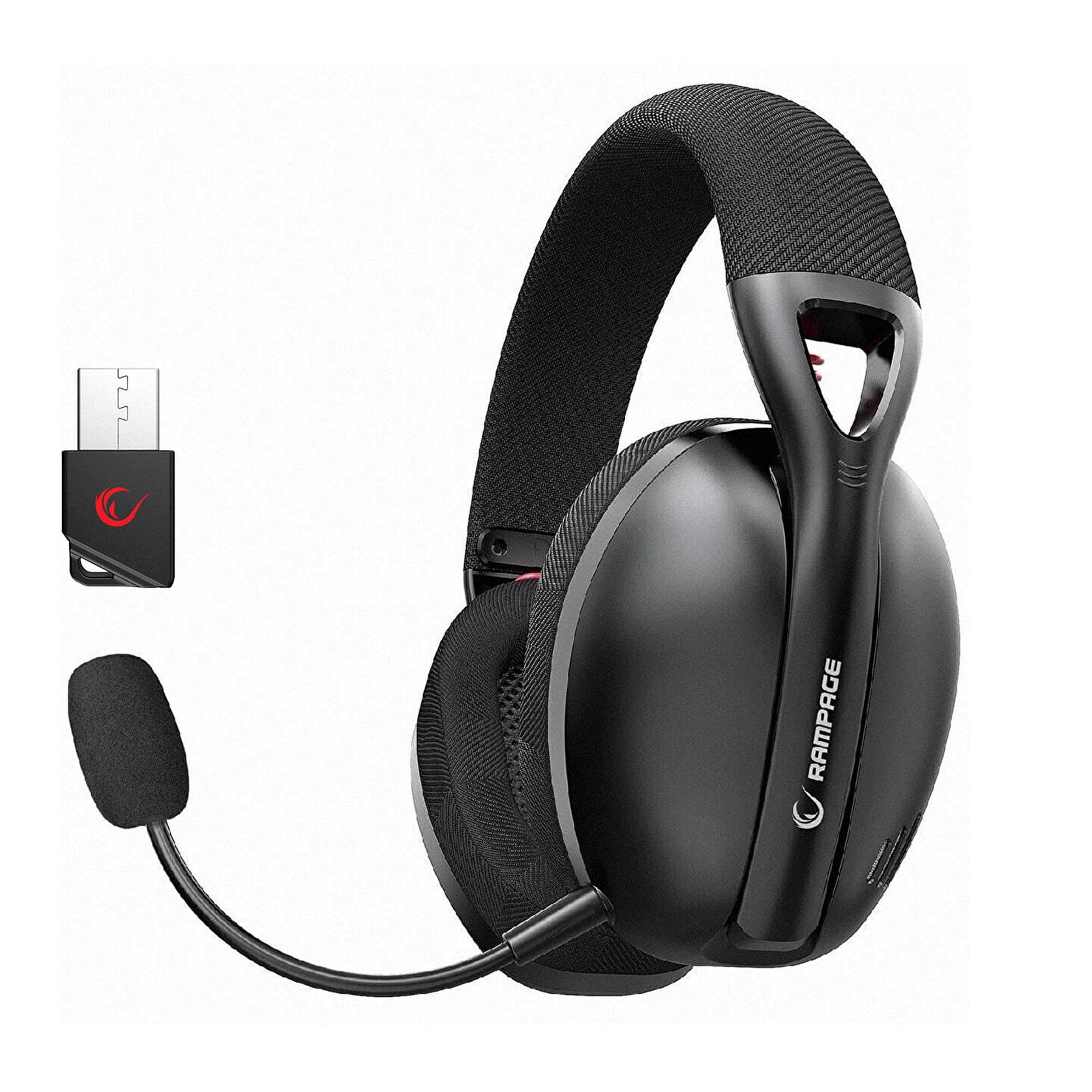
Image: Rampage Crack H11 headset highlighting 2.4GHz wireless and Bluetooth connectivity. It also shows the instruction to double-press the power button if sound or microphone issues arise when connected via USB.
3. புளூடூத் 5.2 வழியாக இணைத்தல்
- ஹெட்செட்டை இயக்கவும்.
- If the headset is not in Bluetooth mode, double-press the power button to switch to Bluetooth mode. The indicator light will typically flash to indicate pairing mode.
- On your smartphone or other Bluetooth-enabled device, go to Bluetooth settings and search for available devices.
- Select "Rampage Crack H11" from the list to pair.
4. மைக்ரோஃபோனை இணைத்தல்
The microphone is detachable. Insert the microphone into the designated port on the left earcup. Adjust its position for optimal voice pickup. The flexible design allows you to find the most suitable position.

Image: The Rampage Crack H11 headset featuring its detachable and adjustable microphone, emphasizing user flexibility.
இயக்க வழிமுறைகள்
பவர் ஆன்/ஆஃப்
ஹெட்செட்டை ஆன் அல்லது ஆஃப் செய்ய பவர் பட்டனை சில நொடிகள் அழுத்திப் பிடிக்கவும்.
பயன்முறை மாறுதல்
To switch between 2.4GHz wireless mode and Bluetooth mode, double-press the power button rapidly. An audible cue or indicator light change will confirm the mode switch.
தொகுதி கட்டுப்பாடு
Use the volume control wheel or buttons located on the earcup to adjust the audio output level.
மைக்ரோஃபோனை முடக்கு
Locate the microphone mute button on the headset to quickly mute or unmute your microphone.
7.1 மெய்நிகர் சரவுண்ட் ஒலி
The headset features 7.1 virtual surround sound for an immersive gaming experience. This technology enhances directional audio, allowing you to perceive in-game sounds more accurately and gain a competitive edge.

Image: The Rampage Crack H11 headset showcasing its Virtual 7.1 Surround 360° Sound System, designed for an immersive audio experience.
பராமரிப்பு
சுத்தம் செய்தல்
- மென்மையான, உலர்ந்த துணியால் ஹெட்செட்டை துடைக்கவும்.
- கடுமையான இரசாயனங்கள், துப்புரவு கரைப்பான்கள் அல்லது வலுவான சவர்க்காரங்களைப் பயன்படுத்த வேண்டாம்.
- Ensure the headset is dry before storing or charging.
சேமிப்பு
ஹெட்செட்டை நேரடி சூரிய ஒளி மற்றும் அதிக வெப்பநிலையிலிருந்து விலகி குளிர்ந்த, உலர்ந்த இடத்தில் சேமிக்கவும். ஹெட்செட்டில் கனமான பொருட்களை வைப்பதைத் தவிர்க்கவும்.
பேட்டரி பராமரிப்பு
- பேட்டரியை அடிக்கடி முழுமையாக சார்ஜ் செய்வதைத் தவிர்க்கவும்.
- Charge the headset regularly, even if not in use, to maintain battery health.
- அதிக வெப்பநிலைக்கு பேட்டரியை வெளிப்படுத்த வேண்டாம்.

Image: The Rampage Crack H11 headset's fabric ear pads, designed for high comfort and effective sound isolation during extended use.
சரிசெய்தல்
No Sound or Microphone Not Working (2.4GHz Wireless)
- Ensure the USB receiver is properly inserted into the device.
- Double-press the power button on the headset rapidly to cycle through modes. Ensure the headset is in 2.4GHz wireless mode.
- Check your device's audio settings to ensure the headset is selected as the default input/output device.
புளூடூத் இணைப்புச் சிக்கல்கள்
- Ensure the headset is in Bluetooth pairing mode (indicator light flashing).
- உங்கள் சாதனத்தில் புளூடூத் இயக்கப்பட்டுள்ளதை உறுதிசெய்யவும்.
- Try unpairing and re-pairing the headset from your device's Bluetooth settings.
- Ensure the headset is within the effective range of your Bluetooth device.
Sound Quality Issues (e.g., Muffled Sound)
- Check the audio source and ensure the volume is not too high, causing distortion.
- Ensure the earcups are properly seated on your ears for optimal sound delivery.
- Test the headset with a different audio source or device to rule out source-related issues.
Intermittent Disconnections
- Ensure there are no obstructions or strong interference sources (e.g., Wi-Fi routers, other wireless devices) between the headset and the connected device.
- Keep the headset within the recommended operating range.
- Ensure the headset is fully charged. Low battery can sometimes affect connection stability.
விவரக்குறிப்புகள்
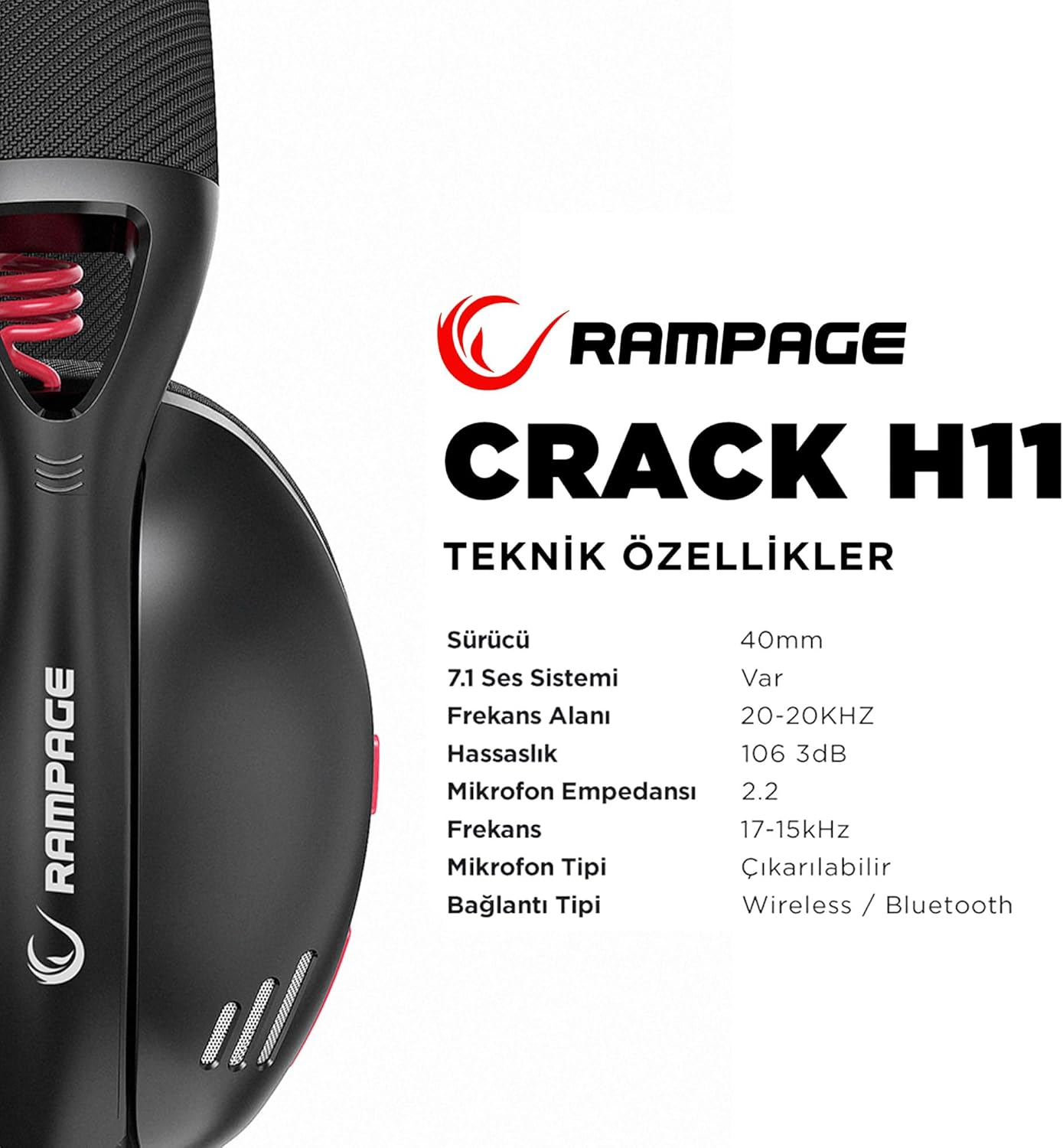
Image: Technical specifications for the Rampage Crack H11 headset, detailing audio and connectivity features.
| அம்சம் | விவரக்குறிப்பு |
|---|---|
| பிராண்ட் | Rampவயது |
| மாதிரி | Crack H11 |
| நிறம் | கருப்பு |
| இணைப்பு | 2.4GHz Wireless, Bluetooth 5.2 |
| டிரைவர் அளவு | 40மிமீ |
| 7.1 ஒலி அமைப்பு | Yes (Virtual Surround) |
| மின்மறுப்பு | 17±15% Ohm |
| உணர்திறன் | 106±3dB |
| அதிர்வெண் பதில் | 20ஹெர்ட்ஸ் - 20கிஹெர்ட்ஸ் |
| மைக்ரோஃபோன் உணர்திறன் | -42 + 2dB |
| மைக்ரோஃபோன் திசை | திசைவழி |
| மைக்ரோஃபோன் மின்மறுப்பு | 2.2k OHM |
| பேட்டரி திறன் | 400mAH 3.7V |
| சார்ஜிங் போர்ட் | வகை-சி |
| சார்ஜிங் நேரம் | 2.5 மணிநேரம் |
| எடை | 177 கிராம் |
| இணக்கத்தன்மை | PC, PS4, PS5, Smart Phones |

படம்: ஒரு ஓவர்view of the Rampage Crack H11 headset's main features, including immersive 7.1 sound, high-quality 40mm drivers, flexible dual connectivity, and efficient charging.
உத்தரவாதம் மற்றும் ஆதரவு
உத்தரவாத தகவல்
ஆர்ampage Crack H11 headset comes with a 24 மாத உத்தரவாதம் from the date of purchase. Please retain your proof of purchase for warranty claims. The warranty covers manufacturing defects and malfunctions under normal use. It does not cover damage caused by misuse, accidents, unauthorized modifications, or normal wear and tear.
வாடிக்கையாளர் ஆதரவு
For technical assistance, troubleshooting, or warranty inquiries, please contact Rampage customer support through their official website or the retailer where the product was purchased. Please have your product model number (Crack H11) and proof of purchase ready when contacting support.