
அறிமுகம்
Welcome to your Timex Ironman Triathlon Classic 10 Digital Watch. This manual provides detailed instructions for setting up, operating, and maintaining your watch. Designed for durability and functionality, this watch features a digital display, stopwatch, timer, and is water-resistant up to 100 meters.

முன் view of the Timex Ironman Triathlon Classic 10 44mm Digital Watch, showcasing its digital display and black case.
தொகுப்பு உள்ளடக்கங்கள்
தொகுப்பில் அனைத்து பொருட்களும் இருப்பதை உறுதி செய்து கொள்ளுங்கள்:
- Timex Men's Ironman Triathlon Classic 10 44mm Digital Watch
- பயனர் கையேடு (இந்த ஆவணம்)
- உத்தரவாத தகவல்
- Watch Box/Case
வாட்ச் கூறுகள் மற்றும் பொத்தான்கள்
Familiarize yourself with the watch's buttons and their general functions. Specific button labels and functions may vary slightly by model, but common digital watch controls are described below.
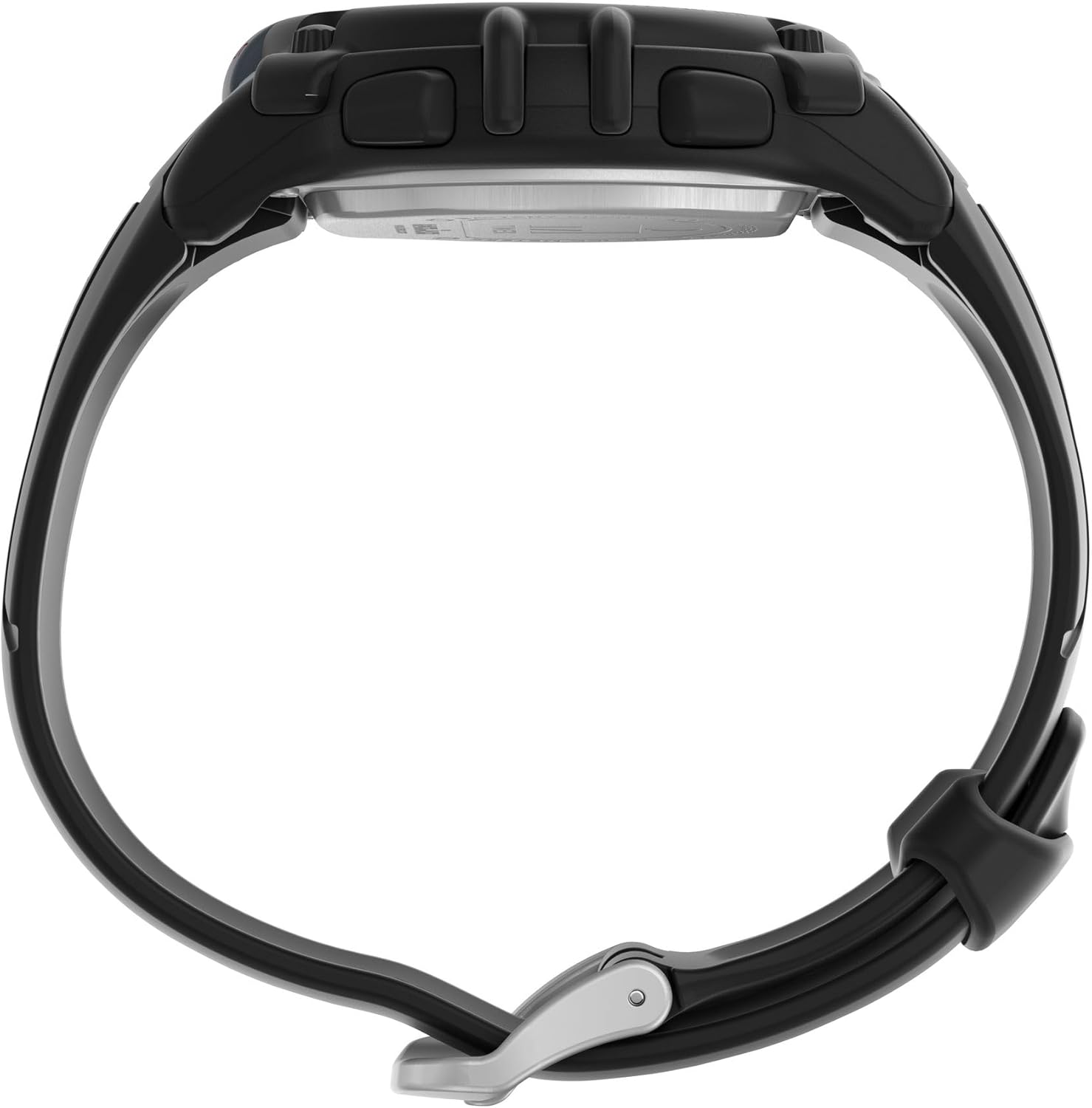
பக்கம் view of the watch, illustrating the control buttons on the left and right sides of the case.
- பயன்முறை பொத்தான்: Cycles through different watch modes (Time, Stopwatch, Timer, Alarm).
- SET/ADJUST Button: Used to enter and exit setting modes, or to confirm selections.
- START/STOP பட்டன்: Initiates and pauses functions like the stopwatch or timer.
- LAP/RESET Button: Records lap times in stopwatch mode or resets values.
- லைட் பட்டன்: Activates the Indiglo backlight for visibility in low light conditions.

பின்புறம் view of the watch, showing the stainless steel backplate and the buckle mechanism of the two-piece strap.
அமைவு
நேரம் மற்றும் தேதி அமைத்தல்
- நேர பயன்முறையில், அழுத்திப் பிடிக்கவும் SET/ADJUST காட்சி ஒளிரும் வரை பொத்தானை அழுத்தவும்.
- அழுத்தவும் பயன்முறை button to cycle through hours, minutes, seconds, month, day, and year settings.
- பயன்படுத்தவும் START/STOP or லேப்/ரீசெட் ஒளிரும் மதிப்பை சரிசெய்ய பொத்தான்கள்.
- எல்லா அமைப்புகளும் சரியாகிவிட்டால், SET/ADJUST அமைப்பு பயன்முறையிலிருந்து வெளியேற மீண்டும் பொத்தானை அழுத்தவும்.
Activating Indiglo Night-Light
அழுத்தவும் ஒளி button to illuminate the watch face. The Indiglo night-light will remain active for a few seconds.
இயக்க முறைகள்
அழுத்தவும் பயன்முறை கிடைக்கக்கூடிய செயல்பாடுகளை சுழற்சி செய்ய பொத்தானை அழுத்தவும்:

Close-up of the digital watch face, displaying time and other indicators.
நேர முறை
This is the default display mode, showing the current time (hours, minutes, seconds) and date (month, day, day of week).
கால வரைபடம் (ஸ்டாப்வாட்ச்) பயன்முறை
- From Time Mode, press பயன்முறை until 'CHRONO' or 'STOPWATCH' appears.
- அழுத்தவும் START/STOP நேரத்தை தொடங்க.
- அழுத்தவும் லேப்/ரீசெட் பிரதான டைமரை நிறுத்தாமல் ஒரு மடி நேரத்தைப் பதிவு செய்ய.
- அழுத்தவும் START/STOP மீண்டும் ஸ்டாப்வாட்சை இடைநிறுத்த.
- அழுத்தவும் லேப்/ரீசெட் while paused to reset the stopwatch to zero.
டைமர் பயன்முறை
- From Time Mode, press பயன்முறை until 'TIMER' appears.
- அழுத்திப் பிடிக்கவும் SET/ADJUST விரும்பிய கவுண்டவுன் நேரத்தை அமைக்க.
- பயன்படுத்தவும் பயன்முறை மணிநேரம், நிமிடங்கள் அல்லது வினாடிகளைத் தேர்ந்தெடுக்க, மற்றும் START/STOP or லேப்/ரீசெட் மதிப்புகளை சரிசெய்ய.
- அழுத்தவும் SET/ADJUST டைமர் அமைப்பை உறுதிப்படுத்த.
- அழுத்தவும் START/STOP கவுண்ட்டவுனைத் தொடங்க. டைமர் பூஜ்ஜியத்தை அடையும் போது அலாரம் ஒலிக்கும்.
- அழுத்தவும் START/STOP to pause/resume the timer. Press லேப்/ரீசெட் டைமரை மீட்டமைக்க.
பராமரிப்பு
நீர் எதிர்ப்பு
Your watch is water-resistant up to 100 meters (330 feet). This means it is suitable for showering, swimming, and snorkeling. Do not press any buttons while the watch is wet or submerged, as this can compromise the water resistance seal.
பேட்டரி தகவல்
This watch uses one Lithium Metal battery (CR2025). Battery replacement should ideally be performed by a qualified watch technician to ensure proper sealing and water resistance. Improper battery replacement can damage the watch and void the warranty.
பராமரிப்பு மற்றும் சுத்தம்
உங்கள் கடிகாரத்தை மென்மையான, டி-கழுவி மூலம் சுத்தம் செய்யவும்.amp cloth. Avoid using chemical cleaners, which can damage the watch case or strap. Rinse the watch with fresh water after exposure to salt water or chlorine.
சரிசெய்தல்
| பிரச்சனை | தீர்வு |
|---|---|
| காட்சி காலியாகவோ அல்லது மங்கலாகவோ உள்ளது. | பேட்டரி குறைவாகவோ அல்லது தீர்ந்து போயோ இருக்கலாம். பேட்டரியை மாற்றவும். |
| பொத்தான்கள் பதிலளிக்கவில்லை. | Ensure the watch is not in a locked mode (if applicable). If wet, dry the watch thoroughly before pressing buttons. If the issue persists, a reset may be required (refer to advanced settings in a full manual or contact support). |
| நேரம்/தேதி தவறானது. | Follow the 'Setting Time and Date' instructions in the Setup section. |
| படிகத்தின் கீழ் ஈரப்பதம். | This indicates a compromised water resistance seal. Stop using the watch in water and seek professional service immediately. |
விவரக்குறிப்புகள்
| அம்சம் | விவரம் |
|---|---|
| மாதிரி எண் | TW5M644009J |
| காட்சி வகை | டிஜிட்டல் |
| வழக்கு விட்டம் | 44 மில்லிமீட்டர்கள் |
| வழக்கு பொருள் | பிசின் |
| படிக பொருள் | அக்ரிலிக் |
| பேண்ட் பொருள் | பாலியூரிதீன் |
| பேண்ட் நீளம் | 8 அங்குலம் |
| பேண்ட் அகலம் | 18 மில்லிமீட்டர்கள் |
| நீர் எதிர்ப்பு ஆழம் | 100 மீட்டர் (330 அடி) |
| இயக்கம் வகை | குவார்ட்ஸ் |
| பேட்டரி வகை | 1 லித்தியம் மெட்டல் பேட்டரி (CR2025) |
| கூடுதல் அம்சங்கள் | டைமர், ஸ்டாப்வாட்ச் |
| பொருளின் எடை | 0.09 கிலோகிராம் (தோராயமாக 3 அவுன்ஸ்) |
| UPC | 194366379860 |
அளவு தகவல்
Understanding watch case size in relation to your wrist is important for comfort and appearance. The following video provides a visual guide to Timex watch sizing.
Official Timex video demonstrating various watch case sizes on different wrist sizes to help determine the best fit.
உத்தரவாதம் மற்றும் ஆதரவு
உத்தரவாத தகவல்
Your Timex watch comes with a Limited Warranty. Please refer to the included 'Warranty Information' document in your package for full details regarding coverage, terms, and conditions.
வாடிக்கையாளர் ஆதரவு
For further assistance, technical support, or service inquiries, please visit the official Timex website or contact their customer service department. Contact information can typically be found on the warranty card or the Timex webதளம்.