
அறிமுகம்
Thank you for choosing the Vieta Pro Silence 3 Bluetooth 5.4 Active Noise Cancelling Headphones. These headphones are designed to provide a superior audio experience with advanced features for comfort and convenience. Please read this manual carefully before using your headphones to ensure proper operation and to maximize their lifespan.
தொகுப்பு உள்ளடக்கங்கள்
- Vieta Pro Silence 3 Headphones
- USB-C சார்ஜிங் கேபிள்
- 3.5மிமீ ஆடியோ கேபிள்
- பயனர் கையேடு
தயாரிப்பு முடிந்துவிட்டதுview
Familiarize yourself with the various parts and controls of your Vieta Pro Silence 3 headphones.
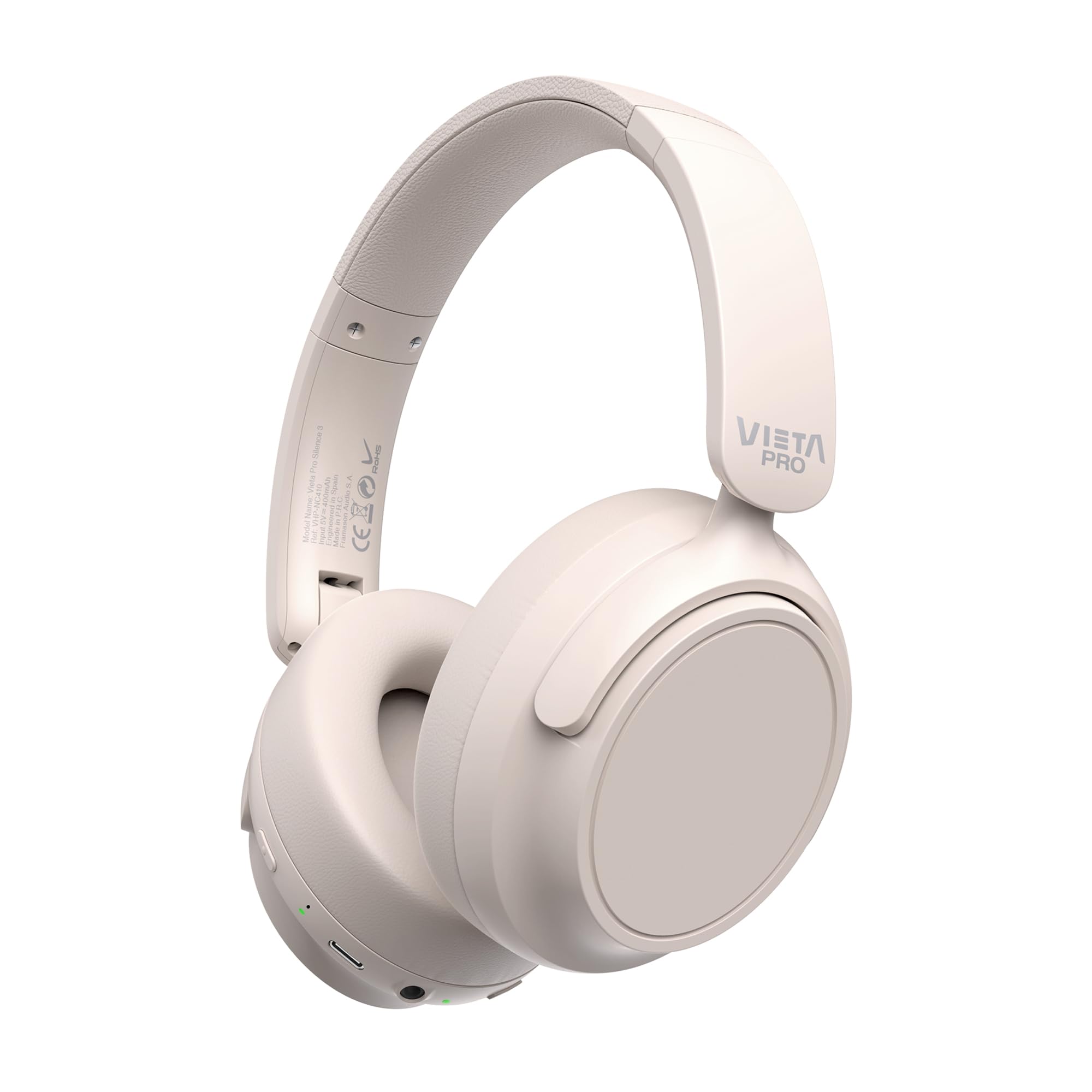
படம்: முன்பக்கம் view of the Vieta Pro Silence 3 headphones, showcasing their overall design.

படம்: பக்கம் view of the Vieta Pro Silence 3 headphones, highlighting the earcups and adjustable headband.

Image: Close-up of a Vieta Pro Silence 3 earcup, illustrating the control buttons, charging port, and 3.5mm audio jack.
The headphones feature a foldable design for easy portability.

Image: Vieta Pro Silence 3 headphones in their folded state, demonstrating their compact design for travel and storage.
அமைவு
1. ஹெட்ஃபோன்களை சார்ஜ் செய்தல்
Before first use, fully charge your headphones. Connect the supplied USB-C cable to the charging port on the headphones and the other end to a USB power source (e.g., wall adapter, computer USB port).
- LED காட்டி சார்ஜிங் நிலையைக் காண்பிக்கும் (எ.கா., சார்ஜ் செய்வதற்கு சிவப்பு, முழுமையாக சார்ஜ் செய்யப்பட்டதற்கு நீலம்/ஆஃப்).
- முழு சார்ஜ் 50 மணிநேரம் வரை பிளேபேக்கை வழங்குகிறது.
- Fast charging via USB-C allows for quick power-ups.
2. ஆன் / ஆஃப் செய்தல்
- பவர் ஆன் செய்ய: Press and hold the Power button for approximately 3 seconds until the LED indicator lights up and you hear an audible prompt.
- பவர் ஆஃப் செய்ய: Press and hold the Power button for approximately 3 seconds until the LED indicator turns off and you hear an audible prompt.
3. புளூடூத் இணைத்தல்
- ஹெட்ஃபோன்கள் அணைக்கப்பட்டுள்ளன என்பதை உறுதிப்படுத்தவும்.
- Press and hold the Power button for 5-7 seconds until the LED indicator flashes blue and red alternately, indicating pairing mode.
- உங்கள் சாதனத்தில் (ஸ்மார்ட்போன், டேப்லெட், கணினி), புளூடூத்தை இயக்கி, கிடைக்கக்கூடிய சாதனங்களைத் தேடுங்கள்.
- Select "Vieta Pro Silence 3" from the list of found devices.
- Once paired, the LED indicator will flash blue slowly, and you will hear a confirmation tone.
ஹெட்ஃபோன்கள் இயக்கப்படும்போது கடைசியாக இணைக்கப்பட்ட சாதனத்துடன் தானாகவே மீண்டும் இணைக்க முயற்சிக்கும்.
4. Wired Connection (Auxiliary Input)
You can use the headphones with a wired connection when Bluetooth is not available or preferred. Connect one end of the 3.5mm audio cable to the auxiliary input port on the headphones and the other end to your audio source's 3.5mm jack.
- When using the wired connection, Bluetooth functionality is disabled.
- Active Noise Cancellation (ANC) can still be used in wired mode.
இயக்க வழிமுறைகள்
1. இசை பின்னணி
- விளையாடு/இடைநிறுத்தம்: பல செயல்பாட்டு பொத்தானை ஒரு முறை அழுத்தவும்.
- அடுத்த ட்ராக்: வால்யூம் அப் பட்டனை அழுத்திப் பிடிக்கவும்.
- முந்தைய ட்ராக்: வால்யூம் டவுன் பட்டனை அழுத்திப் பிடிக்கவும்.
- ஒலியை பெருக்கு: வால்யூம் அப் பட்டனை சுருக்கமாக அழுத்தவும்.
- ஒலியை குறை: வால்யூம் டவுன் பட்டனை சுருக்கமாக அழுத்தவும்.
2. அழைப்பு மேலாண்மை
- பதில்/முடிவு அழைப்பு: பல செயல்பாட்டு பொத்தானை ஒரு முறை அழுத்தவும்.
- அழைப்பை நிராகரி: மல்டி ஃபங்க்ஷன் பட்டனை 2 வினாடிகள் அழுத்திப் பிடிக்கவும்.
- குரல் உதவியாளர்: Double-press the Multi-function button to activate your device's voice assistant (Siri, Google Assistant, etc.).
3. ஆக்டிவ் இரைச்சல் ரத்து (ANC)
The ANC feature reduces ambient noise, allowing for a more immersive listening experience.
- ANC-ஐ இயக்கு/முடக்கு: Press the dedicated ANC button once. The LED indicator for ANC will light up (e.g., green) when active.
- ANC can be used independently or with Bluetooth/wired audio.
4. Dual Pairing Function
The Dual Pairing feature allows you to connect your headphones to two Bluetooth devices simultaneously.
- "புளூடூத் இணைத்தல்" பிரிவில் விவரிக்கப்பட்டுள்ளபடி முதல் சாதனத்துடன் ஹெட்ஃபோன்களை இணைக்கவும்.
- முதல் சாதனத்தில் புளூடூத்தை முடக்கு.
- Put the headphones back into pairing mode and pair them with the second device.
- Enable Bluetooth on the first device. The headphones should now be connected to both devices.
- தீவிரமாக ஒலிபரப்பு செய்யப்படும் சாதனத்திலிருந்து ஆடியோ இயங்கும்.
பராமரிப்பு
- மென்மையான, உலர்ந்த துணியால் ஹெட்ஃபோன்களை சுத்தம் செய்யவும். சிராய்ப்பு கிளீனர்கள் அல்லது கரைப்பான்களைப் பயன்படுத்த வேண்டாம்.
- ஹெட்ஃபோன்களை அதிக வெப்பநிலை, ஈரப்பதம் அல்லது நேரடி சூரிய ஒளியில் வெளிப்படுத்துவதைத் தவிர்க்கவும்.
- Store the headphones in a cool, dry place when not in use, preferably in their folded state to protect them.
- ஹெட்ஃபோன்களை பிரிக்கவோ அல்லது மாற்றவோ முயற்சிக்காதீர்கள், ஏனெனில் இது உத்தரவாதத்தை ரத்து செய்யும்.
சரிசெய்தல்
| பிரச்சனை | சாத்தியமான தீர்வு |
|---|---|
| ஹெட்ஃபோன்கள் இயங்கவில்லை. | ஹெட்ஃபோன்கள் சார்ஜ் செய்யப்பட்டுள்ளதா என்பதை உறுதிப்படுத்திக் கொள்ளுங்கள். USB-C கேபிளைப் பயன்படுத்தி அவற்றை ஒரு மின் மூலத்துடன் இணைக்கவும். |
| புளூடூத் வழியாக இணைக்க முடியாது. |
|
| ஒலி இல்லை அல்லது குறைந்த அளவு. |
|
| ANC திறம்பட செயல்படவில்லை. |
|
விவரக்குறிப்புகள்
| அம்சம் | விவரம் |
|---|---|
| மாதிரி பெயர் | அமைதி 3 |
| மாதிரி எண் | RM |
| இணைப்பு தொழில்நுட்பம் | Bluetooth 5.4, Wired (3.5mm Jack) |
| சத்தம் ரத்து | செயலில் ஒலித்தல் ரத்து (ANC) |
| பேட்டரி ஆயுள் | 50 மணி நேரம் வரை |
| சார்ஜிங் போர்ட் | USB-C (வேகமான சார்ஜிங்) |
| ஒலிவாங்கி | Integrated for hands-free calls |
| படிவம் காரணி | Circum-Auricular (Over-Ear) |
| மின்மறுப்பு | 32 ஓம்ஸ் |
| சிறப்பு அம்சங்கள் | Dual Pairing, Foldable Design, Low Latency Mode |
பாதுகாப்பு தகவல்
- Do not use the headphones at high volume for extended periods to prevent hearing damage.
- சுற்றுப்புற ஒலிகளைக் கேட்க இயலாமை ஆபத்தான சூழ்நிலைகளில் (எ.கா., வாகனம் ஓட்டுதல், சைக்கிள் ஓட்டுதல், போக்குவரத்தில் நடப்பது) ஹெட்ஃபோன்களைப் பயன்படுத்த வேண்டாம்.
- குழந்தைகளுக்கு எட்டாத இடத்தில் வைக்கவும்.
- உள்ளூர் விதிமுறைகளின்படி தயாரிப்பை பொறுப்புடன் அகற்றவும்.
உத்தரவாதம் மற்றும் ஆதரவு
For warranty information and technical support, please refer to the documentation provided with your purchase or visit the official Vieta Pro webஉத்தரவாதக் கோரிக்கைகளுக்கு உங்கள் வாங்கியதற்கான ஆதாரத்தை வைத்திருங்கள்.
Note: Information regarding specific warranty duration or direct support contacts was not available in the provided product data.