
Loocam LC8P8B-6W42S-186D
Loocam 5MP PoE Security Camera System User Manual
Model: LC8P8B-6W42S-186D
பிராண்ட்: லூகாம்
1. அறிமுகம்
This manual provides detailed instructions for the installation, operation, and maintenance of your Loocam 5MP PoE Security Camera System. This system is designed for reliable 24/7 surveillance with advanced features such as full-color night vision, AI human and vehicle detection, and two-way audio communication.
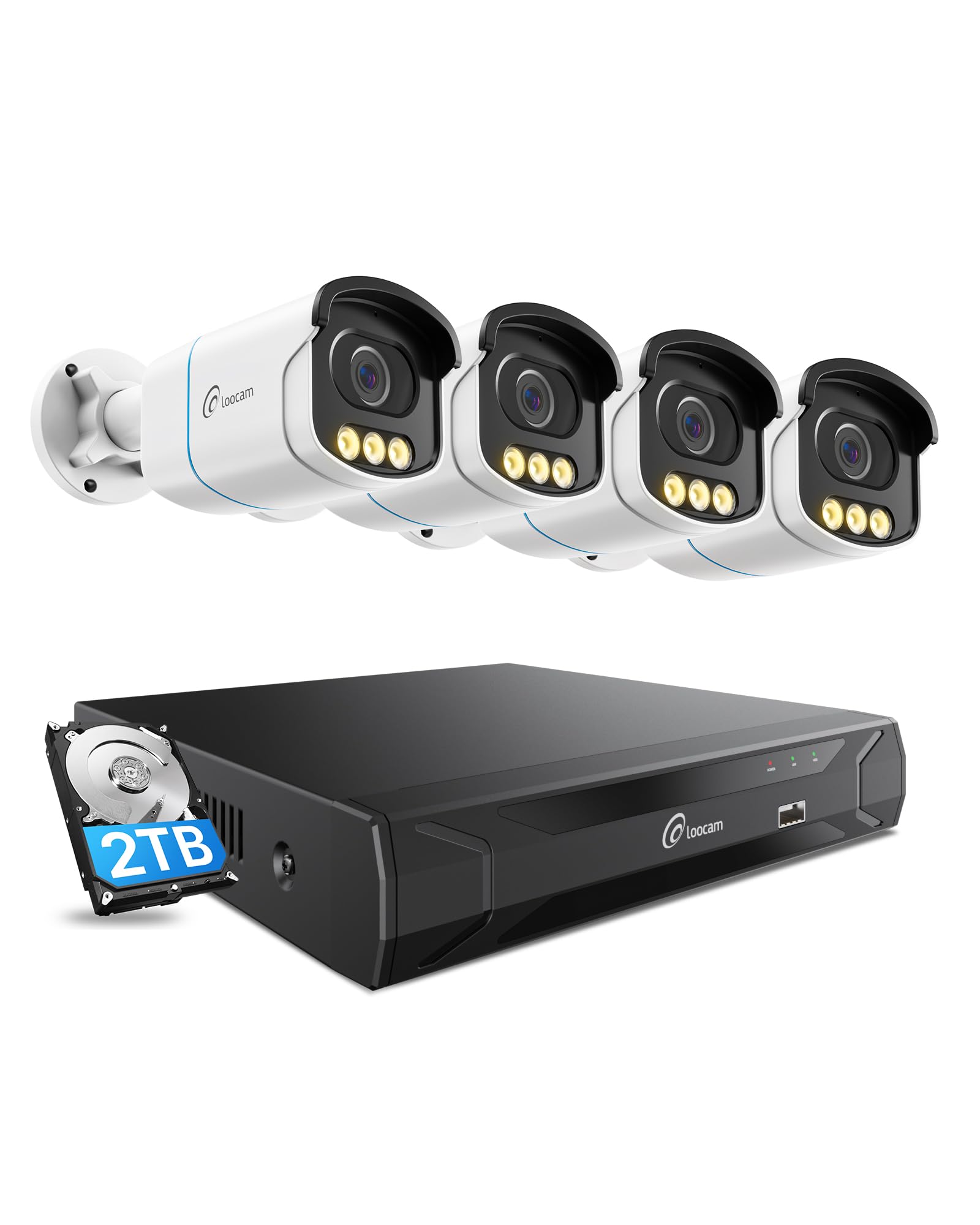
Figure 1: Loocam 5MP PoE Security Camera System components.
2. தொகுப்பு உள்ளடக்கங்கள்
கீழே பட்டியலிடப்பட்டுள்ள அனைத்து பொருட்களும் உங்கள் தொகுப்பில் சேர்க்கப்பட்டுள்ளதா என்பதை சரிபார்க்கவும்:
- 1x 8-Channel 8MP NVR with 2TB Hard Drive Pre-installed
- 4x 5MP PoE IP கேமராக்கள்
- 4x 60 அடி ஈதர்நெட் கேபிள்கள்
- 1x 1மீ ஈதர்நெட் கேபிள்
- 1x NVR பவர் சப்ளை
- 1x யூ.எஸ்.பி மவுஸ்
- 1x HDMI கேபிள்
- 4x பெருகிவரும் திருகுகள்
- 4x மவுண்டிங் டெம்ப்ளேட்கள்
- 1x விரைவு தொடக்க வழிகாட்டி
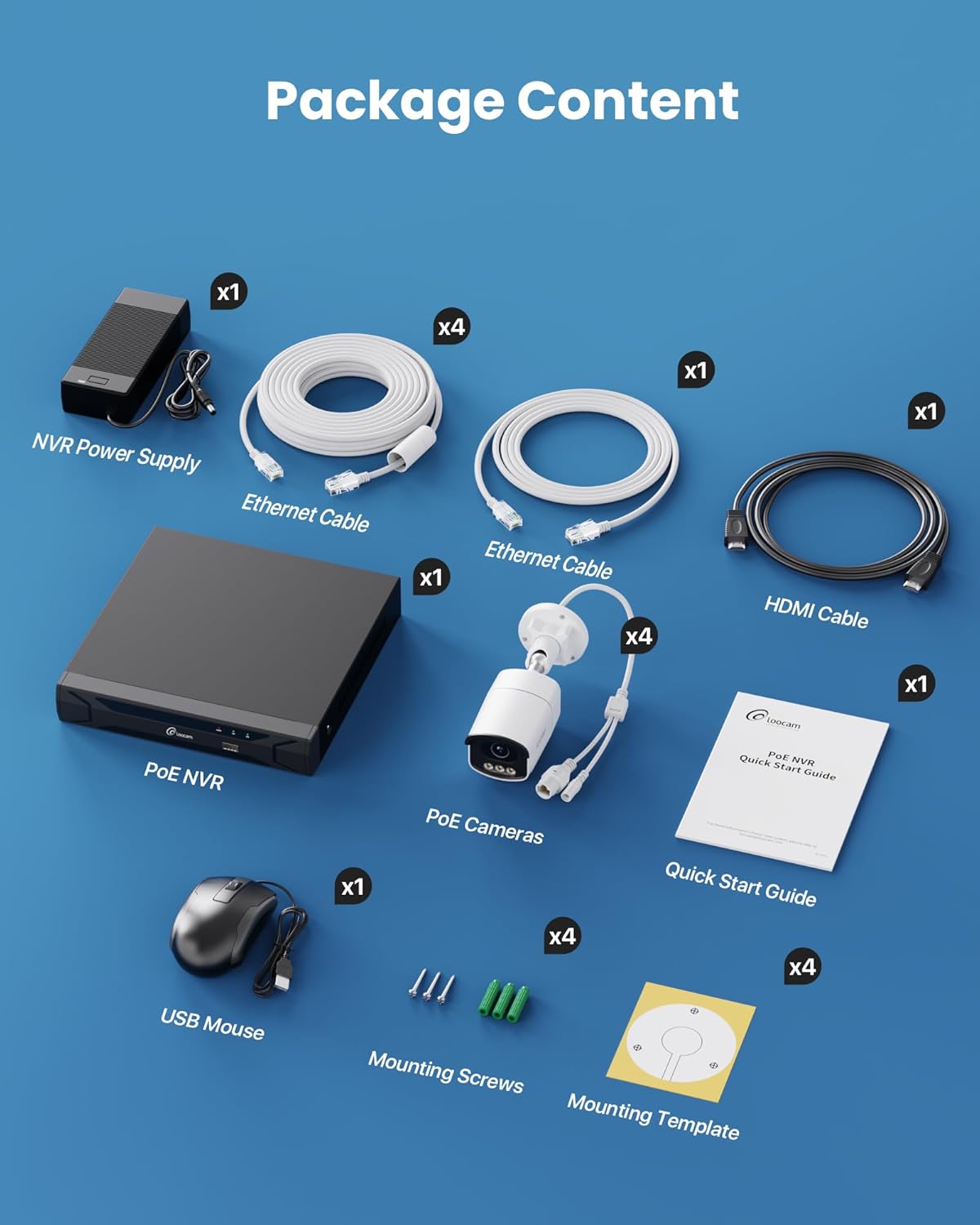
Figure 2: Contents included in the Loocam 5MP PoE Security Camera System package.
3. கணினி அமைப்பு
Follow these steps to set up your Loocam PoE Security Camera System:
- உபகரணங்களைத் தயாரிக்கவும்: Ensure you have a monitor, a router with network connection, and a power strip available.
- NVR ஐ இணைக்கவும்: Connect the NVR to your monitor using the HDMI cable. Connect the USB mouse to the NVR. Connect the NVR to your router using an Ethernet cable. Finally, connect the NVR power supply and turn on the NVR.
- கேமராக்களை இணைக்கவும்: Connect each 5MP PoE IP camera to an available PoE port on the NVR using the provided Ethernet cables. The NVR will power the cameras and transmit video data.
- ஆரம்ப துவக்கம்: Wait for the NVR to boot up and display video feeds from the connected cameras on your monitor.
Video 1: Unboxing and Installation Guide for Loocam PoE Security Camera System. This video demonstrates the physical setup process.
4. இயக்க வழிமுறைகள்
4.1 வீடியோ தரம் மற்றும் இரவு பார்வை
The system provides sharp 5MP HD video (2880x1620 resolution) for clear monitoring. It features advanced full-color night vision, ensuring vivid and detailed images even in low-light conditions, providing 24/7 surveillance.

Figure 3: Visual comparison illustrating the enhanced detail of 5MP HD resolution over 1080p.

Figure 4: Demonstration of true full-color night vision providing clearer, more vibrant images at night compared to standard night vision.
Video 2: Loocam 5MP PoE Camera System showcasing True Full Color Night Vision capabilities.
4.2 Smart AI Detection and Alerts
The system utilizes AI to accurately identify people and vehicles, reducing false alarms. When an event is detected, you will receive instant app notifications.
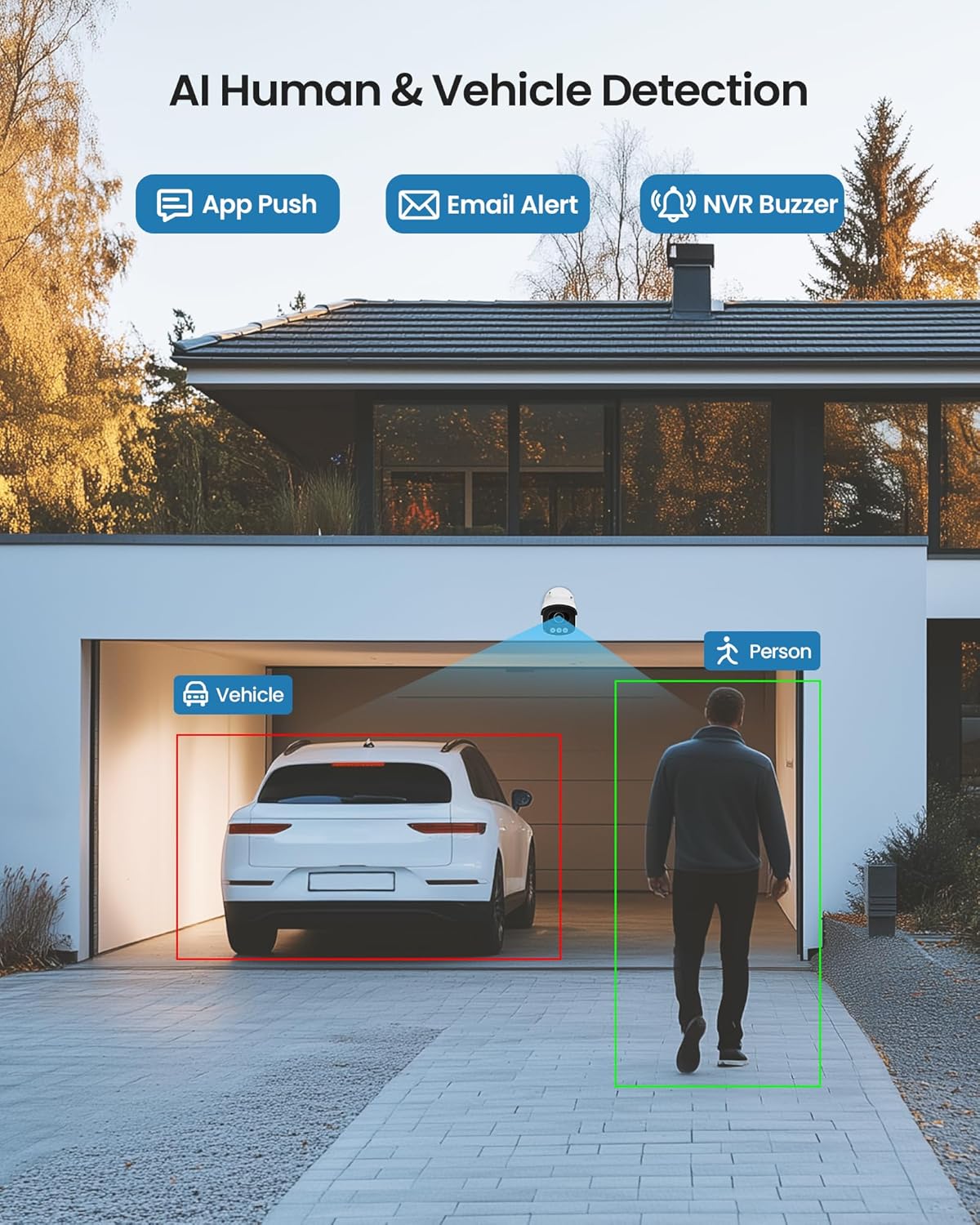
Figure 5: Illustrates the AI system detecting and outlining a person and a vehicle.
4.3 ஸ்பாட்லைட் மற்றும் சைரன் அலாரம்
The cameras are equipped with a spotlight and siren alarm feature. These can be activated automatically upon detection or manually to deter intruders.
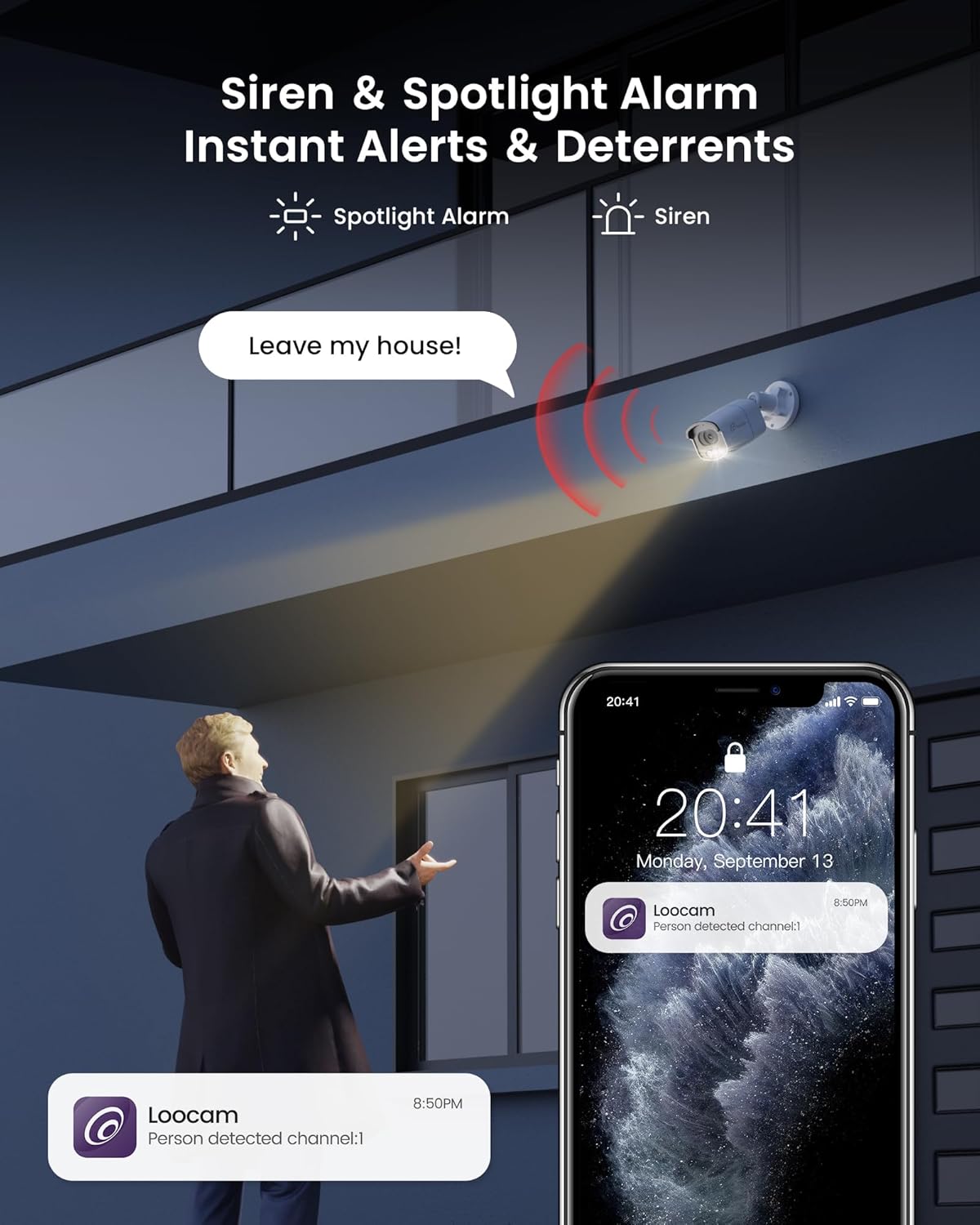
Figure 6: A security camera activating its spotlight and siren, with a corresponding notification on a smartphone.
4.4 இருவழி ஆடியோ
Communicate directly through the camera using the built-in two-way audio feature. This allows you to speak to visitors or warn off unwanted individuals from your smartphone.

Figure 7: A user interacting via two-way audio through the Loocam app on a smartphone.
4.5 தொலைநிலை Viewபதிவிறக்கம் மற்றும் பிளேபேக்
Access live feeds and recorded video anytime, anywhere, using the Loocam app on your smartphone, tablet, or computer. The system supports 24/7 recording to the pre-installed 2TB HDD, which is expandable up to 8TB.

Figure 8: The Loocam app interface displaying continuous recording and smart playback options.
Video 3: Instructions on how to view your Loocam PoE Security Camera System via the mobile application.
4.6 Commercial Features: Zone Monitoring & Traffic Analysis
For business applications, the system offers advanced features such as setting up virtual boundaries for zone alerts and utilizing people counting functionality to analyze foot traffic patterns.

படம் 9: எ.காample of AI-driven passenger flow statistics, including a graph of statistical data.
5. பராமரிப்பு
- வழக்கமான சுத்தம்: கேமரா லென்ஸ்களை அவ்வப்போது மென்மையான, டி-ஸ்க்ரப்பரைப் பயன்படுத்தி சுத்தம் செய்யவும்.amp தெளிவான படத் தரத்தை உறுதி செய்ய துணியைப் பயன்படுத்துங்கள். சிராய்ப்பு கிளீனர்களைத் தவிர்க்கவும்.
- நிலைபொருள் புதுப்பிப்புகள்: Check the Loocam official website or app for available firmware updates to ensure optimal performance and security.
- கேபிள் ஆய்வு: Regularly inspect all cables for any signs of wear or damage, especially for outdoor installations.
- ஹார்டு டிரைவ் மேலாண்மை: 2TB HDD வழங்குகிறது ample storage. The system supports automatic overwrite when the disk is full. Consider backing up important footagஇ அவ்வப்போது.
6. சரிசெய்தல்
- வீடியோ காட்சி இல்லை:
- Ensure the NVR is powered on and connected to the monitor.
- Check HDMI/VGA cable connections.
- Verify cameras are properly connected to PoE ports and NVR is powered.
- நெட்வொர்க் இணைப்பு சிக்கல்கள்:
- Confirm the NVR is connected to the router via Ethernet.
- Check router status and internet connectivity.
- Restart the NVR and router.
- ரிமோட் Viewing Not Working:
- Ensure the NVR has an active internet connection.
- Verify the Loocam app is updated to the latest version.
- Check app settings for correct device addition and network configuration.
- தவறான அலாரங்கள்:
- Adjust AI detection sensitivity settings in the NVR or app.
- பொருத்தமற்ற பகுதிகளை விலக்க குறிப்பிட்ட கண்டறிதல் மண்டலங்களை வரையறுக்கவும்.
7. விவரக்குறிப்புகள்
| அம்சம் | விவரம் |
|---|---|
| பிராண்ட் | லூகம் |
| மாதிரி எண் | LC8P8B-6W42S-186D |
| இணைப்பு தொழில்நுட்பம் | வயர்டு (PoE) |
| வீடியோ பிடிப்பு தீர்மானம் | 5MP (1944p) |
| சிறப்பு அம்சங்கள் | App Control, Full-Color Night Vision, Siren Alarm, Two-Way Audio, Weatherproof (IP66), AI Human/Vehicle Detection |
| சேனல்களின் எண்ணிக்கை | 8 |
| நினைவக சேமிப்பு திறன் | 2 TB HDD (Pre-installed), Expandable up to 8 TB |
| நிறம் | வெள்ளை |
| சக்தி ஆதாரம் | கம்பியூட்டப்பட்ட மின்சாரம் |
| பொருளின் பரிமாணங்கள் (L x W x H) | 17.2 x 12 x 7.8 அங்குலம் |
| பரிந்துரைக்கப்பட்ட பயன்பாடுகள் | Outdoor, Indoor, Home, Business, Human Detection, Automatic Overwrite, Audio Recording, IP66 Weatherproof, Smart Playback, Video Recording |
| இணக்கமான சாதனங்கள் | மடிக்கணினிகள், தனிநபர் கணினிகள், ஸ்மார்ட்போன்கள், டிவி, டேப்லெட்டுகள் |
| பிரேம் வீதம் | 15, 24, 30 FPS |
| பதிவு முறை | Event, Schedule |
| வன்பொருள் இடைமுகம் | ஈதர்நெட் |
| லென்ஸ் வகை | சரி செய்யப்பட்டது |
| வீடியோ உள்ளீடு | BNC, RJ45 |
| ஸ்மார்ட் ஹோம் இணக்கத்தன்மை | Smart Home Compatible |
8. உத்தரவாதம் மற்றும் ஆதரவு
Loocam products come with a standard manufacturer's warranty. For detailed warranty information, technical support, or service inquiries, please refer to the contact information provided in your Quick Start Guide or visit the official Loocam webஉத்தரவாதக் கோரிக்கைகளுக்கு உங்கள் கொள்முதல் ரசீதை வைத்திருங்கள்.
Ask a question about this manual
Ask about setup, troubleshooting, compatibility, parts, safety, or missing instructions. Manuals+ will review the question and use this page’s manual context to help answer it.