
அறிமுகம்
Thank you for choosing the OtterBox Wireless Charging Stand for MagSafe. This stand provides a sleek, compact, and efficient charging solution for your MagSafe-compatible iPhone and accessories. Designed for convenience and durability, it offers a fast and secure charging experience.
பெட்டியில் என்ன இருக்கிறது
- OtterBox Wireless Charging Stand
- OtterBox 20W Wall Charger
- OtterBox 2M (6.6FT) USB-C to USB-C Cable
அமைவு
- USB-C கேபிளை இணைக்கவும்: Insert one end of the provided 2M USB-C to USB-C cable into the USB-C port located on the back of the OtterBox Wireless Charging Stand.
- சக்தியுடன் இணைக்கவும்: Insert the other end of the USB-C cable into the OtterBox 20W Wall Charger.
- அவுட்லெட்டில் செருகவும்: Plug the 20W Wall Charger into a functional power outlet. The stand is now ready for use.
இயக்க வழிமுறைகள்
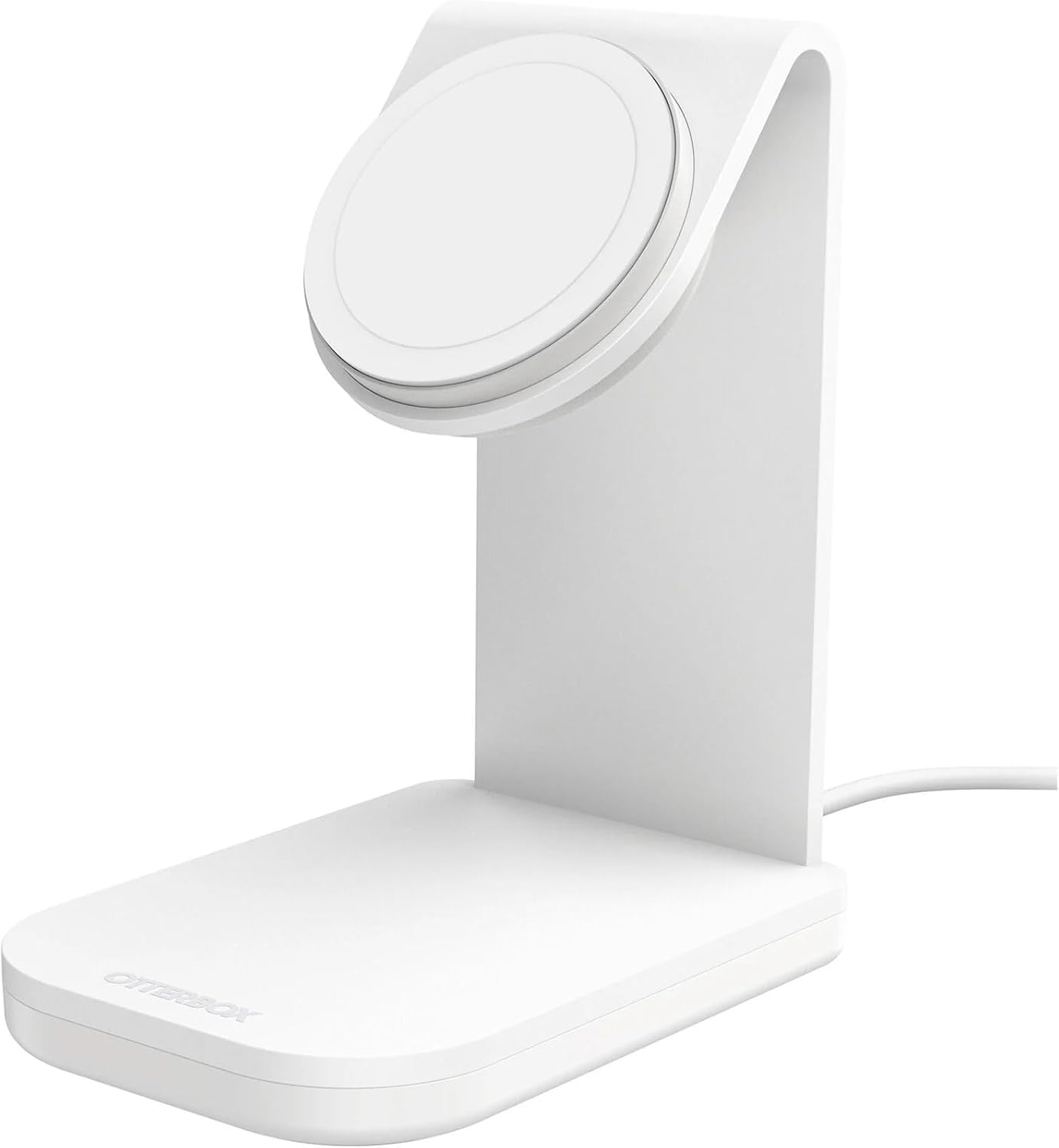
- உங்கள் சாதனத்தை வைக்கவும்: Position your MagSafe-compatible iPhone or MagSafe case onto the magnetic charging pad of the stand. The strong magnetic alignment will securely attach your device.
- சார்ஜிங் உறுதிப்படுத்தல்: Your device will begin charging automatically. The 15W Qi wireless charger delivers optimal 7.5W charging speeds to your iPhone.
- நோக்குநிலை: The stand allows you to suspend your iPhone securely in any orientation (portrait or landscape) while charging, streaming, or connecting.
- அகற்றுதல்: To remove your device, simply twist it off the magnetic pad. The no-slip, weighted base ensures the stand remains steady.

இணக்கத்தன்மை
The OtterBox Wireless Charging Stand is compatible with:
- iPhone models with MagSafe capability.
- MagSafe cases, including:
- Defender Series XT
- Defender Series XT Pro
- Symmetry Series+
- Aneu Series
- Figura Series
- Commuter Series (MagSafe Edition)
- Defender Series (MagSafe Edition)
பராமரிப்பு
To ensure optimal performance and longevity of your charging stand:
- Keep the charging pad clean and free of dust or debris. Use a soft, dry cloth for cleaning.
- Avoid exposing the stand to extreme temperatures or moisture.
- Do not attempt to disassemble or modify the stand.
சரிசெய்தல்
If you experience issues with your charging stand, consider the following:
- சாதனம் சார்ஜ் ஆகவில்லை: Ensure the USB-C cable is securely connected to both the stand and the wall charger, and that the wall charger is properly plugged into a live power outlet.
- மெதுவாக சார்ஜிங்: Verify that you are using the included OtterBox 20W Wall Charger or another compatible power adapter that provides sufficient wattage (at least 20W) to enable optimal 15W charging.
- காந்த இணைப்பு சிக்கல்கள்: Confirm that your iPhone is MagSafe-compatible or is housed in a MagSafe-compatible case. Remove any non-MagSafe accessories or thick cases that may interfere with the magnetic connection.
- நிலைப்புத்தன்மை: Ensure the stand is placed on a flat, stable surface. The weighted base is designed for stability, but excessive force or uneven surfaces may affect it.
விவரக்குறிப்புகள்
| தயாரிப்பு பரிமாணங்கள் | 3.2 x 4.6 x 5.48 அங்குலம் |
| பொருளின் எடை | 1.36 பவுண்டுகள் |
| பொருள் மாதிரி எண் | 78-80872 |
| பிராண்ட் | ஓட்டர்பாக்ஸ் |
| இணைப்பான் வகை | USB வகை C |
| உள்ளீடு தொகுதிtage | 3 வோல்ட் |
| மொத்த USB போர்ட்கள் | 1 |
| வாட்tage | 15 வாட்ஸ் |
| சிறப்பு அம்சம் | Magnetic, Magsafe Compatible |
| நிறம் | Brilliant Opera (White) |
உத்தரவாதம் & ஆதரவு
The OtterBox Wireless Charging Stand is backed by an OtterBox limited lifetime warranty. This warranty is supported by hassle-free customer service.
For detailed warranty information and support, please visit the official OtterBox webதளத்தில் அல்லது அவர்களின் வாடிக்கையாளர் சேவையை நேரடியாகத் தொடர்பு கொள்ளவும்.