
1. அறிமுகம்
The Wanbo T2 Ultra is a compact and versatile projector designed for home entertainment. It features Android TV 11.0, offering access to a wide range of streaming applications. With 500 ANSI lumens brightness and native 1080P Full HD resolution, it delivers clear and vibrant images. Advanced features like auto-focus, automatic keystone correction, and integrated HiFi speakers enhance the user experience. This manual provides detailed instructions for setup, operation, and maintenance of your Wanbo T2 Ultra projector.
2. தொகுப்பு உள்ளடக்கங்கள்
பின்வரும் உருப்படிகளுக்கு பெட்டியை சரிபார்க்கவும்:
- Wanbo T2 Ultra Projector Unit
- ரிமோட் கண்ட்ரோல்
- பவர் கேபிள்
- HDMI கேபிள்
- பயனர் கையேடு (இந்த ஆவணம்)
- Cleaning Tools (if included)

Image: Projector and accessories in packaging. Actual contents may vary slightly.
3. தயாரிப்பு முடிந்துவிட்டதுview
3.1 Projector Unit

படம்: முன்பக்கம் view of the Wanbo T2 Ultra Projector.
3.2 போர்ட்கள் மற்றும் இணைப்புகள்

படம்: பின்புறம் view of the Wanbo T2 Ultra Projector showing various input/output ports.
- HDMI (ARC) Port: Connect to external devices such as laptops, gaming consoles, or TV boxes. Supports Audio Return Channel.
- USB போர்ட்: மீடியா பிளேபேக்கிற்கு USB சேமிப்பக சாதனங்களை இணைக்கவும்.
- Audio Port (3.5mm): வெளிப்புற ஹெட்ஃபோன்கள் அல்லது ஸ்பீக்கர்களை இணைக்கவும்.
- ஆற்றல் உள்ளீடு: Connect the power cable to supply power to the projector.
4 அமைவு
4.1 மின் இணைப்பு
- Connect the power cable to the Power Input port on the projector.
- பவர் கேபிளின் மறுமுனையை பவர் அவுட்லெட்டில் செருகவும்.
- சாதனத்தை இயக்க, ப்ரொஜெக்டர் அல்லது ரிமோட் கண்ட்ரோலில் உள்ள ஆற்றல் பொத்தானை அழுத்தவும்.
4.2 ஆரம்ப அமைப்பு
Upon first use, follow the on-screen prompts to complete the initial setup, including language selection and Wi-Fi connection.
4.2.1 வைஃபை இணைப்பு
- செல்லவும் அமைப்புகள் முகப்புத் திரையில் இருந்து.
- தேர்ந்தெடு நெட்வொர்க் & இணையம்.
- Wi-Fi ஐ இயக்கி, பட்டியலிலிருந்து உங்களுக்கு தேவையான நெட்வொர்க்கைத் தேர்ந்தெடுக்கவும்.
- திரையில் உள்ள விசைப்பலகையைப் பயன்படுத்தி வைஃபை கடவுச்சொல்லை உள்ளிட்டு உறுதிப்படுத்தவும்.
Video: Illustrates Wi-Fi and Bluetooth connection steps. Note: This video may feature a different projector model but demonstrates the general process.
4.3 Focus & Keystone Correction
The Wanbo T2 Ultra features automatic focus and keystone correction for optimal image clarity and shape.
4.3.1 தானியங்கி சரிசெய்தல்
- The projector automatically adjusts focus and keystone when powered on or moved.
- Obstacle avoidance and automatic screen adjustment features ensure the image fits perfectly on your projection surface.

Image: The projector automatically adjusting focus and keystone correction for a clear, rectangular image.
4.3.2 Manual Adjustment (if needed)
- செல்க அமைப்புகள் > படத் திருத்தம்.
- தேர்ந்தெடு கையேடு கீஸ்டோன் திருத்தம் to adjust the four corners of the image.
- தேர்ந்தெடு கவனம் > கையேடு கவனம் to fine-tune the image sharpness using the F+ and F- buttons on the remote.
4.4 திரை சரிசெய்தல்
The projector supports digital zoom to adjust the screen size without moving the unit.
- செல்க அமைப்புகள் > படத் திருத்தம்.
- தேர்ந்தெடு Screen Zoom and Position.
- Use the directional buttons to adjust the position and the volume buttons to adjust the zoom (50% to 100%).
4.5 ப்ரொஜெக்ஷன் முறைகள்
The projector can be used in various orientations:
- முன்பக்கத் தோற்றம்: Projector placed in front of the screen.
- பின்புற ப்ரொஜெக்ஷன்: Projector placed behind a translucent screen.
- உச்சவரம்புத் திட்டம்: Projector mounted upside down on the ceiling. The integrated stand allows for easy adjustment for ceiling or wall projection.
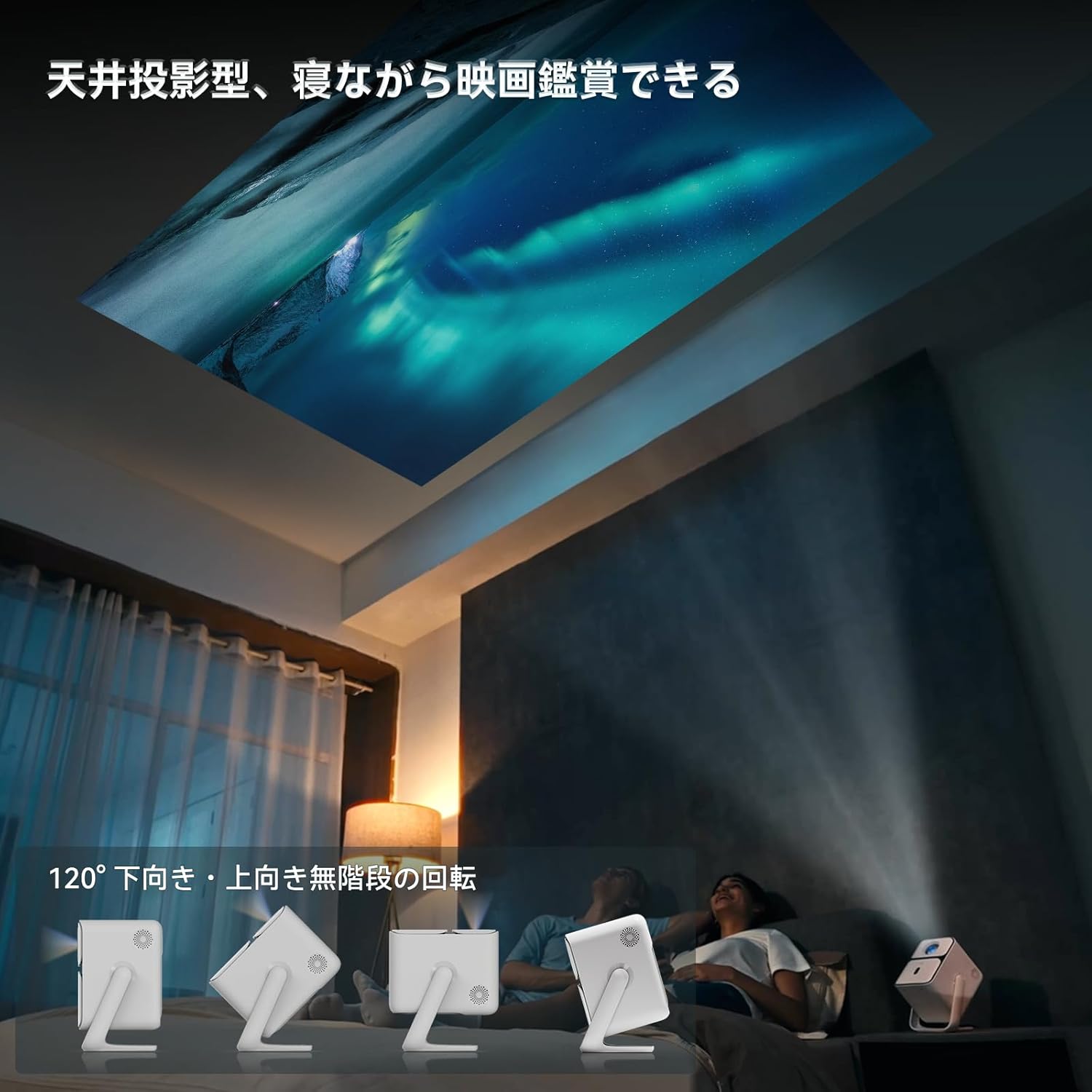
Image: Projector positioned for ceiling projection, allowing viewing while lying down.
Video: Demonstrates ceiling projection mode. Note: This video may feature a different projector model but demonstrates the general process.
5. இயக்க வழிமுறைகள்
5.1 ரிமோட் கண்ட்ரோல் செயல்பாடுகள்

Image: Remote control for the projector, showing buttons for power, navigation, volume, focus, and direct access to streaming apps like Netflix, YouTube, and Prime Video.
- பவர் பட்டன்: ப்ரொஜெக்டரை ஆன்/ஆஃப் செய்கிறது.
- குரல் தேடல்: குரல் கட்டளைகளுக்கு Google உதவியாளரை செயல்படுத்துகிறது.
- One-Touch Focus: Initiates automatic focus adjustment.
- Directional Keys (Up/Down/Left/Right): மெனுக்கள் மற்றும் தேர்வுகளுக்குச் செல்லவும்.
- சரி பொத்தான்: தேர்வுகளை உறுதிப்படுத்துகிறது.
- பின் பொத்தான்: முந்தைய திரைக்குத் திரும்புகிறது.
- முகப்பு பொத்தான்: முகப்புத் திரைக்குத் திரும்புகிறது.
- தொகுதி +/-: ஒலி அளவை சரிசெய்கிறது.
- Focus +/- (F+/F-): Manually adjusts focus.
- முடக்கு பொத்தான்: ஆடியோவை முடக்குகிறது/அன்மியூட் செய்கிறது.
- Input Signal Switch: உள்ளீட்டு மூலத்தை மாற்றுகிறது.
- பயன்பாட்டு அமைப்புகள்: Accesses application settings.
- திட்ட அமைப்புகள்: Accesses projection-related settings.
- Direct App Buttons: Dedicated buttons for Netflix, YouTube, Prime Video, and Disney+.
5.2 App Management (Android TV 11.0)
The Wanbo T2 Ultra runs on Android TV 11.0, providing access to the Google Play Store.
- பயன்பாடுகளை அணுகுதல்: From the home screen, you can directly launch pre-installed apps or navigate to the Google Play Store to download more.
- ஸ்ட்ரீமிங் சேவைகள்: Enjoy popular services like Netflix, Prime Video, YouTube, Disney+, Hulu, U-NEXT, and more. The projector supports Google Widevine DRM L1 for high-quality content playback.
- Google உதவியாளர்: Press the Voice Search button on the remote to use voice commands for searching content, controlling playback, and more.

Image: The projector displaying the Android TV 11.0 home screen, featuring various streaming applications.
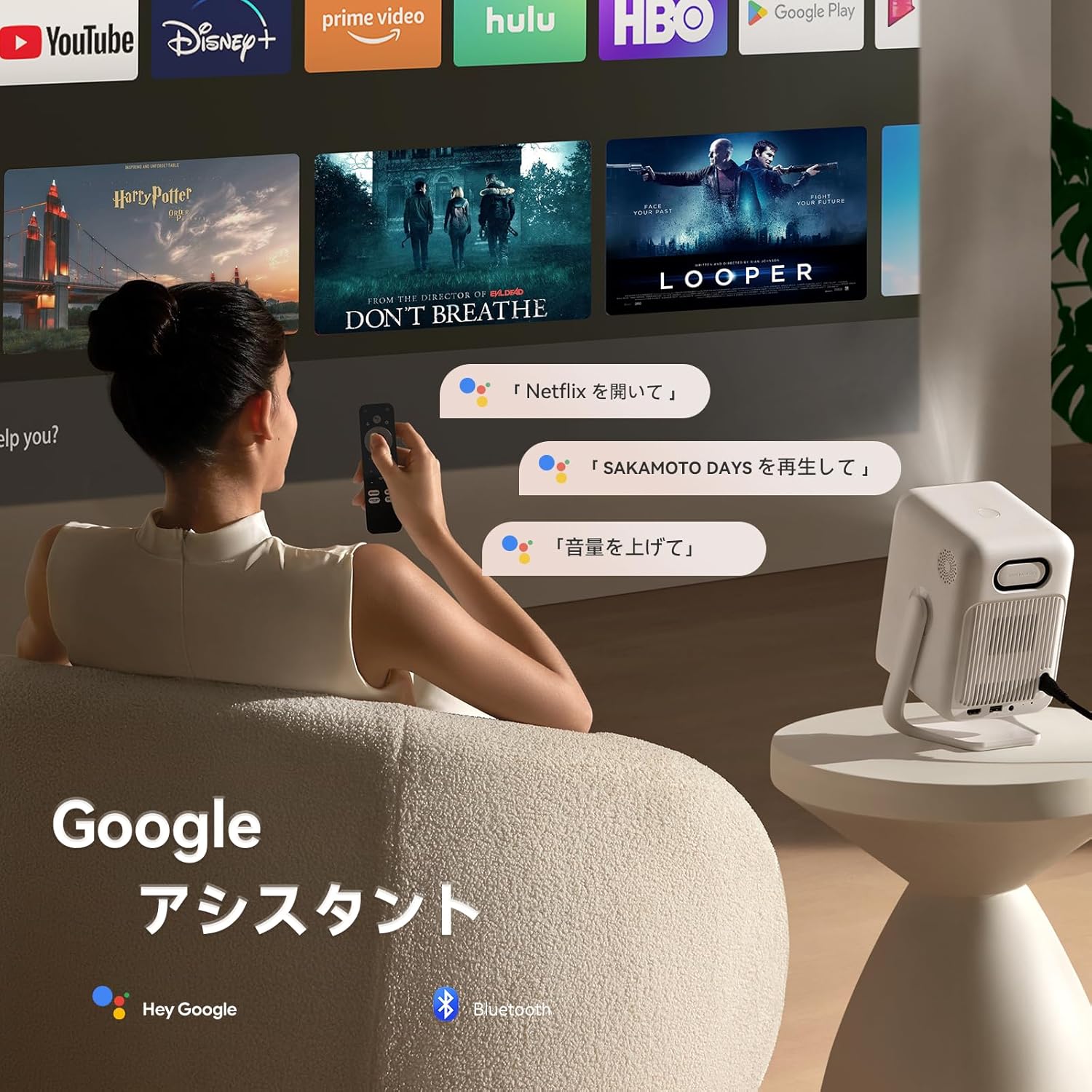
Image: A user utilizing the Google Assistant feature with the remote control to search for content.
5.3 இணைப்பு
The Wanbo T2 Ultra offers multiple connectivity options for various devices.
5.3.1 HDMI இணைப்பு
- Connect an HDMI cable from your external device (e.g., laptop, game console) to the HDMI port on the projector.
- The projector will automatically detect the HDMI input. If not, navigate to சிக்னல் ஆதாரம் and select the corresponding HDMI input.
Video: Demonstrates HDMI connection. Note: This video may feature a different projector model but demonstrates the general process.
5.3.2 USB இணைப்பு
- ப்ரொஜெக்டரில் உள்ள USB போர்ட்டில் USB சேமிப்பக சாதனத்தைச் செருகவும்.
- A notification will appear on the screen. Select to open the file manager and browse your media.
Video: Demonstrates USB connection. Note: This video may feature a different projector model but demonstrates the general process.
5.3.3 புளூடூத் இணைப்பு
- செல்க அமைப்புகள் > Bluetooth & Accessories.
- புளூடூத் இயக்கப்பட்டிருப்பதை உறுதிசெய்யவும்.
- தேர்ந்தெடு சாதனத்தைச் சேர்க்கவும் and choose your Bluetooth device (e.g., headphones, speakers) from the list to pair.
Video: Illustrates Bluetooth connection steps. Note: This video may feature a different projector model but demonstrates the general process.
5.3.4 Wireless Screen Mirroring (Chromecast/AirPlay)
The projector has built-in Chromecast for seamless screen mirroring from iOS and Android devices.
- உங்கள் மொபைல் சாதனமும் ப்ரொஜெக்டரும் ஒரே வைஃபை நெட்வொர்க்குடன் இணைக்கப்பட்டுள்ளதா என்பதை உறுதிப்படுத்திக் கொள்ளுங்கள்.
- On your mobile device, open a compatible app (e.g., YouTube, Netflix) and tap the Cast icon to select the projector.
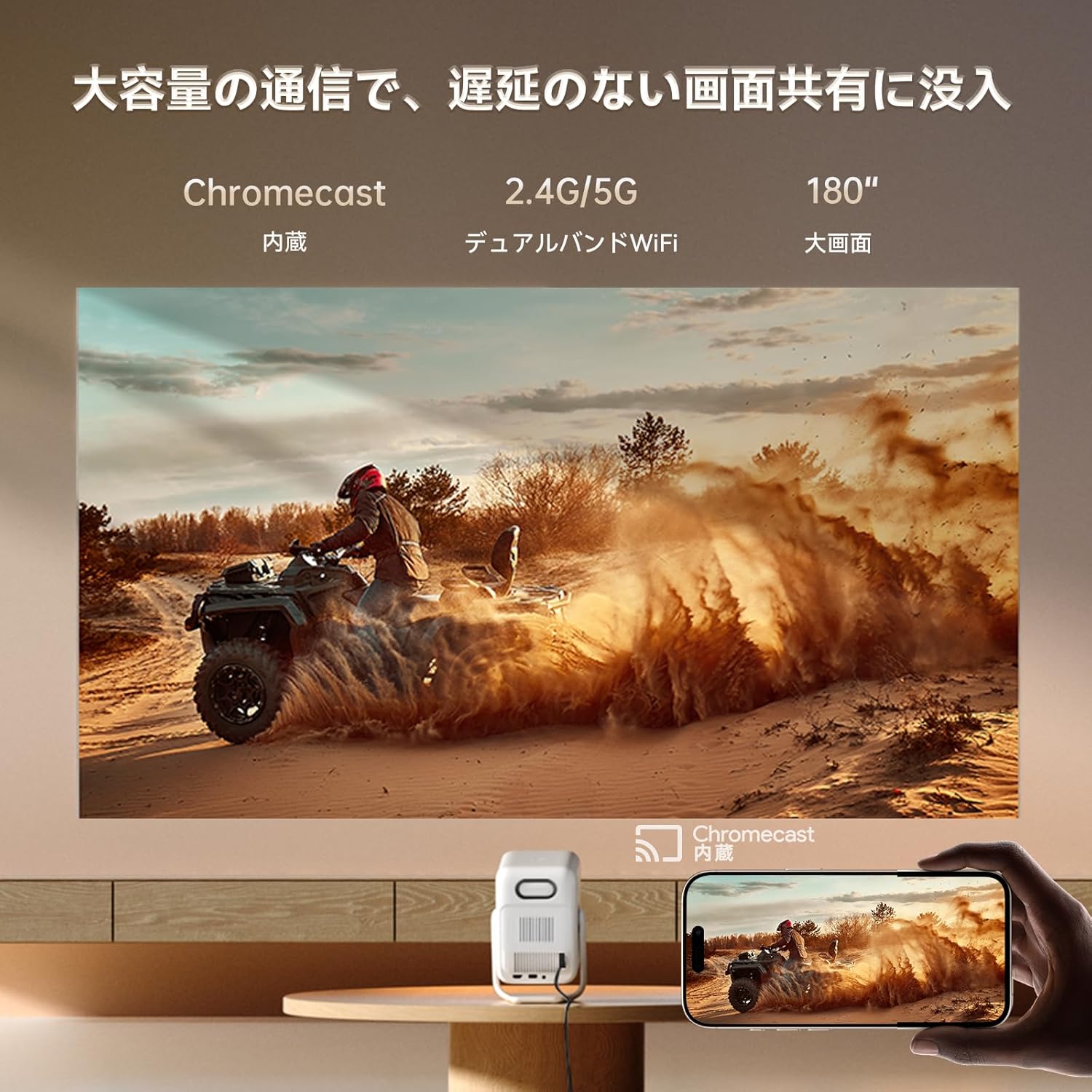
Image: A smartphone wirelessly casting content to the projector, demonstrating Chromecast functionality.
5.4 ஆடியோ அமைப்புகள்
The projector features dual 5W HiFi speakers (10W total) with an independent DSP amplifier for rich sound. You can also connect external audio devices.
5.4.1 Adjusting Sound Modes
- செல்க அமைப்புகள் > காட்சி & ஒலி > ஒலி விளைவுகள்.
- Choose from various sound modes like Standard, Movie, Music, News, or Sports to optimize audio for your content.
5.4.2 புளூடூத் ஸ்பீக்கர் பயன்முறை
You can use the projector as a standalone Bluetooth speaker.
- முகப்புத் திரையில் இருந்து, தேர்ந்தெடுக்கவும் புளூடூத் இசை.
- On your mobile device, enable Bluetooth and connect to the projector (device name: ISINBOX_AC311 or similar).
Video: Demonstrates Bluetooth speaker mode. Note: This video may feature a different projector model but demonstrates the general process.
6. பராமரிப்பு
6.1 சுத்தம் செய்தல்
- லென்ஸ்: Use a soft, lint-free cloth or lens cleaning paper to gently wipe the lens. Avoid abrasive materials or excessive pressure.
- வெளிப்புறம்: Wipe the projector's exterior with a soft, dry cloth. Do not use liquid cleaners or solvents.
- வென்ட்ஸ்: Regularly clean the ventilation grilles to prevent dust buildup, which can affect performance and lifespan. Use a soft brush or compressed air.
6.2 சேமிப்பு
- ப்ரொஜெக்டரை நேரடி சூரிய ஒளி மற்றும் தீவிர வெப்பநிலையிலிருந்து விலகி குளிர்ந்த, உலர்ந்த இடத்தில் சேமிக்கவும்.
- If storing for an extended period, place the projector in its original packaging or a protective case to prevent dust accumulation and damage.
7. சரிசெய்தல்
If you encounter issues with your Wanbo T2 Ultra projector, refer to the following common solutions:
| பிரச்சனை | சாத்தியமான காரணம் | தீர்வு |
|---|---|---|
| படம் இல்லை/பவர் ஆஃப் | Power cable disconnected; Projector off | Check power connections; Press power button |
| மங்கலான படம் | Out of focus; Incorrect keystone | Use auto-focus or manual focus; Adjust keystone correction |
| ஒலி இல்லை | Volume too low; Muted; Incorrect audio output | Increase volume; Unmute; Check audio settings |
| வைஃபை/புளூடூத் இணைப்புச் சிக்கல்கள் | Incorrect password; Device out of range; Interference | Verify password; Move closer to router/device; Reduce interference |
| ரிமோட் கண்ட்ரோல் வேலை செய்யவில்லை | Low battery; Obstruction; Not paired | Replace batteries; Remove obstructions; Re-pair remote |
8. விவரக்குறிப்புகள்
| அம்சம் | விவரக்குறிப்பு |
|---|---|
| பிராண்ட் | WANBO |
| மாதிரி | T2 அல்ட்ரா |
| இயக்க முறைமை | ஆண்ட்ராய்டு டிவி 11.0 |
| பிரகாசம் | 500 ANSI லுமன்ஸ் |
| நேட்டிவ் ரெசல்யூஷன் | 1920 x 1080 பிக்சல்கள் (முழு எச்டி) |
| வீசுதல் விகிதம் | 1.2:1 |
| பேச்சாளர் | 10W HiFi Stereo (Dual 5W) |
| இணைப்பு | HDMI (ARC), USB, 3.5mm Audio Jack, 5G Wi-Fi, Bluetooth |
| சிறப்பு அம்சங்கள் | Auto-Focus, Auto Keystone Correction, Auto Screen Adjustment, Obstacle Avoidance, Digital Zoom (50-100%), Chromecast Built-in |
| பரிமாணங்கள் (W x D x H) | 14.48 x 14.22 x 21.84 செ.மீ |
| எடை | 2.2 கிலோ |
9. உத்தரவாதம் மற்றும் ஆதரவு
9.1 தயாரிப்பு உத்தரவாதம்
The Wanbo T2 Ultra projector comes with a 12-month warranty covering quality-related issues. For customers who follow the official Wanbo social media accounts (@wanboglobal), the product warranty is automatically extended to 18 months.
9.2 வாடிக்கையாளர் ஆதரவு
For any questions or support needs, please contact us:
- மின்னஞ்சல்: support@szwanbo.net
We aim to respond to all inquiries within 24 hours. Lifetime support is provided for product usage.


