
அறிமுகம்
This manual provides essential information for the safe and efficient installation, operation, and maintenance of your Koda 6000 LM Modern Directional Shop Light with Motion Sensor. Please read all instructions carefully before use and retain this manual for future reference.
பாதுகாப்பு தகவல்
- நிறுவல், பராமரிப்பு அல்லது சுத்தம் செய்வதற்கு முன் எப்போதும் மின்சாரத்தைத் துண்டிக்கவும்.
- மின்சாரம் வழங்கல் தொகுதியை உறுதி செய்யவும்tage matches the product's requirements (120V).
- ஒளிரும் போது LED ஒளி மூலத்தை நேரடியாகப் பார்க்க வேண்டாம்.
- இந்த தயாரிப்பு உட்புற பயன்பாட்டிற்காக மட்டுமே வடிவமைக்கப்பட்டுள்ளது.
- உங்களுக்குத் தெரியாவிட்டால், தகுதிவாய்ந்த எலக்ட்ரீஷியனால் நிறுவல் செய்யப்பட வேண்டும்.
- எளிதில் தீப்பற்றக்கூடிய பொருட்களிலிருந்து விலகி இருங்கள்.
தொகுப்பு உள்ளடக்கங்கள்
அனைத்து கூறுகளும் உள்ளனவா மற்றும் சேதமடையாமல் உள்ளதா என்பதைச் சரிபார்க்கவும்:
- 1 x Koda Modern Directional LED Shop Light
- 1 x Installation Kit (includes hanging chains, ceiling hooks, mounting clips, screws, plastic anchors, and end caps)
- 1 x 5 ft. Plug-in Power Cord with On/Off Switch
- 1 x Linkable Connector Cable (for connecting multiple fixtures)
அமைவு மற்றும் நிறுவல்
The Koda Shop Light offers flexible installation options, including flush mount and suspended mount. Up to 6 fixtures can be linked together for extended lighting coverage.
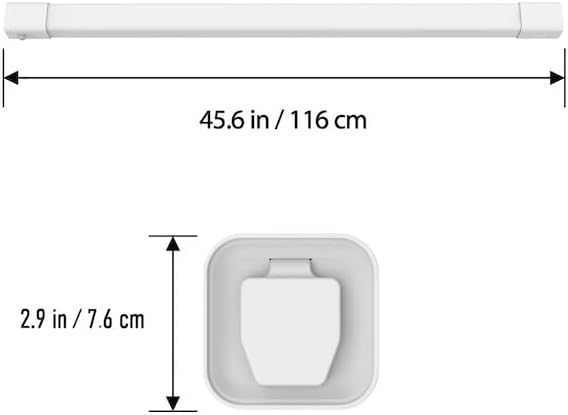
பரிமாணங்கள் முடிந்துவிட்டனview
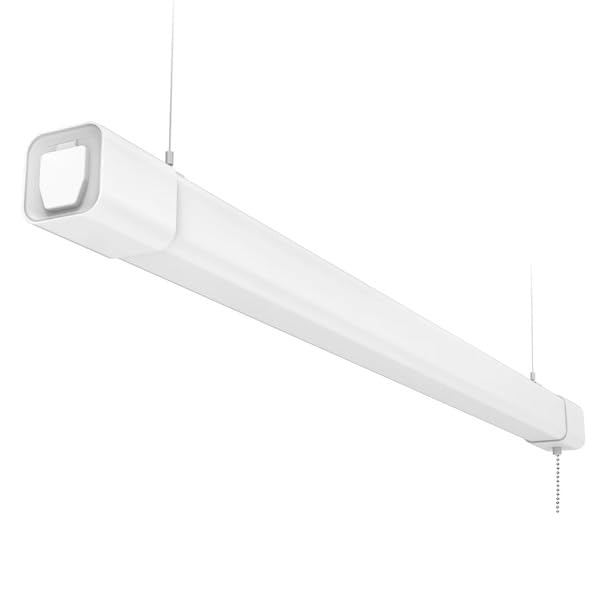
Image: Product dimensions showing a length of 45.6 inches (116 cm) and a width/height of 2.9 inches (7.6 cm).
நிறுவல் முறைகள்
Choose between hanging mount or surface mount based on your preference and workspace requirements. The included installation kit provides all necessary hardware.
Hanging Mount Installation
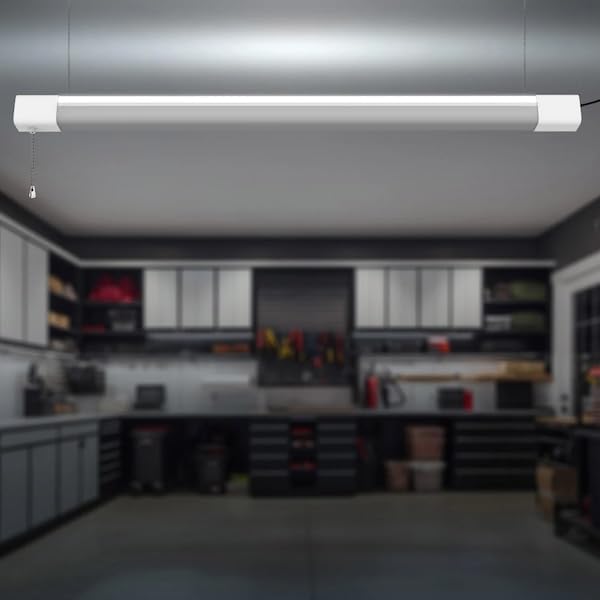
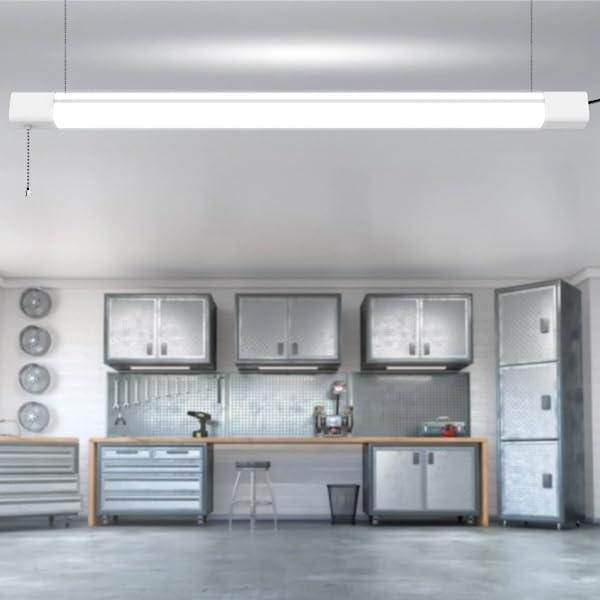
For suspended installation, use the provided hanging chains and ceiling hooks. Secure the hooks to a sturdy ceiling structure, then attach the chains to the light fixture. Adjust the chain length to achieve the desired height.
Video: Demonstrates the process of installing a shop light using hanging chains in a garage setting. This video provides a visual guide for suspended mounting.
மேற்பரப்பு மவுண்ட் நிறுவல்
For flush mounting, use the provided mounting clips and screws. Mark the desired locations on the ceiling or wall, drill pilot holes, insert plastic anchors if necessary, and secure the clips. Then, snap the light fixture into the secured clips.
Video: Illustrates the installation and use of an LED light fixture, including surface mounting techniques.
Linking Multiple Fixtures
The Koda Shop Light is designed to be linkable, allowing you to connect up to 6 fixtures. Use the provided linkable connector cable to create a continuous lighting system. Ensure the total wattage of linked fixtures does not exceed the recommended limit.
Video: Shows how to use hardwire connections to install and link multiple light fixtures.
மின் இணைப்பு
Connect the 5 ft. plug-in power cord to one end of the light fixture and then plug it into a standard 120V electrical outlet. The power cord includes an integrated on/off switch for convenient control.
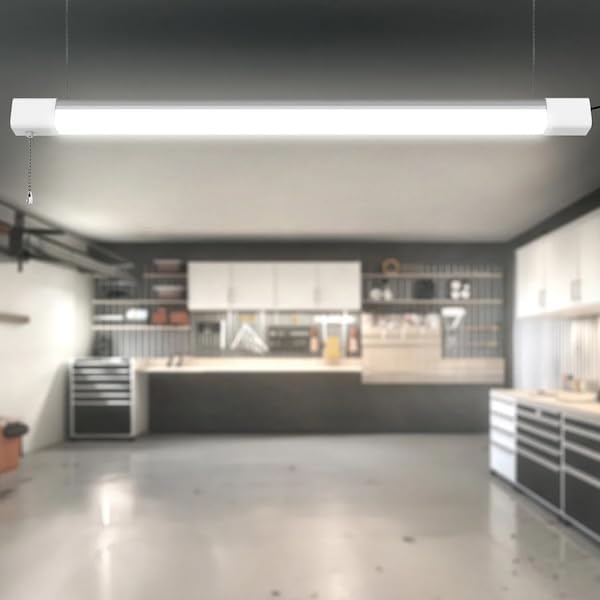
இயக்க வழிமுறைகள்
Your Koda Shop Light features an advanced motion sensor and multiple brightness settings for optimal control.
பவர் ஆன்/ஆஃப்
Use the integrated on/off switch on the power cord to manually turn the light fixture on or off. Alternatively, if hardwired, use the wall switch connected to the circuit.
மோஷன் சென்சார் செயல்பாடு
The advanced motion sensor detects movement to automatically turn the light on, providing hands-free operation. The light can be set to Ambient, Main, or All Light Brightness modes via the wall switch or pull switch (if applicable to your specific model variant).
பராமரிப்பு
To ensure longevity and optimal performance of your Koda Shop Light, follow these simple maintenance guidelines:
- சுத்தம்: Gently wipe the fixture with a soft, dry cloth. Do not use abrasive cleaners or solvents.
- ஆய்வு: Periodically check the power cord and connections for any signs of damage.
- எல்.ஈ.டி ஆயுட்காலம்: The LED light source is designed for up to 50,000 hours of use and does not require replacement.
சரிசெய்தல்
If you encounter any issues with your Koda Shop Light, refer to the following common problems and solutions:
| பிரச்சனை | சாத்தியமான காரணம் | தீர்வு |
|---|---|---|
| விளக்கு எரிவதில்லை | No power supply; Switch is off; Loose connection | Check power outlet; Ensure switch is in 'ON' position; Verify all connections are secure. |
| மோஷன் சென்சார் வேலை செய்யவில்லை | Sensor obstructed; Incorrect mode selected | Ensure clear line of sight for sensor; Adjust mode settings (Ambient, Main, All Light Brightness). |
| ஒளி மின்னுகிறது | Unstable power supply; Loose wiring | Check power source stability; Inspect wiring connections. |
விவரக்குறிப்புகள்
- ஒளி வெளியீடு: 6000 லுமன்ஸ்
- மின் நுகர்வு: 80 வாட்ஸ்
- தொகுதிtage: 120V
- பரிமாணங்கள் (L × W × H): 120 cm × 7.6 cm × 8.8 cm (47.25 in. × 3.0 in. × 3.5 in.)
- எடை: 1.81 கிலோ (4.00 பவுண்ட்.)
- ஆயுட்காலம்: 50,000 மணி நேரம் வரை
- மவுண்டிங் விருப்பங்கள்: Flush mounted or Suspended
- இணைக்கக்கூடியது: 6 பொருத்துதல்கள் வரை
- அம்சங்கள்: Advanced Motion Sensor, Ambient/Main/All Light Brightness selection
- சான்றிதழ்கள்: ETL பட்டியலிடப்பட்டது
- பொருள்: பிளாஸ்டிக்
- நிறம்: வெள்ளை
உத்தரவாதம் மற்றும் ஆதரவு
Koda products are designed for reliability and performance. For warranty information, technical support, or service inquiries, please refer to the contact details provided with your purchase documentation or visit the official Koda webதளம்.