
1. அறிமுகம்
The MARVO KG955W Shogo 63 is a compact 60% mechanical gaming keyboard designed for versatility and performance. It features tri-mode connectivity (wired, 2.4GHz wireless, and Bluetooth), yellow linear pre-lubed switches, customizable RGB backlighting, and full-key anti-ghosting. This manual provides instructions for setting up, operating, and maintaining your keyboard.
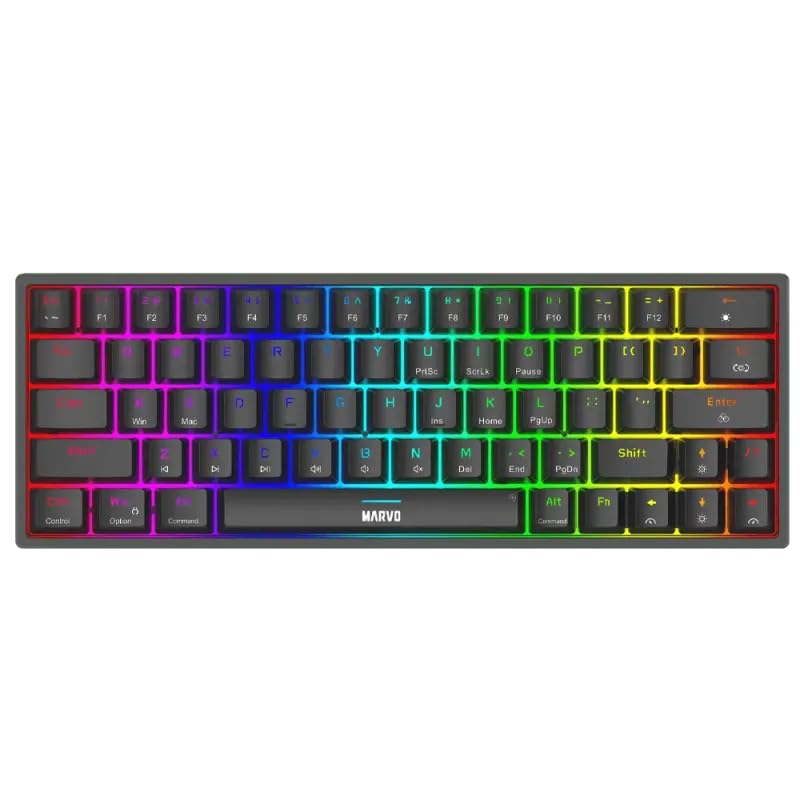
படம் 1.1: மேலிருந்து கீழ் view of the MARVO KG955W keyboard showcasing அதன் சிறிய 60% அமைப்பு மற்றும் துடிப்பான RGB பின்னொளியை வழங்குகிறது.
2. தொகுப்பு உள்ளடக்கங்கள்
பின்வரும் பொருட்களுக்கு தொகுப்பைச் சரிபார்க்கவும்:
- MARVO KG955W Shogo 63 Wireless Mechanical Gaming Keyboard
- Detachable 1.6m braided Type-C USB Cable
- 2.4GHz Wireless Receiver (USB dongle)
- பயனர் கையேடு (இந்த ஆவணம்)
3. அமைவு மற்றும் இணைப்பு
The KG955W keyboard offers three connectivity modes: Wired, 2.4GHz Wireless, and Bluetooth.
3.1. கம்பி இணைப்பு
- Connect the detachable Type-C USB cable to the keyboard's USB-C port.
- USB கேபிளின் மறுமுனையை உங்கள் கணினியில் இருக்கும் USB போர்ட்டுடன் இணைக்கவும்.
- The keyboard will automatically be detected and ready for use. The keyboard will also charge in wired mode.
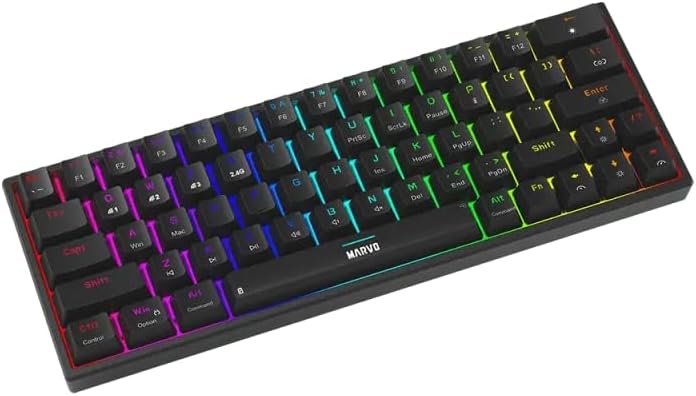
படம் 3.1: பக்கம் view of the keyboard showing the USB-C port for wired connection and charging.
3.2. 2.4GHz வயர்லெஸ் இணைப்பு
- Locate the 2.4GHz USB receiver (dongle) in the package.
- உங்கள் கணினியில் கிடைக்கும் USB போர்ட்டில் 2.4GHz USB ரிசீவரைச் செருகவும்.
- On the keyboard, switch the mode selector (usually on the back or side) to the 2.4G wireless mode.
- விசைப்பலகை தானாகவே இணைக்கப்பட வேண்டும். இல்லையென்றால், அழுத்தவும் எஃப்என் + ஆர் இணைவதைத் தொடங்க.
3.3. புளூடூத் இணைப்பு
- விசைப்பலகையில், பயன்முறை தேர்வியை புளூடூத் பயன்முறைக்கு மாற்றவும்.
- அழுத்திப் பிடிக்கவும் Fn + Q, Fn + W, அல்லது Fn + E for 3-5 seconds to enter pairing mode for Bluetooth device 1, 2, or 3 respectively. The indicator light will flash rapidly.
- உங்கள் கணினி அல்லது சாதனத்தில், புளூடூத்தை இயக்கி புதிய சாதனங்களைத் தேடுங்கள்.
- Select "MARVO KG955W" (or similar name) from the list of available devices to pair.
- இணைக்கப்பட்டதும், விசைப்பலகையில் உள்ள காட்டி விளக்கு ஒளிர்வதை நிறுத்திவிட்டு திடமாக இருக்கும்.
The keyboard can store up to three Bluetooth profiles, allowing quick switching between devices using Fn + கே/வெ/இ.
4. இயக்க வழிமுறைகள்
The KG955W is a 60% compact keyboard, meaning some functions are accessed via the Fn key combinations.
4.1. Function Key Combinations (Fn Key)
அழுத்திப் பிடிக்கவும் Fn key and press the corresponding key for secondary functions:
- Fn + 1-0, -, =: F1-F12 functions (check keycaps for specific mappings).
- Fn + P: அச்சுத் திரை
- எஃப்என் + [ {: வீடு
- எஃப்என் + ] }: முடிவு
- எஃப்என் + ; :: பக்கம் மேலே
- எஃப்என் + ' ": பக்கம் கீழே
- Fn + அம்புக்குறி விசைகள்: Media controls (e.g., volume up/down, play/pause, next/previous track). Refer to keycap legends.
- Fn + வெற்றி: விண்டோஸ் விசையைப் பூட்டு/திறத்தல்.
4.2. RGB பின்னொளி கட்டுப்பாடு
The keyboard features customizable RGB backlighting. Use the following combinations to control the lighting effects:
- எஃப்என் + \ |: Change lighting mode.
- Fn + ↑: பிரகாசத்தை அதிகரிக்கும்.
- Fn + ↓: பிரகாசத்தைக் குறைக்கவும்.
- Fn + ←: Decrease lighting speed.
- Fn + →: Increase lighting speed.
- Fn + Spacebar: Change backlight color (for static modes).
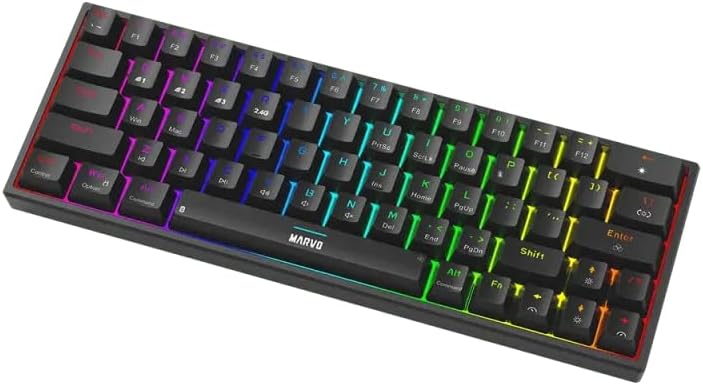
Image 4.1: The keyboard displaying its customizable RGB backlighting in a dynamic pattern.
4.3. பேட்டரி நிலை
The keyboard has an integrated battery for wireless operation. An indicator light will typically show low battery status or charging status. Refer to the specific LED indicators on your keyboard for details.
5. பராமரிப்பு
சரியான பராமரிப்பு உங்கள் விசைப்பலகையின் நீண்ட ஆயுளையும் செயல்திறனையும் உறுதி செய்கிறது.
- சுத்தம்: விசைப்பலகை மேற்பரப்பைத் துடைக்க மென்மையான, உலர்ந்த துணியைப் பயன்படுத்தவும். ஆழமான சுத்தம் செய்ய, விசை மூடிகளுக்கு இடையில் உள்ள தூசி மற்றும் குப்பைகளை அகற்ற அழுத்தப்பட்ட காற்றைப் பயன்படுத்தவும். கடுமையான இரசாயனங்கள் அல்லது சிராய்ப்புப் பொருட்களைப் பயன்படுத்துவதைத் தவிர்க்கவும்.
- சேமிப்பு: விசைப்பலகையை நேரடி சூரிய ஒளி மற்றும் தீவிர வெப்பநிலையிலிருந்து விலகி குளிர்ந்த, உலர்ந்த இடத்தில் சேமிக்கவும்.
- கேபிள் பராமரிப்பு: Handle the detachable USB-C cable carefully. Avoid bending or twisting it excessively.

Image 5.1: Illustration of a hot-swappable switch, demonstrating the ease of maintenance and customization for individual key switches.
6. சரிசெய்தல்
If you encounter issues with your MARVO KG955W keyboard, refer to the following common solutions:
| பிரச்சனை | தீர்வு |
|---|---|
| விசைப்பலகை பதிலளிக்கவில்லை (வயர்டு) |
|
| விசைப்பலகை பதிலளிக்கவில்லை (2.4GHz வயர்லெஸ்) |
|
| விசைப்பலகை பதிலளிக்கவில்லை (புளூடூத்) |
|
| RGB லைட்டிங் வேலை செய்யவில்லை அல்லது தவறாக உள்ளது |
|
| Keys are not registering or double-typing |
|
7. விவரக்குறிப்புகள்
| அம்சம் | விவரம் |
|---|---|
| மாதிரி பெயர் | MARVO KG955W Shogo 63 |
| விசைப்பலகை வகை | Mechanical, 60% TKL (Tenkeyless) |
| மாறுகிறது | Yellow Linear, Pre-lubed, Hot-swappable |
| இணைப்பு | Wired (USB-C), 2.4GHz Wireless, Bluetooth (Tri-mode) |
| எதிர்ப்பு பேய் | Full-key Anti-Ghosting |
| பின்னொளி | தனிப்பயனாக்கக்கூடிய RGB |
| கேபிள் | Detachable 1.6m braided Type-C USB |
| பொருள் | பிளாஸ்டிக் |
| எடை | 460 கிராம் |
| இணக்கமான OS | Windows (also compatible with other systems via Bluetooth/2.4G) |
| விசைகளின் எண்ணிக்கை | 63 |
8. உத்தரவாதத் தகவல்
The MARVO KG955W Shogo 63 Wireless Mechanical Gaming Keyboard comes with a 6 மாதங்கள் உத்தரவாதம் வாங்கிய தேதியிலிருந்து. இந்த உத்தரவாதமானது சாதாரண பயன்பாட்டின் கீழ் உற்பத்தி குறைபாடுகள் மற்றும் செயலிழப்புகளை உள்ளடக்கும். தவறான பயன்பாடு, விபத்துக்கள், அங்கீகரிக்கப்படாத மாற்றங்கள் அல்லது சாதாரண தேய்மானம் ஆகியவற்றால் ஏற்படும் சேதத்தை இது உள்ளடக்காது. உத்தரவாதக் கோரிக்கைகளுக்கு உங்கள் வாங்கியதற்கான ஆதாரத்தை வைத்திருங்கள்.
9. ஆதரவு
For technical support, troubleshooting assistance beyond this manual, or warranty inquiries, please contact MARVO customer service through their official website or the retailer where the product was purchased. Please have your product model number (KG955W) and proof of purchase ready when contacting support.