
1. அறிமுகம்
The Delton S22 Vertical Wireless Mouse is designed to provide a comfortable and efficient computing experience. Its ergonomic vertical design aims to reduce wrist strain and promote a natural hand posture, making it suitable for extended use. This manual provides instructions for setting up, operating, maintaining, and troubleshooting your Delton S22 mouse.

This image illustrates the ergonomic benefits of the Delton S22 Vertical Wireless Mouse. It compares the unnatural wrist position required by a traditional mouse with the natural, handshake-like grip promoted by the vertical mouse, highlighting how it reduces strain and is recommended by rheumatologists.
2. தயாரிப்பு முடிந்துவிட்டதுview மற்றும் கூறுகள்
Familiarize yourself with the various parts of your Delton S22 Vertical Wireless Mouse:

இந்த வரைபடம் விரிவான விளக்கத்தை வழங்குகிறது view of the Delton S22 mouse, pointing out its key components: Left Button, Scroll Wheel, Right Button, DPI Switch, Detachable Wrist Pad, Optical Sensor, USB Receiver Compartment, Back Cover, 2*AA Battery Slot, Glide Pads, Forward Button, Back Button, and Power On/Off switch.
- இடது பொத்தான்: நிலையான இடது கிளிக் செயல்பாடு.
- வலது பொத்தான்: நிலையான வலது கிளிக் செயல்பாடு.
- சுருள் சக்கரம்: செங்குத்து ஸ்க்ரோலிங் மற்றும் நடு-கிளிக் செயல்பாட்டிற்கு.
- முன்னோக்கி பொத்தான்: முன்னோக்கிச் செல்கிறது web உலாவிகள் அல்லது file ஆய்வாளர்கள்.
- பின் பொத்தான்: பின்னோக்கிச் செல்கிறது web உலாவிகள் அல்லது file ஆய்வாளர்கள்.
- DPI சுவிட்ச்: கர்சர் உணர்திறனை சரிசெய்கிறது (800/1600/2400 DPI).
- பவர் ஆன்/ஆஃப் சுவிட்ச்: Conserves battery life when the mouse is not in use.
- ஆப்டிகல் சென்சார்: Tracks mouse movement.
- USB ரிசீவர் பெட்டி: Stores the 2.4G USB dongle.
- பேட்டரி ஸ்லாட்: Holds two AA batteries (not included).
- Detachable Wrist Pad: Provides additional wrist support and reduces friction.
3 அமைவு
- பேட்டரிகளை நிறுவவும்: Open the battery compartment on the underside of the mouse. Insert two AA batteries, ensuring correct polarity. Close the compartment.
- Connect USB Dongle: Locate the USB receiver (dongle) stored in its compartment on the underside of the mouse. Plug the USB dongle into an available USB-A port on your computer (PC, laptop, or tablet PC).
- பவர் ஆன்: Flip the Power On/Off switch on the underside of the mouse to the "On" position.
- தானியங்கி இணைத்தல்: The mouse should automatically pair with the USB dongle. Your computer's operating system will typically install the necessary drivers automatically.
- Attach Wrist Pad (Optional): If desired, attach the detachable wrist pad to the base of the mouse for enhanced comfort.
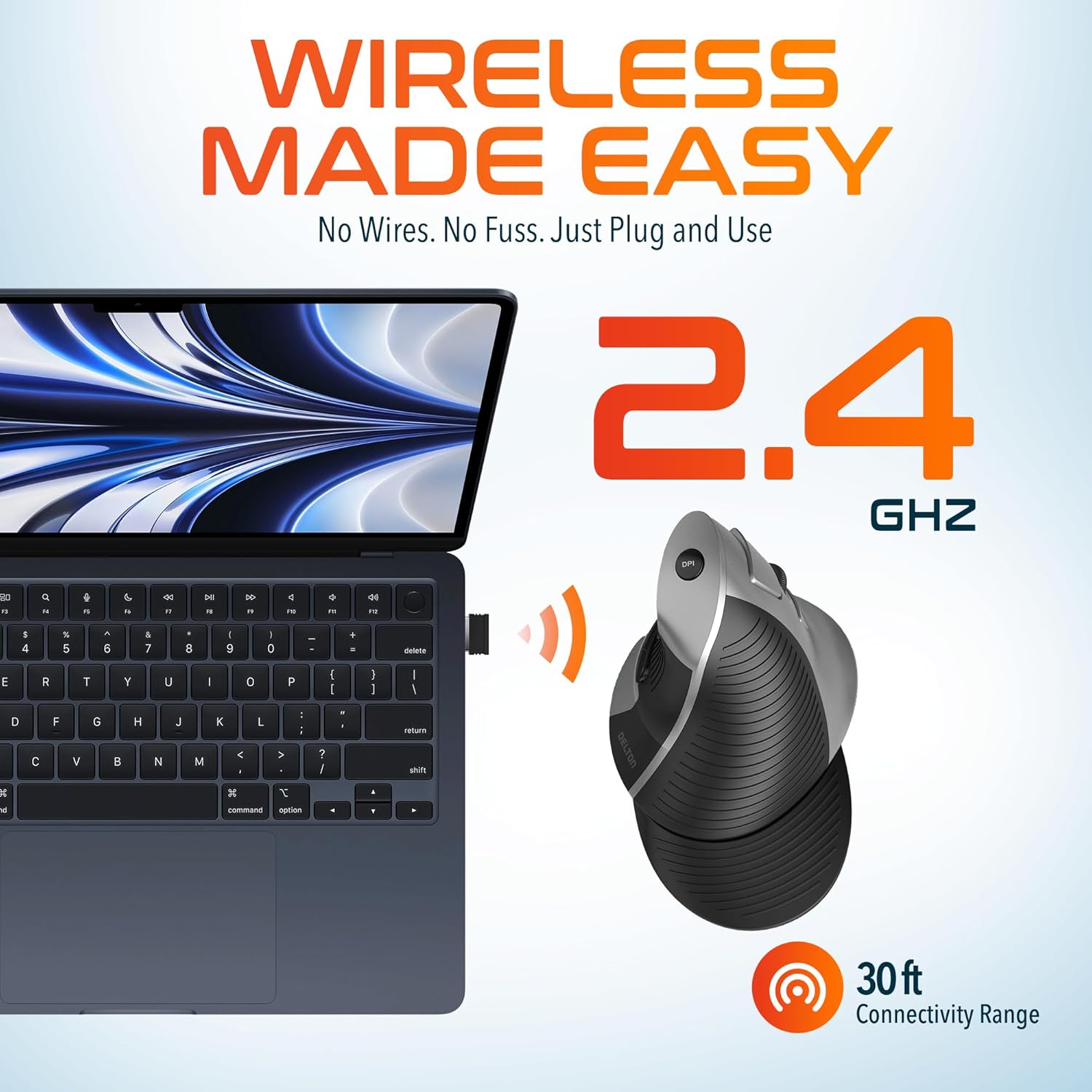
This image demonstrates the wireless connectivity of the Delton S22 mouse. It shows the mouse operating wirelessly with a laptop, emphasizing the 2.4 GHz connection and a 30 ft connectivity range, indicating a simple plug-and-use setup.
4. இயக்க வழிமுறைகள்
பொத்தான் செயல்பாடுகள்
The Delton S22 mouse features 6 buttons for enhanced functionality:
- இடது கிளிக்: முதன்மை தேர்வு மற்றும் செயல்படுத்தல்.
- வலது கிளிக்: Accesses context menus.
- சுருள் சக்கரம்: ஆவணங்கள் வழியாக செங்குத்தாக உருட்டுகிறது மற்றும் web pages. Pressing it acts as a middle-click.
- முன்னோக்கி பொத்தான்: Navigates to the next page in supported applications.
- பின் பொத்தான்: Navigates to the previous page in supported applications.
- DPI சுவிட்ச்: DPI அமைப்புகள் வழியாகச் சுழல்கிறது.
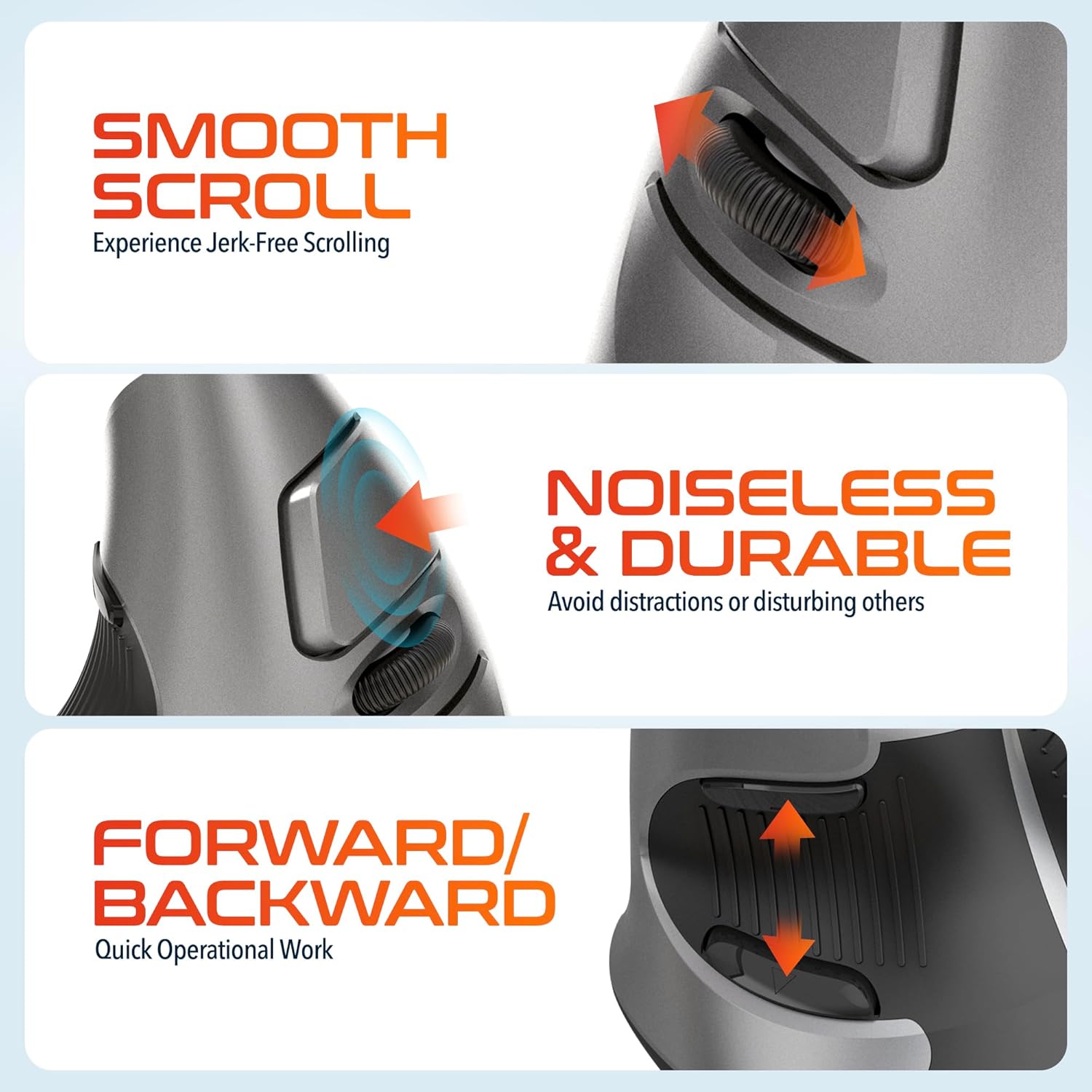
This composite image highlights three key operational features: the smooth, jerk-free scrolling experience, the noiseless and durable buttons designed to prevent distractions, and the convenient forward/backward buttons for quick navigation.
DPI சரிசெய்தல்
The DPI (Dots Per Inch) switch allows you to adjust the cursor sensitivity to match your preference or task requirements. Press the DPI button located on the top of the mouse to cycle through the following settings:
- 800 DPI: Lower sensitivity for precise tasks.
- 1600 DPI: Medium sensitivity for general use.
- 2400 DPI: Higher sensitivity for faster cursor movement.

This image focuses on the high precision control offered by the Delton S22 mouse. It shows the DPI switch button and how it allows users to toggle between 800, 1600, and 2400 DPI settings for customized cursor sensitivity.
சக்தி மேலாண்மை
To conserve battery life, switch the mouse to the "Off" position using the power switch on the underside when not in use for extended periods.
5. இணக்கத்தன்மை
The Delton S22 Vertical Wireless Mouse is designed for broad compatibility with various operating systems and devices:
- இயக்க முறைமைகள்: Windows, macOS, iOS, Android, Chrome OS, Linux.
- இணக்கமான சாதனங்கள்: Laptop, Personal Computer, Tablet.
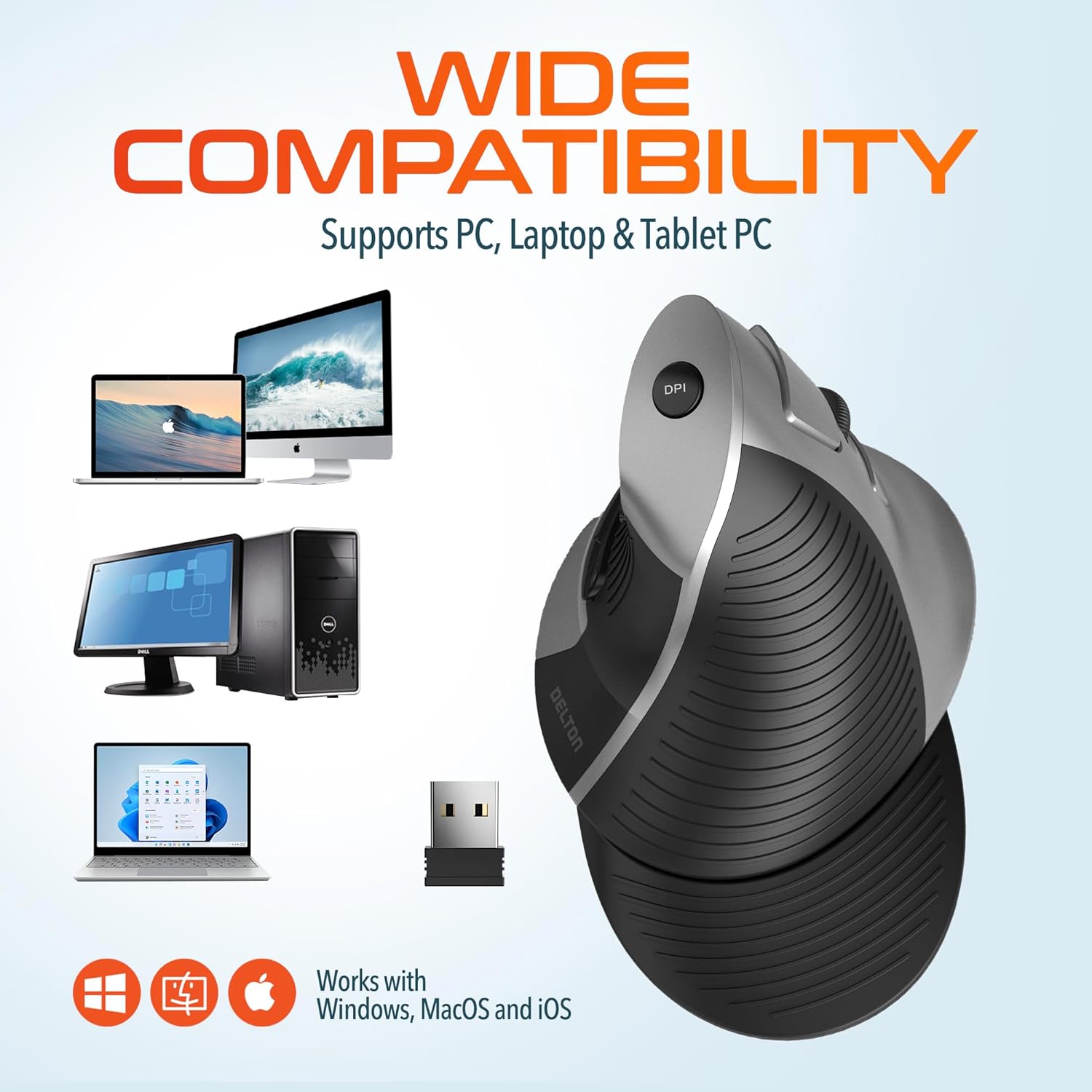
This image illustrates the wide compatibility of the Delton S22 mouse, showing it works seamlessly with PCs, laptops, and tablet PCs across Windows, macOS, and iOS operating systems. The USB dongle is also depicted as the connection method.
6. பராமரிப்பு
- சுத்தம்: மவுஸை சுத்தம் செய்ய மென்மையான, உலர்ந்த துணியைப் பயன்படுத்தவும். பிடிவாதமான அழுக்குகளுக்கு, சிறிது dampதுணியை தண்ணீர் அல்லது லேசான துப்புரவு கரைசலில் நனைக்கவும். கடுமையான இரசாயனங்கள் அல்லது சிராய்ப்பு பொருட்களைத் தவிர்க்கவும்.
- பேட்டரி மாற்று: When the mouse performance degrades or it stops responding, replace the two AA batteries. Ensure the power switch is off before replacing batteries.
- சேமிப்பு: When transporting or storing the mouse, ensure the USB dongle is securely placed in its dedicated compartment to prevent loss.
7. சரிசெய்தல்
| பிரச்சனை | சாத்தியமான தீர்வு |
|---|---|
| சுட்டி பதிலளிக்கவில்லை. |
|
| கர்சர் இயக்கம் ஒழுங்கற்றது அல்லது தாவுகிறது. |
|
| DPI setting is not changing. |
|
| Forward/Back buttons not working. |
|
8. விவரக்குறிப்புகள்
| அம்சம் | விவரம் |
|---|---|
| பிராண்ட் | டெல்டன் |
| மாதிரி எண் | S22 |
| இணைப்பு தொழில்நுட்பம் | 2.4G Wireless (USB Dongle) |
| சிறப்பு அம்சம் | Vertical, Ergonomic Design, Wireless |
| இயக்கம் கண்டறிதல் தொழில்நுட்பம் | ஆப்டிகல் |
| பொத்தான் அளவு | 6 |
| கை நோக்குநிலை | சரி |
| இணக்கமான சாதனங்கள் | லேப்டாப், பர்சனல் கம்ப்யூட்டர், டேப்லெட் |
| இயக்க முறைமை இணக்கத்தன்மை | Windows, macOS, iOS, Android, Chrome OS, Linux |
| சக்தி ஆதாரம் | பேட்டரி மூலம் இயங்கும் (2 x AA பேட்டரிகள், சேர்க்கப்படவில்லை) |
| DPI நிலைகள் | 800, 1600, 2400 |
| வயர்லெஸ் வீச்சு | 30 அடி வரை |
| நிறம் | கருப்பு |
| பொருளின் பரிமாணங்கள் (L x W) | 5.3"லி x 3.7"அமெரிக்கன் |
| UPC | 802029086375 |
9. உத்தரவாதம் மற்றும் ஆதரவு
The Delton S22 Vertical Wireless Mouse comes with a 1 ஆண்டு உற்பத்தியாளர் உத்தரவாதம். இந்த உத்தரவாதமானது சாதாரண பயன்பாட்டின் கீழ் பொருட்கள் மற்றும் வேலைப்பாடுகளில் உள்ள குறைபாடுகளை உள்ளடக்கும்.
For warranty claims, technical support, or any questions regarding your product, please refer to the contact information provided with your purchase or visit the official Delton webஆதரவு ஆதாரங்களுக்கான தளம்.
ஆன்லைன் ஆதாரங்கள்: For additional information, FAQs, or driver downloads (if applicable), please visit the Delton Store on Amazon.