1. அறிமுகம்
The Generic ISR4321/K9 is a high-performance, modular Integrated Services Router designed for small to medium-sized branch offices. This device provides a flexible and scalable solution for routing, security, and application services, supporting high-speed internet access, secure VPN connectivity, and seamless integration with cloud-based services. The K9 suffix denotes advanced security features, including encryption, firewalls, and VPN support, ensuring a secure and reliable network environment. Its modular design facilitates easy expansion of features such as additional network interfaces, storage, and services to adapt to evolving business requirements.
முக்கிய அம்சங்கள்:
- High-Performance Routing: Delivers robust routing capabilities with support for static and dynamic protocols (e.g., OSPF, EIGRP, BGP) for efficient WAN performance.
- மேம்பட்ட பாதுகாப்பு: Integrates IOS XE security features, including firewall protection, VPN (IPsec/SSL), intrusion prevention, and Umbrella integration for comprehensive threat defense.
- இரட்டை WAN ஆதரவு: Offers primary and backup WAN links to ensure uninterrupted internet connectivity and automatic failover during network outages.
- அதிக கிடைக்கும் தன்மை: Supports High Availability (HA) configurations for redundancy, enhancing network reliability in the event of hardware failure.
2. தொகுப்பு உள்ளடக்கங்கள்
Verify that all items are present in the package before proceeding with installation. If any items are missing or damaged, contact your vendor.
- ISR4321/k9 Router
- Accessories (e.g., power adapter, Ethernet cable)
- Menu Instruction (Quick Start Guide)
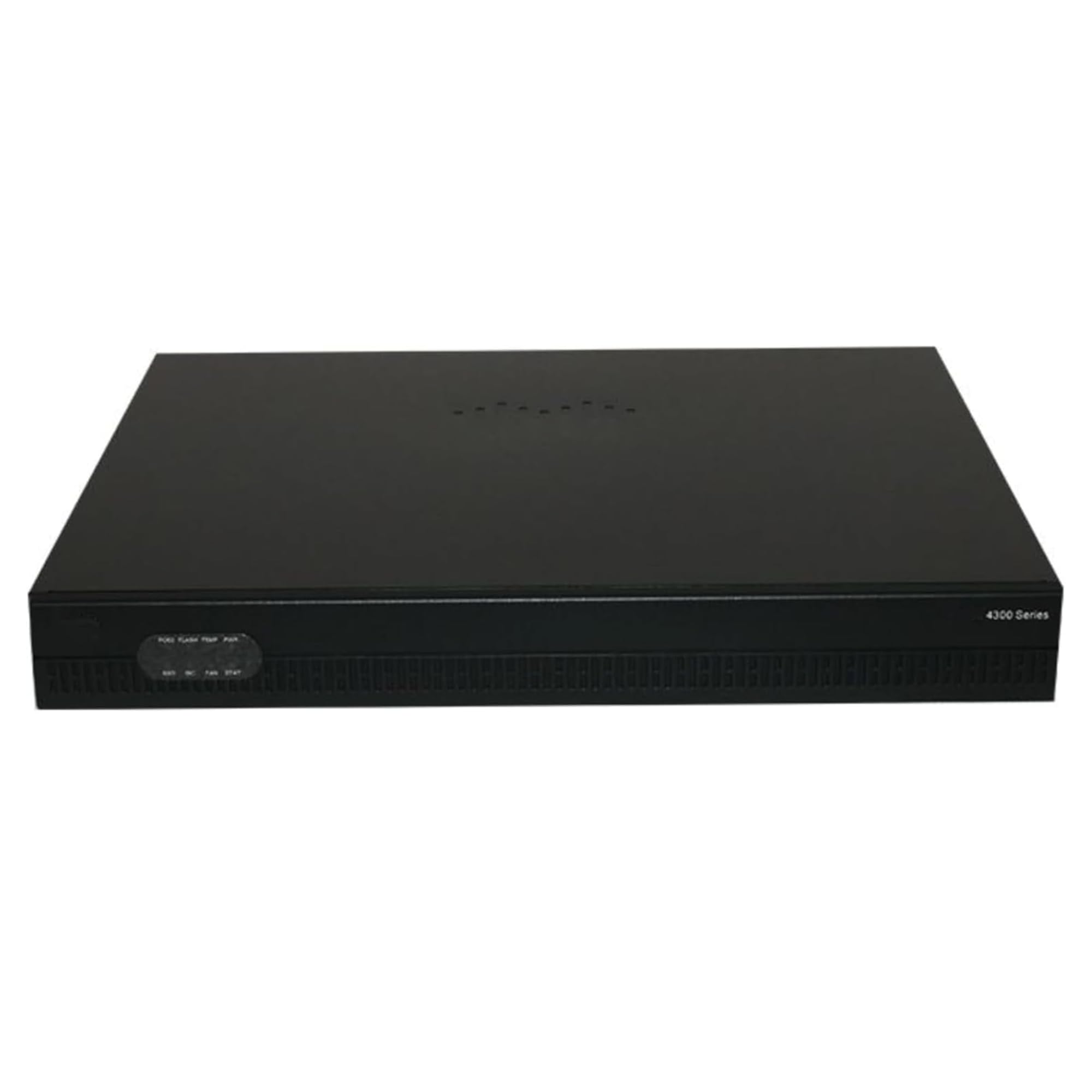
Image 1: Generic ISR4321/K9 Integrated Services Router. This image displays the front and side view of the router, highlighting its compact design and port layout.
3. அமைவு வழிமுறைகள்
Follow these steps to set up your ISR4321/K9 router.
3.1 பேக்கிங் மற்றும் பிளேஸ்மெண்ட்
- பேக்கேஜிங்கிலிருந்து ரூட்டர் மற்றும் அனைத்து ஆபரணங்களையும் கவனமாக அகற்றவும்.
- Place the router on a stable, flat surface in a well-ventilated area, away from direct sunlight, heat sources, and moisture. Ensure adequate space around the device for airflow.
3.2 இணைக்கும் சக்தி
- பவர் அடாப்டரை ரூட்டரின் பவர் உள்ளீட்டு போர்ட்டுடன் இணைக்கவும்.
- Plug the power adapter into a suitable electrical outlet. The router will begin its power-on self-test (POST) sequence. Observe the system LED indicators for status.
3.3 பிணைய இணைப்புகள்
- WAN இணைப்பு: Connect your Internet Service Provider's (ISP) modem or network device to the router's WAN port using an Ethernet cable.
- LAN இணைப்புகள்: Connect your local network devices (computers, switches, etc.) to the router's LAN ports using Ethernet cables.
- கன்சோல் இணைப்பு (விரும்பினால்): For initial configuration or advanced management, connect a console cable from your computer's serial port to the router's console port.
3.4 ஆரம்ப உள்ளமைவு அணுகல்
Access the router's management interface to perform initial configuration.
- Web இடைமுகம்: திற a web browser on a computer connected to the router's LAN. Enter the default IP address (refer to the Quick Start Guide or manufacturer's documentation for the default IP and login credentials).
- கட்டளை வரி இடைமுகம் (CLI): If using a console connection, use a terminal emulator program (e.g., PuTTY, Tera Term) with appropriate serial port settings (e.g., 9600 baud, 8 data bits, no parity, 1 stop bit).
4. இயக்க வழிமுறைகள்
This section covers basic operation and configuration tasks for your router.
4.1 அடிப்படை நெட்வொர்க் கட்டமைப்பு
- WAN அமைப்புகள்: Configure your WAN connection type (e.g., DHCP, PPPoE, Static IP) according to your ISP's requirements.
- லேன் ஐபி முகவரி: Set the router's internal IP address and subnet mask for your local network.
- DHCP சேவையகம்: Enable and configure the DHCP server to automatically assign IP addresses to devices on your local network.
4.2 பாதுகாப்பு அம்சங்கள்
Utilize the router's security features to protect your network.
- ஃபயர்வால்: Configure firewall rules to control incoming and outgoing network traffic.
- VPN: Set up Virtual Private Network (VPN) connections for secure remote access or site-to-site connectivity.
- அணுகல் கட்டுப்பாட்டு பட்டியல்கள் (ACLகள்): Implement ACLs to filter traffic based on various criteria.
4.3 Dual WAN and High Availability
Leverage advanced features for network resilience.
- Dual WAN: Configure a secondary WAN connection for automatic failover, ensuring continuous internet access if the primary link fails.
- High Availability (HA): Implement HA configurations with a redundant router to provide network reliability and minimize downtime.
5. பராமரிப்பு
வழக்கமான பராமரிப்பு உங்கள் ரூட்டரின் உகந்த செயல்திறன் மற்றும் நீண்ட ஆயுளை உறுதி செய்கிறது.
5.1 நிலைபொருள் புதுப்பிப்புகள்
உற்பத்தியாளரின் website for firmware updates. Firmware updates often include performance improvements, bug fixes, and security enhancements. Follow the provided instructions carefully when performing updates.
5.2 வழக்கமான சோதனைகள்
- Monitor system logs for unusual activity or errors.
- Verify network connectivity and performance regularly.
- அனைத்து கேபிள்களும் பாதுகாப்பாக இணைக்கப்பட்டுள்ளதை உறுதி செய்யவும்.
5.3 சுத்தம் செய்தல்
Keep the router clean and free of dust. Use a soft, dry cloth to wipe the exterior. Do not use liquid cleaners or aerosols directly on the device. Ensure ventilation openings are not obstructed.
6. சரிசெய்தல்
இந்தப் பிரிவு நீங்கள் சந்திக்கும் பொதுவான பிரச்சினைகளுக்கான தீர்வுகளை வழங்குகிறது.
6.1 இணைய இணைப்பு இல்லை
- கேபிள்களை சரிபார்க்கவும்: Ensure all Ethernet cables are securely connected to the correct ports (WAN, LAN).
- மோடம் நிலை: Verify that your ISP's modem is working correctly and has an active internet connection.
- ரூட்டர் நிலை: Check the router's indicator lights. Refer to the Quick Start Guide for LED interpretations.
- சாதனங்களை மறுதொடக்கம் செய்யுங்கள்: Power cycle your modem, then the router, and then your connected devices.
- கட்டமைப்பு: Confirm that WAN settings are correctly configured in the router's management interface.
6.2 மெதுவான நெட்வொர்க் செயல்திறன்
- அலைவரிசை பயன்பாடு: Identify if any applications or devices are consuming excessive bandwidth.
- கேபிள் தரம்: Ensure you are using high-quality Ethernet cables.
- நிலைபொருள்: ரூட்டரின் ஃபார்ம்வேர் புதுப்பித்த நிலையில் இருப்பதை உறுதிசெய்யவும்.
- குறுக்கீடு: If applicable, check for sources of interference if using wireless connections (though this model is primarily wired).
6.3 மேலாண்மை இடைமுகத்தை அணுக முடியவில்லை
- ஐபி முகவரி: Verify that your computer is on the same subnet as the router or is obtaining an IP address via DHCP from the router.
- இயல்புநிலை ஐபி: Confirm you are using the correct default IP address for the router.
- ஃபயர்வால்/வைரஸ் எதிர்ப்பு: உங்கள் கணினியில் அணுகலைத் தடுக்கக்கூடிய எந்த ஃபயர்வால் அல்லது வைரஸ் தடுப்பு மென்பொருளையும் தற்காலிகமாக முடக்கவும்.
- மீட்டமை: As a last resort, perform a factory reset (refer to the Quick Start Guide for instructions), but be aware this will erase all configurations.
7. விவரக்குறிப்புகள்
| அம்சம் | விளக்கம் |
|---|---|
| மாதிரி எண் | ISR4321/k9 |
| பிராண்ட் | பொதுவான |
| சிறப்பு அம்சம் | இணைய பாதுகாப்பு |
| அதிர்வெண் பேண்ட் வகுப்பு | ஒற்றை இசைக்குழு |
| வயர்லெஸ் தொடர்பு தரநிலை | 802.11ac |
| இணக்கமான சாதனங்கள் | டெஸ்க்டாப் |
| தயாரிப்புக்கான பரிந்துரைக்கப்பட்ட பயன்பாடுகள் | வணிகம் |
| உள்ளிட்ட கூறுகள் | Accessories, ISR4321/k9 Router, Menu Instruction |
| இணைப்பு தொழில்நுட்பம் | ஈதர்நெட் |
8. உத்தரவாதம் மற்றும் ஆதரவு
8.1 உத்தரவாதத் தகவல்
Warranty terms and conditions for the Generic ISR4321/K9 router are typically provided with the product documentation or can be found on the manufacturer's official website. Please refer to these resources for detailed information regarding warranty coverage, duration, and claims procedures.
8.2 தொழில்நுட்ப ஆதரவு
For technical assistance, troubleshooting beyond this manual, or inquiries about your product, please visit the official Generic support website or contact their customer service. Ensure you have your product model number (ISR4321/k9) and any relevant purchase information ready when seeking support.


