
1. தயாரிப்பு முடிந்துவிட்டதுview
The ShanWan Q38 is a versatile wireless Bluetooth controller designed for a wide range of gaming platforms. It features advanced controls such as Hall Effect joysticks and micro-switch buttons for enhanced precision and responsiveness.

படம் 1.1: மேலிருந்து கீழ் view of the ShanWan Q38 Wireless Bluetooth Controller, showcasing அதன் சிறிய வடிவமைப்பு மற்றும் பொத்தான் தளவமைப்பு.
2. தொகுப்பு உள்ளடக்கங்கள்
தொகுப்பில் அனைத்து பொருட்களும் இருப்பதை உறுதிசெய்யவும்:
- ShanWan Q38 Wireless Bluetooth Controller
- USB சார்ஜிங் கேபிள்
- பயனர் கையேடு (இந்த ஆவணம்)
- 1 AAA Battery (pre-installed or included separately)
3. அமைவு மற்றும் இணைப்பு
3.1 கன்ட்ரோலரை சார்ஜ் செய்தல்
Before initial use, ensure the controller is sufficiently charged. Connect the provided USB charging cable to the controller's charging port and to a USB power source (e.g., computer, USB wall adapter). The LED indicator will show charging status.
3.2 இணக்கத்தன்மை
The ShanWan Q38 controller is compatible with the following platforms:
- Nintendo Switch / Switch 2 (firmware upgrade may be required for Switch 2)
- நீராவி தளம்
- பிசி (விண்டோஸ்)
- Android devices (phones, tablets)
- ஐபோன்
- ஐபாட்
- macOS devices
- PS4 (as indicated by mode switch, specific compatibility may vary)

Image 3.1: The ShanWan Q38 controller demonstrating compatibility with multiple gaming platforms.
3.3 புளூடூத் வழியாக இணைக்கிறது
உங்கள் சாதனத்துடன் கட்டுப்படுத்தியை இணைக்க:
- பவர் ஆன்: Press and hold the Home button on the controller until the indicator lights begin to flash.
- பயன்முறையைத் தேர்ந்தெடுக்கவும்: Use the mode switch located on the top edge of the controller to select the appropriate mode for your device:
- X Mode: For Mobile & Computer (Android, PC, macOS, iOS).
- எஸ் பயன்முறை: For Nintendo Switch.
- பி பயன்முறை: For PS4 (if compatible).
- இணைத்தல்: On your device, navigate to the Bluetooth settings and search for available devices. Select "ShanWan Q38" (or similar) from the list to pair.
- உறுதிப்படுத்தல்: Once successfully paired, the indicator light on the controller will become solid.
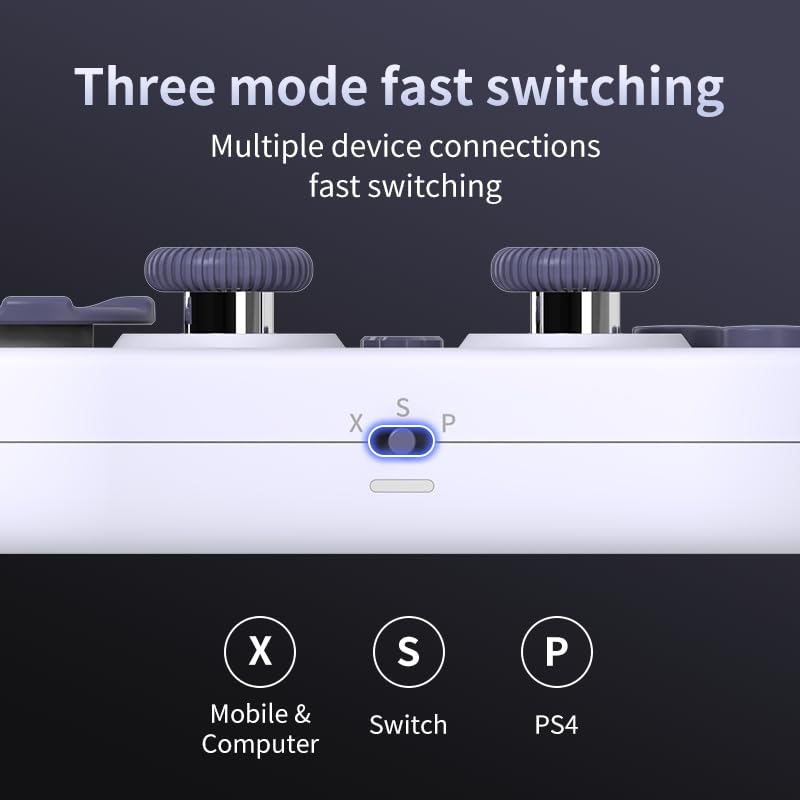
Image 3.2: Detail of the three-mode fast switching selector on the controller.
3.4 Customization and Calibration
For advanced customization, including button remapping and macro functions, download the official "gamepad space" application. This application also allows for controller calibration to ensure optimal performance.
4. கட்டுப்படுத்தியை இயக்குதல்
4.1 முக்கிய அம்சங்கள்
- ஹால் எஃபெக்ட் ஜாய்ஸ்டிக்ஸ்: Provides high precision and sensitivity. The joystick height is adjustable between 5mm and 8mm for personalized comfort.
- Composite Micro-Switch Buttons: These buttons offer a tactile response similar to mechanical keyboards, providing quick and precise input.
- Mechanical Triggers: Designed for fast response times.
- Dual Micro Motors: Provides dual vibration feedback for an immersive gaming experience.
- Somatosensory Gyroscope: Equipped with a 6-axis gyroscope for motion control in supported games.

Image 4.1: Detail of the adjustable Hall Effect joysticks.

Image 4.2: Close-up of the composite micro-switch action buttons.

Image 4.3: Diagram illustrating the internal components of the composite micro-keypad.
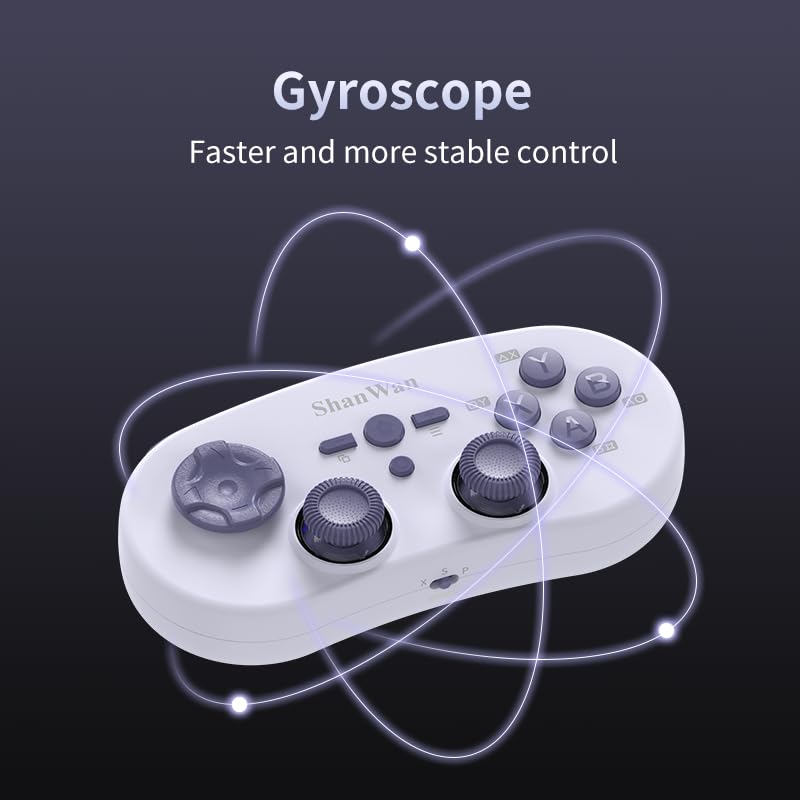
Image 4.4: Visual representation of the controller's gyroscope functionality.
4.2 கேமிங் அனுபவம்
The compact design allows for portability, making it suitable for gaming on the go with devices like the Nintendo Switch or smartphones.

Image 4.5: Controller in use with a Nintendo Switch.

Image 4.6: Controller paired with a smartphone for mobile gaming.
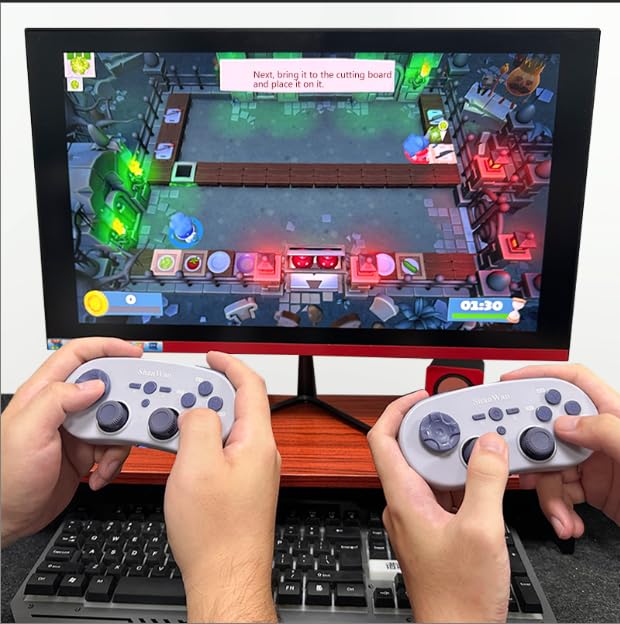
Image 4.7: Two controllers in use for multiplayer gaming on a PC.
5. பராமரிப்பு
To ensure the longevity and optimal performance of your ShanWan Q38 controller, follow these maintenance guidelines:
- சுத்தம்: கட்டுப்படுத்தியைத் துடைக்க மென்மையான, உலர்ந்த துணியைப் பயன்படுத்தவும். பிடிவாதமான அழுக்குக்கு, சிறிது damp துணியைப் பயன்படுத்தலாம், ஆனால் ஈரப்பதம் சாதனத்திற்குள் நுழையாமல் பார்த்துக் கொள்ளுங்கள். கடுமையான இரசாயனங்கள் அல்லது சிராய்ப்பு கிளீனர்களைத் தவிர்க்கவும்.
- சேமிப்பு: நேரடி சூரிய ஒளி மற்றும் தீவிர வெப்பநிலையிலிருந்து விலகி, குளிர்ந்த, உலர்ந்த இடத்தில் கட்டுப்படுத்தியை சேமிக்கவும்.
- பேட்டரி பராமரிப்பு: If using replaceable AAA batteries, remove them if the controller will not be used for an extended period to prevent leakage.
- சொட்டு மருந்துகளைத் தவிர்க்கவும்: உட்புற கூறுகளை சேதப்படுத்தும் உடல் ரீதியான தாக்கம் மற்றும் சொட்டுகளிலிருந்து கட்டுப்படுத்தியைப் பாதுகாக்கவும்.
6. சரிசெய்தல்
If you encounter issues with your ShanWan Q38 controller, refer to the following common problems and solutions:
- கட்டுப்படுத்தி இயக்கப்படவில்லை:
- Ensure the battery is correctly inserted and has sufficient charge. Replace AAA batteries if necessary.
- Connect the controller to a power source using the USB cable to confirm if it charges.
- Difficulty Connecting via Bluetooth:
- Ensure the controller is in the correct mode (X, S, or P) for your device.
- உங்கள் சாதனத்தின் புளூடூத்தை அணைத்து இயக்கவும்.
- உங்கள் புளூடூத் அமைப்புகளில் சாதனத்தை மறந்துவிட்டு மீண்டும் இணைக்க முயற்சிக்கவும்.
- Ensure the controller is within the effective range of your device.
- பொத்தான்கள் அல்லது ஜாய்ஸ்டிக்குகள் சரியாக பதிலளிக்கவில்லை:
- Calibrate the controller using the "gamepad space" application.
- பொத்தான்கள் அல்லது ஜாய்ஸ்டிக்ஸைச் சுற்றி ஏதேனும் உடல் ரீதியான தடைகள் அல்லது குப்பைகள் உள்ளதா எனச் சரிபார்க்கவும்.
- Ensure the controller's firmware is up to date, especially for Switch 2 compatibility.
- Random Disconnections:
- அருகில் வலுவான வயர்லெஸ் குறுக்கீடுகள் இல்லை என்பதை உறுதிப்படுத்திக் கொள்ளுங்கள்.
- Keep the controller close to the connected device.
- Re-pair the controller if disconnections are frequent.
7. விவரக்குறிப்புகள்
| அம்சம் | விவரம் |
|---|---|
| மாதிரி எண் | Q38 |
| உற்பத்தியாளர் | ஷான்வான் |
| இணைப்பு | புளூடூத் வயர்லெஸ் |
| இணக்கத்தன்மை | Switch/Switch 2, Steam Deck, PC, Android, iPhone, iPad, macOS, PS4 |
| ஜாய்ஸ்டிக் வகை | Hall Effect, Adjustable Height (5mm-8mm) |
| பொத்தான் வகை | Composite Micro-Switch |
| அதிர்வு | Dual Micro Motors |
| இயக்கக் கட்டுப்பாடு | 6-அச்சு கைரோஸ்கோப் |
| தொகுப்பு பரிமாணங்கள் | 5.63 x 4.53 x 1.54 அங்குலம் |
| பொருளின் எடை | 4.6 அவுன்ஸ் |
| பேட்டரிகள் | 1 AAA பேட்டரி தேவை (சேர்க்கப்பட்டுள்ளது) |

Image 7.1: Physical dimensions of the ShanWan Q38 controller.
8. உத்தரவாதம் மற்றும் ஆதரவு
For warranty information and customer support, please refer to the official ShanWan webநீங்கள் தயாரிப்பை வாங்கிய சில்லறை விற்பனையாளரை தளத்தில் அல்லது தொடர்பு கொள்ளவும். உத்தரவாதக் கோரிக்கைகளுக்கு உங்கள் வாங்கியதற்கான ஆதாரத்தை வைத்திருங்கள்.


