
1. தயாரிப்பு முடிந்துவிட்டதுview
This manual provides instructions for the OEM A3050/A3053/A3054 Right Earbud Replacement for AirPod (4th Generation). This product is designed to replace a single right earbud and is compatible with the original AirPods 4 A3058 Charging Case. Please note, this earbud is not for the ANC (Active Noise Cancellation) version.

Image: The OEM A3050/A3053/A3054 Right Earbud Replacement, showing its design and form factor.
2. இணக்கத்தன்மை
It is crucial to verify the model of your existing earbuds and charging case to ensure compatibility. This replacement earbud is specifically designed for:
- Earbud (4th Generation) models: A3050, A3053, A3054.
- சார்ஜிங் கேஸ் மாடல்: A3058.
முக்கிய குறிப்பு: This earbud is பொருந்தாத with the Earbuds ANC (4th Generation) models (A3055, A3056, A3057) and charging case model A3059.
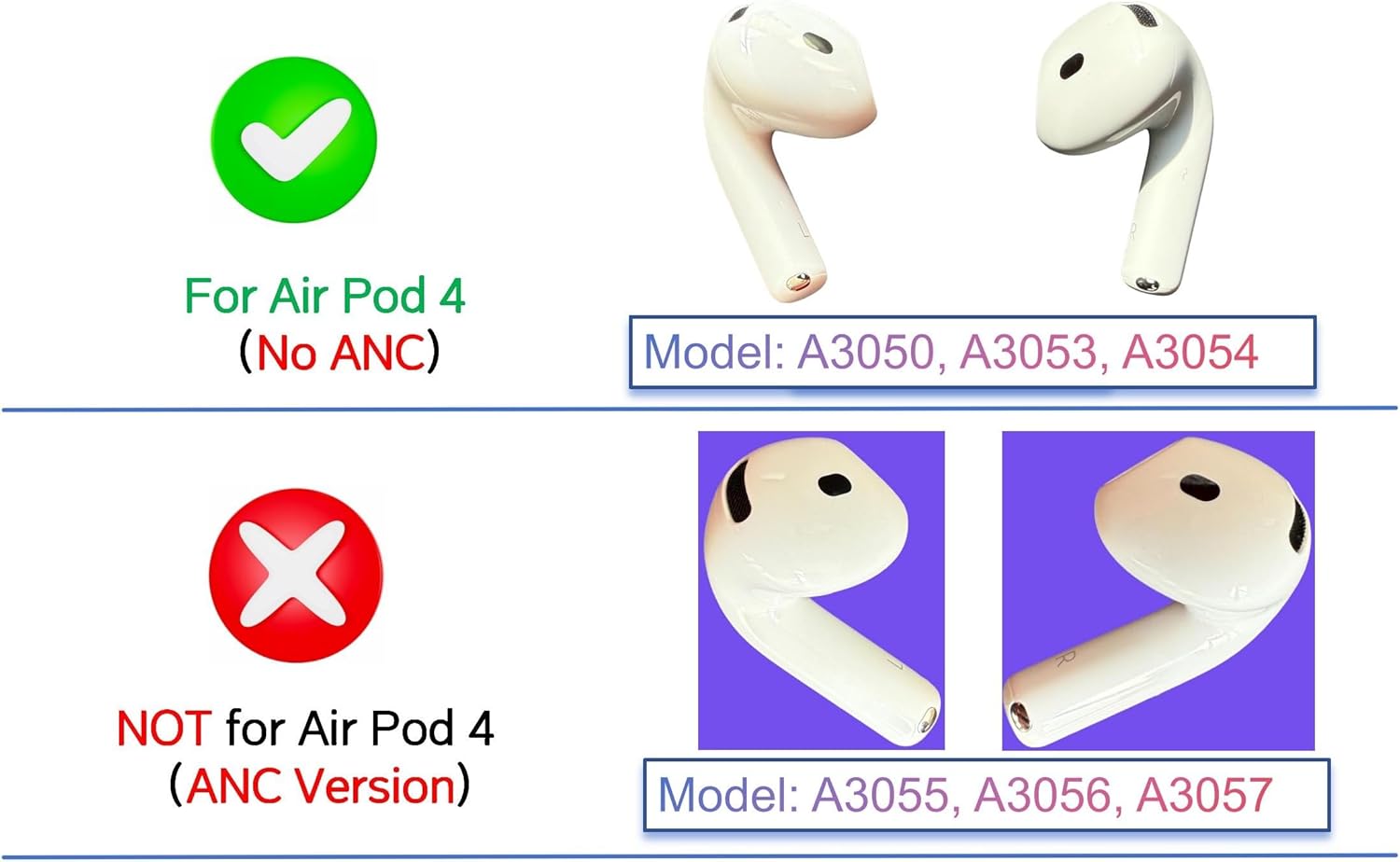
Image: A visual guide illustrating compatibility with non-ANC AirPods 4th Generation (models A3050, A3053, A3054) and incompatibility with ANC versions (models A3055, A3056, A3057).
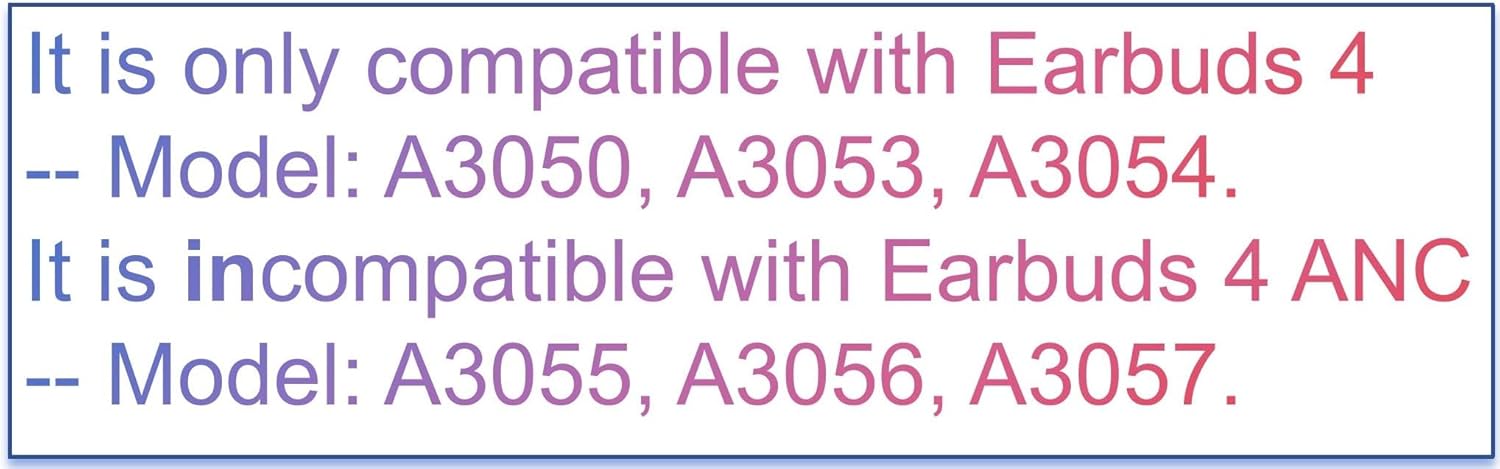
Image: Text emphasizing compatibility with A3050, A3053, A3054 models and incompatibility with A3055, A3056, A3057 models.
3. அமைவு மற்றும் இணைத்தல் வழிமுறைகள்
Follow these steps carefully to pair your new right earbud with your existing AirPods setup. Patience is key during the pairing process, as it may take some time.
- Forget Your Earbuds from Bluetooth List:
- Open your device's Bluetooth settings.
- Locate your Earbuds in the list of devices.
- Select "Forget This Device" or similar option to remove them from your Bluetooth list.
- உங்கள் இயர்பட்களை சார்ஜ் செய்யவும்:
- Plug the charging case into a power source.
- Place the new earbud into the charging case.
- Ensure the charging case is close to your iPhone/iPad during charging.
- Allow the earbud to charge for 30-60 நிமிடங்கள். For older firmware versions, this might take 2-3 hours or even overnight.
- Reset Your Earbuds:
- Unplug the charging cable from the case.
- சார்ஜிங் கேஸின் மூடியைத் திறக்கவும்.
- Press and hold the setup button on the back of the case for approximately 15 seconds. The status light on the front of the case will flash amber, then white.
- Connect Your Earbuds:
- With the charging case lid open and both earbuds inside, place your Earbuds close to your iPhone or iPad.
- Follow the on-screen prompts on your device to connect.
If the pairing process does not succeed on the first attempt, please repeat Step 2 (charging) and allow more time before attempting Step 3 (reset) again. Ensure both the left and right earbuds (if you have both) are compatible models.

Image: A comprehensive guide detailing the four steps for pairing your earbud, including forgetting the device, charging, resetting, and connecting.
4. சார்ஜ்
The earbud charges when placed inside the compatible charging case (model A3058). To charge the case itself, connect it to a power source using a compatible cable. A fully charged case can provide multiple charges to the earbud, allowing for portable charging without a direct power supply.
The status light on the front of the charging case indicates the charging status:
- ஆம்பர்: Charging or less than one full charge remaining.
- பச்சை: முழுமையாக சார்ஜ் ஆனது.
5. சரிசெய்தல்
If you encounter issues with your replacement earbud, consider the following troubleshooting steps:
- Earbud Not Pairing:
- Ensure you have followed all pairing instructions precisely, especially forgetting the device from your Bluetooth list.
- Allow sufficient charging time (30-60 minutes, or longer for older firmware) before attempting to reset and pair.
- Verify that the model numbers of your earbuds (A3050/A3053/A3054) and charging case (A3058) are compatible. Mismatched models will prevent pairing.
- Try repeating the charging and reset steps multiple times.
- ஒலி அல்லது இடைப்பட்ட இணைப்பு இல்லை:
- Ensure the earbud is fully charged.
- Check your device's Bluetooth connection and ensure the earbud is selected as the audio output.
- குறுக்கீட்டைத் தவிர்க்க உங்கள் இணைக்கப்பட்ட சாதனத்திற்கு அருகில் செல்லவும்.
For persistent issues, please refer to the support section below.
6. விவரக்குறிப்புகள்
| அம்சம் | விவரம் |
|---|---|
| பிராண்ட் | மீனோவா |
| மாதிரி எண் | Right A3050/A3053/A3054 |
| இணக்கமான சாதனங்கள் | AirPods 4th Generation (Non-ANC) |
| இணக்கமான தொலைபேசி மாதிரிகள் | Apple AirPods (4th Generation), A3050, A3053, A3054, A3058 (charging case) |
| பொருள் | பிளாஸ்டிக் |
| பொருளின் எடை | 0.95 அவுன்ஸ் |
| தொகுப்பு பரிமாணங்கள் | 3.7 x 2.5 x 1 அங்குலம் |
7. ஆதரவு
For any pairing issues or further assistance, please contact our support team:
- மின்னஞ்சல்: support@audiospare.com
You can also find additional guidelines and resources by scanning the QR code below or visiting the provided URL:
Image: A QR code and URL for accessing additional pairing guidelines and support information.
Online Guidelines: https://audiospare.com/2025/01/09/guideline-for-airpods-pairing/