
1. முக்கியமான பாதுகாப்பு வழிமுறைகள்
Please read all instructions carefully before using the projector and retain this manual for future reference. Improper use may result in electric shock, fire, or other hazards.
- காற்றோட்ட திறப்புகளை அடைக்காதீர்கள். சரியான காற்றோட்டத்திற்காக ப்ரொஜெக்டரைச் சுற்றி போதுமான இடத்தை உறுதி செய்யுங்கள்.
- தீ அல்லது மின்சார அதிர்ச்சியைத் தடுக்க ப்ரொஜெக்டரை மழை அல்லது ஈரப்பதத்திற்கு வெளிப்படுத்த வேண்டாம்.
- ப்ரொஜெக்டர் லென்ஸை நேரடியாகப் பார்ப்பதைத் தவிர்க்கவும்amp பிரகாசமான ஒளி கண் பாதிப்பை ஏற்படுத்தக்கூடும் என்பதால், இயக்கத்தில் உள்ளது.
- உற்பத்தியாளரால் குறிப்பிடப்பட்ட இணைப்புகள் / துணைக்கருவிகளை மட்டுமே பயன்படுத்தவும்.
- மின்னல் தாக்கும் போது அல்லது நீண்ட நேரம் பயன்படுத்தப்படாத போது ப்ரொஜெக்டரைத் துண்டிக்கவும்.
- இந்த தயாரிப்பை நீங்களே சரிசெய்ய முயற்சிக்காதீர்கள். அனைத்து சேவைகளையும் தகுதிவாய்ந்த சேவை பணியாளர்களிடம் பரிந்துரைக்கவும்.
2. அமைவு வழிகாட்டி
2.1 பெட்டியில் என்ன இருக்கிறது
தொகுப்பில் அனைத்து பொருட்களும் உள்ளதா என சரிபார்க்கவும்:
- HOMPOW Mini Projector
- ரிமோட் கண்ட்ரோல்
- பவர் அடாப்டர்
- HDMI கேபிள்
- பயனர் கையேடு
- உத்தரவாத அட்டை

Image: The HOMPOW Mini Projector shown with its remote control, power adapter, and HDMI cable.
2.2 ஆரம்ப அமைப்பு
2.2.1 மின் இணைப்பு
- பவர் அடாப்டரை ப்ரொஜெக்டரின் பவர் உள்ளீட்டு போர்ட்டுடன் இணைக்கவும்.
- பவர் அடாப்டரை பொருத்தமான மின் கடையில் செருகவும்.
2.2.2 வேலை வாய்ப்பு மற்றும் கவனம்
ப்ரொஜெக்டரை ஒரு நிலையான, தட்டையான மேற்பரப்பில் வைக்கவும். உகந்ததாக இருக்க viewing, place it perpendicular to the projection surface (wall or screen).
- திட்ட தூரம்: The recommended projection distance ranges from 3.49 feet to 7.26 feet.
- படத்தின் அளவு: This allows for an image size between 40 inches and 120 inches.
- கவனம் சரிசெய்தல்: Rotate the focus ring on the projector lens until the image appears clear and sharp.

Image: Visual comparison demonstrating the clarity of 1080P Full HD supported resolution versus 480P.
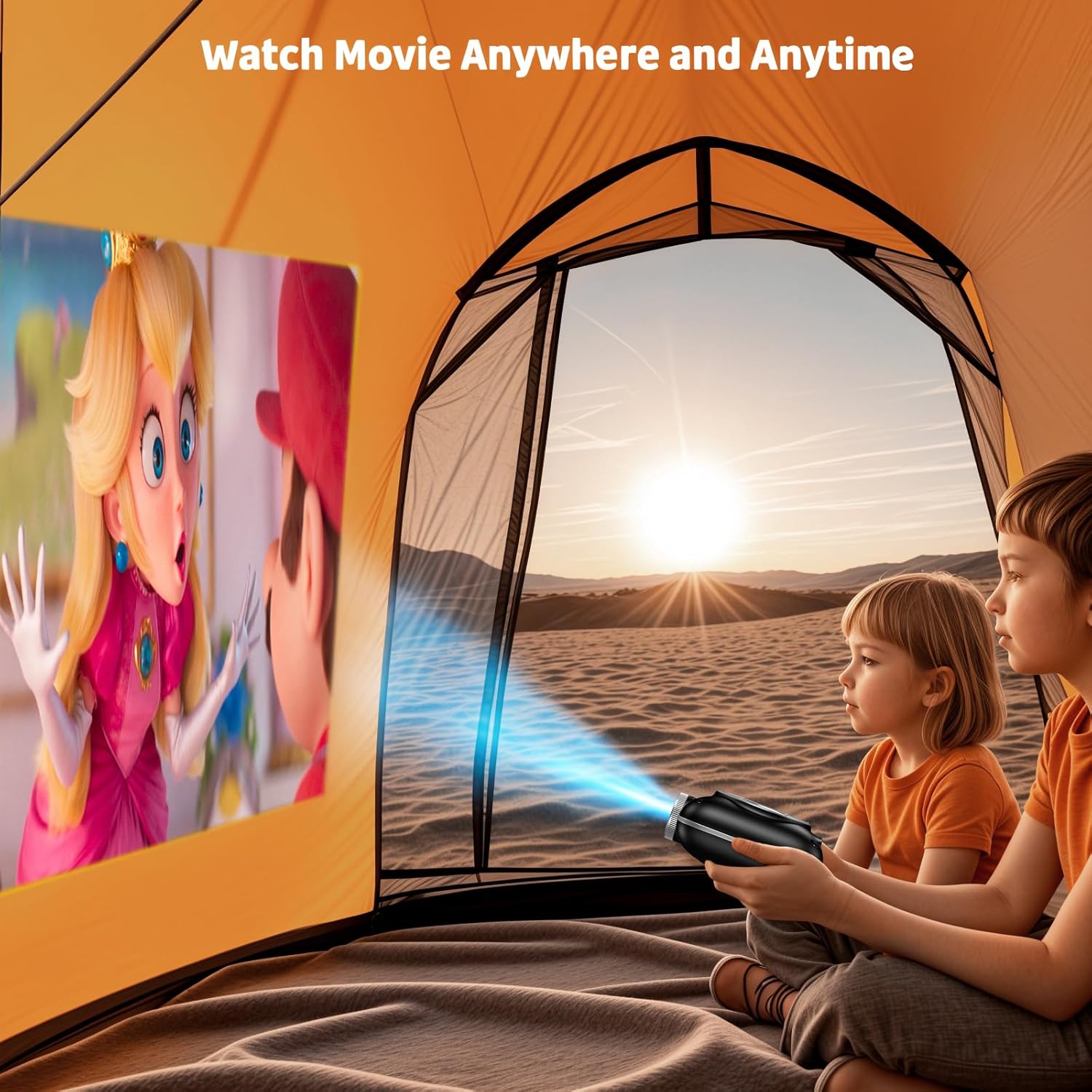
Image: The compact projector projecting a movie inside a tent, highlighting its portability for outdoor use.
3. இயக்க வழிமுறைகள்
3.1 பவர் ஆன்/ஆஃப்
Press the power button on the projector or the remote control to turn the device on or off. The projector features an auto-off timer for convenient screen time management.
3.2 இணைப்பு
The HOMPOW Mini Projector offers multiple connectivity options:
- HDMI 2.0 போர்ட்: Connect to laptops, TV sticks, gaming consoles (PS4, PS5), and other HDMI-enabled devices using the included HDMI cable.
- யூ.எஸ்.பி 2.0 போர்ட்: மீடியா பிளேபேக்கிற்கு USB டிரைவ்களை இணைக்கவும்.
- Two-Way Bluetooth 5.1: Connect external Bluetooth speakers for enhanced audio or use the projector as a Bluetooth speaker to play music from your phone.

Image: The projector highlighting its wireless connectivity features, including WiFi and Bluetooth.

Image: A visual guide illustrating how to connect various devices such as smartphones, tablets, TV sticks, laptops, PS3/PS4, headphones, and USB drives to the projector.
3.3 திரை பிரதிபலிப்பு
உங்கள் ஸ்மார்ட்போன் அல்லது டேப்லெட் திரையைப் பிரதிபலிக்க:
- ஆண்ட்ராய்டு போன்களுக்கு: Use a Micro USB/Type-C to HDMI adapter (sold separately).
- For iPhones/iPads: Use a Lightning to HDMI adapter (sold separately).
- For Streaming Services: Plug in a TV stick (sold separately) for Netflix/Hulu and other HDCP-compliant streaming platforms.
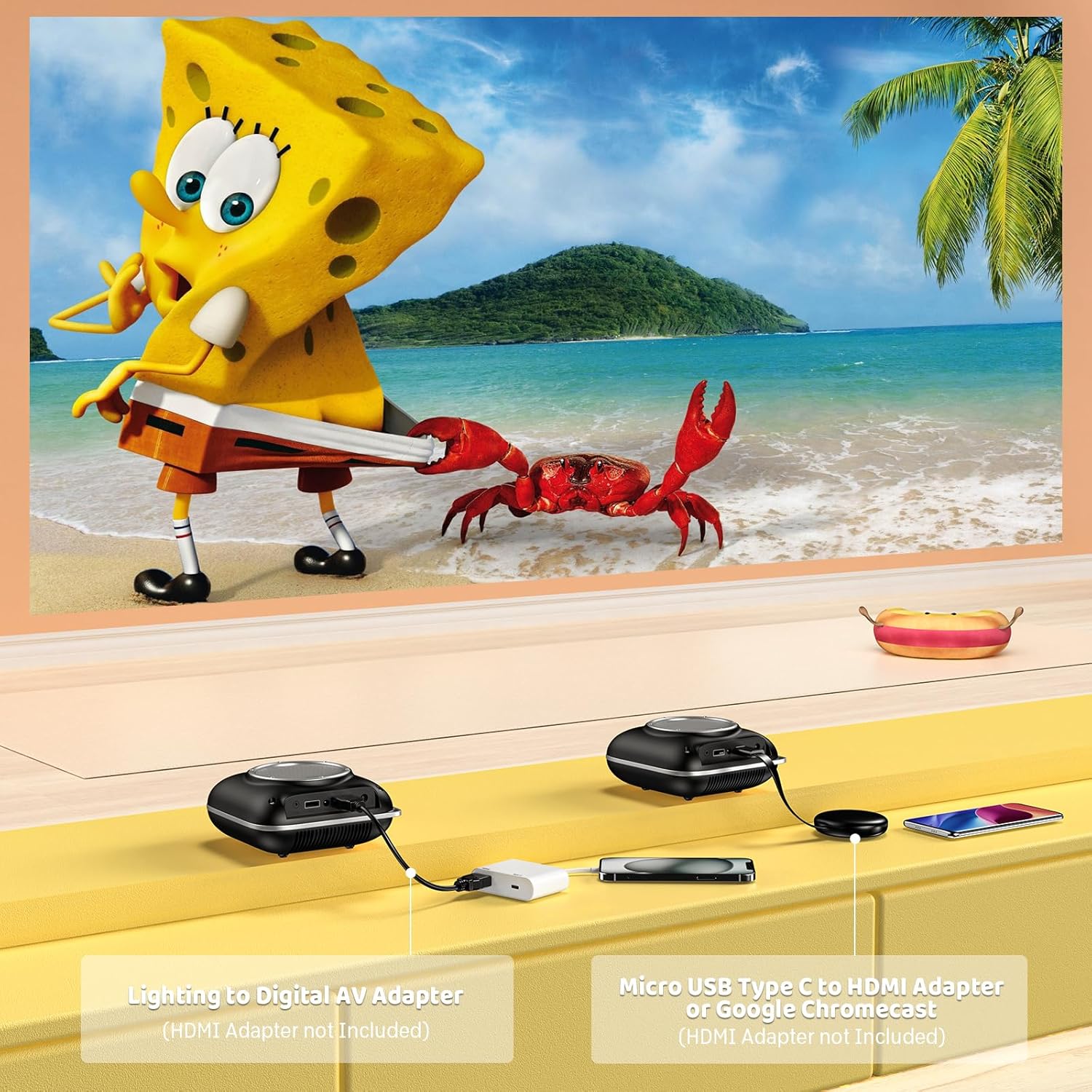
Image: Instructions for connecting mobile devices to the projector using Lightning to Digital AV Adapter for iOS and Micro USB Type-C to HDMI Adapter or Google Chromecast for Android.
3.4 ஆடியோ வெளியீடு
The projector features built-in 5W high-powered stereo speakers. For enhanced sound, utilize the bidirectional Bluetooth 5.1 to connect to external Bluetooth speakers or headphones.

Image: Diagram showing the projector's two-way Bluetooth functionality, allowing connection to an external speaker or functioning as a Bluetooth speaker for a phone.
3.5 Projection Size and Zoom
The projector supports a projection size from 40 to 120 inches. Use the 50%-100% zoom function to adjust the image size without moving the projector.

Image: A visual representation of the 50%-100% zoom function, showing how the projected image size can be adjusted.
4. பராமரிப்பு
4.1 சுத்தம் செய்தல்
- லென்ஸ்: ஆப்டிகல் லென்ஸ்களுக்காக பிரத்யேகமாக வடிவமைக்கப்பட்ட மென்மையான, பஞ்சு இல்லாத துணியைப் பயன்படுத்தவும். சிராய்ப்பு கிளீனர்களைப் பயன்படுத்த வேண்டாம்.
- வெளிப்புறம்: Wipe the projector's exterior with a soft, dry cloth. Avoid using harsh chemicals or solvents.
- காற்றோட்டம்: Ensure ventilation openings are free from dust and debris to prevent overheating.
4.2 சேமிப்பு
When not in use, store the projector in a cool, dry place, away from direct sunlight and extreme temperatures. Use the original packaging or a protective case to prevent dust accumulation and damage.
5. சரிசெய்தல்
பொதுவான பிரச்சினைகள் மற்றும் அவற்றின் தீர்வுகளுக்கு கீழே உள்ள அட்டவணையைப் பார்க்கவும்.
| பிரச்சினை | சாத்தியமான காரணம் | தீர்வு |
|---|---|---|
| எந்தப் படமும் வெளியிடப்படவில்லை. | Power not connected, input source incorrect, lens cap on. | Check power connection, select correct input source (HDMI/USB), remove lens cap. |
| மங்கலான படம் | Focus not adjusted, projector too close/far. | Adjust the focus ring, ensure projector is within optimal projection distance (3.49-7.26 ft). |
| ஒலி இல்லை | Volume too low, external speaker not connected, audio format unsupported. | Increase volume, connect Bluetooth speaker, check audio format compatibility. |
| ஸ்கிரீன் மிரரிங் வேலை செய்யவில்லை | Incorrect adapter, device compatibility issue. | Ensure correct HDMI adapter for your phone (Micro USB/Type-C for Android, Lightning for iOS). |
| ப்ரொஜெக்டர் அதிக வெப்பம் | Blocked ventilation, prolonged use. | Ensure clear space around vents, allow projector to cool down if used for extended periods. |
6. தொழில்நுட்ப விவரக்குறிப்புகள்
| அம்சம் | விவரம் |
|---|---|
| பிராண்ட் | ஹோம்போ |
| மாதிரி | B0F43PY223 |
| நேட்டிவ் ரெசல்யூஷன் | 1280 x 720 (720 பி) |
| ஆதரிக்கப்படும் தீர்மானம் | 1920 x 1080 (1080P முழு HD) |
| இணைப்பு தொழில்நுட்பம் | HDMI, USB 2.0, Bluetooth 5.1 (Two-Way) |
| காட்சி வகை | CRT (as per specification, typically LCD for mini projectors) |
| மாறுபாடு விகிதம் | 10000:1 |
| திட்ட அளவு | 40 - 120 அங்குலம் |
| தூரத்தை எறியுங்கள் | 3.49 - 7.26 அடி |
| ஒளி மூல இயக்க வாழ்க்கை | 50000 மணிநேரம் |
| உள்ளமைக்கப்பட்ட ஸ்பீக்கர் | 5W High-Powered Stereo Speakers |
| பெரிதாக்கு செயல்பாடு | 50% -100% |
| பரிமாணங்கள் (L x W x H) | 4.9" x 4.9" x 2.1" |
| எடை | 0.7 கிலோகிராம் |
| மின் நுகர்வு | 30 வாட்ஸ் |
| தொகுதிtage | 110 வோல்ட் |
7. உத்தரவாதம் மற்றும் ஆதரவு
7.1 உத்தரவாதத் தகவல்
The HOMPOW Mini Projector comes with:
- A 30-day replacement window.
- 2-year repair coverage.
உத்திரவாதக் கோரிக்கைகளுக்காக உங்கள் வாங்கியதற்கான ஆதாரத்தை வைத்துக் கொள்ளவும்.
7.2 வாடிக்கையாளர் ஆதரவு
For any questions, troubleshooting assistance, or warranty inquiries, please contact HOMPOW customer support. We offer 24/7 assistance to ensure stress-free ownership.
Contact information can typically be found on the HOMPOW official webதளம் அல்லது உங்கள் தொகுப்பில் சேர்க்கப்பட்டுள்ள உத்தரவாத அட்டை.