
Baseus PPNMS-1045C
Baseus Enercore 10000mAh Power Bank
Model: PPNMS-1045C
பிராண்ட்: Baseus
1. அறிமுகம்
Thank you for choosing the Baseus Enercore 10000mAh Power Bank. This portable charger is designed for convenience and efficiency, featuring a built-in 45W retractable USB-C cable, a smart digital display, and advanced safety mechanisms. This manual provides essential information for safe and effective use of your device.
2. பாதுகாப்பு தகவல்
- பவர் பேங்கை அதிக வெப்பநிலைக்கு (60°C/140°Fக்கு மேல் அல்லது 0°C/32°Fக்குக் கீழே) வெளிப்படுத்த வேண்டாம்.
- சாதனத்தை நீங்களே கீழே போடுவதையோ, பிரிப்பதையோ அல்லது பழுதுபார்க்க முயற்சிப்பதையோ தவிர்க்கவும்.
- தண்ணீர், ஈரப்பதம் மற்றும் எரியக்கூடிய பொருட்களிலிருந்து விலகி இருங்கள்.
- சான்றளிக்கப்பட்ட சார்ஜிங் கேபிள்கள் மற்றும் அடாப்டர்களை மட்டுமே பயன்படுத்தவும்.
- உள்ளூர் விதிமுறைகளின்படி தயாரிப்பை பொறுப்புடன் அகற்றவும்.
3. தயாரிப்பு முடிந்துவிட்டதுview
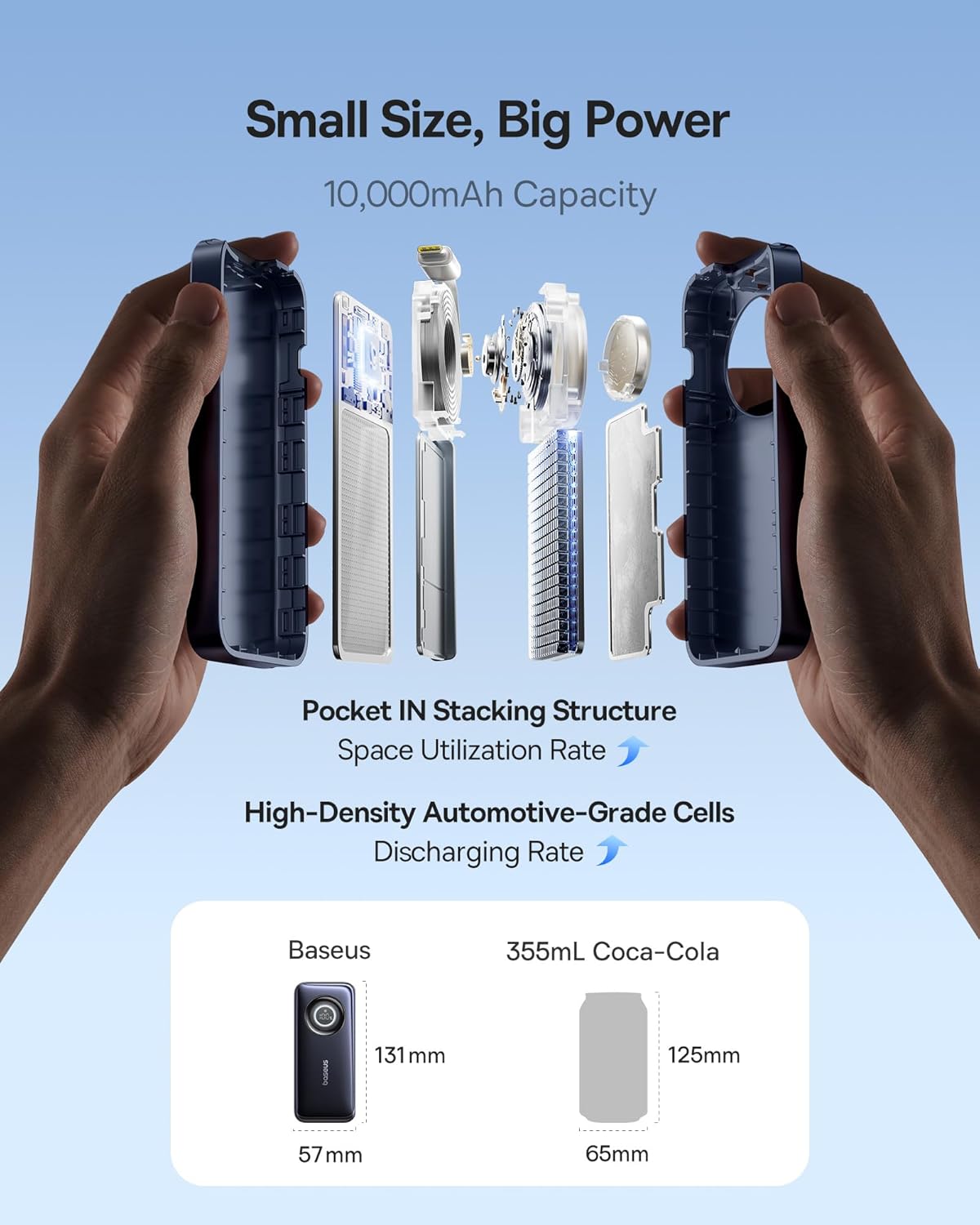
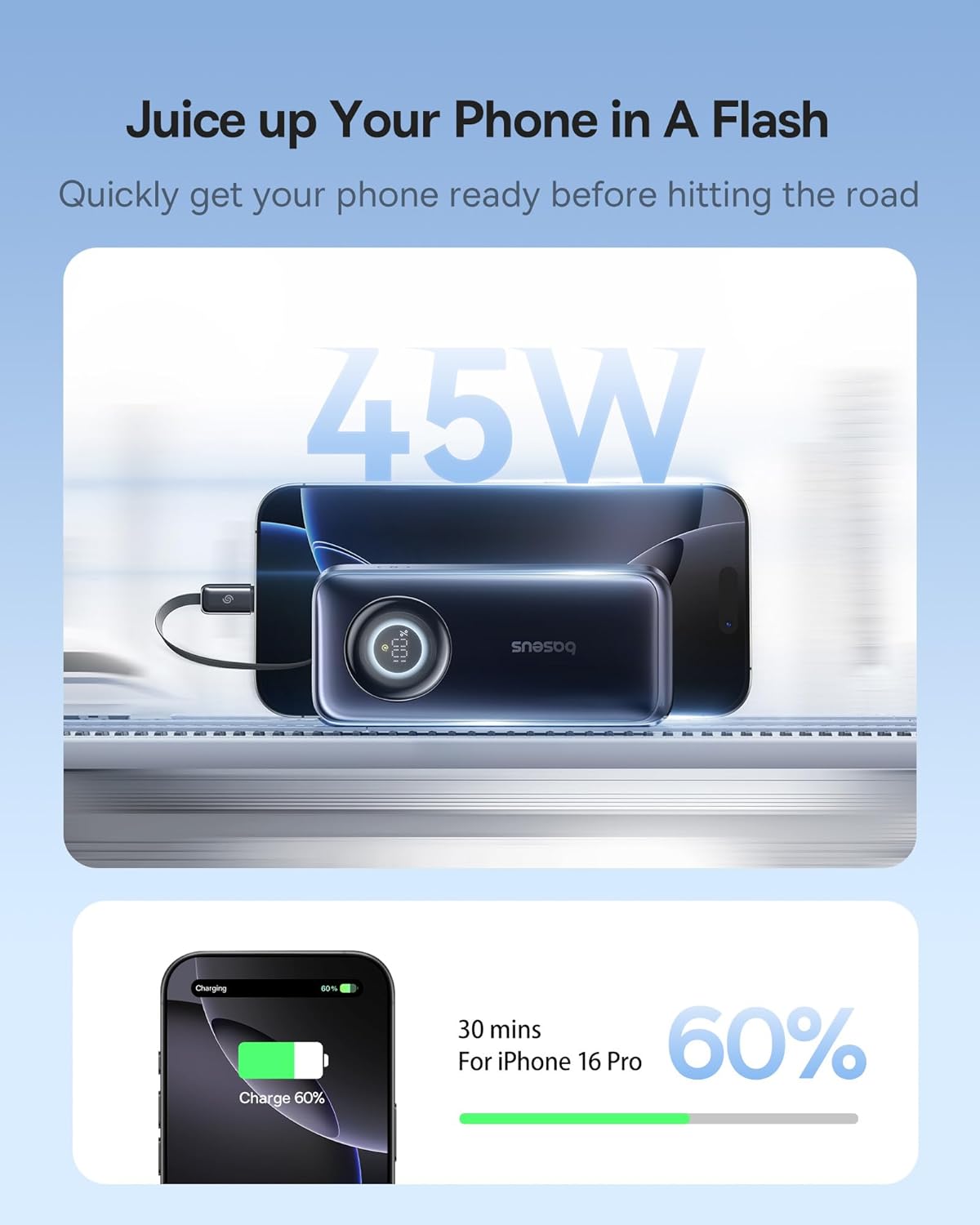
The Baseus Enercore Power Bank is a compact and powerful portable charging solution. Key features include a built-in retractable USB-C cable, a digital display for battery status, and multiple charging ports.

4 அமைவு
4.1 பவர் பேங்கின் ஆரம்ப சார்ஜிங்
Before first use, fully charge your Baseus Enercore Power Bank. Connect the power bank to a suitable USB-C power adapter using the built-in retractable cable or an external USB-C cable. The digital display will show the charging progress.
5. இயக்க வழிமுறைகள்
5.1 உங்கள் சாதனங்களை சார்ஜ் செய்தல்
To charge your device, gently pull the retractable USB-C cable from the power bank until it reaches the desired length (up to 2 feet). Connect the USB-C end to your compatible device. The power bank will automatically begin charging. For devices requiring other connectors, use an appropriate cable with the available USB-C port.
5.2 Smart Digital Display
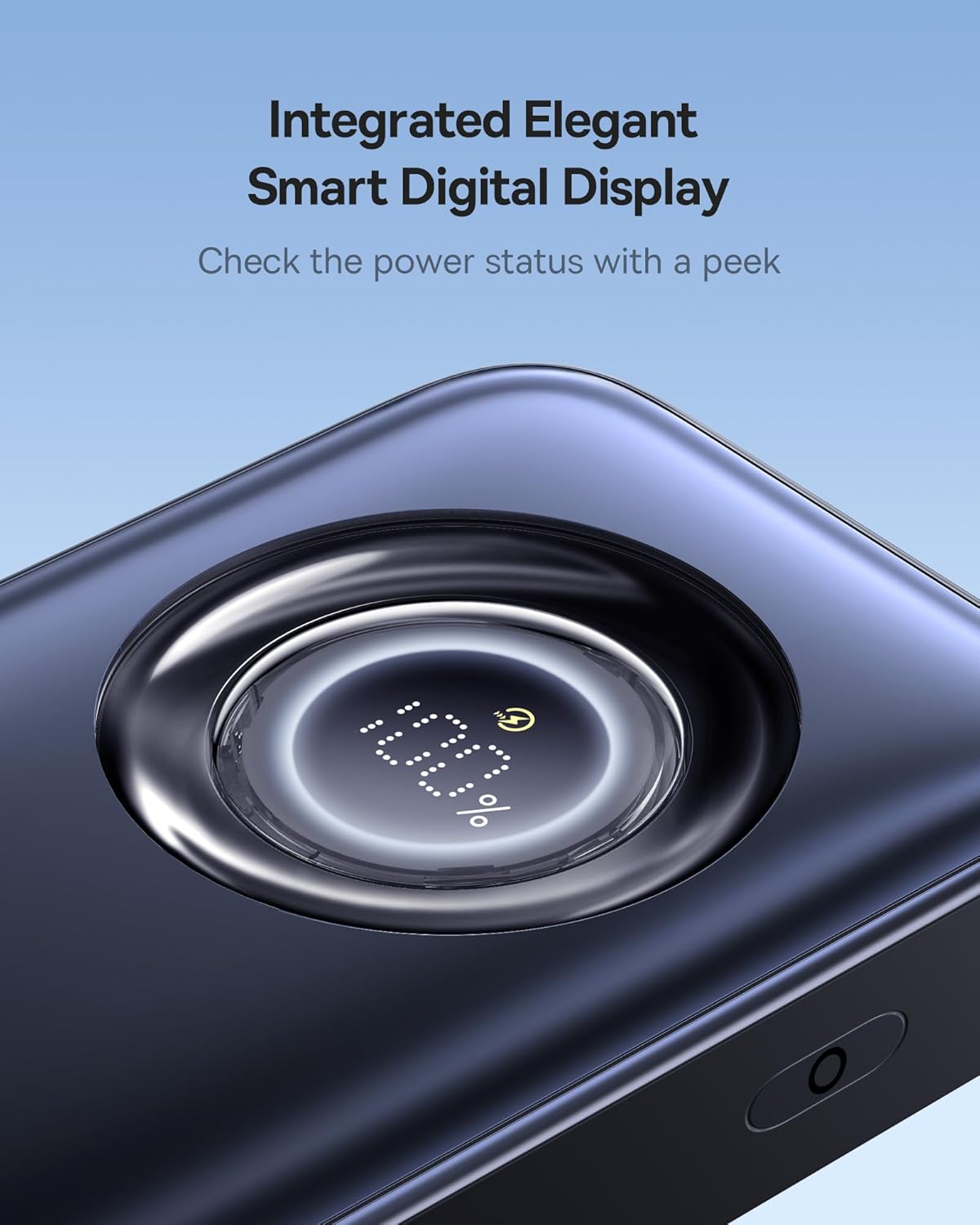
The integrated smart digital display shows the exact battery percentagபவர் பேங்கின் e, அதன் சார்ஜ் அளவை துல்லியமாக கண்காணிக்க உங்களை அனுமதிக்கிறது.
5.3 குறைந்த தற்போதைய பயன்முறை
For charging low-power devices such as earbuds or smartwatches, press the power button twice in quick succession to activate the low current mode. This ensures safe and optimized charging for smaller electronics.
5.4 தயாரிப்பு செயல்விளக்க வீடியோ
Watch this official video for a visual guide on using the Baseus Enercore Power Bank, demonstrating its retractable cable and charging capabilities.
வீடியோ 5.1: அதிகாரப்பூர்வ தயாரிப்பு வீடியோ காட்சிasing the features and use of the Baseus Enercore 45W 10000mAh Power Bank.
6. பராமரிப்பு
6.1 சுத்தம் செய்தல்
மென்மையான, உலர்ந்த துணியால் பவர் பேங்கை துடைக்கவும். திரவ கிளீனர்கள் அல்லது சிராய்ப்பு பொருட்களைப் பயன்படுத்த வேண்டாம்.
6.2 சேமிப்பு
Store the power bank in a cool, dry place away from direct sunlight and extreme temperatures. For long-term storage, charge the power bank to approximately 50% every three months to preserve battery health.
6.3 வெப்பச் சிதறல் அமைப்பு
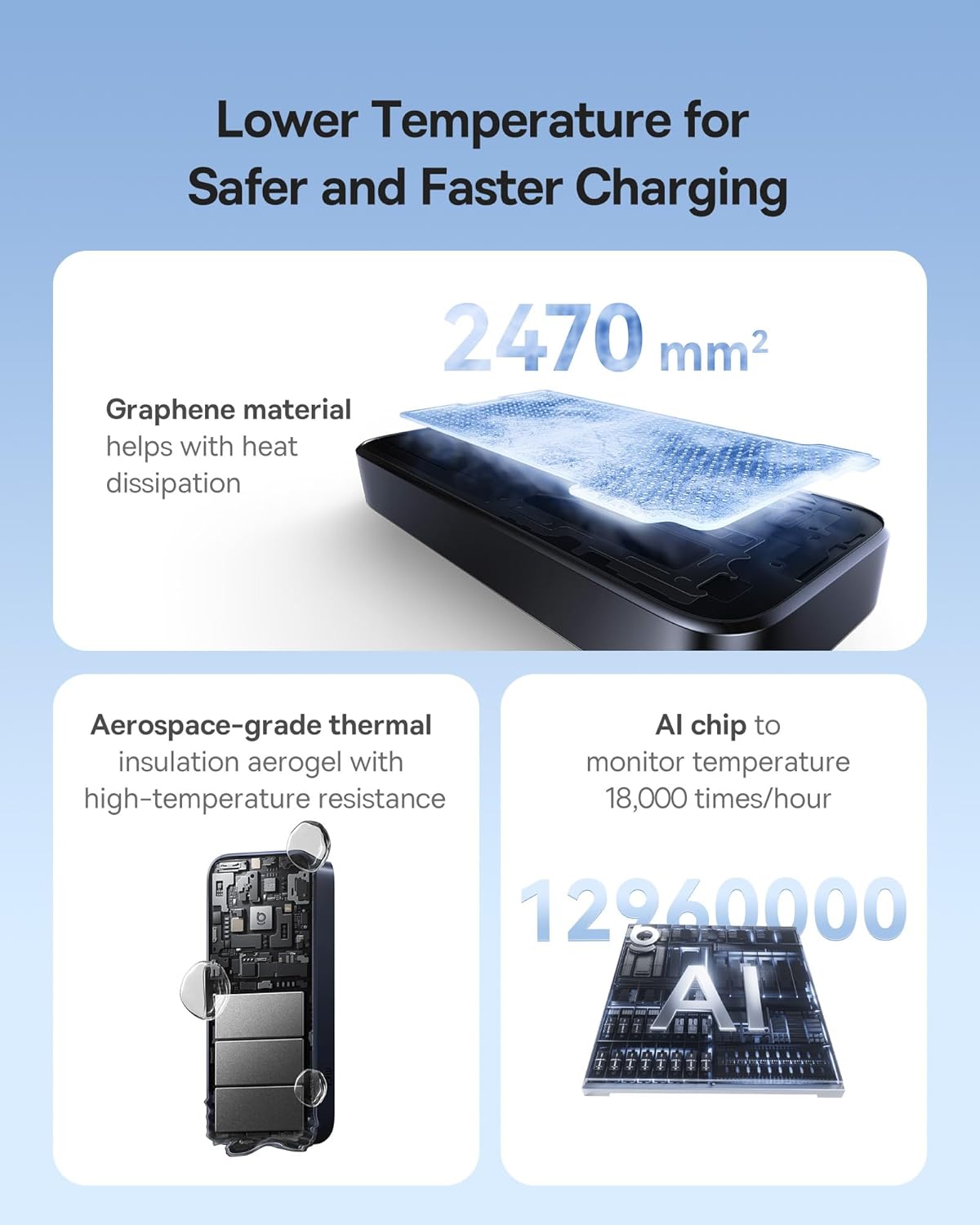
The Baseus Enercore Power Bank incorporates a dual heat dissipation system with superconductive materials, graphene layers, and aerospace-grade aerogel. This advanced cooling system ensures safe and efficient charging by managing internal temperatures.

7. சரிசெய்தல்
- பவர் பேங்க் சார்ஜ் ஆகவில்லை: Ensure the charging cable and adapter are securely connected and functional. Try a different cable or adapter.
- சாதனம் சார்ஜ் ஆகவில்லை: Check if the retractable USB-C cable is fully inserted into both the power bank and your device. Verify your device is compatible with USB-C charging. Ensure the power bank has sufficient charge indicated by the digital display.
- மெதுவாக சார்ஜிங்: Confirm that your device supports 45W PD fast charging. Ensure the cable used is capable of fast charging.
- டிஜிட்டல் டிஸ்ப்ளே வேலை செய்யவில்லை: Press the power button once to activate the display. If it remains off, the power bank may be fully discharged or require service.
8. விவரக்குறிப்புகள்
| அம்சம் | விவரம் |
|---|---|
| மாதிரி எண் | PPNMS-1045C |
| பேட்டரி திறன் | 10000 mAh |
| வெளியீட்டு சக்தி | 45W (அதிகபட்சம்) |
| உள்ளீட்டு சக்தி | 30W (அதிகபட்சம்) |
| இணைப்பான் வகை | USB Type-C (Built-in retractable cable) |
| தயாரிப்பு பரிமாணங்கள் | 5.1 x 1 x 2.2 அங்குலம் |
| பொருளின் எடை | 8.8 அவுன்ஸ் |
| சிறப்பு அம்சங்கள் | Built-in Retractable USB-C Cable, Digital Display, Cooling System |
9. உத்தரவாதம் மற்றும் ஆதரவு
பேசியஸ் வழங்குகிறது ஒரு 24 மாத உத்தரவாதம் for your Enercore Power Bank, ensuring worry-free ownership. For any technical assistance, product guidance, or issues, our dedicated team offers lifelong 24/7 professional support. We also offer free returns or replacements for guaranteed satisfaction. Please refer to the contact information provided with your product packaging for support.
Ask a question about this manual
Ask about setup, troubleshooting, compatibility, parts, safety, or missing instructions. Manuals+ will review the question and use this page’s manual context to help answer it.