
1. ஓவர்view
The Donerton T50S Smart Watch is a versatile fitness tracker designed for men and women, featuring a 1.85-inch HD touchscreen. It offers comprehensive health monitoring, over 100 sports modes, and convenient communication capabilities including answering and making calls directly from your wrist. With its IP68 waterproof rating and long battery life, it's an ideal companion for daily activities and fitness pursuits.

Image: Donerton T50S Smart Watch with a black strap, showcasing அதன் துடிப்பான காட்சி.
2. பெட்டியில் என்ன இருக்கிறது
- Donerton T50S Smart Watch
- வாட்ச் பேண்ட்
- சார்ஜிங் கேபிள்
- பயனர் கையேடு

Image: The Donerton T50S Smart Watch and its accessories as packaged.
3. அமைவு & இணைத்தல்
To begin using your Donerton T50S Smart Watch, follow these steps to pair it with your smartphone:
- கடிகாரத்தை சார்ஜ் செய்யுங்கள்: Before first use, fully charge the smartwatch using the provided magnetic charging cable.
- பயன்பாட்டைப் பதிவிறக்கவும்: Scan the QR code displayed on the watch screen or in the user manual to download the குளோரிஃபிட் app from your phone's app store (compatible with iOS 9.0+ and Android 7.0+).
- புளூடூத்தை இயக்கு: உங்கள் ஸ்மார்ட்போனில் புளூடூத்தை இயக்கவும்.
- சாதனத்தை இணைக்கவும்: Open the GloryFit app, navigate to the device section, and select "Add device." Choose "T50S" from the list of available devices to initiate pairing. Confirm any pairing requests on both your phone and the watch.
- Enable Call Function: After successful pairing, ensure the Bluetooth call function is enabled in your phone's Bluetooth settings for the T50S device. This allows you to answer/make calls directly from the watch.
Video: A step-by-step guide on connecting the Donerton T50S Smart Watch to your smartphone via the GloryFit app.

Image: Visual guide for connecting the smartwatch to the GloryFit app and enabling Bluetooth call features.
4. ஸ்மார்ட்வாட்சை இயக்குதல்
The T50S Smart Watch features an intuitive full-touch display for easy navigation:
- மேல்/கீழே ஸ்வைப் செய்யவும்: மெனுக்கள் மற்றும் அறிவிப்புகள் மூலம் உருட்டவும்.
- இடது/வலது ஸ்வைப்: விரைவான செயல்பாடுகள் அல்லது வெவ்வேறு வாட்ச் முகங்களை அணுகவும்.
- தட்டவும்: ஒரு விருப்பத்தைத் தேர்ந்தெடுக்கவும் அல்லது ஒரு பயன்பாட்டைத் திறக்கவும்.
- பக்க பட்டன்: திரையை எழுப்ப, முகப்புத் திரைக்குத் திரும்ப அல்லது பிரதான மெனுவை அணுக அழுத்தவும்.

Image: The smartwatch displaying its array of multifunctional app icons.
5. சுகாதார கண்காணிப்பு
The T50S Smart Watch is equipped with high-performance optical sensors to track your health metrics:
- இதய துடிப்பு கண்காணிப்பு: Accurately monitors your heart rate in real-time throughout the day. View weekly health reports in the GloryFit app.
- தூக்க கண்காணிப்பு: Automatically tracks your sleep status (deep sleep, light sleep, REM, awake time). Analyze your sleep patterns in the app to improve sleep habits.
- இரத்த ஆக்ஸிஜன் கண்காணிப்பு: உங்கள் இரத்த ஆக்ஸிஜன் அளவை அளவிடுகிறது.
- பெண்கள் சுகாதார மேலாண்மை: Features physiological period reminders.

Image: The smartwatch displaying heart rate and sleep tracking data.
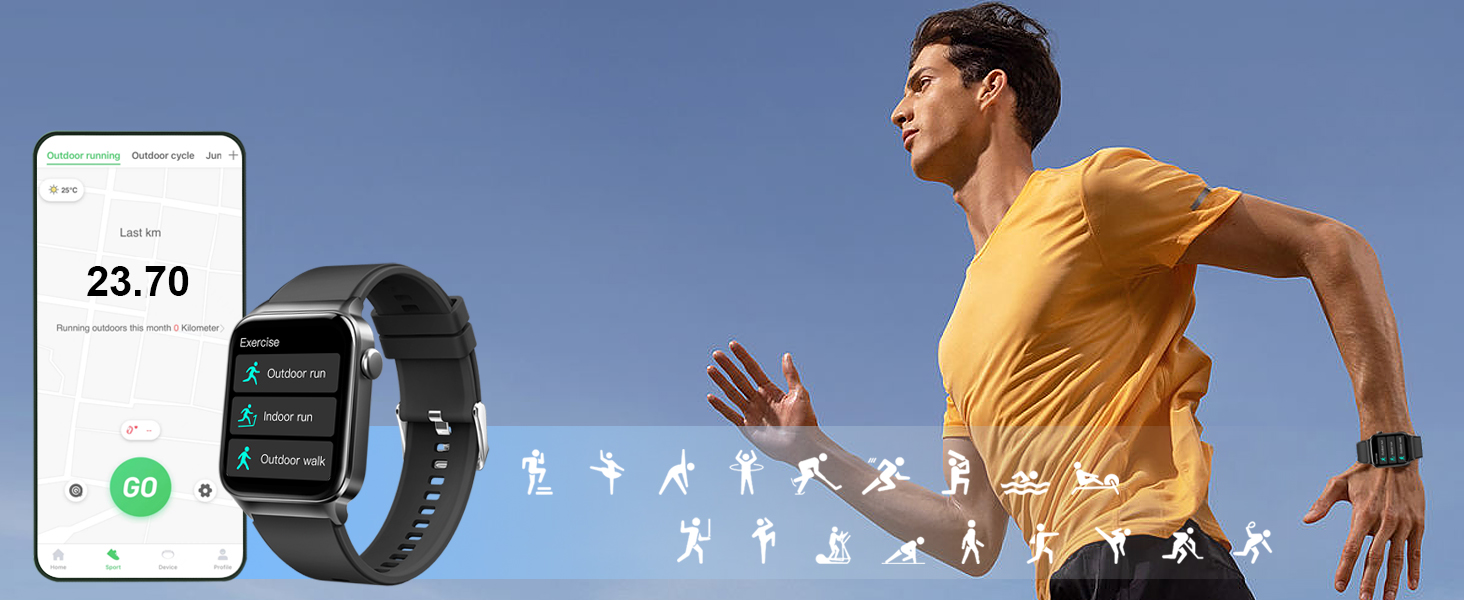
Image: Accurate heart rate tracking throughout the day, visible on the watch and synced app.
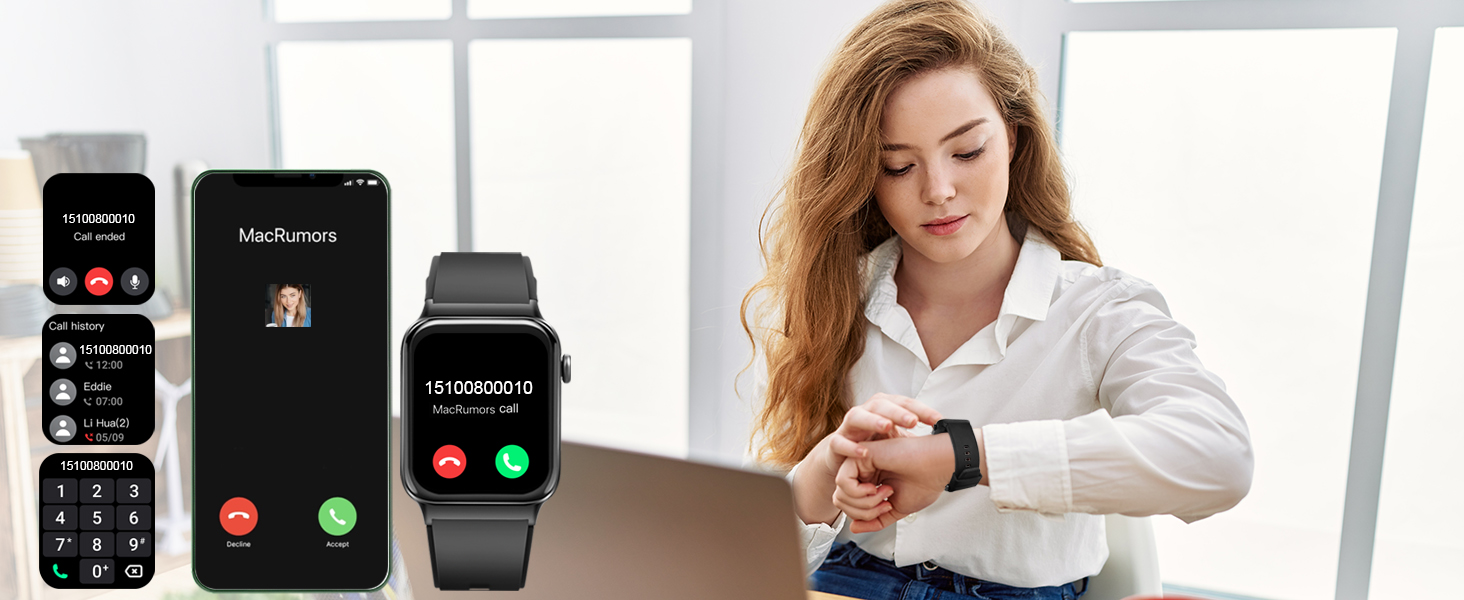
Image: Sleep monitoring function requires the watch to be connected to the app and worn correctly.

Image: The GloryFit app provides physiological period reminders, displayed on the watch interface.
6. Sports Modes & Activity Tracking
The activity tracker supports over 100 sports modes and is IP68 waterproof:
- 100+ விளையாட்டு முறைகள்: Includes Running, Walking, Hiking, Basketball, Boating, Climbing, Cycling, Fitness, Football, and more.
- நிகழ்நேர தரவு: During exercise, it records data like heart rate, steps, calories burned, and distance.
- IP68 நீர்ப்புகா: Suitable for washing hands, face, or engaging in sweaty activities. குறிப்பு: Not recommended for use in hot water or seawater.

Image: The smartwatch tracking outdoor running activity, showing distance, calories, and steps.

Image: Track your daily activity data such as steps, calories burned, distance, and more.

Image: The smartwatch offers a wide range of sports modes for comprehensive activity tracking.
7. தொடர்பு அம்சங்கள்
Stay connected with your T50S Smart Watch:
- Make/Answer Calls: With a built-in HD speaker, you can directly answer or make calls after connecting to your smartphone via Bluetooth.
- செய்தி அறிவிப்புகள்: Supports multiple smart reminders including text messages and SNS messages (Facebook, WhatsApp, Instagram, Twitter, etc.). All notifications are displayed on your smartwatch and reminded by vibration.
Video: Demonstrating the call answering and making features of the Donerton T50S Smart Watch.

Image: The smartwatch showing an incoming call, allowing direct interaction from the wrist.

Image: The smartwatch allows users to answer calls directly, showing the call interface on both devices.

Image: Connect your smartwatch to receive notifications from calls, texts, emails, and social media apps.
8. Customization & Display
உங்கள் ஸ்மார்ட்வாட்ச் அனுபவத்தைத் தனிப்பயனாக்குங்கள்:
- 1.85'' HD Touch Screen: Enjoy a highly responsive touch and clear visual experience.
- 200+ DIY Watch Faces: Download over 200 free personalized watch faces from the GloryFit app.
- Custom Wallpapers: Use your favorite photos (family, selfies, pets, landscapes) as your watch wallpaper.
- ஒளிர்வு சரிசெய்தல்: உங்கள் விருப்பத்திற்கு ஏற்ப திரையின் பிரகாசத்தை சரிசெய்யவும்.

Image: The 1.85-inch full touch screen offers over 200 cloud watch faces and allows custom photo wallpapers.
Image: The GloryFit app provides over 200 watch faces and options to DIY your smartwatch wallpaper.
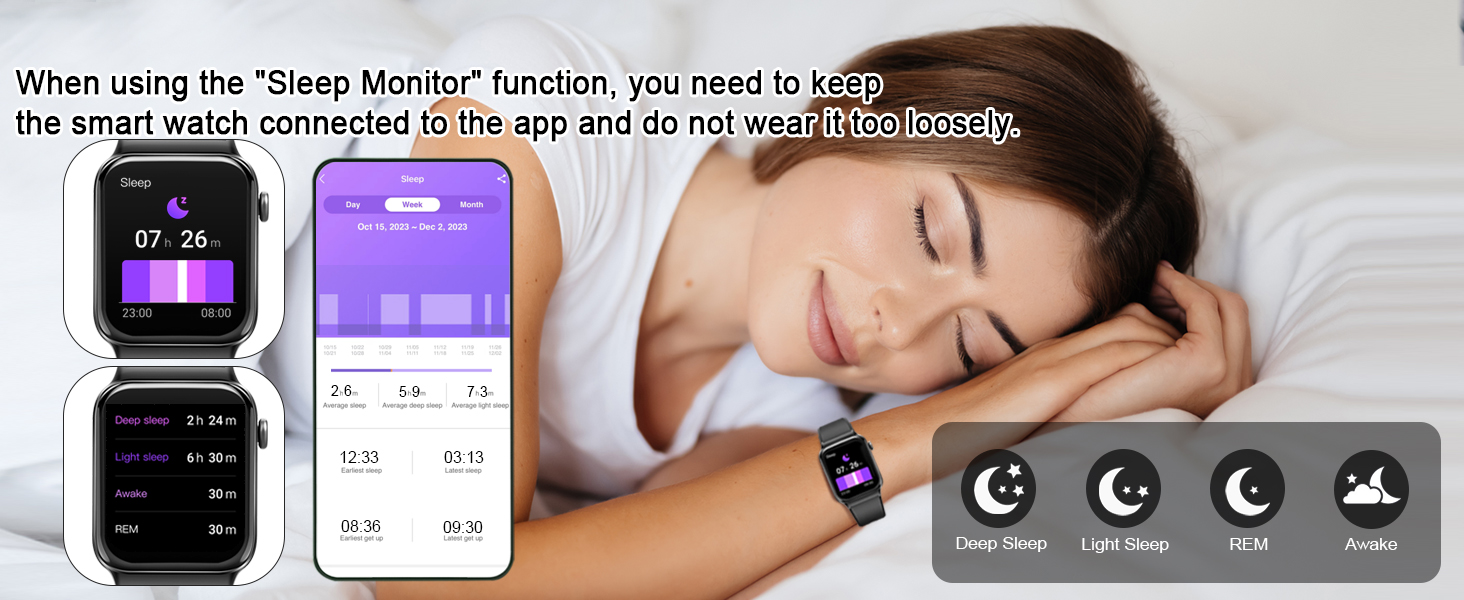
Image: The smartwatch offers 4-level brightness adjustment, customizable screen-on duration, and a 'Raise to Light Up' feature.
9. Battery Life & Charging
The T50S Smart Watch is designed for extended use:
- தினசரி பயன்பாடு: Approximately 5-7 days.
- காத்திருப்பு நேரம்: சுமார் 30 நாட்கள்.
- சார்ஜிங் நேரம்: சுமார் 2 மணி நேரம்.
- சார்ஜிங் முறை: Use the provided magnetic charging cable. Align the magnetic pins on the cable with the charging points on the back of the watch.
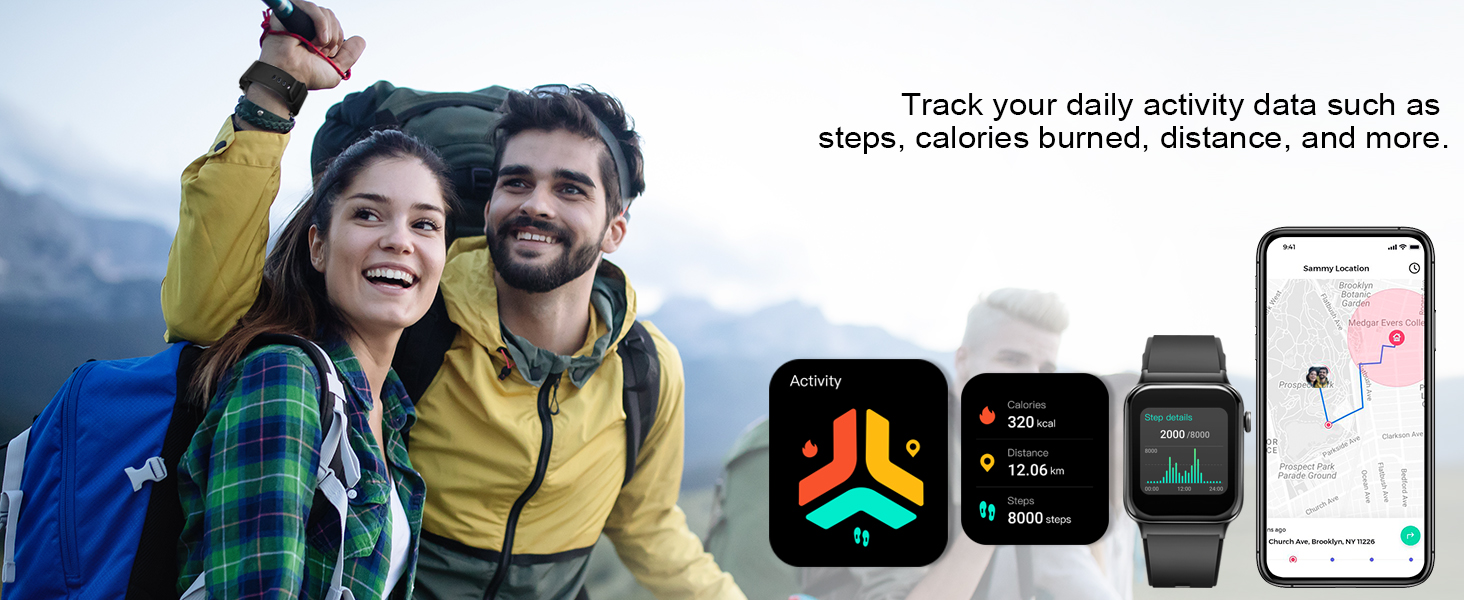
Image: The smartwatch features a long battery life with 30 days standby and 7 days daily use, charging in 2 hours.
10. Important Usage Tips
For optimal performance and comfort:
- Wear the T50S Smart Watch correctly: neither too tight nor too loose.
- Ensure there is room for your skin to breathe.
- Proper fit ensures sensors work accurately and comfortably.
- If the watch slips or sensors don't read correctly, adjust the band.

Image: Guidance on how to wear the T50S Smart Watch for comfort and accurate sensor readings.
11 கூடுதல் அம்சங்கள்
The Donerton T50S Smart Watch includes various other useful functions:
- டைமர் & ஸ்டாப்வாட்ச்: For precise timekeeping during activities.
- அலாரம் கடிகாரம்: உங்கள் மணிக்கட்டில் இருந்து நேரடியாக அலாரங்களை அமைக்கவும்.
- உட்கார்ந்த நினைவூட்டல்: செயலற்ற காலத்திற்குப் பிறகு நகர உங்களைத் தூண்டுகிறது.
- இசை கட்டுப்பாடு: உங்கள் ஸ்மார்ட்போனில் மியூசிக் பிளேபேக்கைக் கட்டுப்படுத்தவும்.
- வானிலை முன்னறிவிப்பு: Syncs with your phone to provide local weather updates.
- புகைப்படக் கட்டுப்பாடு: Remotely control your phone's camera.
- கால்குலேட்டர்: A convenient tool for quick calculations.
- அறிவார்ந்த குரல் உதவியாளர்: For hands-free operation.

Image: When connected to your phone, the smartwatch automatically syncs weather information for the next week.

Image: The smartwatch offers remote camera control and music control functionalities.

Image: The smartwatch provides useful tools like stopwatch, alarm, and timer for daily convenience.
12. விவரக்குறிப்புகள்
| அம்சம் | விவரம் |
|---|---|
| மாதிரி எண் | T50S |
| திரை அளவு | 1.85 அங்குலம் |
| காட்சி வகை | HD முழு தொடு வண்ணத் திரை |
| நீர்ப்புகா மதிப்பீடு | IP68 |
| பேட்டரி ஆயுள் (தினசரி பயன்பாடு) | 5-7 நாட்கள் |
| பேட்டரி ஆயுள் (காத்திருப்பு) | 30 நாட்கள் |
| சார்ஜிங் நேரம் | தோராயமாக 2 மணி நேரம் |
| இணைப்பு | புளூடூத் |
| இணக்கத்தன்மை | iOS 9.0+ / Android 7.0+ |
| சுகாதார கண்காணிப்பு | Heart Rate, Sleep, Blood Oxygen, Women's Health |
| விளையாட்டு முறைகள் | 100+ |
| சிறப்பு அம்சங்கள் | Bluetooth Calls, Smart Notifications, Custom Watch Faces, Music Control, Weather, Camera Control, Calculator, Voice Assistant |
| பொருளின் எடை | 3.52 அவுன்ஸ் |
| பேட்டரி திறன் | 300 மில்லிamp மணிநேரம் |
| நினைவக சேமிப்பு திறன் | 4 ஜிபி |
| இயக்க முறைமை | ஆண்ட்ராய்டு வேர் 2.9 |
| ஜி.பி.எஸ் | உள்ளமைக்கப்பட்ட ஜி.பி.எஸ் |
13. சரிசெய்தல்
- கடிகாரம் இயக்கப்படவில்லை: கடிகாரம் முழுமையாக சார்ஜ் செய்யப்பட்டுள்ளதா என்பதை உறுதிப்படுத்திக் கொள்ளுங்கள். அதை சார்ஜிங் கேபிள் மற்றும் ஒரு மின் மூலத்துடன் குறைந்தது 30 நிமிடங்களுக்கு இணைக்கவும்.
- தொலைபேசியுடன் இணைக்க முடியாது: Make sure Bluetooth is enabled on your phone and the watch is within range. Restart both devices and try pairing again through the GloryFit app.
- Call function not working: Verify that the T50S is connected for calls in your phone's Bluetooth settings (often listed as a separate connection for audio).
- அறிவிப்புகள் வரவில்லை: Check app permissions for GloryFit on your phone to ensure it has access to notifications. Also, confirm notifications are enabled within the GloryFit app settings for the watch.
- துல்லியமற்ற இதய துடிப்பு/தூக்க தரவு: Ensure the watch is worn correctly – snug but not too tight, allowing sensors to make proper contact with your skin.
14. உத்தரவாதம் & ஆதரவு
For warranty information, technical support, or further assistance, please refer to the contact details provided in your product packaging or visit the official Donerton webஉத்தரவாதக் கோரிக்கைகளுக்கு உங்கள் கொள்முதல் ரசீதை வைத்திருங்கள்.