
1. அறிமுகம்
This manual provides detailed instructions for the setup, operation, and maintenance of your HiSpyCam S120 Dual Lens Hidden Camera DIY Module. Please read this manual thoroughly before using the device to ensure proper functionality and to maximize its capabilities. This device is designed for discreet surveillance and monitoring in various indoor and outdoor environments.
2. பெட்டியில் என்ன இருக்கிறது
- கேமரா தொகுதி
- USB சார்ஜிங் கேபிள்
3. தயாரிப்பு முடிந்துவிட்டதுview
The HiSpyCam S120 DIY Module is a compact surveillance device. Familiarize yourself with its components:

படம் 3.1: முடிந்துவிட்டதுview of the HiSpyCam S120 DIY Module, highlighting the camera lenses, Micro SD Card Slot, USB port, Reset button, and ON/OFF switch.
- கேமரா லென்ஸ்கள்: Dual lenses for wide-angle viewing.
- மைக்ரோ எஸ்டி கார்டு ஸ்லாட்: For local storage of recordings (supports up to 256GB, card not included).
- USB போர்ட்: For charging the device and continuous power supply.
- மீட்டமை பொத்தான்: Used to restore factory settings or restart the device.
- ஆன்/ஆஃப் ஸ்விட்ச்: சாதனத்தை இயக்குகிறது அல்லது முடக்குகிறது.
4. அமைவு வழிகாட்டி
Follow these steps to set up your HiSpyCam S120:
- சாதனத்தை சார்ஜ் செய்யவும்: Connect the camera module to a power source using the provided USB charging cable. Ensure it is fully charged before first use.
- மைக்ரோ SD கார்டைச் செருகவும்: If local storage is desired, insert a compatible Micro SD card (up to 256GB, not included) into the Micro SD Card Slot.
- பயன்பாட்டைப் பதிவிறக்கவும்: Scan the QR code in the included instructions or search for the recommended application (e.g., 'HomeEye' as mentioned in customer reviews) on your smartphone's app store.
- பவர் ஆன்: ஆன்/ஆஃப் சுவிட்சை 'ஆன்' நிலைக்கு நகர்த்தவும்.
- நெட்வொர்க்குடன் இணைக்கவும்: The camera supports multiple connection methods. Refer to the 'Connectivity' section for detailed instructions on connecting via Wi-Fi or direct hotspot.

படம் 4.1: Illustration of the three primary connection methods for the camera module.
5. இயக்க வழிமுறைகள்
Once set up, operate your camera via the dedicated smartphone application.
- வாழ்க View: பயன்பாட்டைத் திறந்து உங்கள் கேமராவைத் தேர்ந்தெடுக்கவும் view வாழ்க footage.
- பதிவு முறைகள்:
- தொடர் பதிவு: Records continuously to the Micro SD card.
- இயக்கம்-செயல்படுத்தப்பட்ட பதிவு: Records only when motion is detected, saving storage space.
- Timing Video: பதிவு செய்வதற்கு குறிப்பிட்ட நேரங்களை திட்டமிடுங்கள்.
- ஃபூவை அணுகுகிறதுtage: பதிவு செய்யப்பட்ட footage ஐ அணுகலாம் மற்றும் மீண்டும் பெறலாம்viewed through the app, either from the Micro SD card or cloud storage (if subscribed).
- தனியுரிமை பயன்முறை: Activate privacy mode via the app to temporarily disable recording and live viewing.
6. இணைப்பு
The HiSpyCam S120 offers flexible connectivity options:
- Wi-Fi Connection (2.4GHz): Connect the camera to your home or office 2.4GHz Wi-Fi network for remote access and control via the app. The smart network switching technology ensures uninterrupted monitoring even during WiFi outages.
- Camera's Hotspot (AP Mode): For direct, local connection without an internet router, the camera can generate its own Wi-Fi hotspot. Connect your smartphone directly to this hotspot for local viewஇங் மற்றும் கட்டுப்பாடு.
- மைக்ரோ எஸ்டி கார்டு: Record directly to a Micro SD card for local storage without requiring any network connection.
7 முக்கிய அம்சங்கள்
7.1 Full HD 1080P Resolution & Dual-Lens Innovation
Experience clear video quality with Full HD 1080P resolution. The advanced dual-lens system provides a wider coverage area compared to single-lens cameras, enhancing surveillance capabilities day and night.

படம் 7.1: Visual comparison demonstrating the wider field of view provided by the dual-lens system.
7.2 Smart Cloud Storage & Local Backup
The camera supports both secure cloud storage (subscription optional) for automatic backup of footage and continuous local recording to a Micro SD card (up to 256GB). Access your recordings anytime, anywhere through the encrypted platform.
7.3 AI-Powered Motion Alerts
Equipped with advanced motion detection technology, the camera intelligently identifies movement and sends instant notifications to your smartphone. This feature helps minimize false alarms while ensuring you are alerted to important activity.
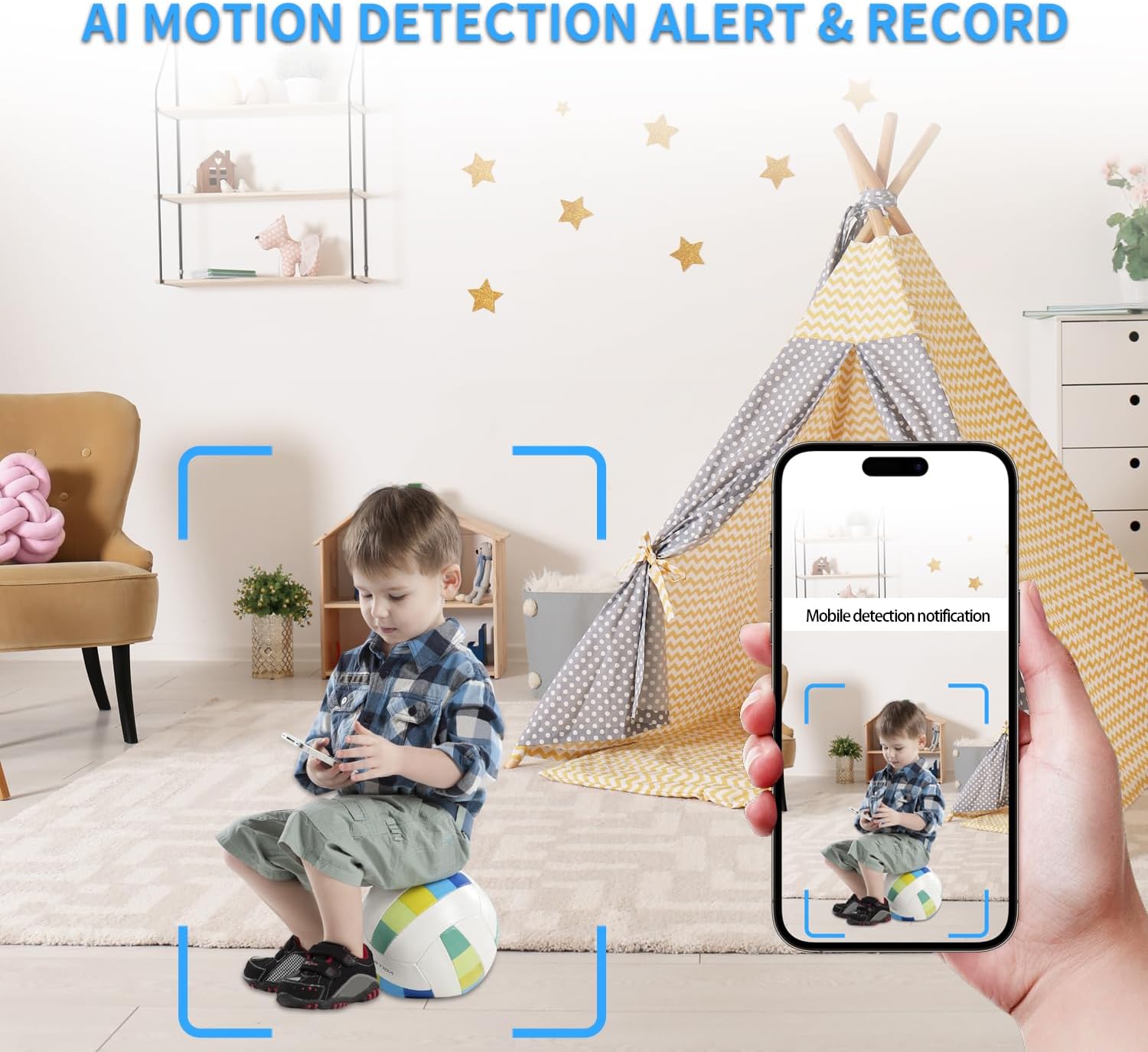
படம் 7.2: Example of an AI motion detection alert received on a smartphone.
7.4 Remote Access on the App
Monitor your space remotely from anywhere using the dedicated smartphone application. The app allows for live viewing, playback of recorded footage, and control over camera settings.

படம் 7.3: A user accessing live camera feed remotely via the smartphone app.
7.5 அகலம் Viewing Angle and Multi-User Access
The dual lenses provide a wide viewing angle for comprehensive coverage. The system also supports multi-user access, allowing multiple individuals to view the camera feed and receive notifications.

படம் 7.4: Visual representation of various app functionalities including notifications, motion detection, wide coverage, and multi-user support.
8. பராமரிப்பு
- சார்ஜ்: Recharge the camera using the provided USB cable when the battery is low. For continuous operation, keep it plugged into a power source.
- SD கார்டு மேலாண்மை: முக்கியமான foo-வை தொடர்ந்து காப்புப் பிரதி எடுக்கவும்.tage from the Micro SD card. Format the card periodically to maintain optimal performance.
- சுத்தம்: Gently clean the camera lenses with a soft, dry cloth to ensure clear image quality. Avoid using harsh chemicals.
- நிலைபொருள் புதுப்பிப்புகள்: Check the app regularly for any available firmware updates to ensure your device has the latest features and security enhancements.
9. சரிசெய்தல்
- கேமரா Wi-Fi உடன் இணைக்கப்படவில்லை:
- உங்கள் வைஃபை நெட்வொர்க் 2.4GHz என்பதை உறுதிப்படுத்திக் கொள்ளுங்கள். கேமரா 5GHz நெட்வொர்க்குகளை ஆதரிக்காது.
- வைஃபை கடவுச்சொல் துல்லியத்தை சரிபார்க்கவும்.
- கேமராவை வைஃபை ரூட்டருக்கு அருகில் நகர்த்தவும்.
- Reset the camera using the reset button and try connecting again.
- மோசமான வீடியோ தரம்:
- Ensure the camera lenses are clean.
- Check network stability for live streaming.
- Adjust video resolution settings in the app if available.
- மோஷன் கண்டறிதல் வேலை செய்யவில்லை:
- ஆப்ஸ் அமைப்புகளில் மோஷன் கண்டறிதல் இயக்கப்பட்டுள்ளதா என சரிபார்க்கவும்.
- உணர்திறன் நிலைகளை சரிசெய்யவும்.
- கேமராவை உறுதி செய்யுங்கள் view தடையாக இல்லை.
- குறுகிய பேட்டரி ஆயுள்:
- Battery life is approximately 70-90 minutes on a full charge. For extended use, keep the camera connected to a power source.
- Frequent motion detection events or continuous live viewing can drain the battery faster.
- SD கார்டு பதிவு செய்யவில்லை:
- Ensure the SD card is correctly inserted and formatted (FAT32 recommended).
- Check if the SD card is full; delete old footagஅல்லது அட்டையை மாற்றவும்.
- பயன்பாட்டில் பதிவு அமைப்புகளைச் சரிபார்க்கவும்.
10. விவரக்குறிப்புகள்
| அம்சம் | விவரம் |
|---|---|
| மாதிரி பெயர் | Dual Lens DIY Module (S120) |
| வீடியோ பிடிப்பு தீர்மானம் | 1080p |
| இணைப்பு தொழில்நுட்பம் | வயர்லெஸ் (வைஃபை) |
| இணைப்பு நெறிமுறை | வைஃபை (2.4GHz) |
| சக்தி ஆதாரம் | பேட்டரி மூலம் இயங்கும் |
| பேட்டரி வகை | 1 லித்தியம் பாலிமர் பேட்டரி (சேர்க்கப்பட்டுள்ளது) |
| கட்டுப்படுத்தி வகை | ஆப் |
| Viewing கோணம் | 120 டிகிரி |
| பிரேம் வீதம் | வினாடிக்கு 15-20 பிரேம்கள் |
| சேமிப்பக ஆதரவு | Up to 256GB Micro SD Card (Not Included) |
| எச்சரிக்கை வகை | இயக்கம் மட்டும் |
| கவனம் வகை | ஆட்டோ ஃபோகஸ் |
| தயாரிப்பு பரிமாணங்கள் | 1 x 1 x 1 அங்குலம் |
| பொருளின் எடை | 3.84 அவுன்ஸ் |
| உட்புற/வெளிப்புற பயன்பாடு | உட்புற, வெளிப்புற |
11. உத்தரவாதம் மற்றும் ஆதரவு
All HiSpyCam Security Cameras come with a premium 1-Year Full Warranty and lifetime technical support. Our customer service team is available 24/7 and guarantees a response within 2 hours. We also offer a 30-Day Money Back guarantee and a 365-Day Free Replacement promise.
For technical assistance or warranty claims, please contact HiSpyCam customer support through the contact information provided with your product packaging or on the official HiSpyCam webதளம்.