
அறிமுகம்
Thank you for choosing the W-KING T8II Portable Bluetooth Speaker. This manual will guide you through the features and functions of your new speaker, ensuring optimal performance and longevity. Please read these instructions carefully before using the product.
தொகுப்பு உள்ளடக்கங்கள்
- 1 x W-KING T8II Portable Loud Speaker
- 1 x 3.5 மிமீ ஆடியோ கேபிள்
- 1 x டைப்-சி சார்ஜிங் கேபிள்
- 1 x பயனர் கையேடு
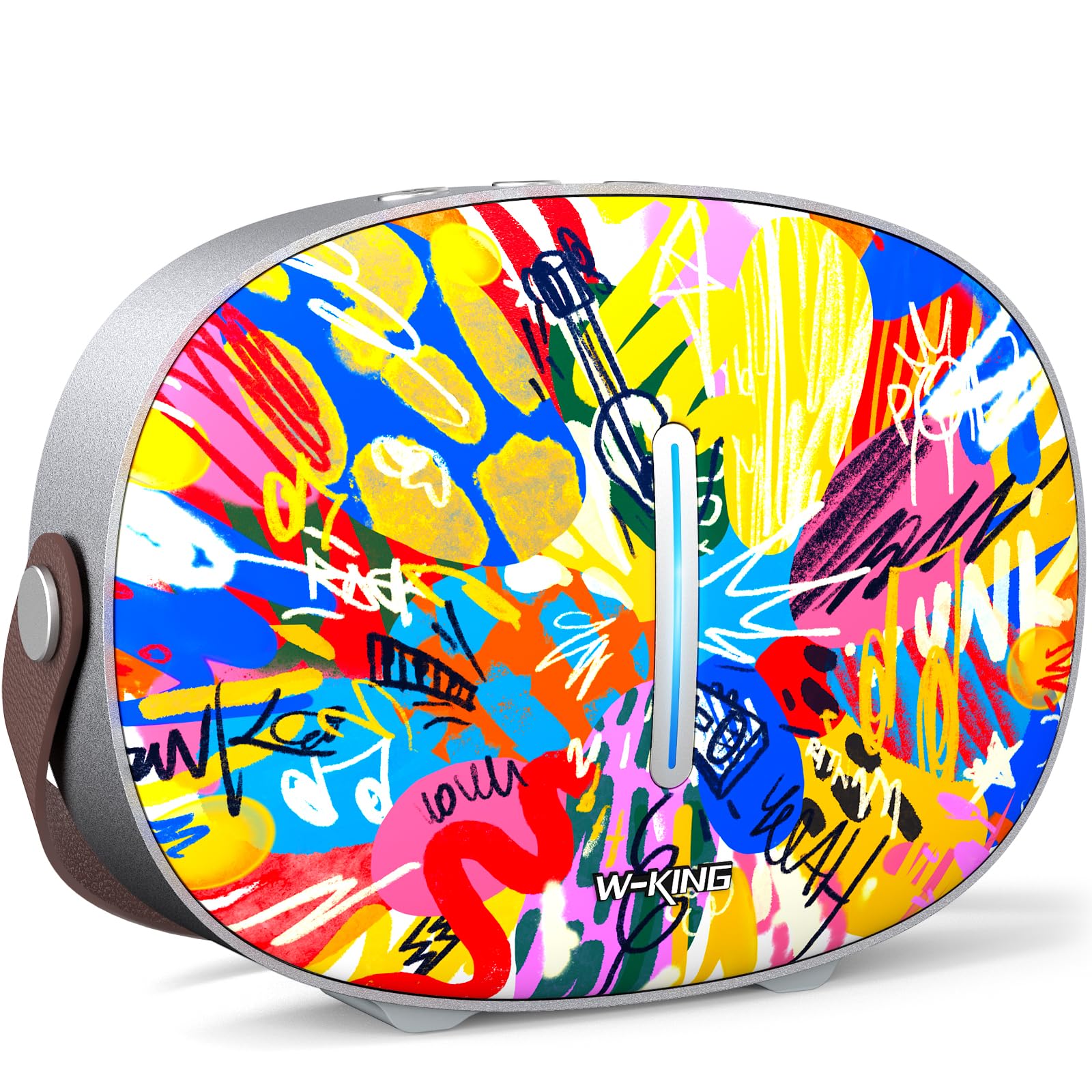
The package includes the W-KING T8II speaker, a 3.5mm audio cable for auxiliary connections, a Type-C charging cable, and this user manual.
அமைவு
ஆரம்ப சார்ஜிங்
Before first use, fully charge your W-KING T8II speaker. Connect the provided Type-C charging cable to the speaker's Type-C port and a compatible power source. The speaker supports up to 30W fast charging. The indicator lights on the back will show the charging status.

பவர் ஆன்/ஆஃப்
- To power on: Press and hold the power button located on the back of the speaker for a few seconds until the indicator light illuminates.
- To power off: Press and hold the power button again for a few seconds until the indicator light turns off.

புளூடூத் இணைத்தல்
- Ensure the speaker is powered on and in Bluetooth pairing mode (the indicator light will flash).
- உங்கள் சாதனத்தில் (ஸ்மார்ட்போன், டேப்லெட், முதலியன), புளூடூத்தை இயக்கி, கிடைக்கக்கூடிய சாதனங்களைத் தேடவும்.
- Select "W-KING T8II" from the list of devices.
- Once connected, the indicator light will become solid, and you will hear an audible confirmation.

The W-KING T8II uses Bluetooth 5.4 for a stable and efficient wireless connection.
அன்பாக்சிங் மற்றும் அதற்கு மேல்view வீடியோ
காணொளி: ஒரு அன்பாக்சிங் மற்றும் அதற்கு மேல்view of the W-KING T8II Portable Bluetooth Speaker, demonstrating its contents and initial setup.
இயக்க வழிமுறைகள்
கட்டுப்பாட்டு பொத்தான்கள்
The top panel of the speaker features intuitive control buttons for easy operation:
- M (Mode Button): புளூடூத், AUX மற்றும் USB பிளேபேக் முறைகளுக்கு இடையில் மாற அழுத்தவும்.
- - (Volume Down / Previous Track): ஒலியளவைக் குறைக்க சுருக்கமாக அழுத்தவும். முந்தைய டிராக்கிற்குச் செல்ல நீண்ட நேரம் அழுத்தவும்.
- ப்ளே/இடைநிறுத்த பட்டன்: ஆடியோவை இயக்க அல்லது இடைநிறுத்த அழுத்தவும்.
- + (Volume Up / Next Track): ஒலியளவை அதிகரிக்க சுருக்கமாக அழுத்தவும். அடுத்த டிராக்கிற்குச் செல்ல நீண்ட நேரம் அழுத்தவும்.

பின்னணி முறைகள்
- புளூடூத் பயன்முறை: Connect wirelessly to your device as described in the Setup section.
- ஆக்ஸ் பயன்முறை: Connect an external audio device using the provided 3.5mm audio cable to the AUX port on the back of the speaker. Press the 'M' button to switch to AUX mode.
- USB பிளேபேக் பயன்முறை: Insert a USB flash drive into the USB-A port on the back of the speaker. The speaker will automatically switch to USB mode and begin playing compatible audio files.

உண்மையான வயர்லெஸ் ஸ்டீரியோ (TWS) இணைத்தல்
For an enhanced audio experience, two W-KING T8II speakers can be paired together to create a true stereo sound system:
- Ensure both T8II speakers are powered on and in Bluetooth pairing mode (not connected to any device).
- On one of the speakers, press and hold the Bluetooth pairing button (usually indicated by a Bluetooth icon) until you hear a confirmation tone.
- இரண்டு ஸ்பீக்கர்களும் தானாகவே ஒன்றோடொன்று இணைக்கப்படும். இணைக்கப்பட்டவுடன், ஒரு ஸ்பீக்கர் மாஸ்டராகவும் (இடது சேனல்) மற்றொன்று ஸ்லேவ் (வலது சேனல்) ஆகவும் செயல்படும்.
- Connect your device to the master speaker via Bluetooth.

வெளிப்புற சாதனங்களை சார்ஜ் செய்கிறது
The W-KING T8II speaker can function as a power bank to charge your mobile devices. Connect your device to the speaker's USB-A output port using a compatible charging cable. The USB-A to Type-C output supports up to 18W charging.

பராமரிப்பு
பொது பராமரிப்பு
- தீவிர வெப்பநிலை, நேரடி சூரிய ஒளி மற்றும் ஈரப்பதத்திலிருந்து ஸ்பீக்கரை விலக்கி வைக்கவும்.
- பேச்சாளரைக் கீழே தள்ளுவதையோ அல்லது வலுவான தாக்கங்களுக்கு உட்படுத்துவதையோ தவிர்க்கவும்.
- Do not disassemble or attempt to repair the speaker yourself, as this will void the warranty.
பேட்டரி பராமரிப்பு
To maximize battery life, avoid fully discharging the speaker frequently. Recharge the battery regularly, even if the speaker is not in use for extended periods.
சுத்தம் செய்தல்
மென்மையான, உலர்ந்த துணியால் ஸ்பீக்கரைத் துடைக்கவும். சிராய்ப்பு கிளீனர்கள் அல்லது கரைப்பான்களைப் பயன்படுத்த வேண்டாம்.
நீர் எதிர்ப்பு
குறிப்பு: The W-KING T8II speaker is நீர்ப்புகா இல்லை. Avoid exposure to water or other liquids to prevent damage.
சரிசெய்தல்
| பிரச்சனை | தீர்வு |
|---|---|
| ஸ்பீக்கர் இயக்கப்படவில்லை. | பேட்டரி சார்ஜ் செய்யப்பட்டுள்ளதா என்பதை உறுதிப்படுத்திக் கொள்ளுங்கள். டைப்-சி கேபிளைப் பயன்படுத்தி ஸ்பீக்கரை ஒரு பவர் சோர்ஸுடன் இணைக்கவும். |
| புளூடூத் வழியாக இணைக்க முடியாது. |
|
| ஒலி இல்லை. |
|
| அதிக அளவில் ஒலி சிதைவு. | Reduce the volume on the speaker or your connected device. Ensure audio source quality is high. |
| Speaker not charging external device. | Ensure the speaker has sufficient battery charge. Use a compatible USB-A cable. |
விவரக்குறிப்புகள்
| மாதிரி பெயர் | T8II |
| பிராண்ட் | டபிள்யூ-கிங் |
| பேச்சாளர் வகை | Outdoor Wireless Portable Loud Speaker |
| இணைப்பு தொழில்நுட்பம் | துணை, ப்ளூடூத், யுஎஸ்பி |
| புளூடூத் பதிப்பு | 5.4 |
| பேச்சாளர் அதிகபட்ச வெளியீட்டு சக்தி | 96 வாட்ஸ் |
| ஆடியோ வெளியீட்டு முறை | சரவுண்ட் ஸ்டீரியோ |
| அதிர்வெண் பதில் | 20 Hz (Lower bound, full range not specified) |
| சிக்னல்-டு-சத்தம் விகிதம் | 85 டி.பி |
| வூஃபர் விட்டம் | 3 அங்குலம் |
| ட்வீட்டர் விட்டம் | 1 அங்குலம் |
| சக்தி ஆதாரம் | பேட்டரி மூலம் இயங்கும் (1 x 12V பேட்டரி தேவை) |
| தயாரிப்பு பரிமாணங்கள் | 10.91"டி x 7.73"அடி x 3.9"ஹெட் |
| பொருளின் எடை | 5.5 பவுண்டுகள் (2.5 கிலோகிராம்கள்) |
| பொருள் | பிளாஸ்டிக், உலோகம் |
| நீர்ப்புகா | இல்லை |
| சிறப்பு அம்சங்கள் | Bass Boost, Bluetooth 5.4, True Wireless Stereo Pairing, Portable, Shockproof, Type-C Fast Charging, Type-C output, USB PLAYBACK/AUX, Personalised Trendy Design |
உத்தரவாத தகவல்
The W-KING T8II Portable Bluetooth Speaker comes with a Limited Warranty. Please refer to the product packaging or contact W-KING customer support for specific warranty terms and conditions.
ஆதரவு
For further assistance, technical support, or inquiries regarding your W-KING T8II speaker, please visit the official W-KING website or contact their customer service department. The user manual included in the package also contains detailed information.
W-KING Store: அமேசானில் W-KING ஸ்டோரைப் பார்வையிடவும்.