
1. அறிமுகம்
This manual provides detailed instructions for the Xmenha SK40 Single Mini Invisible Earbud. Please read this guide thoroughly before using the product to ensure proper operation and to maximize its lifespan. This earbud is designed for discreet audio and communication, featuring a compact size and wireless Bluetooth connectivity.
2. தயாரிப்பு முடிந்துவிட்டதுview
The Xmenha SK40 is a single, mini, invisible earbud designed for comfort and discreet use. It features Bluetooth 5.4 for stable connectivity and touch controls for easy operation.

Figure 1: Xmenha SK40 Single Mini Invisible Earbud and Charging Case.
முக்கிய அம்சங்கள் அடங்கும்:
- Single Earbud Design: For hands-free convenience and situational awareness.
- Discreet & Invisible Fit: Ultra-small design for minimal visibility.
- மேம்பட்ட புளூடூத் 5.4 இணைப்பு: Ensures stable and fast pairing.
- நாள் முழுவதும் ஆறுதல்: Ergonomically shaped and lightweight for extended wear.
- நீண்ட பேட்டரி ஆயுள்: Up to 4 hours of playtime, extended with the charging case.
- நீர் எதிர்ப்பு: பல்வேறு செயல்பாடுகளுக்கு ஏற்றது.

படம் 2: மேல்view of the Xmenha Mini Single Earbud and its charging case.
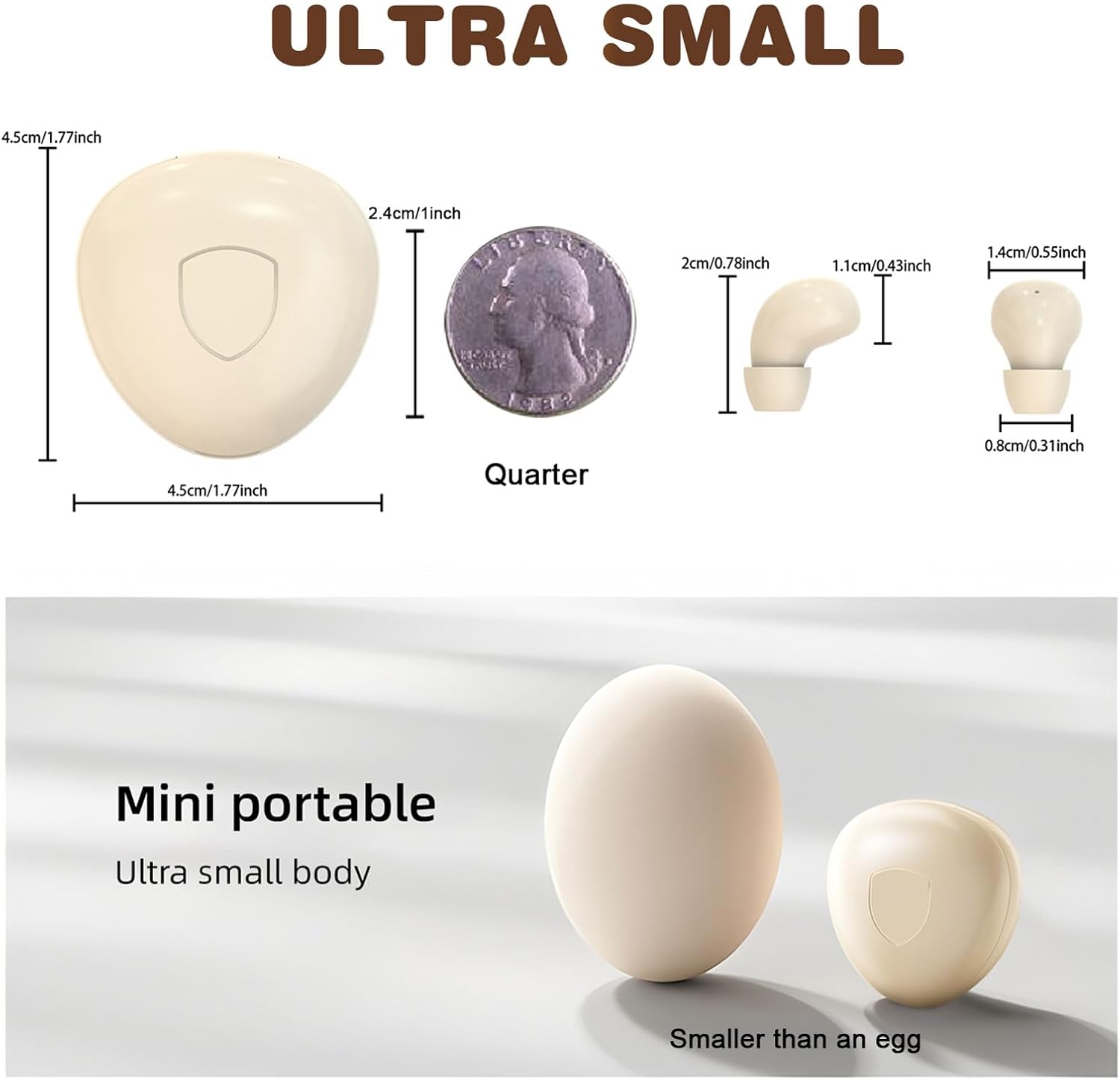
Figure 3: Size comparison of the earbud and charging case.
3. தொகுப்பு உள்ளடக்கங்கள்
தொகுப்பில் அனைத்து பொருட்களும் உள்ளதா என சரிபார்க்கவும்:
- 1 x Xmenha SK40 Single Mini Invisible Earbud
- 1 x சார்ஜிங் கேஸ்
- 1 x USB சார்ஜிங் கேபிள்
- 1 x காது குஷன்கள்
- 1 x பயனர் கையேடு (இந்த ஆவணம்)
4 அமைவு
4.1 Charging the Earbud and Case
Before first use, fully charge the earbud and its charging case. The charging case acts as a portable power bank for the earbud.
- Connect the USB charging cable to the charging port on the case and to a compatible USB power source.
- பெட்டியில் உள்ள காட்டி விளக்கு சார்ஜிங் நிலையைக் காண்பிக்கும். பெட்டியை முழுமையாக சார்ஜ் செய்ய பொதுவாக சுமார் 4 மணிநேரம் ஆகும்.
- Place the earbud into the charging case. The earbud will automatically begin charging.
Ensure the charging contacts on both the earbud and the case are clean and dry for efficient charging.
4.2 ப்ளூடூத் இணைத்தல்
The earbud is designed for quick and stable pairing with your device.
- பவர் ஆன்: Take the earbud out of the charging case. It will automatically power on and enter pairing mode. You may hear an audible prompt.
- புளூடூத்தை இயக்கவும்: On your smartphone, tablet, or other Bluetooth-enabled device, go to the Bluetooth settings and turn on Bluetooth.
- சாதனத்தைத் தேர்ந்தெடுக்கவும்: Look for "SK40" (or similar name) in the list of available devices and select it to connect.
- உறுதிப்படுத்தல்: Once connected, you will hear a confirmation sound from the earbud. The earbud is now ready for use.
The earbud will automatically reconnect to the last paired device when taken out of the case, provided Bluetooth is active on the device.

Figure 4: Discreet fit of the earbud for work or daily use.

Figure 5: Comfortable wearing for various ear sizes.
5. இயக்க வழிமுறைகள்
5.1 தொடு கட்டுப்பாடுகள்
The Xmenha SK40 earbud features intuitive touch controls on its surface:
- விளையாடு/இடைநிறுத்தம்: Double-click the function key.
- பதில்/ஹேங் அப் அழைப்பு: Double-click the function key during an incoming or active call.
- தொலைபேசி அழைப்பை மறுக்க: Long press the function key for 1.5 seconds during an incoming call.
- குரல் உதவியாளர்: Press the function key four times.
- அடுத்த பாடல்: Triple press the function key.
- Language Conversion (Chinese/English): Five presses of the function key.

Figure 6: Earbud Touch Control Functions.
5.2 Audio and Call Quality
The earbud provides clear audio for listening to content and making calls. It is equipped with an HD microphone for clear communication.

Figure 7: High-definition call and immersive listening experience.
6. பராமரிப்பு
To ensure the longevity and optimal performance of your Xmenha SK40 earbud, follow these maintenance guidelines:
- சுத்தம்: Regularly wipe the earbud and charging case with a soft, dry, lint-free cloth. Avoid using abrasive materials or harsh chemicals.
- சார்ஜிங் தொடர்புகள்: Periodically clean the charging contacts on both the earbud and the case with a dry cotton swab to ensure a good connection.
- சேமிப்பு: When not in use, store the earbud in its charging case to protect it from dust and damage.
- நீர் வெளிப்பாடு: While the earbud is water resistant, avoid prolonged submersion in water. Dry the earbud thoroughly if it gets wet before placing it back in the charging case.
7. சரிசெய்தல்
If you encounter issues with your Xmenha SK40 earbud, refer to the following common solutions:
| பிரச்சனை | தீர்வு |
|---|---|
| இயர்பட் பவர் ஆன் ஆகவில்லை. | Ensure the earbud is charged. Place it in the charging case and check the charging indicator. |
| சாதனத்துடன் இணைக்க முடியவில்லை. |
|
| ஒலி இல்லை அல்லது குறைந்த அளவு. |
|
| Earbud not charging in case. |
|
8. விவரக்குறிப்புகள்
| அம்சம் | விவரம் |
|---|---|
| பிராண்ட் | எக்ஸ்மென்ஹா |
| மாதிரி எண் | SK40 |
| இணைப்பு தொழில்நுட்பம் | வயர்லெஸ் (புளூடூத்) |
| புளூடூத் பதிப்பு | 5.4 |
| காது வைப்பு | காதில் |
| கட்டுப்பாட்டு முறை | தொடவும் |
| Battery Average Life (Earbud) | 4 மணிநேரம் |
| Battery Charge Time (Case) | 4 மணிநேரம் |
| மொத்த விளையாட்டு நேரம் (கேஸுடன்) | 24+ மணிநேரம் வரை |
| பொருளின் எடை | 0.64 அவுன்ஸ் (தோராயமாக 18 கிராம்) |
| நீர் எதிர்ப்பு நிலை | நீர் எதிர்ப்பு |
| இணக்கமான சாதனங்கள் | Smartphones, Tablets, Laptops, Desktops, Gaming Consoles, Televisions |
| பொருள் | பிளாஸ்டிக் |
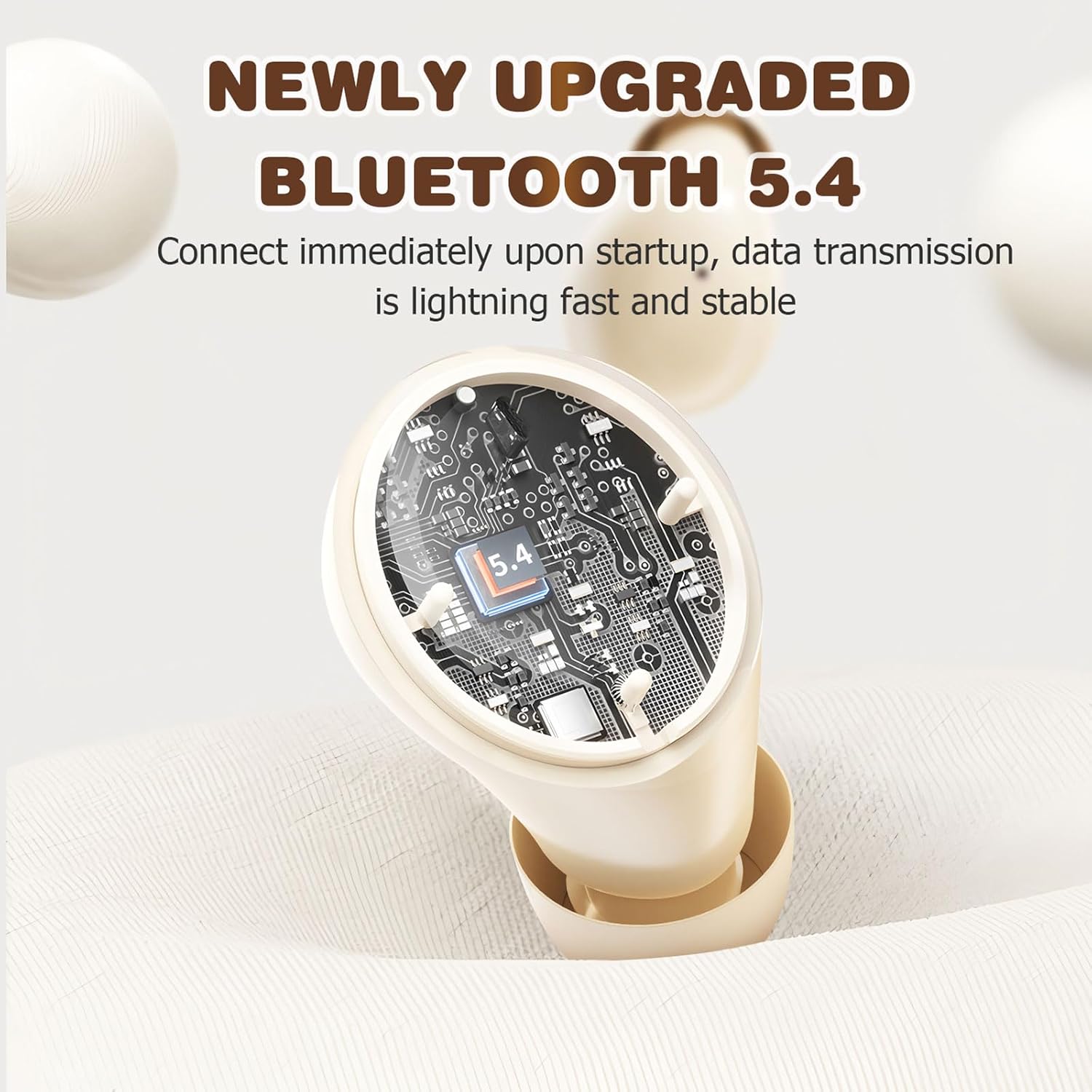
Figure 8: Bluetooth 5.4 Technology for stable connection.
9. உத்தரவாதம் மற்றும் ஆதரவு
For warranty information or technical support, please refer to the retailer where the product was purchased or visit the official Xmenha store online. Keep your proof of purchase for any warranty claims.
Xmenha Store: https://www.amazon.com/stores/Xmenha/page/4E0E0BD2-8E21-4F83-81EB-7F717D07D829