
அறிமுகம்
The Tihebeyan MDB to RS232 Converter is designed to facilitate real-time data transmission between MDB (Multi-Drop Bus) devices and serial port boards such as PCs or PLCs. This adapter box enhances connectivity for various cashless devices, coin acceptors, and coin changers, streamlining data management and integration processes in vending machine interfaces and similar systems.
This manual provides detailed instructions for setting up, operating, and maintaining your MDB to RS232 Converter, ensuring optimal performance and longevity.
முக்கிய அம்சங்கள்
- Enhanced Data Transmission: Ensures real-time data transfers for efficient remote monitoring and tracking, improving data management accuracy.
- Expanded Device Support: Supports various MDB devices, including coin acceptors, changers, and cashless devices (08H, 30H, 10H, 60H, 40H) for future expansions.
- Multiple Version Compatibility: Upgraded converter extends adaptability to Raspi and USB versions, simplifying integration between devices.
- எளிதான ஒருங்கிணைப்பு: Wide compatibility reduces compatibility risks, saves time and effort for a seamless user experience.
- செருகி உபயோகி: Connects MDB devices to serial port boards effortlessly, improving efficiency and control.
தயாரிப்பு முடிந்துவிட்டதுview

படம் 1: முன் view of the MDB to RS232 Converter main unit with connected cables.

படம் 2: மேலிருந்து கீழ் view of the converter, highlighting the cable connections.

படம் 3: Another perspective of the converter, showing the RS232 and power input cables.
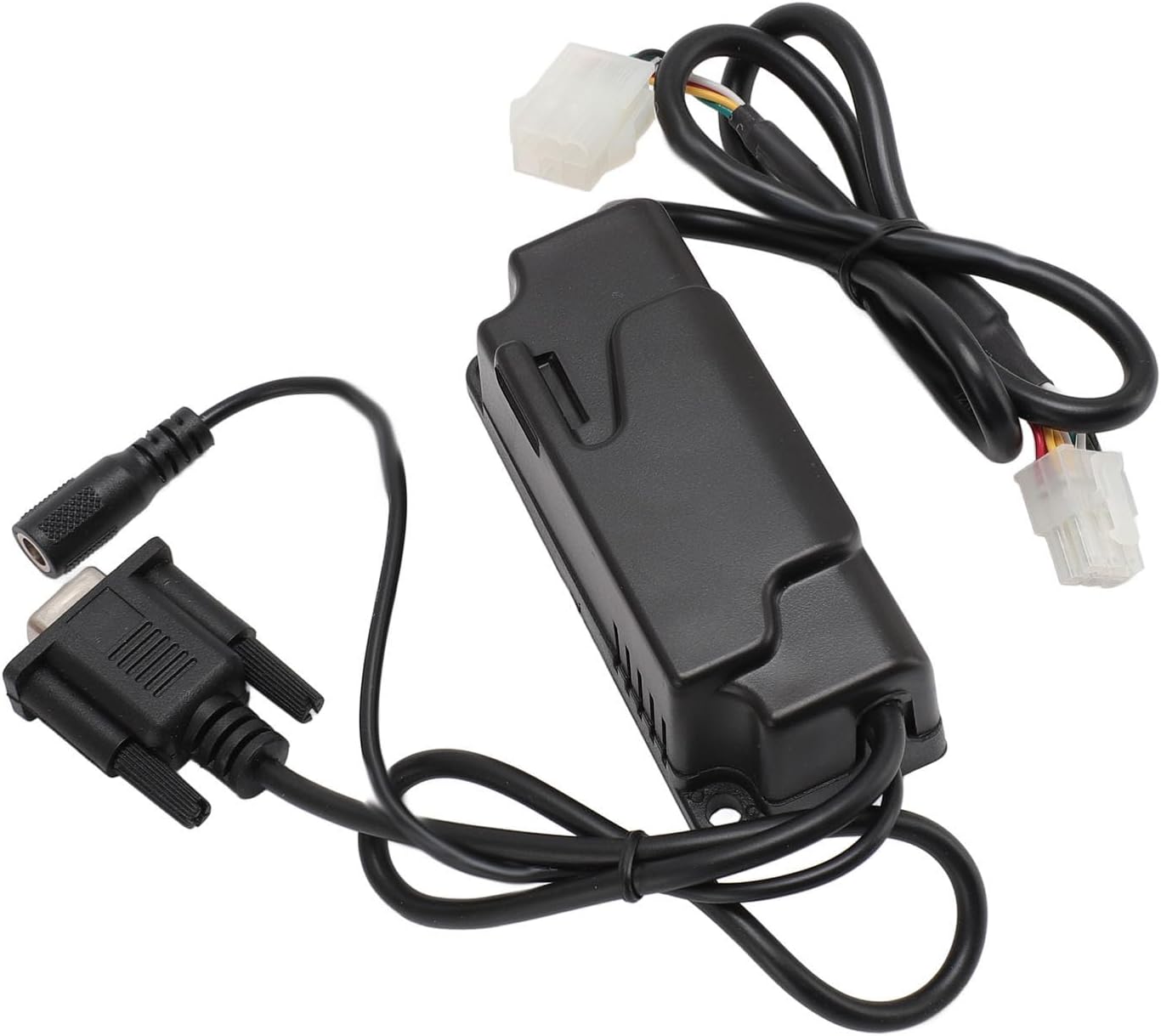
படம் 4: Close-up of the converter unit, showing the power input jack and RS232 connector.

படம் 5: View of the converter with both the MDB and RS232 cables clearly visible.

படம் 6: பக்கம் view of the converter unit, showing its compact design.
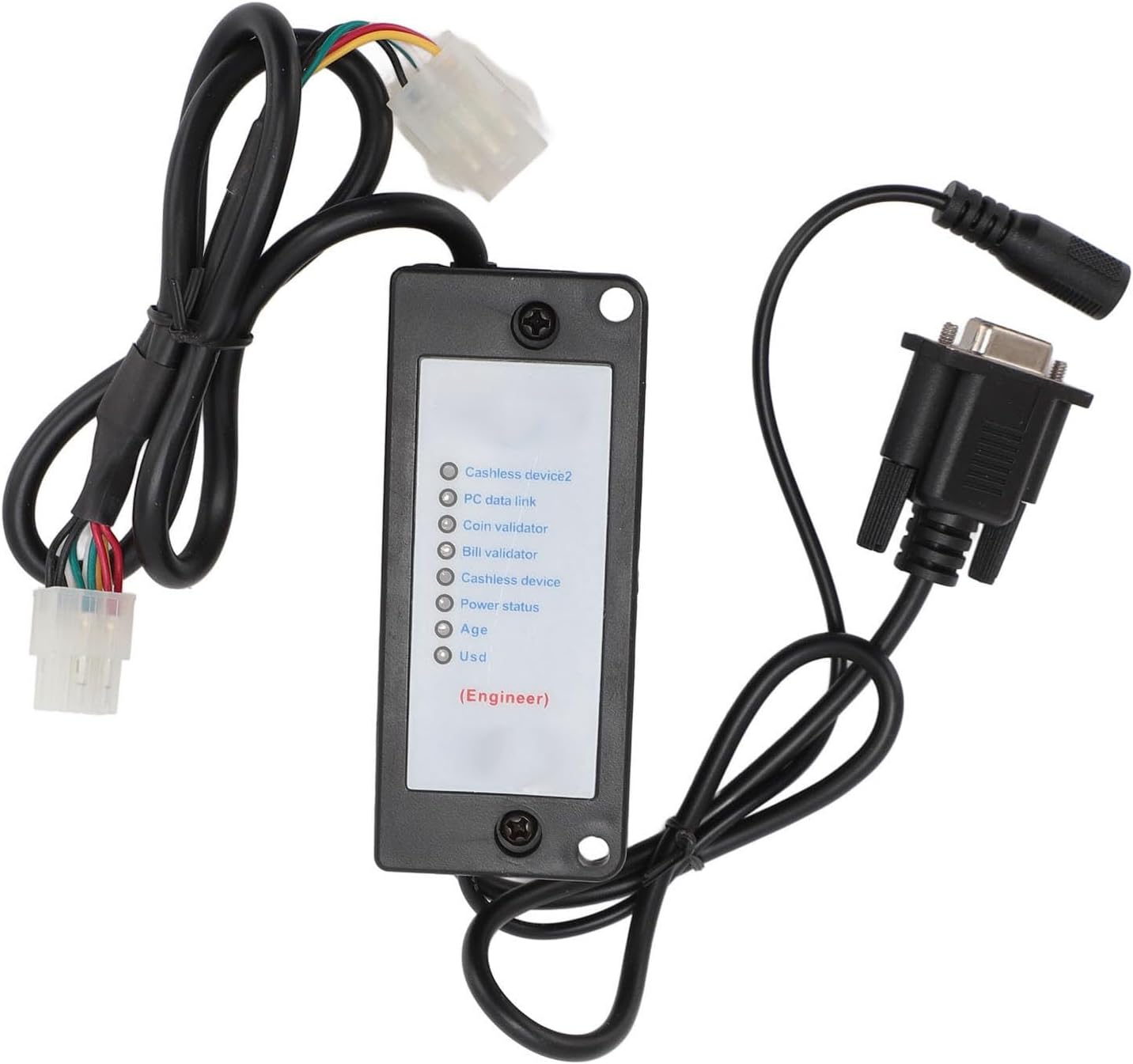
படம் 7: கீழே view of the converter, showing labels for various device types (Cashless device 2, PC data link, Coin validator, Bill validator, Cashless device, Power status, Age, Usd).

படம் 8: கோணல் view of the converter, emphasizing the cable connections and overall form factor.

படம் 9: நெருக்கமான காட்சி view of the power input jack, showing its design.
விவரக்குறிப்புகள்
| பண்பு | விவரம் |
|---|---|
| பொருள் வகை | MDB Invoice Acceptor to RS232 Interface |
| பொருள் | பிளாஸ்டிக் |
| தொடர்பு வடிவம் | தொடர் (RS232) |
| பாட் விகிதம் | 9600 பிபிஎஸ் |
| பிட் தொடங்கு | 1 |
| தரவு பிட்கள் | 8 |
| சமத்துவம் | இல்லை |
| நிறுத்து பிட் | 1 |
| வழங்கல் தொகுதிtage (Minimum) | 20 வி.டி.சி |
| Normal Supply Range | 24-34 VDC (or 24-30 VAC) |
| தரவு கேபிள் | Computer Standard Serial Communication Cable |
| தொகுப்பு பரிமாணங்கள் | 5.91 x 4.33 x 1.57 அங்குலம் |
| பொருளின் எடை | 7.2 அவுன்ஸ் |
| ASIN | B0FDJKC89N |
| உற்பத்தியாளர் | திஹேபியன் |
| இணைப்பான் வகை | USB 1.0 (Note: Primary function is RS232, but specifications list USB 1.0 as a connector type.) |
அமைவு மற்றும் நிறுவல்
The MDB to RS232 adapter is designed for straightforward connection to MDB devices and serial port boards. Follow these steps for proper installation:
- கூறுகளை அடையாளம் காணவும்: Ensure you have the main MDB to RS232 converter unit, the necessary MDB cables, and an RS232 serial communication cable.
- Connect MDB Devices: Connect your MDB devices (e.g., coin acceptors, coin changers, cashless devices) to the MDB input ports on the converter. The converter supports various MDB devices, including those with device codes 08H (coin machine), 30H (invoice validator), 10H (cashless device), 60H (cashless device 2), and 40H (device).
- ஹோஸ்ட் சிஸ்டத்துடன் இணைக்கவும்: Connect the RS232 output of the converter to the serial port of your host system (PC, PLC, etc.) using a standard serial communication cable.
- மின் இணைப்பு: Connect the power supply to the converter. Ensure the supply voltage is within the normal range of 24-34 VDC (or 24-30 VAC), with a minimum of 20 VDC.
- இணைப்புகளைச் சரிபார்க்கவும்: Double-check all cable connections to ensure they are secure and correctly seated.
The MDB to RS232 converter automatically communicates and manages MDB devices, sending valid MDB data to the host computer via the serial port. This reduces the complexity of host program design.
இயக்க வழிமுறைகள்
Once the converter is set up, it operates largely autonomously. Here's how data flow and control work:
- Automatic Data Transmission: The converter does not require the host to conduct survey queries. It automatically communicates with and manages MDB devices, forwarding valid MDB data to the host system via the serial port.
- Host Control Commands: When the host system sends control or configuration commands to the MDB to RS232 box, these commands should directly follow the MDB protocol. The converter will receive these instructions, forward them to the MDB device, and then relay the device's response back to the host.
- Real-time Payment Data: Upon receiving real-time payment data from an MDB device, the converter immediately sends it to the host via the MDB-RS232.
- சாதன அடையாளம்: To differentiate between data from various MDB devices, a device code is added before the data. For exampலெ:
30 xxrepresents data from an acceptor (e.g., bill validator).08 xxrepresents data from a currency changer (e.g., coin changer).
08 09, it indicates that the currency changer is in a disabled state. - தரவு வடிவம்: Data sent by the MDB box to the computer is in hexadecimal format. Refer to MDB V3.0 or MDB V4.0 instruction protocols for specific instruction meanings.
பராமரிப்பு
The MDB to RS232 Converter is designed for low maintenance. Adhere to the following guidelines to ensure its continued reliable operation:
- சுத்தமாக வைத்துகொள்: Regularly wipe the exterior of the unit with a soft, dry cloth. Avoid using harsh chemicals or abrasive cleaners.
- சுற்றுச்சூழல் நிலைமைகள்: Operate the converter within a stable environment, avoiding extreme temperatures, high humidity, or dusty conditions.
- கேபிள் ஒருமைப்பாடு: Periodically inspect all connected cables for any signs of wear, damage, or loose connections. Replace damaged cables immediately.
- நிலைபொருள் புதுப்பிப்புகள்: While not typically user-serviceable, check the manufacturer's website (Tihebeyan) for any potential firmware updates that might enhance performance or compatibility.
- மின்சாரம்: Ensure a stable and correct power supply is always used. Fluctuations or incorrect voltage அலகை சேதப்படுத்தலாம்.
சரிசெய்தல்
If you encounter issues with your MDB to RS232 Converter, refer to the following common problems and solutions:
- தரவு பரிமாற்றம் இல்லை:
- சக்தியை சரிபார்க்கவும்: Ensure the converter is properly powered and receiving the correct voltage.
- கேபிள்களை சரிபார்க்கவும்: Verify that all MDB and RS232 cables are securely connected to both the converter and the respective devices/host.
- தொடர் போர்ட் அமைப்புகள்: Confirm that the host system's serial port settings (Baud Rate: 9600, Start Bit: 1, Data Bits: 8, Parity: None, Stop Bit: 1) match the converter's specifications.
- MDB Device Status: Ensure the connected MDB devices are operational and not in a disabled state.
- Incorrect Data Received:
- நெறிமுறை பொருந்தவில்லை: Verify that your host system's software is interpreting the MDB protocol correctly (refer to MDB V3.0 or V4.0 instruction protocols).
- சாதன ஐடி: Ensure your software correctly parses the device ID byte (e.g.,
30 xxfor acceptor,08 xxfor changer) to identify the source of the data.
- Converter Not Recognized by Host:
- டிரைவர் சிக்கல்கள்: For USB versions, ensure the necessary USB drivers are installed on your host system.
- துறைமுக தேர்வு: Confirm that your application is attempting to communicate with the correct serial (COM) port.
If problems persist after attempting these solutions, please contact Tihebeyan customer support for further assistance.
உத்தரவாதம் மற்றும் ஆதரவு
For warranty information and technical support, please refer to the official Tihebeyan webதளத்தில் அல்லது அவர்களின் வாடிக்கையாளர் சேவையை நேரடியாகத் தொடர்பு கொள்ளவும். எந்தவொரு உத்தரவாதக் கோரிக்கைகளுக்கும் வாங்கியதற்கான சான்றாக உங்கள் கொள்முதல் ரசீதை வைத்திருங்கள்.
Tihebeyan Official Store: கடைக்குச் செல்க