
1. அறிமுகம்
Thank you for choosing the Inkbird ITH-13-B Temperature Hygrometer Monitor. This device provides accurate real-time temperature and humidity readings, offering smart monitoring capabilities via Bluetooth and a dedicated mobile application. It is designed for various indoor environments such as nurseries, greenhouses, wine cellars, and living spaces.

The Inkbird ITH-13-B monitor is suitable for a variety of applications, including monitoring conditions in homes, reptile terrariums, incubators, wine cellars, for musical instruments, and for storing herbs.
2. தயாரிப்பு அம்சங்கள்
- High-Precision Swiss-made Sensirion Sensors: Provides temperature readings accurate to ±0.2°C (±0.36°F) and humidity readings within ±2%. Data is sampled every 3 seconds for real-time monitoring.
- Revolutionary Bluetooth 5.0 Technology: Offers a stable connection up to 230 feet (70 meters) without obstructions.
- தரவு சேமிப்பு மற்றும் ஏற்றுமதி: Stores up to 300 days of offline temperature and humidity data. Users can access and export up to 2 years of historical data via the mobile application.
- மிக நீண்ட பேட்டரி ஆயுள்: Operates for over 8 months with the included 2 AA batteries.
- Compact Design with Large Display: Features a clear LCD screen and offers two installation options: desktop placement and wall hanging.
- ஸ்மார்ட் ஆப் கட்டுப்பாடு: Allows users to set parameters for VPD and dew point, receive instant notifications for temperature and humidity shifts, and access detailed data history.

உள் view of the Inkbird ITH-13-B, showcasing the Swiss-made Sensirion sensors responsible for its high accuracy.
3. தொகுப்பு உள்ளடக்கங்கள்
- 1 x Inkbird ITH-13-B Temperature Hygrometer Monitor
- 2 x AA பேட்டரிகள்
- 1 x பயனர் கையேடு
4. சாதனம் முடிந்ததுview
The Inkbird ITH-13-B is a compact, white rectangular device featuring a clear LCD screen that displays temperature and humidity. It includes a button on the top for unit switching and a foldable stand/hook on the back for versatile placement.

The Inkbird ITH-13-B monitor with its clear LCD display showing current temperature and humidity.

The compact design of the Inkbird ITH-13-B allows for easy placement and clear readability.
5 அமைவு
5.1 பேட்டரி நிறுவல்
- சாதனத்தின் பின்புறத்தில் அமைந்துள்ள பேட்டரி பெட்டியின் அட்டையைத் திறக்கவும்.
- 2 AA பேட்டரிகளைச் செருகவும், சரியான துருவமுனைப்பை (+/-) உறுதி செய்யவும்.
- பேட்டரி பெட்டியின் அட்டையை பாதுகாப்பாக மூடு.
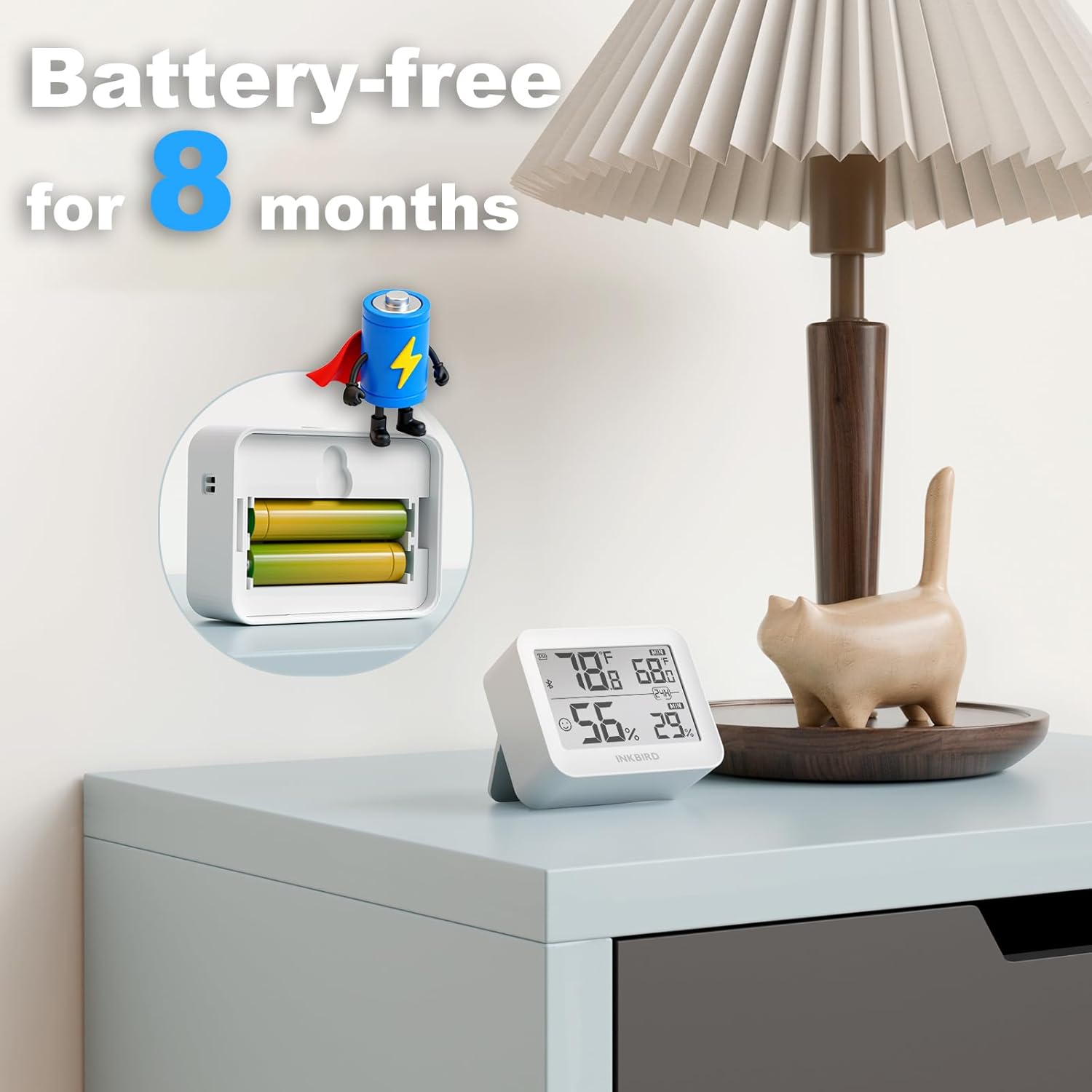
Illustration of battery installation, highlighting the long battery life of over 8 months.
5.2 ஆப் பதிவிறக்கம் மற்றும் இணைத்தல்
- Download the "INKBIRD" app from the App Store (iOS) or Google Play Store (Android).
- உங்கள் ஸ்மார்ட்போனில் புளூடூத்தை இயக்கவும்.
- Open the INKBIRD app and follow the on-screen instructions to add your device. The monitor should automatically connect via Bluetooth.
6. இயக்க வழிமுறைகள்
6.1 காட்சி அளவீடுகள்
The LCD screen displays current temperature and humidity. It also shows maximum and minimum values recorded over a 24-hour period.
6.2 வெப்பநிலை அலகுகளை மாற்றுதல்
Press the button located on the top of the device to toggle between Celsius (°C) and Fahrenheit (°F).
6.3 ஆப் செயல்பாடுகள்
- நிகழ்நேர தரவு: View உங்கள் ஸ்மார்ட்போனில் நேரடி வெப்பநிலை மற்றும் ஈரப்பத அளவீடுகள்.
- வரலாற்று தரவு: Access and analyze up to 2 years of historical data, with offline storage for 300 days.
- Custom Comfort Levels: Set personalized temperature and humidity ranges within the app.
- நிகழ்நேர விழிப்பூட்டல்கள்: Receive instant notifications on your smartphone if temperature or humidity levels exceed your preset ranges.
- தரவு ஏற்றுமதி: Export historical data for detailed analysis.
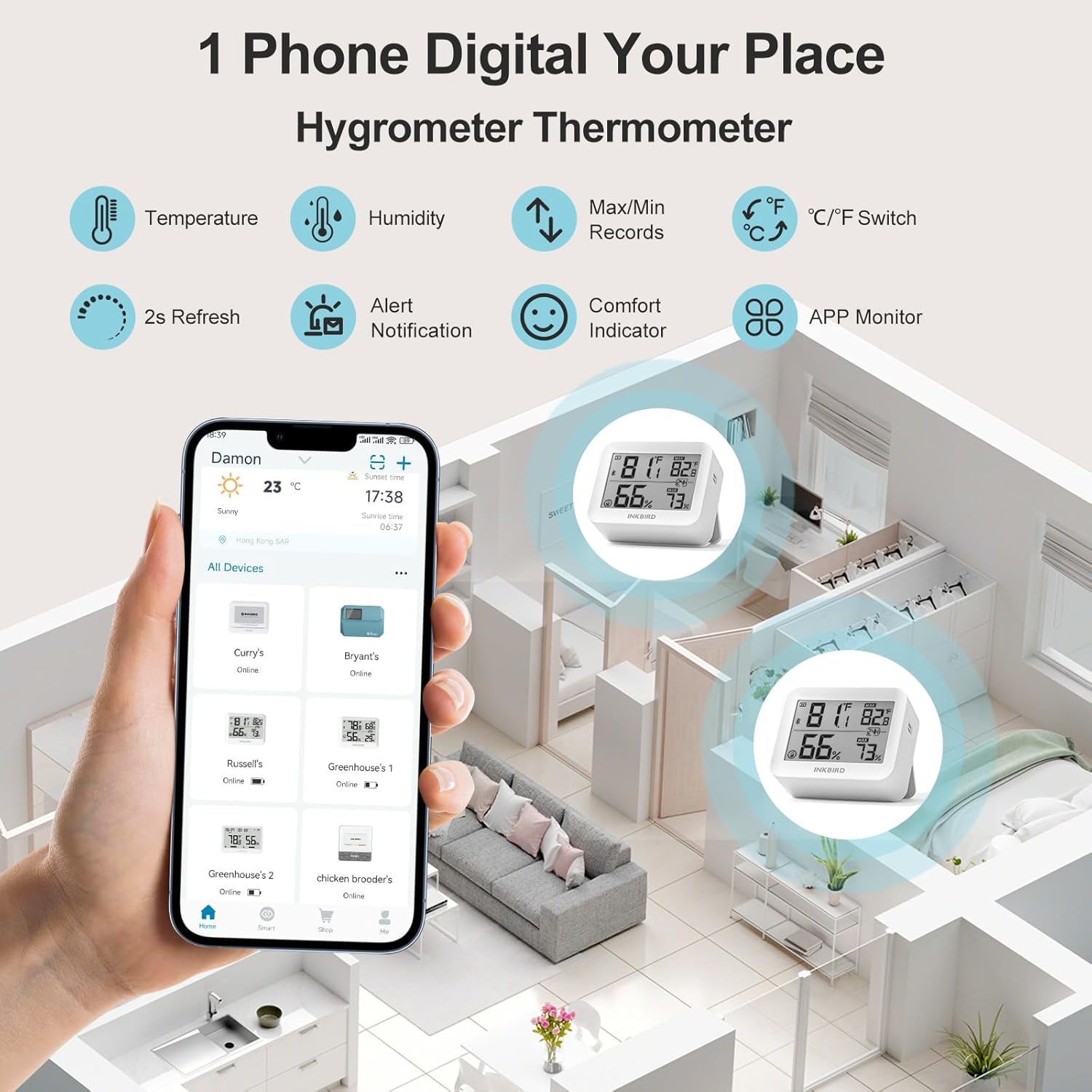
The Inkbird app allows remote monitoring of multiple devices, displaying real-time temperature and humidity.
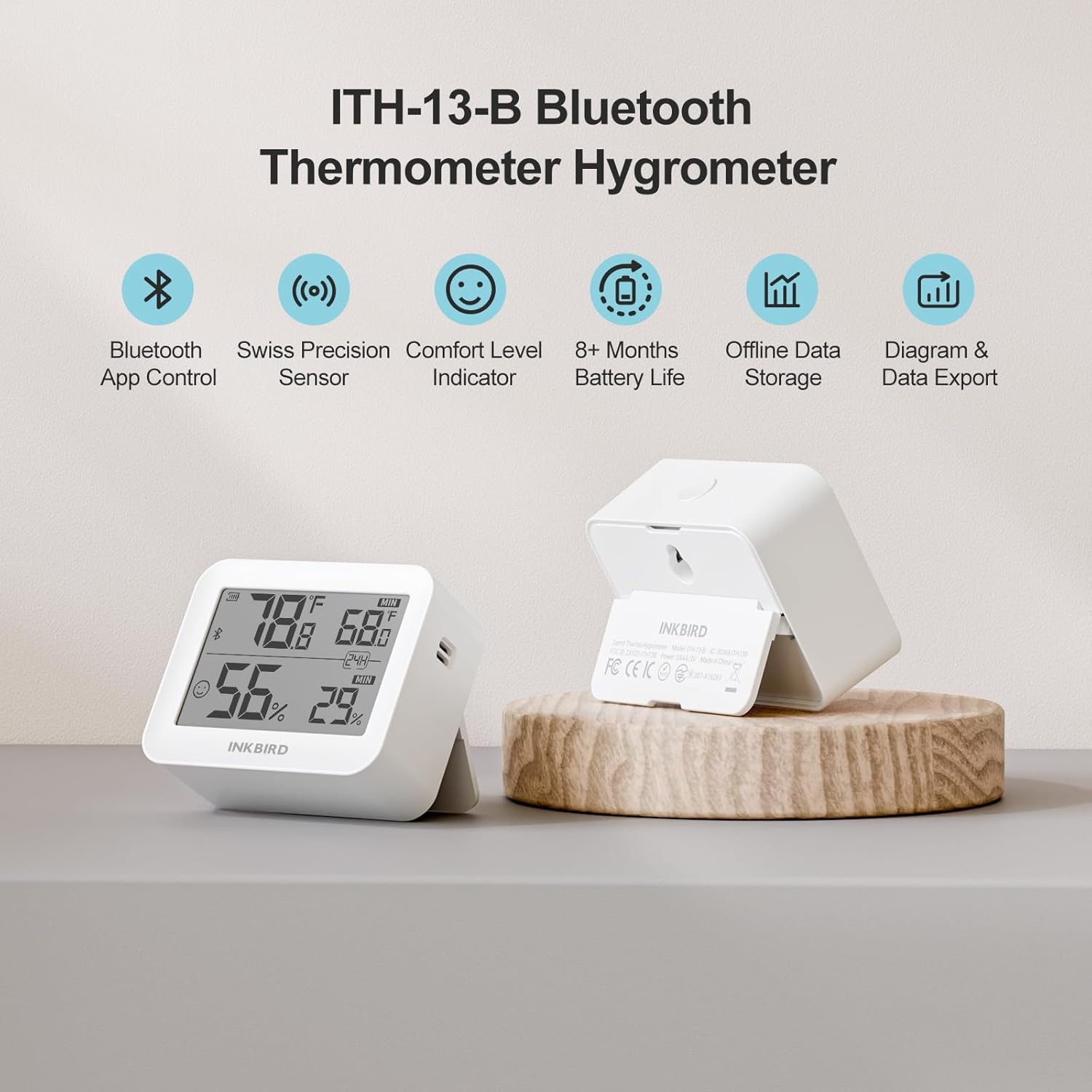
The device supports up to 300 days of offline data storage and 2 years of historical data export via the app.

The Air Comfort Level Indicator on the display and in the app helps you maintain optimal indoor air quality.
7. பராமரிப்பு
7.1 பேட்டரி மாற்று
Replace the AA batteries when the low battery indicator appears on the device display or within the INKBIRD app to ensure continuous operation.
7.2 சுத்தம் செய்தல்
Wipe the device exterior with a soft, dry cloth. Do not use liquid cleaners, abrasive materials, or immerse the device in water.
8. சரிசெய்தல்
- காட்சி இல்லை: பேட்டரிகள் சரியாக நிறுவப்பட்டுள்ளதா மற்றும் போதுமான சார்ஜ் உள்ளதா என சரிபார்க்கவும். தேவைப்பட்டால் பேட்டரிகளை மாற்றவும்.
- தவறான அளவீடுகள்: Ensure the device is placed away from direct sunlight, heat sources, air conditioners, or extreme drafts. Allow the device to stabilize for at least 30 minutes after placement.
- புளூடூத் இணைப்புச் சிக்கல்கள்:
- உங்கள் ஸ்மார்ட்போனில் புளூடூத் இயக்கப்பட்டுள்ளதா என்பதைச் சரிபார்க்கவும்.
- Ensure the device is within the 230-foot (70-meter) Bluetooth range without significant physical obstructions.
- Restart the INKBIRD app or your smartphone.
- Attempt to re-pair the device within the INKBIRD app.
- App Not Receiving Data: Confirm a stable Bluetooth connection. Check that the INKBIRD app has all necessary permissions enabled on your smartphone.
9. விவரக்குறிப்புகள்
| பிராண்ட் | மை பறவை |
| மாதிரி | ஐடிஎச்-13-பி |
| வெப்பநிலை துல்லியம் | ±0.2°C (±0.36°F) |
| ஈரப்பதம் துல்லியம் | ±2% (ஒடுக்காதது) |
| வெப்பநிலை வரம்பு | -20°C முதல் 60°C வரை (-4°F முதல் 140°F வரை) |
| ஈரப்பதம் வரம்பு | 0%RH-99%RH |
| தரவு எஸ்ampலிங் இடைவெளி | ஒவ்வொரு 3 வினாடிகளுக்கும் |
| புளூடூத் பதிப்பு | 5.0 |
| புளூடூத் வரம்பு | Up to 230 feet (70 meters) without obstructions |
| பேட்டரி வகை | 2 x AA பேட்டரிகள் |
| பேட்டரி ஆயுள் | 8 மாதங்களுக்கு மேல் |
| Offline Data Storage | 300 நாட்கள் வரை |
| Historical Data Storage (App) | 2 ஆண்டுகள் வரை |
10. உத்தரவாதத் தகவல்
Inkbird products typically come with a standard manufacturer's warranty. For specific warranty terms, conditions, and duration, please refer to the official Inkbird webதளத்தில் அல்லது அவர்களின் வாடிக்கையாளர் ஆதரவை நேரடியாகத் தொடர்பு கொள்ளவும். உத்தரவாதக் கோரிக்கைகளுக்கு வாங்கியதற்கான சான்றாக உங்கள் கொள்முதல் ரசீதை வைத்திருங்கள்.
11. ஆதரவு
For further assistance, technical support, or product inquiries, please visit the official Inkbird webஅவர்களின் தளத்தில் வழங்கப்பட்ட தொடர்புத் தகவல் மூலம் அவர்களின் வாடிக்கையாளர் சேவை குழுவைத் தொடர்பு கொள்ளவும் அல்லது தொடர்பு கொள்ளவும் website or in the INKBIRD app.