
1. அறிமுகம்
Welcome to the user manual for your new XIAOMI Redmi 15C smartphone. This guide provides essential information to help you get started, operate, maintain, and troubleshoot your device. Please read this manual carefully to ensure optimal performance and longevity of your smartphone.
முக்கிய அம்சங்கள்:
- Massive 6000mAh (typ) battery with 33W fast charging support.
- Immersive 6.9-inch display with up to 120Hz refresh rate.
- Powerful octa-core processor for smooth performance.
- 50MP AI dual camera system for high-quality photos.
- Sleek and refined design.
2. அமைவு வழிகாட்டி
2.1 பெட்டியில் என்ன இருக்கிறது
Upon unboxing your Redmi 15C, verify that the following items are included:
- XIAOMI Redmi 15C ஸ்மார்ட்போன்
- USB கேபிள்
- சிம் எஜெக்டர் கருவி (பிராந்தியத்தைப் பொறுத்து மாறுபடலாம்)
- விரைவு தொடக்க வழிகாட்டி (இந்த ஆவணம்)
Note: A charger is not included with this device and must be purchased separately. For optimal charging, use a 33W compatible charger.
2.2 சிம் கார்டைச் செருகுதல்
- உங்கள் சாதனத்தின் பக்கவாட்டில் சிம் கார்டு ட்ரேயைக் கண்டறியவும்.
- தட்டுக்கு அடுத்துள்ள சிறிய துளைக்குள் சிம் எஜெக்டர் கருவியைச் செருகவும், தட்டு வெளியே வரும் வரை உறுதியாக அழுத்தவும்.
- உங்கள் நானோ-சிம் கார்டு(கள்) மற்றும்/அல்லது மைக்ரோ எஸ்டி கார்டை தங்க நிற காண்டாக்ட்கள் கீழே இருக்கும்படி தட்டில் வைக்கவும். அவை சரியாக சீரமைக்கப்பட்டுள்ளதா என்பதை உறுதிப்படுத்தவும்.
- சாதனத்துடன் சரியாகப் பொருந்தும் வரை ட்ரேயை கவனமாக மீண்டும் ஸ்லாட்டுக்குள் தள்ளவும்.
2.3 ஆரம்ப பவர் ஆன் மற்றும் அமைப்பு
- XIAOMI லோகோ தோன்றும் வரை பவர் பட்டனை அழுத்திப் பிடிக்கவும்.
- உங்கள் மொழி, பிராந்தியத்தைத் தேர்ந்தெடுக்க, Wi-Fi உடன் இணைக்க மற்றும் உங்கள் Google கணக்கை அமைக்க திரையில் உள்ள வழிமுறைகளைப் பின்பற்றவும்.
- You will be guided through setting up security features like a PIN, pattern, fingerprint, or face unlock.
2.4 சாதனத்தை சார்ஜ் செய்தல்
முதல் பயன்பாட்டிற்கு முன், உங்கள் சாதனத்தை முழுமையாக சார்ஜ் செய்ய பரிந்துரைக்கப்படுகிறது.
- உங்கள் தொலைபேசியில் உள்ள சார்ஜிங் போர்ட்டுடன் USB கேபிளை இணைக்கவும்.
- Connect the other end of the USB cable to a compatible 33W power adapter (sold separately) and plug it into a power outlet.
- சார்ஜிங் காட்டி திரையில் தோன்றும்.
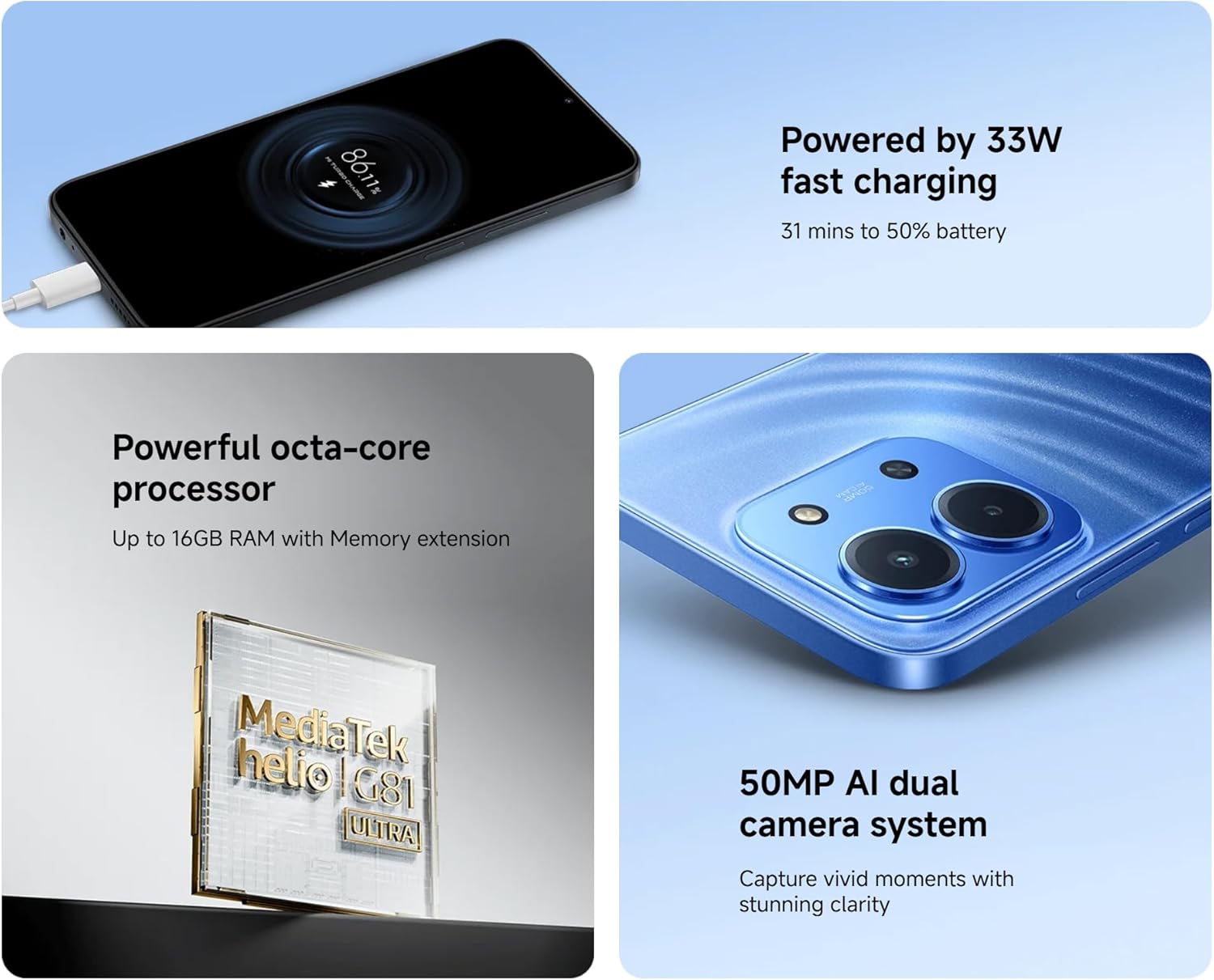
Image: The Redmi 15C connected to a charger, displaying a charging animation indicating 33W fast charging capability.
3. உங்கள் சாதனத்தை இயக்குதல்
3.1 அடிப்படை வழிசெலுத்தல்
- தொடுதிரை சைகைகள்: Swipe, tap, pinch-to-zoom are standard.
- பவர் பட்டன்: திரையை எழுப்ப/தூக்க அழுத்தவும். பவரை ஆஃப் செய்ய அல்லது மீண்டும் தொடங்க அழுத்திப் பிடிக்கவும்.
- தொகுதி பொத்தான்கள்: மீடியா ஒலியளவு, அழைப்பு ஒலியளவு அல்லது ரிங்டோன் ஒலியளவை சரிசெய்யவும்.
3.2 அழைப்புகளைச் செய்தல் மற்றும் செய்திகளை அனுப்புதல்
- Open the 'Phone' app to dial numbers or select contacts.
- Open the 'Messages' app to compose and send SMS/MMS messages.
3.3 கேமரா பயன்பாடு
Your Redmi 15C features a 50MP AI dual camera system.
- 'கேமரா' செயலியைத் திறக்கவும்.
- உங்களுக்கு விருப்பமான பயன்முறையைத் தேர்ந்தெடுக்கவும் (புகைப்படம், உருவப்படம், வீடியோ, முதலியன).
- படங்களைப் பிடிக்க அல்லது வீடியோ பதிவைத் தொடங்க/நிறுத்த ஷட்டர் பொத்தானைத் தட்டவும்.

படம்: ஒரு நெருக்கமான படம் view of the XIAOMI Redmi 15C's dual camera module, highlighting its 50MP AI capabilities.
3.4 காட்சி அம்சங்கள்
The 6.9-inch immersive display offers a smooth visual experience with up to a 120Hz refresh rate.
- Adjust display settings (brightness, color scheme, refresh rate) in 'Settings > Display'.
- AdaptiveSync technology automatically adjusts the refresh rate for optimal viewing and battery efficiency.

Image: The XIAOMI Redmi 15C's large 6.9-inch display, showcasing its immersive viewஅனுபவம்.
3.5 பேட்டரி மேலாண்மை
6000mAh பேட்டரி நீட்டிக்கப்பட்ட பயன்பாட்டை வழங்குகிறது. பேட்டரி ஆயுளை மேம்படுத்த:
- Use 'Battery Saver' mode when needed.
- திரையின் பிரகாசத்தையும் நேர முடிவையும் குறைக்கவும்.
- பின்னணியில் இயங்கும் பயன்படுத்தப்படாத பயன்பாடுகளை மூடு.
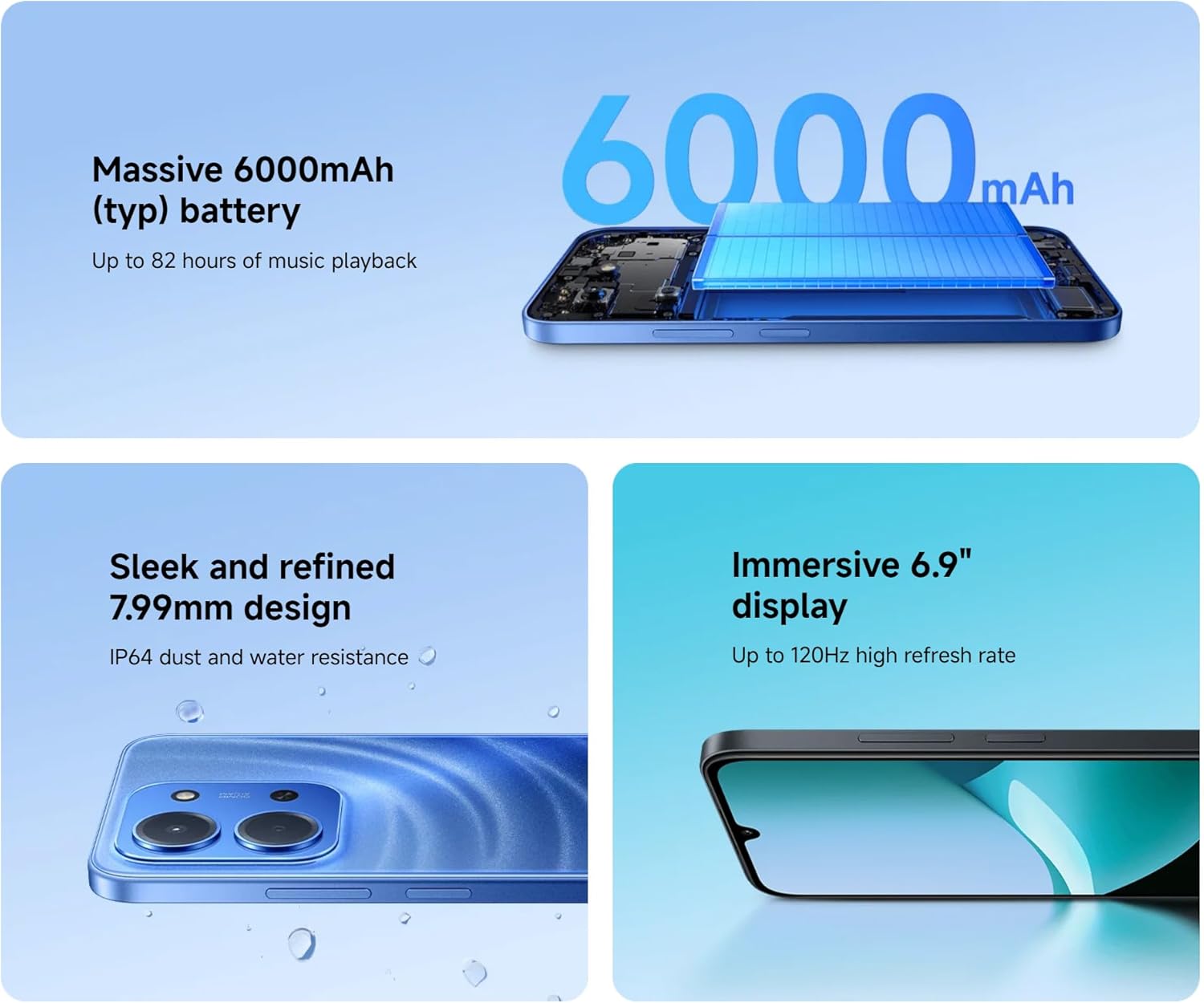
Image: An illustration of the XIAOMI Redmi 15C's internal structure, highlighting its massive 6000mAh battery.
3.6 செயலி செயல்திறன்
The powerful octa-core processor ensures smooth multitasking and efficient app performance.

Image: A visual representation of the MediaTek Helio G81-Ultra octa-core processor, emphasizing its power and efficiency.
3.7 Google Gemini Integration
The Redmi 15C integrates with Google Gemini, your AI assistant from Google, to enhance productivity and creativity. Use Gemini for writing, brainstorming, learning, and more.
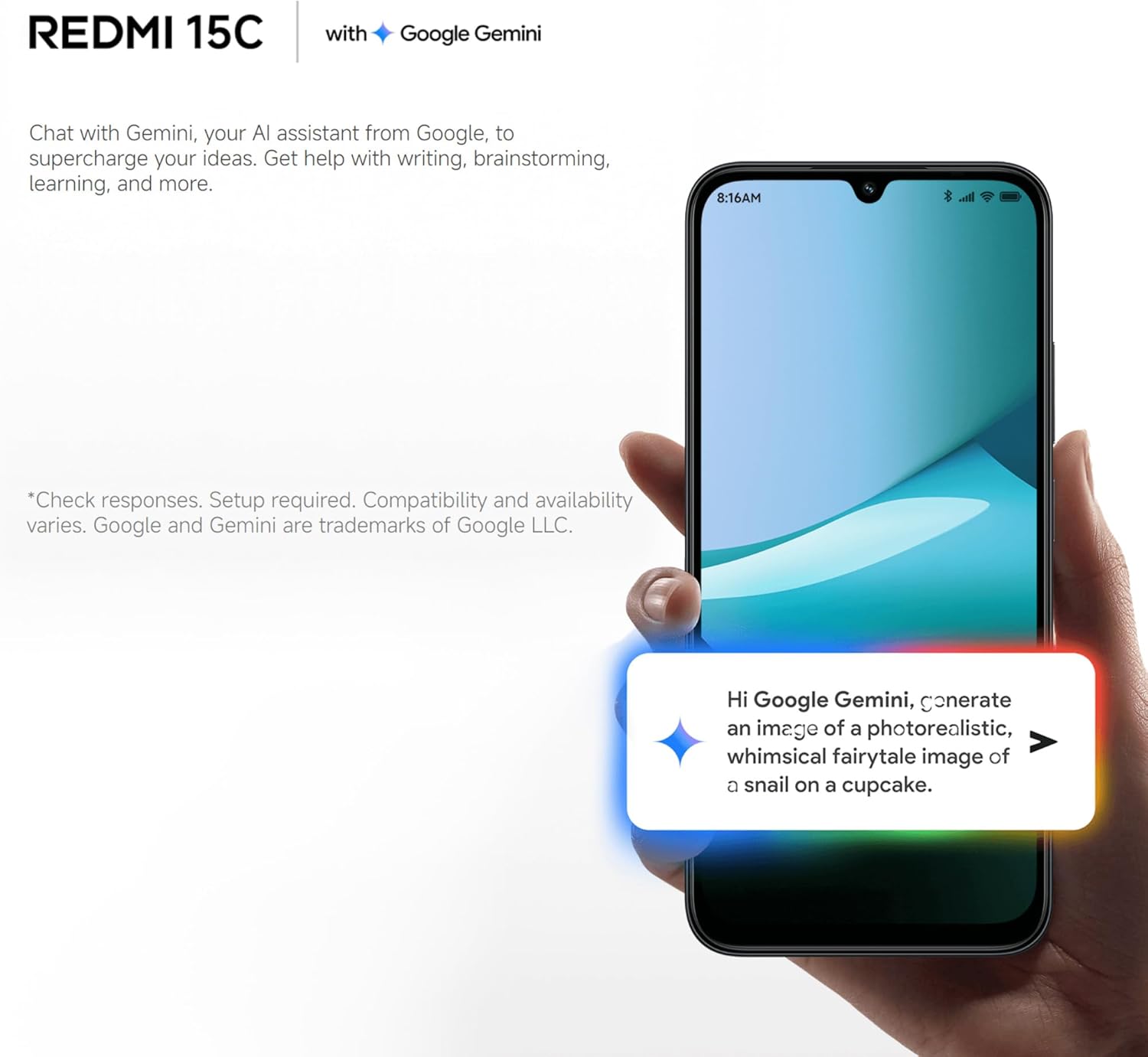
Image: A Redmi 15C displaying a chat interface with Google Gemini, demonstrating its AI capabilities.
4. பராமரிப்பு
4.1 உங்கள் சாதனத்தை சுத்தம் செய்தல்
- திரையையும் உடலையும் துடைக்க மென்மையான, பஞ்சு இல்லாத துணியைப் பயன்படுத்தவும்.
- கடுமையான இரசாயனங்கள், சிராய்ப்பு கிளீனர்கள் அல்லது அழுத்தப்பட்ட காற்றைப் பயன்படுத்துவதைத் தவிர்க்கவும்.
- துறைமுகங்களை தூசி மற்றும் குப்பைகள் இல்லாமல் வைத்திருங்கள்.
4.2 மென்பொருள் புதுப்பிப்புகள்
Regularly check for and install system updates to ensure your device has the latest features, security patches, and performance improvements. Go to 'Settings > About phone > MIUI version' to check for updates.
4.3 பேட்டரி பராமரிப்பு
- தீவிர வெப்பநிலையைத் தவிர்க்கவும், ஏனெனில் அவை பேட்டரி ஆயுளைக் குறைக்கும்.
- Do not leave the phone charging for extended periods after it's fully charged.
- Use only original or certified compatible chargers and cables.
4.4 சேமிப்பு மேலாண்மை
To maintain optimal performance, regularly manage your device's storage:
- தேவையற்றதை நீக்கவும் fileகள், புகைப்படங்கள் மற்றும் வீடியோக்கள்.
- பயன்படுத்தப்படாத பயன்பாடுகளை நிறுவல் நீக்கவும்.
- பயன்பாடுகளுக்கான கேச் தரவை அழிக்கவும்.
5. சரிசெய்தல்
இந்தப் பிரிவு உங்கள் Redmi 15C இல் நீங்கள் சந்திக்கக்கூடிய பொதுவான சிக்கல்களைக் கையாள்கிறது.
| பிரச்சினை | சாத்தியமான தீர்வு |
|---|---|
| சாதனம் இயக்கப்படவில்லை | Ensure the battery is charged. Connect to a charger for at least 30 minutes. If it still doesn't turn on, try a forced restart by holding the Power button for 10-15 seconds. |
| Slow performance / Apps freezing | Close background apps. Clear app caches. Restart the device. Check for system updates. If issues persist, consider a factory reset (back up data first). |
| பேட்டரி விரைவாக வடிகிறது | Reduce screen brightness. Disable unused features like GPS, Bluetooth, Wi-Fi when not needed. Check battery usage in settings to identify power-hungry apps. |
| Cannot connect to Wi-Fi / Mobile Data | Toggle Wi-Fi/Mobile Data off and on. Restart the device. Forget the Wi-Fi network and reconnect. Ensure SIM card is properly inserted and activated. |
| கேமரா வேலை செய்யவில்லை | Restart the device. Clear the Camera app's cache and data in 'Settings > Apps'. Ensure no other app is using the camera. |
5.1 தொழிற்சாலை மீட்டமைப்பு (கடைசி முயற்சி)
If you experience persistent software issues, a factory reset can resolve them. Warning: This will erase all data on your device. Back up all important information before proceeding.
- Go to 'Settings > About phone > Factory reset'.
- மீட்டமைப்பை உறுதிசெய்ய, திரையில் தோன்றும் கட்டளைகளைப் பின்பற்றவும்.
6. விவரக்குறிப்புகள்
Below are the detailed technical specifications for the XIAOMI Redmi 15C:
| அம்சம் | விவரக்குறிப்பு |
|---|---|
| மாதிரி பெயர் | ரெட்மி 15சி |
| இயக்க முறைமை | Hyper OS 2 |
| செயலி | MediaTek Helio Octa-core (20 GHz CPU speed) |
| ரேம் | 4 ஜிபி |
| சேமிப்பு திறன் | 256 ஜிபி |
| காட்சி அளவு | 6.9 அங்குலம் |
| காட்சித் தீர்மானம் | 720 x 1560 |
| புதுப்பிப்பு விகிதம் | 120 ஹெர்ட்ஸ் |
| பேட்டரி திறன் | 6000 mAh |
| சார்ஜ் செய்கிறது | 33W Fast Charging compatible |
| பின்புற கேமரா | 50 MP AI Dual Camera |
| இணைப்பு | 4ஜி எல்டிஇ, வைஃபை, புளூடூத், ஜிபிஎஸ் |
| பரிமாணங்கள் | 0.82 x 8.1 x 17.3 செ.மீ |
| எடை | 200 கிராம் |
| சிறப்பு அம்சங்கள் | Dual SIM, International Functionality, Wi-Fi Hotspot, Integrated GPS |
7. உத்தரவாதம் மற்றும் ஆதரவு
For detailed warranty information, please refer to the warranty card included with your product or visit the official XIAOMI website. XIAOMI provides customer support for product inquiries, technical assistance, and service requests.
You can find support resources, FAQs, and contact information on the official XIAOMI support page. Please have your device's model number and purchase details ready when contacting support.
வழங்கப்பட்ட தரவுகளில் அதிகாரப்பூர்வ தயாரிப்பு வீடியோக்கள் எதுவும் காணப்படவில்லை.