
CarpodGo T3 Pro
CarpodGo T3 Pro Portable Wireless Carplay User Manual
மாடல்: T3 Pro
பிராண்ட்: கார்போட்கோ
1. அறிமுகம்
The CarpodGo T3 Pro is a portable 8.9-inch wireless CarPlay and Android Auto display designed to enhance your in-car entertainment and navigation experience. Featuring a fully laminated 1920x720 IPS touch screen, it offers seamless integration with your smartphone, supporting both wireless CarPlay and Android Auto functionalities. Its innovative design includes a magnetic base for flexible mounting and a Display-Only Bluetooth Mode for optimized audio routing through your vehicle's existing sound system.

Figure 1.1: CarpodGo T3 Pro Portable Display with CarPlay Interface.
2. பாதுகாப்பு தகவல்
- சாதனம் பாதுகாப்பாக பொருத்தப்பட்டுள்ளதா என்பதையும், உங்கள் சாதனத்திற்கு இடையூறு விளைவிக்காமல் இருப்பதையும் எப்போதும் உறுதிப்படுத்திக் கொள்ளுங்கள். view அல்லது வாகனக் கட்டுப்பாடுகளில் தலையிடலாம்.
- சாதனத்தை பிரிக்கவோ அல்லது மாற்றவோ முயற்சிக்காதீர்கள். இது உத்தரவாதத்தை ரத்து செய்து பாதுகாப்பு ஆபத்தை ஏற்படுத்தக்கூடும்.
- சாதனத்தை அதிக வெப்பநிலை, நீண்ட நேரம் நேரடி சூரிய ஒளி அல்லது அதிக ஈரப்பதத்திற்கு வெளிப்படுத்துவதைத் தவிர்க்கவும்.
- சேதம் அல்லது தீ ஆபத்துகளைத் தடுக்க வழங்கப்பட்ட பவர் அடாப்டர் மற்றும் கேபிள்களை மட்டுமே பயன்படுத்தவும்.
- Operate the device responsibly. Distracted driving can lead to accidents.
3. பெட்டியில் என்ன இருக்கிறது
பெட்டியை கவனமாக பிரித்து, அனைத்து பொருட்களும் நல்ல நிலையில் இருப்பதை உறுதிசெய்து கொள்ளுங்கள். ஏதேனும் பொருட்கள் காணாமல் போயிருந்தாலோ அல்லது சேதமடைந்திருந்தாலோ, வாடிக்கையாளர் ஆதரவைத் தொடர்பு கொள்ளவும்.

Figure 3.1: Package Contents of CarpodGo T3 Pro.
- CarpodGo T3 Pro Portable Display Unit
- காந்த அடிப்படை
- Fixed Console Mount
- 9V Power Cord (Car Charger)
- OTG அடாப்டர்
- பயனர் கையேடு
- Central Control Seamless Mounts (complementary)
- Suction Cup Mount (for glass)
- Optional Accessories (may be sold separately): Backup Camera, Bluetooth Aux Receiver
4 அமைவு
4.1 சாதனத்தை ஏற்றுதல்
The CarpodGo T3 Pro features a strong magnetic base for secure attachment. It is compatible with a 17mm ball head mount and includes complementary central control seamless mounts and a suction cup mount for glass surfaces.
- மவுண்டிங் இடத்தை தேர்வு செய்யவும்: உங்கள் டேஷ்போர்டு அல்லது விண்ட்ஷீல்டில் உங்கள் வாகனத்திற்கு இடையூறாக இல்லாத இடத்தைத் தேர்ந்தெடுக்கவும். view of the road, airbags, or vehicle controls.
- மவுண்டை இணைக்கவும்:
- For Dashboard (Seamless Mounts): Clean the dashboard surface thoroughly. Attach the central control seamless mount to the desired location.
- For Windshield (Suction Cup Mount): Clean the windshield surface. Press the suction cup firmly against the glass and engage the lever to secure it.
- For Fixed Console Mount: Secure the fixed console mount to a suitable flat surface using adhesive or screws (if applicable and safe).
- காந்த தளத்தை இணைக்கவும்: Connect the magnetic base to the chosen mount (e.g., 17mm ball head).
- Secure the T3 Pro Display: Align the back of the T3 Pro display with the magnetic base. The strong magnets will firmly hold the display in place. Ensure it is stable and does not wobble.

Figure 4.1: Magnetic Base and Mount.
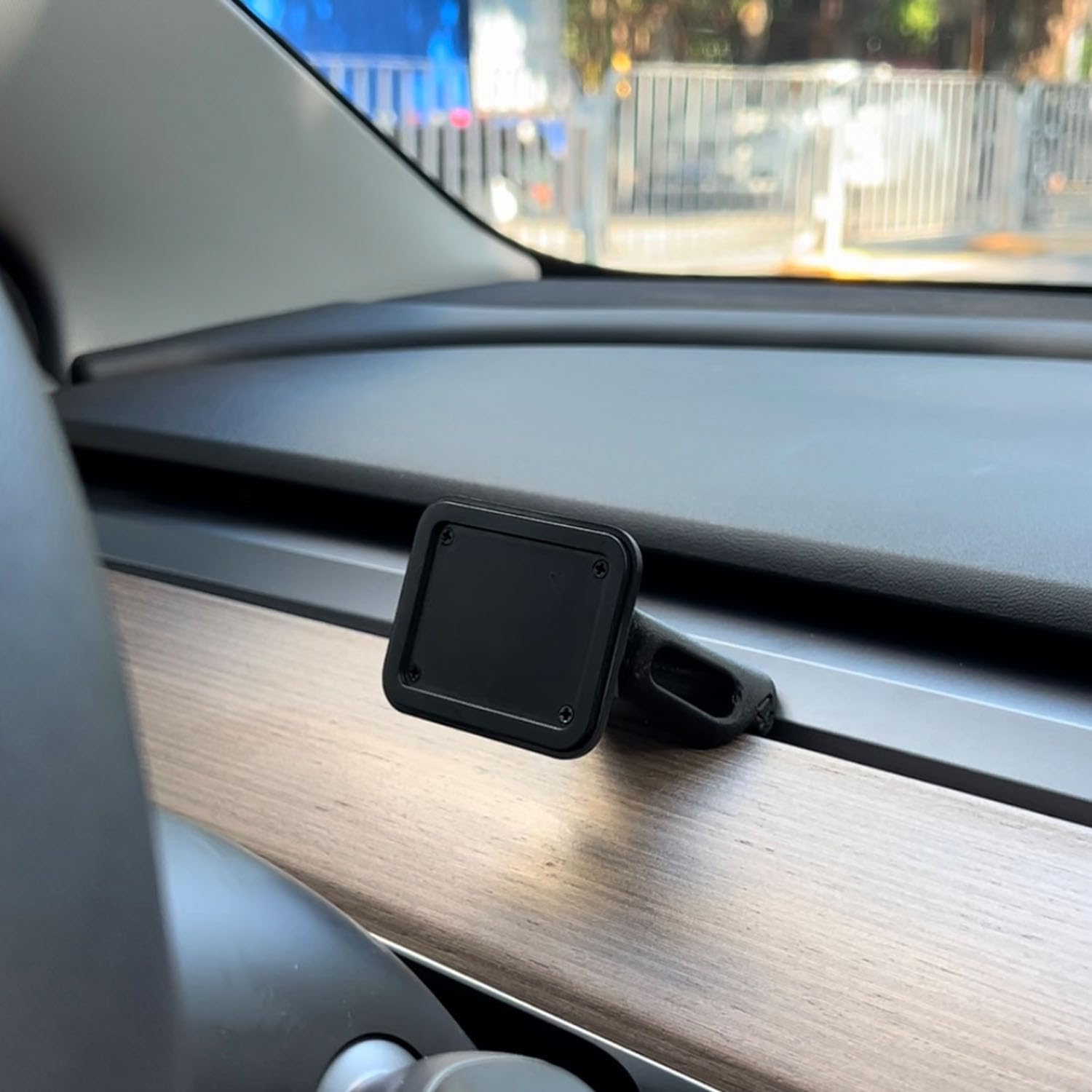
Figure 4.2: Magnetic Base Installed on Dashboard.
4.2 மின் இணைப்பு
Connect the provided 9V power cord to the "Power" port on the side of the T3 Pro unit and plug the other end into your vehicle's 12V accessory outlet (cigarette lighter socket).
4.3 ஆரம்ப துவக்கம்
Once powered, the device will automatically boot up. The multi-core Linux system is designed for fast startup, typically displaying the CarPlay interface within 12 seconds.

Figure 4.3: Fast Boot-Up and Connectivity.
5. இயக்க வழிமுறைகள்
5.1 Wireless CarPlay / Android Auto Connection
The T3 Pro supports wireless CarPlay and Android Auto for seamless smartphone integration.
- On the T3 Pro, navigate to the CarPlay or Android Auto icon on the main screen.
- On your smartphone, enable Bluetooth and Wi-Fi.
- தேடுங்கள் the T3 Pro's Bluetooth name (usually "CarpodGo T3 Pro" or similar) on your phone and pair with it.
- Once paired via Bluetooth, your phone will automatically establish a Wi-Fi connection for CarPlay/Android Auto.
- The T3 Pro supports 60fps wireless CarPlay for smoother scrolling and responsiveness. This can typically be adjusted in the device settings if needed.
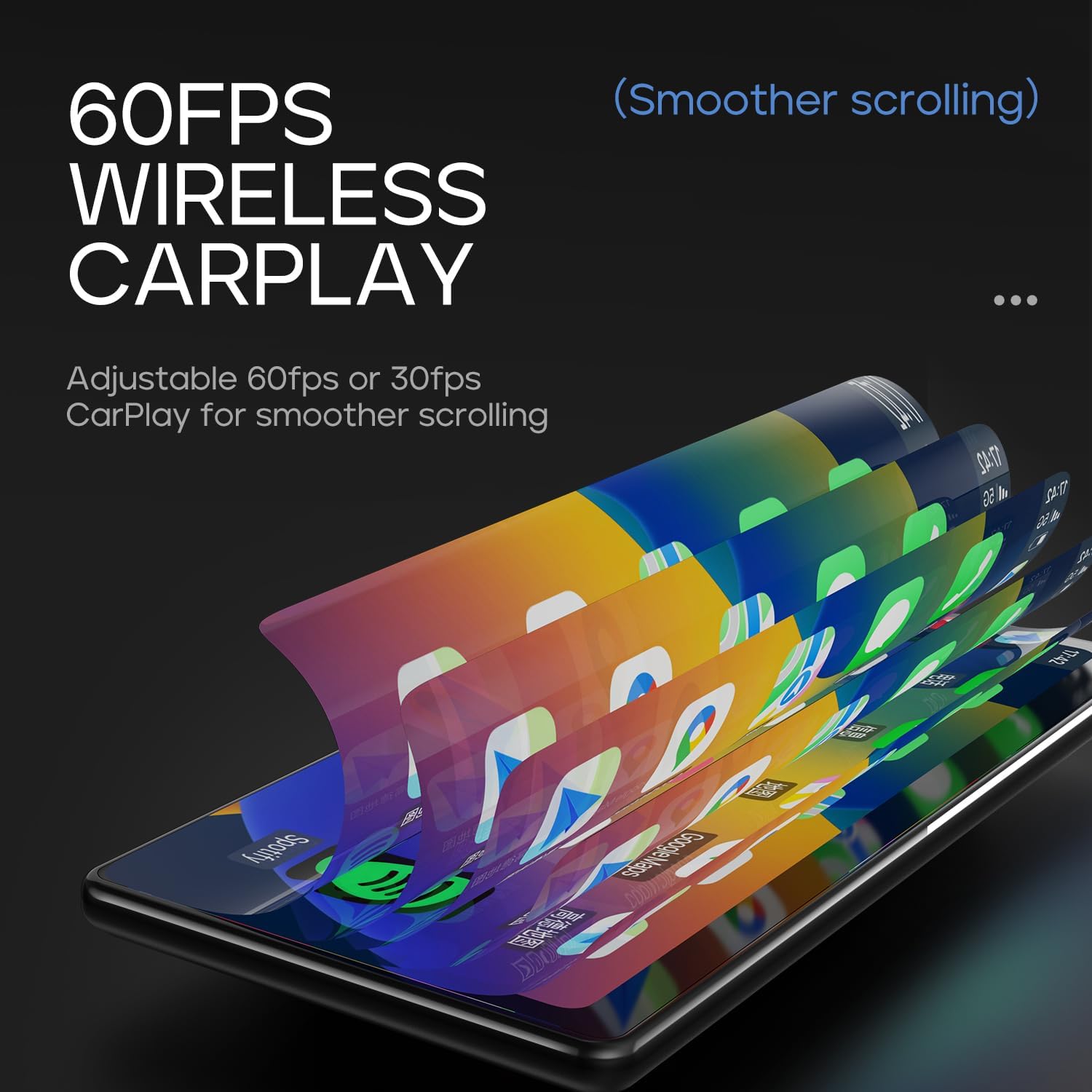
Figure 5.1: 60fps Wireless CarPlay for Smooth Operation.
5.2 Display-Only Bluetooth Mode
This mode allows you to route audio (maps, music, calls) through your car's existing Bluetooth system, utilizing your car's speakers and microphone, while the T3 Pro handles the display.
- On the T3 Pro, activate "Display-Only Bluetooth Mode" in the settings. Refer to the on-screen interface for the exact location of this setting.
- Connect your smartphone directly to your car's Bluetooth system.
- The T3 Pro will continue to display CarPlay/Android Auto, but all audio will be managed by your car's Bluetooth connection. This mode also supports steering wheel controls for audio and calls, provided your car's Bluetooth system is compatible.

Figure 5.2: Display-Only Bluetooth Mode Configuration.
5.3 பயனர் இடைமுகம் (UI) வழிசெலுத்தல்
The T3 Pro features a new Carpod interface UI with a line neomorphism style, designed for intuitive use. Navigate through menus and applications using the touch screen. Swipe gestures and taps are used for interaction.

Figure 5.3: CarpodGo T3 Pro User Interface Exampலெஸ்.
6. பராமரிப்பு
- சுத்தம்: Use a soft, lint-free cloth to clean the screen and body of the device. Do not use abrasive cleaners, alcohol, or solvents.
- சேமிப்பு: If storing the device for an extended period, disconnect it from power and store it in a cool, dry place away from direct sunlight.
- மென்பொருள் புதுப்பிப்புகள்: உற்பத்தியாளரின் website or the device settings for available firmware updates to ensure optimal performance and new features.
7. சரிசெய்தல்
| பிரச்சனை | சாத்தியமான காரணம் | தீர்வு |
|---|---|---|
| சாதனம் இயங்கவில்லை. | No power connection or faulty power cord. | Ensure the 9V power cord is securely plugged into the device and the car's 12V outlet. Check if the car's outlet is functioning. |
| வயர்லெஸ் கார்ப்ளே/ஆண்ட்ராய்டு ஆட்டோ இணைக்கப்படவில்லை. | Bluetooth/Wi-Fi issues, phone settings. |
|
| ஆடியோ இல்லை அல்லது மோசமான ஆடியோ தரம். | Audio routing issue, volume settings. |
|
| திரை செயல்படவில்லை அல்லது உறைந்துள்ளது. | தற்காலிக மென்பொருள் கோளாறு. | Perform a soft reset by disconnecting and reconnecting the power. If the issue persists, contact customer support. |
8. விவரக்குறிப்புகள்
| அம்சம் | விவரம் |
|---|---|
| மாதிரி எண் | T3 ப்ரோ |
| காட்சி அளவு | 8.9 அங்குலம் |
| திரை தெளிவுத்திறன் | 1920 x 720 ஐபிஎஸ் |
| காட்சி தொழில்நுட்பம் | Fully Laminated Screen, 16.7 million colors, 700nit highlight |
| வயர்லெஸ் இணைப்பு | Wireless CarPlay, Wireless Android Auto, Wi-Fi, Bluetooth |
| புளூடூத் பயன்முறை | காட்சி-மட்டும் புளூடூத் பயன்முறை |
| பிரேம் வீதம் | Supports 60fps Wireless CarPlay |
| மவுண்டிங் | Magnetic design, compatible with 17mm ball head mount, central control seamless mounts, suction cup mount |
| கட்டுப்படுத்தி வகை | Push Button, Steering Wheel Controls (via Display-Only BT Mode) |
| ஆடியோ வெளியீட்டு முறை | ஸ்டீரியோ |
| இணைப்பான் வகை | 3.5mm Jack, HDMI, USB |
9. உத்தரவாதம் மற்றும் ஆதரவு
CarpodGo products are designed for reliability and performance. For warranty information, technical support, or service inquiries, please refer to the warranty card included in your package or visit the official CarpodGo webஉத்தரவாதக் கோரிக்கைகளுக்கான வாங்கியதற்கான சான்றாக உங்கள் கொள்முதல் ரசீதை வைத்திருங்கள்.
தொடர்பு தகவல்: Please refer to the contact details provided in your product packaging or on the official CarpodGo webமிகவும் புதுப்பித்த ஆதரவு தகவலுக்கான தளம்.
Ask a question about this manual
Ask about setup, troubleshooting, compatibility, parts, safety, or missing instructions. Manuals+ will review the question and use this page’s manual context to help answer it.