
INPHIC B0FQCFSHPQ
INPHIC Tri-Mode Wireless Mouse User Manual
Model: B0FQCFSHPQ
அறிமுகம்
This manual provides comprehensive instructions for the INPHIC Tri-Mode Wireless Mouse, Model B0FQCFSHPQ. It covers setup, operation, maintenance, and troubleshooting to ensure optimal performance and user experience. Please read this manual thoroughly before using the product.
தயாரிப்பு முடிந்துவிட்டதுview
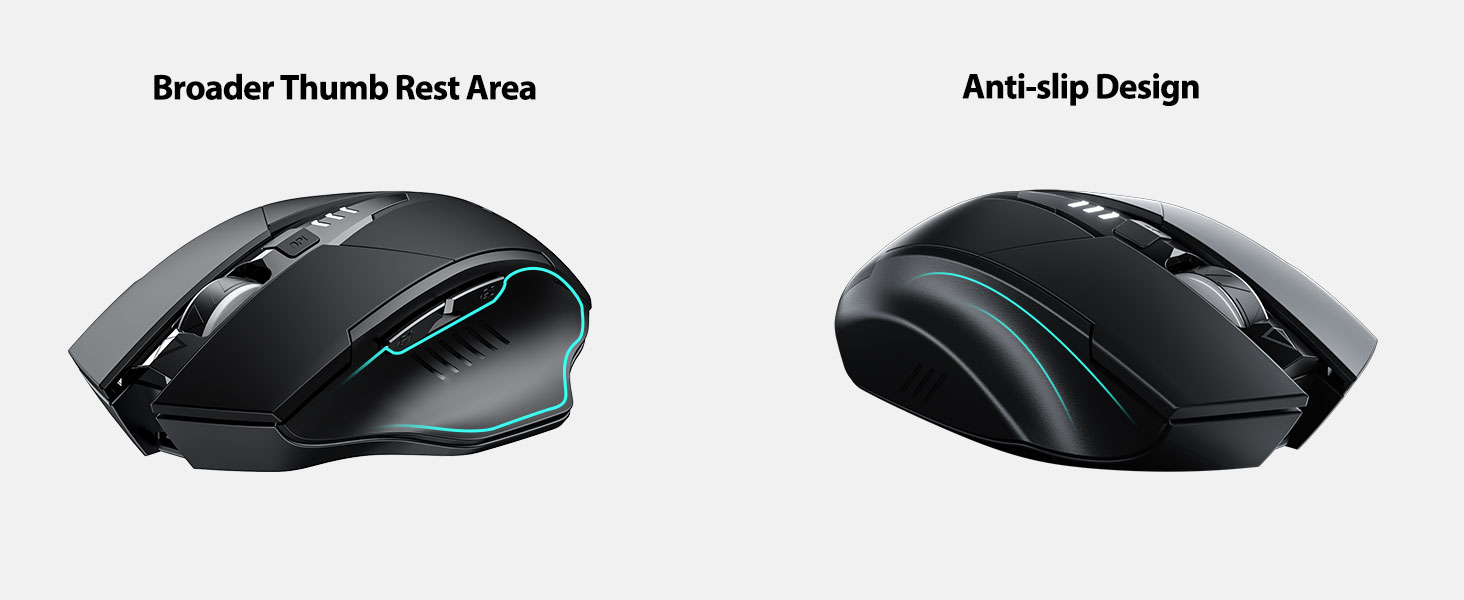
The INPHIC Tri-Mode Wireless Mouse offers versatile connectivity options (Bluetooth 5.0, Bluetooth 4.0, and 2.4G USB) and an ergonomic design for comfortable use. Key features include a visible battery indicator, silent click buttons, and adjustable DPI settings.
தொகுப்பு உள்ளடக்கங்கள்
- INPHIC Tri-Mode Wireless Mouse
- USB ரிசீவர் (சுட்டியில் சேமிக்கப்பட்டது)
- USB-C சார்ஜிங் கேபிள்
- பயனர் கையேடு (இந்த ஆவணம்)
சுட்டி கூறுகள்

- இடது/வலது கிளிக் பொத்தான்கள்: அமைதியான செயல்பாடு.
- சுருள் சக்கரம்: செங்குத்து ஸ்க்ரோலிங்கிற்கு.
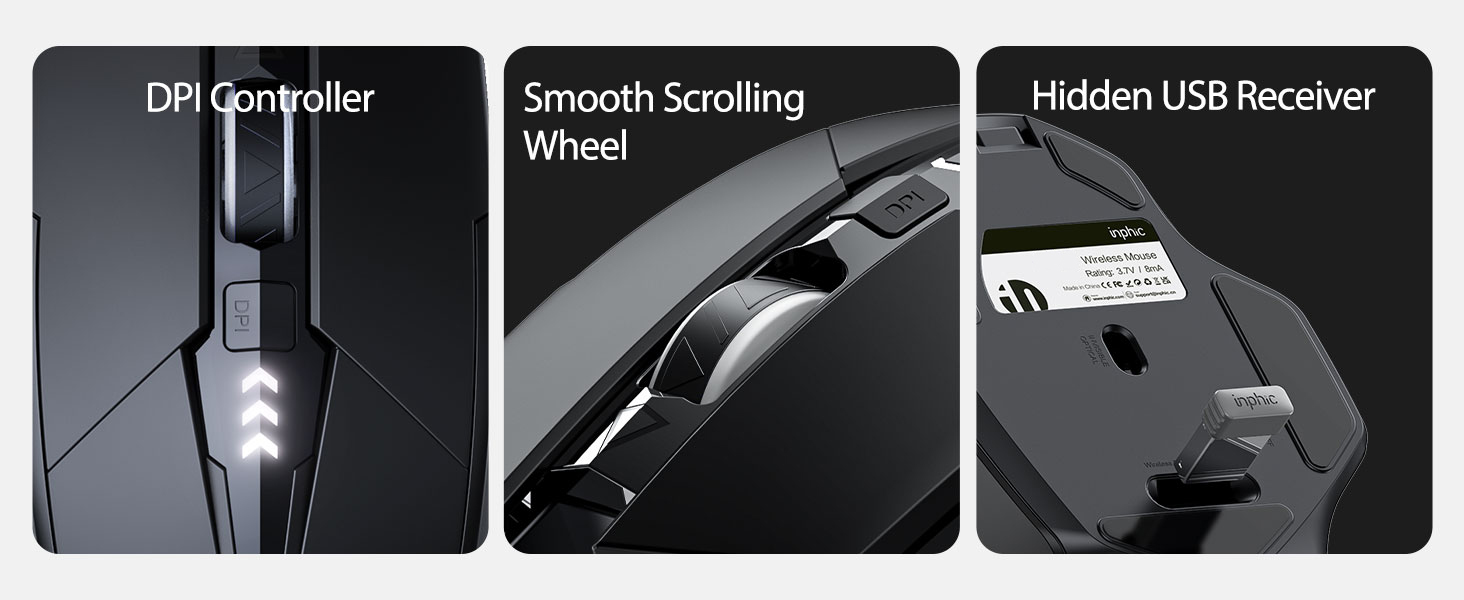
- DPI பொத்தான்: Adjusts cursor speed (800/1200/1600/2000/2400 DPI).
- Forward/Backward Buttons (Side): For navigation in web உலாவிகள் அல்லது file ஆய்வாளர்கள்.
- பேட்டரி காட்டி: LED lights on top display remaining battery level.
- Connection Type Switch (Bottom): Toggles between 2.4G USB, Bluetooth 4.0, and Bluetooth 5.0 modes.
- Power Switch (Bottom): ஆன்/ஆஃப் சுவிட்ச்.
- USB Receiver Slot (Bottom): Stores the 2.4G USB receiver.
- Charging Port (Front): USB-C port for recharging the internal battery.
அமைவு
ஆரம்ப சார்ஜிங்
Before first use, fully charge the mouse for approximately 1 hour. Connect the USB-C charging cable to the mouse's charging port and to a USB power source (e.g., computer USB port, USB wall adapter).

சுட்டி இணைத்தல்
The mouse supports three connection modes: 2.4G USB, Bluetooth 4.0, and Bluetooth 5.0. Use the switch on the bottom of the mouse to select your desired mode.
2.4G USB இணைப்பு
- Locate the USB receiver stored in the slot on the bottom of the mouse.
- உங்கள் கணினியில் கிடைக்கும் USB போர்ட்டில் USB ரிசீவரைச் செருகவும்.
- Switch the connection mode on the bottom of the mouse to "2.4G".
- Turn on the mouse using the power switch. The mouse should connect automatically.
Bluetooth Connection (BT 4.0 / BT 5.0)
- Switch the connection mode on the bottom of the mouse to "BT 4.0" or "BT 5.0".
- பவர் சுவிட்சைப் பயன்படுத்தி சுட்டியை இயக்கவும்.
- On your device (laptop, tablet, etc.), open Bluetooth settings.
- தேடுங்கள் new Bluetooth devices. The mouse should appear as "INPHIC Mouse" or similar.
- இணைக்க சுட்டியைத் தேர்ந்தெடுக்கவும்.
- இணைக்கப்பட்டவுடன், சுட்டி பயன்படுத்த தயாராக உள்ளது.
குறிப்பு: Bluetooth 5.0 is compatible with Windows 8/10 (not Windows 7 or XP), Android, and Mac OS systems. iOS systems (iPad and iPhone) require iOS 14 or later for Bluetooth 5.0 compatibility.
இயக்க வழிமுறைகள்
பவர் ஆன்/ஆஃப்
Use the ON/OFF switch located on the bottom of the mouse to power the device. To conserve battery, turn off the mouse when not in use for extended periods.
இணைப்பு முறைகளை மாற்றுகிறது
The mode switch button on the bottom of the mouse allows you to cycle between 2.4G USB, Bluetooth 4.0, and Bluetooth 5.0 connections. This enables seamless switching between multiple paired devices.

டிபிஐ (கர்சர் வேகம்) சரிசெய்தல்
Press the DPI button located on the top of the mouse, below the scroll wheel, to cycle through 5 adjustable DPI levels: 800, 1200, 1600, 2000, and 2400. This allows you to customize cursor sensitivity to your preference.

பேட்டரி காட்டி
The mouse features a visible battery indicator on its top surface. LED lights illuminate to show the remaining battery power, providing a clear visual cue for when recharging is needed.

தானியங்கி தூக்க முறை
To conserve power, the mouse will automatically enter sleep mode after 5 minutes of inactivity. To wake the mouse, simply click any button.
பராமரிப்பு
சுத்தம் செய்தல்
Wipe the mouse with a soft, dry cloth. For stubborn dirt, a slightly damp cloth can be used, ensuring no moisture enters the internal components. Avoid harsh chemicals or abrasive cleaners.
பேட்டரி பராமரிப்பு
- Recharge the mouse when the battery indicator shows low power.
- பேட்டரியின் ஆயுளை நீட்டிக்க அடிக்கடி முழுமையாக டிஸ்சார்ஜ் செய்வதைத் தவிர்க்கவும்.
- நீண்ட நேரம் பயன்படுத்தாதபோது, மவுஸை குளிர்ந்த, உலர்ந்த இடத்தில் சேமிக்கவும்.
சரிசெய்தல்
| பிரச்சனை | சாத்தியமான காரணம் | தீர்வு |
|---|---|---|
| சுட்டி பதிலளிக்கவில்லை |
|
|
| கர்சர் இயக்கம் ஒழுங்கற்றது அல்லது மெதுவாக உள்ளது. |
|
|
| புளூடூத் இணைப்பு சிக்கல்கள் |
|
|
விவரக்குறிப்புகள்
| அம்சம் | விவரம் |
|---|---|
| மாதிரி | B0FQCFSHPQ |
| இணைப்பு தொழில்நுட்பம் | Bluetooth 5.0 / Bluetooth 4.0 / 2.4G USB Wireless |
| DPI நிலைகள் | 800 / 1200 / 1600 / 2000 / 2400 (Adjustable) |
| பொத்தான்கள் | 6 (இடது, வலது, உருள் சக்கரம், DPI, முன்னோக்கி, பின்னோக்கி) |
| பேட்டரி வகை | Rechargeable (400mAh built-in) |
| சார்ஜிங் போர்ட் | USB-C |
| இயக்க தூரம் | 10 மீட்டர் (33 அடி) வரை |
| தயாரிப்பு பரிமாணங்கள் | 4.7 x 3.1 x 0.04 அங்குலம் |
| பொருளின் எடை | 3.36 அவுன்ஸ் |
| இணக்கத்தன்மை | Windows 7/8/10/XP, Vista, Mac OS. Bluetooth 5.0: Windows 8/10, Android, Mac OS, iOS 14+ (iPad/iPhone). 2.4G USB: Any USB-enabled device. |

உத்தரவாதம் மற்றும் ஆதரவு
INPHIC products are designed for reliability and performance. For warranty information and technical support, please refer to the official INPHIC webதளத்தில் அல்லது அவர்களின் வாடிக்கையாளர் சேவையை நேரடியாகத் தொடர்பு கொள்ளவும்.
- உற்பத்தியாளர்: INPHIC
- விற்பனையாளர்: YingFeiTe (on Amazon)
- திரும்பும் கொள்கை: Refer to Amazon's current return policy.
- ஆதரவு தொடர்பு: உதவிக்கு, வருகை தரவும் INPHIC Store on Amazon அல்லது உற்பத்தியாளரின் அதிகாரி webதளம்.
முக்கியமான பாதுகாப்பு தகவல்
- சுட்டியை அதிக வெப்பநிலை அல்லது ஈரப்பதத்திற்கு வெளிப்படுத்த வேண்டாம்.
- வலுவான தாக்கங்களுக்கு சுட்டியை கைவிடுவதையோ அல்லது உட்படுத்துவதையோ தவிர்க்கவும்.
- Do not attempt to disassemble or repair the mouse yourself. This may void the warranty.
- குழந்தைகளுக்கு எட்டாத இடத்தில் வைக்கவும்.
தயாரிப்பு வீடியோ
காணொளி விளக்கம்: An official product video from INPHIC demonstrating the features and usage of the INPHIC Bluetooth Mouse. It shows the mouse being unboxed, its various components, connection methods, and ergonomic design in action.