
அறிமுகம்
Thank you for choosing the TECKNET TK-HS049 Hybrid Active Noise Cancelling Headphones. These headphones are designed to provide a superior audio experience with advanced noise cancellation, long battery life, and versatile connectivity. This manual will guide you through the setup, operation, and maintenance of your new headphones.
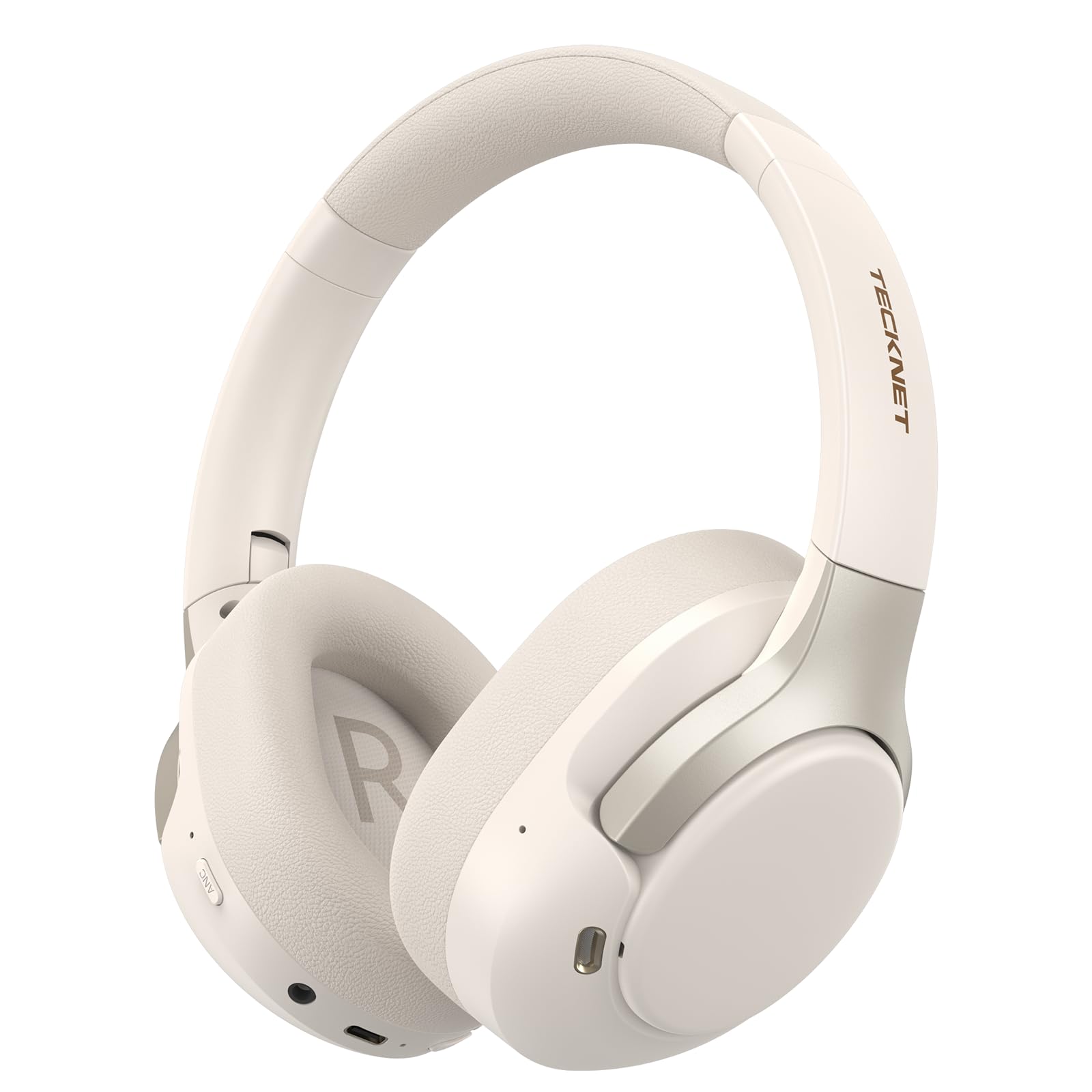
Image: TECKNET TK-HS049 Hybrid Active Noise Cancelling Headphones.
பெட்டியில் என்ன இருக்கிறது
- 1 x TECKNET TK-HS049 ANC Headphones
- 1 x 3.5 மிமீ ஆடியோ கேபிள்
- 1 x பயனர் கையேடு
- 1 x டைப்-சி சார்ஜிங் கேபிள்

Image: Contents of the product packaging.
தயாரிப்பு முடிந்துவிட்டதுview
Familiarize yourself with the various components and controls of your TECKNET TK-HS049 headphones.
படம்: பக்கம் view of the headphones highlighting control buttons and ports.
முக்கிய கூறுகள்:
- பவர் பட்டன்: Used to turn the headphones on/off and for Bluetooth pairing.
- ஒலியளவை அதிகரி/அடுத்து டிராக் பொத்தான்: ஒலியளவை அதிகரிக்கிறது அல்லது அடுத்த டிராக்கிற்குச் செல்கிறது.
- ஒலியளவைக் குறை/முந்தைய டிராக் பொத்தான்: ஒலியளவைக் குறைக்கிறது அல்லது முந்தைய டிராக்கிற்குச் செல்கிறது.
- பல செயல்பாட்டு பொத்தான்: இசையை இயக்கு/இடைநிறுத்து, அழைப்புகளுக்கு பதிலளிக்கவும்/முடிக்கவும்.
- ANC பொத்தான்: ஆக்டிவ் இரைச்சல் ரத்து முறைகளை நிலைமாற்றுகிறது.
- டைப்-சி சார்ஜிங் போர்ட்: ஹெட்ஃபோன்களை சார்ஜ் செய்வதற்கு.
- 3.5மிமீ ஆடியோ ஜாக்: கம்பி ஆடியோ இணைப்புக்கு.
- ஒலிவாங்கி: அழைப்புகள் மற்றும் குரல் கட்டளைகளுக்கு.
அமைவு
1. ஹெட்ஃபோன்களை சார்ஜ் செய்தல்
Before first use, fully charge your headphones. Connect the supplied Type-C charging cable to the charging port on the headphones and the other end to a USB power source (e.g., wall adapter, computer USB port).
- LED காட்டி சார்ஜிங் நிலையைக் காண்பிக்கும்.
- முழு சார்ஜ் பொதுவாக தோராயமாக 2-3 மணிநேரம் ஆகும்.
2. பவர் ஆன்/ஆஃப்
- பவர் ஆன்: LED காட்டி நீல நிறத்தில் ஒளிரும் வரை பவர் பட்டனை 3 வினாடிகள் அழுத்திப் பிடிக்கவும்.
- பவர் ஆஃப்: LED காட்டி சிவப்பு நிறத்தில் ஒளிரும் வரை பவர் பட்டனை 3 வினாடிகள் அழுத்திப் பிடித்து, பின்னர் அணைக்கப்படும்.
3. புளூடூத் இணைத்தல்
புளூடூத் வழியாக உங்கள் ஹெட்ஃபோன்களை ஒரு சாதனத்துடன் இணைக்க:
- ஹெட்ஃபோன்கள் அணைக்கப்பட்டுள்ளன என்பதை உறுதிப்படுத்தவும்.
- LED காட்டி சிவப்பு மற்றும் நீல நிறங்களில் மாறி மாறி ஒளிரும் வரை, இணைத்தல் பயன்முறையைக் குறிக்கும் வரை பவர் பட்டனை 5 வினாடிகள் அழுத்திப் பிடிக்கவும்.
- உங்கள் சாதனத்தில் (ஸ்மார்ட்போன், டேப்லெட், மடிக்கணினி), புளூடூத்தை இயக்கி, கிடைக்கும் சாதனங்களைத் தேடுங்கள்.
- Select "TECKNET TK-HS049" from the list of devices.
- இணைக்கப்பட்டதும், LED காட்டி நீல நிறத்தில் மெதுவாக ஒளிரும்.
4. இரட்டை சாதன இணைப்பு
The headphones support simultaneous connection to two Bluetooth devices, allowing seamless switching between them.
- Pair the headphones with the first device (e.g., smartphone) as described above.
- முதல் சாதனத்தில் புளூடூத்தை முடக்கவும். ஹெட்ஃபோன்கள் மீண்டும் இணைத்தல் பயன்முறையில் நுழையும்.
- Pair the headphones with the second device (e.g., laptop).
- முதல் சாதனத்தில் புளூடூத்தை மீண்டும் இயக்கவும். ஹெட்ஃபோன்கள் இரண்டு சாதனங்களுடனும் தானாகவே இணைக்கப்பட வேண்டும்.
- To switch audio, simply play media on the desired device.

Image: Dual device connection setup.
5. கம்பி இணைப்பு
For devices without Bluetooth or when battery is low, use the included 3.5mm audio cable.
- 3.5மிமீ ஆடியோ கேபிளின் ஒரு முனையை ஹெட்ஃபோனின் ஆடியோ ஜாக்கில் செருகவும்.
- மறுமுனையை உங்கள் சாதனத்தின் 3.5மிமீ ஆடியோ வெளியீட்டில் செருகவும்.
- Note: Some headphone functions (e.g., ANC, EQ modes) may be limited or unavailable in wired mode without power.

Image: Wired connection via 3.5mm audio jack.
இயங்குகிறது
1. ஆக்டிவ் இரைச்சல் ரத்து (ANC) முறைகள்
Press the ANC button to cycle through the available noise cancellation modes:
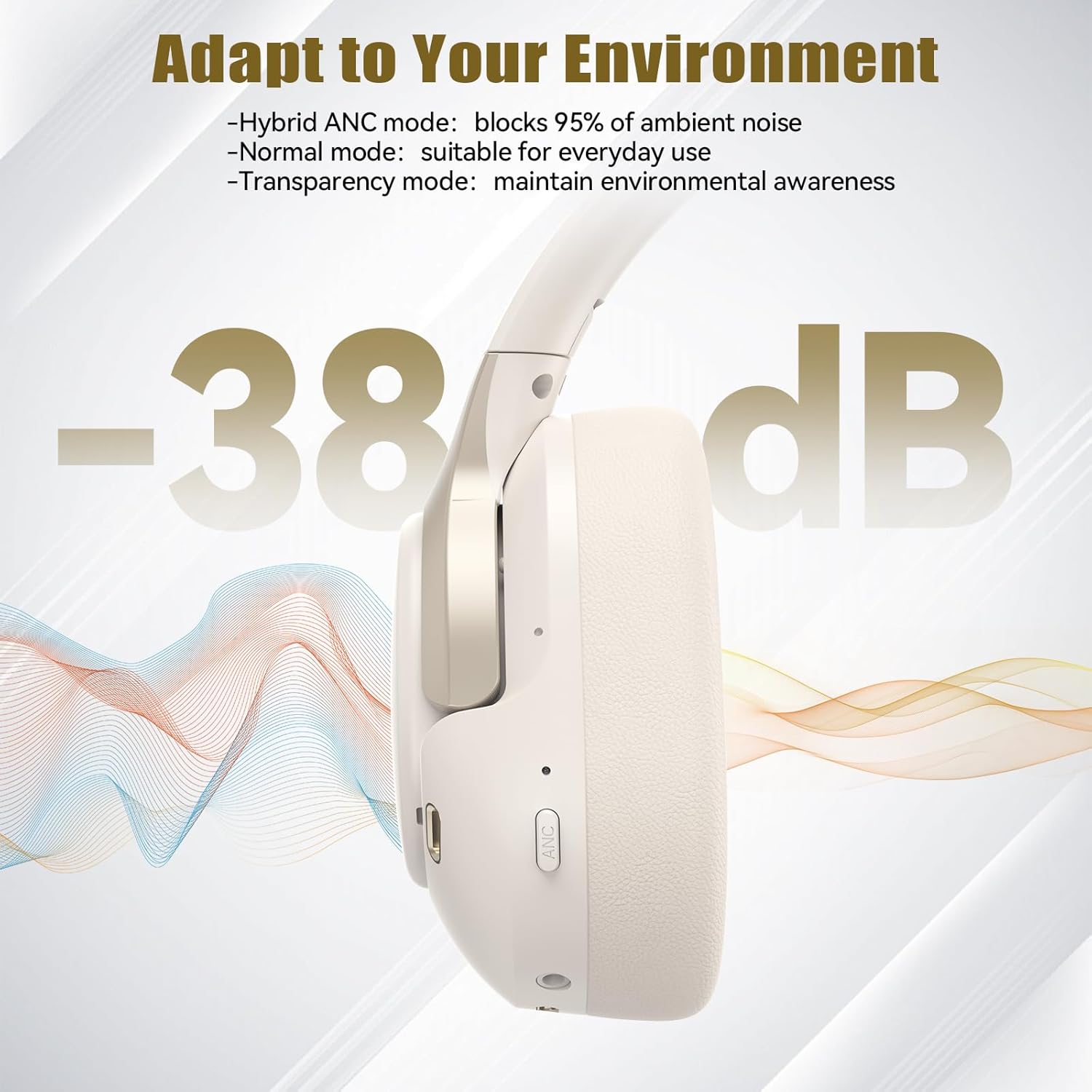
- கலப்பின ANC பயன்முறை: Blocks up to 35dB-38dB of ambient noise, ideal for travel or noisy environments.
- இயல்பான பயன்முறை: ANC is off, suitable for everyday use where some environmental awareness is desired.
- வெளிப்படைத்தன்மை முறை: Allows ambient sounds to pass through, enhancing awareness of your surroundings.

Image: Hybrid Active Noise Cancellation in action.
2. இசை பின்னணி
- விளையாடு/இடைநிறுத்தம்: பல செயல்பாட்டு பொத்தானை ஒரு முறை அழுத்தவும்.
- அடுத்த ட்ராக்: வால்யூம் அப் பட்டனை அழுத்திப் பிடிக்கவும்.
- முந்தைய ட்ராக்: வால்யூம் டவுன் பட்டனை அழுத்திப் பிடிக்கவும்.
- ஒலியை பெருக்கு: வால்யூம் அப் பட்டனை சுருக்கமாக அழுத்தவும்.
- ஒலியை குறை: ஒலியளவைக் குறைக்கும் பொத்தானைச் சுருக்கமாக அழுத்தவும்.
3. அழைப்பு மேலாண்மை
- பதில்/முடிவு அழைப்பு: பல செயல்பாட்டு பொத்தானை ஒரு முறை அழுத்தவும்.
- அழைப்பை நிராகரி: மல்டி ஃபங்க்ஷன் பட்டனை 2 வினாடிகள் அழுத்திப் பிடிக்கவும்.
- குரல் உதவியாளர்: Double-press the Multi-function button to activate your device's voice assistant.
4. EQ Music Modes
The headphones feature 6 EQ music modes to optimize your listening experience for different genres. Press the EQ button (if available, or refer to specific button on your model) to cycle through these modes:
- நடனம்
- பாறை
- செம்மொழி
- குரல்
- பாஸ்
- மென்மையானது

Image: Cycling through 6 EQ music modes.
பராமரிப்பு
To ensure the longevity and optimal performance of your TECKNET TK-HS049 headphones, follow these maintenance guidelines:
- சுத்தம்: இயர்கப்கள் மற்றும் ஹெட் பேண்டை சுத்தம் செய்ய மென்மையான, உலர்ந்த துணியைப் பயன்படுத்தவும். சிராய்ப்பு கிளீனர்கள் அல்லது கரைப்பான்களைப் பயன்படுத்த வேண்டாம்.
- சேமிப்பு: When not in use, store the headphones in a cool, dry place, preferably in a protective case to prevent dust and damage.
- ஈரப்பதத்தைத் தவிர்க்கவும்: Although the headphones have a waterproof rating, avoid prolonged exposure to water or high humidity. Do not submerge them.
- சார்ஜ்: Only use the provided Type-C cable for charging. Avoid overcharging the battery.
- வெப்பநிலை: ஹெட்ஃபோன்களை அதிக வெப்பநிலைக்கு (சூடான அல்லது குளிர்) வெளிப்படுத்த வேண்டாம்.
சரிசெய்தல்
If you encounter any issues with your headphones, refer to the following common problems and solutions:
| பிரச்சனை | தீர்வு |
|---|---|
| ஹெட்ஃபோன்கள் ஆன் ஆகாது. | Ensure the headphones are charged. Connect to a power source and try again after a few minutes. |
| புளூடூத் வழியாக இணைக்க முடியாது. | Make sure the headphones are in pairing mode (LED flashing red/blue). Disable and re-enable Bluetooth on your device. Ensure no other devices are connected. |
| ஒலி இல்லை அல்லது குறைந்த அளவு. | Check volume levels on both headphones and your connected device. Ensure the headphones are properly paired. Try playing audio from a different source. |
| ANC is not effective. | Ensure ANC mode is activated. Check that the earcups form a good seal around your ears. ANC is most effective against low-frequency, constant noise. |
| மைக்ரோஃபோன் வேலை செய்யவில்லை. | Ensure the headphones are connected via Bluetooth. Check microphone settings on your device. |
விவரக்குறிப்புகள்
Detailed technical specifications for the TECKNET TK-HS049 headphones:
| அம்சம் | விவரம் |
|---|---|
| மாதிரி எண் | TK-HS049 |
| இணைப்பு தொழில்நுட்பம் | வயர்லெஸ் (புளூடூத்), வயர்டு (3.5மிமீ ஜாக்) |
| புளூடூத் பதிப்பு | 6.0 |
| சத்தம் கட்டுப்பாடு | கலப்பின இரைச்சல் ரத்து (38dB வரை) |
| இயக்கி வகை | 40மிமீ டைனமிக் டிரைவர்கள் |
| அதிர்வெண் வரம்பு | 20Hz - 20,000Hz (supports up to 40kHz for high-resolution audio) |
| பேட்டரி ஆயுள் (ANC ஆன்) | 40 மணிநேரம் வரை (60% அளவு) |
| பேட்டரி ஆயுள் (ANC ஆஃப்) | 70 மணி நேரம் வரை |
| கட்டுப்பாட்டு முறை | இயற்பியல் பொத்தான்கள் |
| காது வைப்பு | மேல் காது |
| பொருள் | Fabric, Silicone, Memory Foam (earcups) |
| நீர் எதிர்ப்பு நிலை | நீர்ப்புகா |
| ஒலிவாங்கி | 4 ENC Microphones |
| EQ முறைகள் | 6 Presets (Dance, Rock, Classical, Vocal, Bass, Soft) |

Image: Battery life overview.

Image: 40mm dynamic drivers for premium audio.

Image: Comfort features including memory foam earcups and adjustable headband.
உத்தரவாதம் மற்றும் ஆதரவு
TECKNET TK-HS049 headphones come with a 36 மாத உத்தரவாதம். If you encounter any problems during product use, please contact our professional customer service team for assistance. You can typically find contact information on the TECKNET official webதளம் அல்லது உங்கள் கொள்முதல் தளம் மூலம்.