
அறிமுகம்
The iLive Cinema Pop-up Movie Kit is a comprehensive portable entertainment solution designed to transform any space into a personal cinema. This kit includes a 720p projector, a 120-inch ultra-bright projector screen, an adjustable tripod, and a powerful Bluetooth 5.0 speaker system. Enjoy crisp images and rich audio for both indoor and outdoor movie nights.
என்ன சேர்க்கப்பட்டுள்ளது
- 720p புரொஜெக்டர்
- 120-inch Anti-Wrinkle Polyester Projector Screen (16:9 aspect ratio, 1.3 gain)
- Professional-Grade Tripod with integrated bubble level (360-degree pan, ±180-degree tilt, 41.73-inch max height, 4 kg capacity)
- Bluetooth 5.0 Speaker System (dual 4-inch full-range speakers, 16W peak output, LED light effects, rechargeable battery)
- ரிமோட் கண்ட்ரோல்
- பவர் கேபிள்
- HDMI கேபிள்
- 3.5மிமீ ஆடியோ கேபிள்
- USB கேபிள்
- கேரிங் கேஸ்
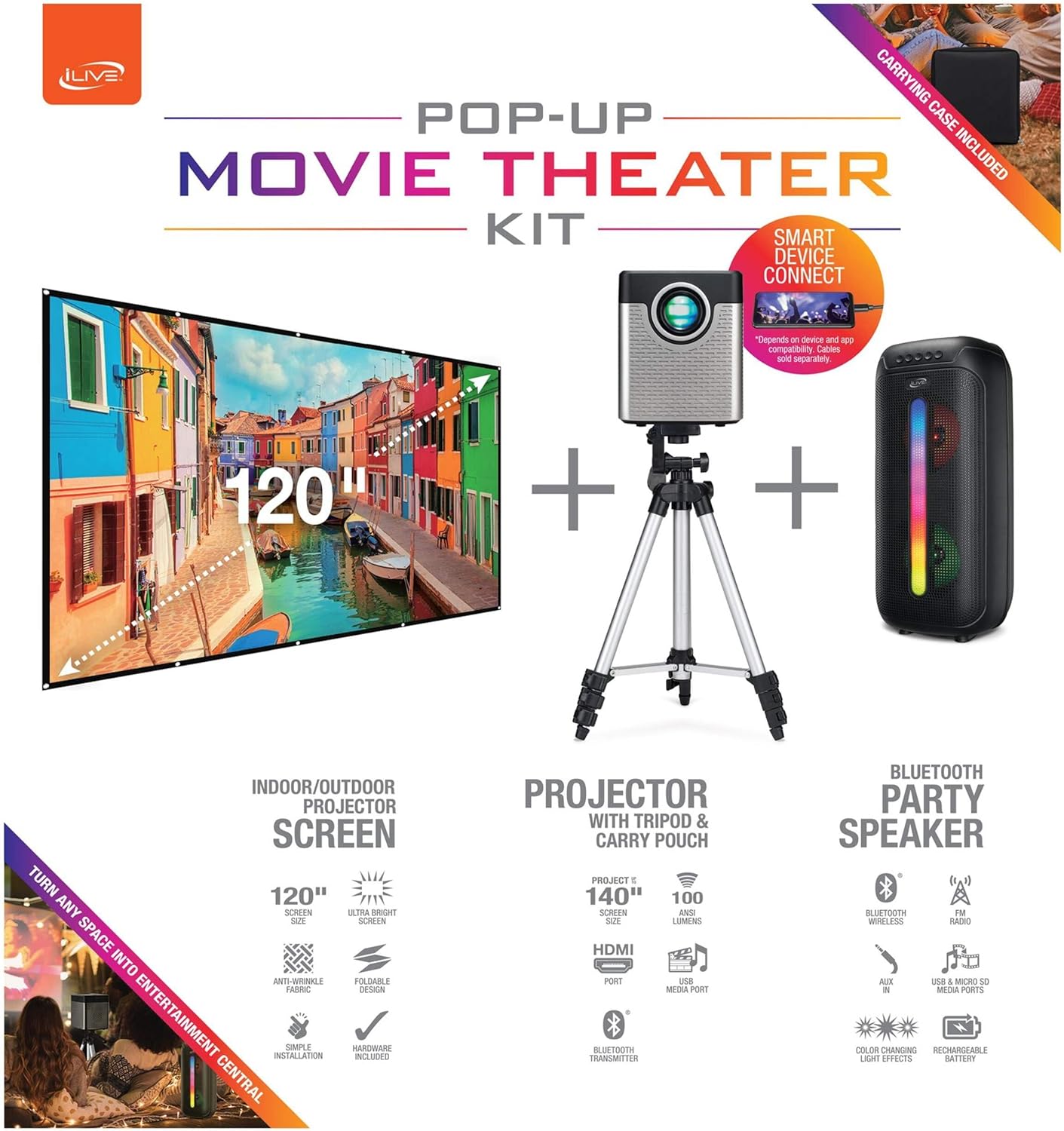
Figure 1: Diagram of the iLive Cinema Pop-up Movie Kit components.

Figure 2: The complete kit packed in its carrying case.
அமைவு
- கூறுகளைத் திறக்கவும்: Carefully remove all items from the carrying case.
- Assemble Tripod: Extend the legs of the tripod and secure them. Adjust the height to your desired viewing level. The integrated bubble level assists in ensuring a stable and level base.
- Mount Projector: Securely attach the projector to the tripod mount. Ensure it is stable and facing the desired projection area.
- Set Up Screen: Unfold the 120-inch anti-wrinkle screen. If using the tripod, attach the screen to the tripod frame using the provided fasteners. Ensure the screen is taut and wrinkle-free for optimal viewing. For alternative mounting, use the grommets along the screen's edges with appropriate wall hooks (not included).
- Position Speaker: Place the Bluetooth speaker in a location that provides optimal sound distribution for your viewஇங் பகுதி.
- பவர் இணைக்கவும்: மின் கேபிளை ப்ரொஜெக்டருடன் இணைக்கவும், பொருத்தமான மின் நிலையத்தையும் இணைக்கவும்.
- சாதனங்களை இணைக்கவும் (விரும்பினால்): Connect your media source (e.g., laptop, gaming console, Blu-ray player) to the projector using an HDMI or USB cable. For external audio, use the 3.5mm audio input or connect wirelessly via Bluetooth to the speaker.

Figure 3: Projector mounted on the tripod.

படம் 4: எ.காample outdoor setup with the projector and screen.
இயக்க வழிமுறைகள்
ப்ரொஜெக்டர் ஆபரேஷன்
- பவர் ஆன்/ஆஃப்: Press the power button on the projector or remote control to turn the unit on or off.
- உள்ளீடு மூலம்: Use the remote control to select the desired input source (HDMI, USB, etc.).
- கவனம் சரிசெய்தல்: படம் தெளிவாகும் வரை ப்ரொஜெக்டர் லென்ஸில் ஃபோகஸ் ரிங்கை சரிசெய்யவும்.
- கீஸ்டோன் திருத்தம்: If the projected image appears trapezoidal, use the keystone correction feature (manual or automatic, if available) to adjust the image to a rectangular shape. The projector supports vertical keystone correction.
- தோற்ற விகிதம்: Select between 16:9 and 4:3 aspect ratios based on your content and preference.
- திட்ட தூரம்: The projector has a flexible projection range of 2.6 to 12.5 feet. Adjust the distance to achieve the desired screen size.
புளூடூத் ஸ்பீக்கர் ஆபரேஷன்
- பவர் ஆன்/ஆஃப்: Press and hold the power button on the speaker to turn it on or off.
- புளூடூத் இணைத்தல்: உங்கள் சாதனத்தில் (எ.கா. ஸ்மார்ட்போன், டேப்லெட்) புளூடூத்தை இயக்கவும். தேடுங்கள் the iLive speaker in the list of available devices and pair.
- ஒலியளவு கட்டுப்பாடு: ஸ்பீக்கர் அல்லது உங்கள் இணைக்கப்பட்ட சாதனத்தில் உள்ள கட்டுப்பாடுகளைப் பயன்படுத்தி ஒலியளவைச் சரிசெய்யவும்.
- LED ஒளி விளைவுகள்: The speaker features LED light effects. Refer to the speaker's specific controls for adjusting or disabling these effects.
- உண்மையான வயர்லெஸ் ஸ்டீரியோ (TWS): If you have two iLive Bluetooth speakers, you can pair them together for a True Wireless Stereo experience. Follow the instructions provided with the speaker for TWS pairing.
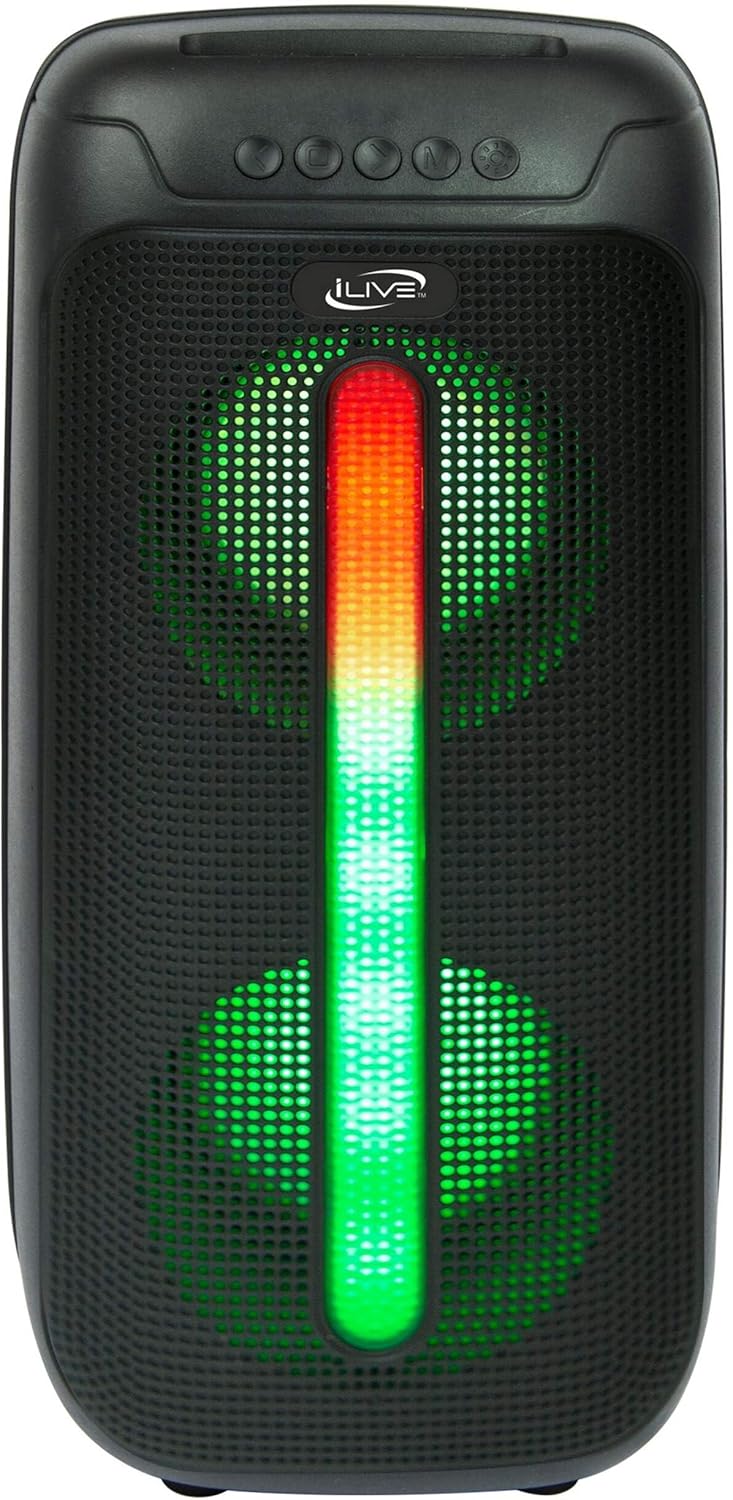
Figure 5: iLive Bluetooth 5.0 Speaker.
பராமரிப்பு
- ப்ரொஜெக்டர் லென்ஸ்: Use a soft, lint-free cloth to gently clean the projector lens. Avoid abrasive materials or harsh chemicals.
- Projector Vents: Ensure the projector's ventilation openings are clear of dust and debris to prevent overheating.
- திரையை சுத்தம் செய்தல்: The anti-wrinkle polyester screen can be gently wiped with a damp cloth if necessary. Allow it to air dry completely before folding or storing.
- பேச்சாளர் கவனிப்பு: Keep the speaker dry and clean. Avoid exposing it to extreme temperatures or direct sunlight.
- சேமிப்பு: When not in use, store all components in the provided carrying case in a cool, dry place to protect them from dust and damage.
சரிசெய்தல்
- திரையில் படம் இல்லை:
- ப்ரொஜெக்டர் இயக்கப்பட்டிருப்பதையும், லென்ஸ் மூடி அகற்றப்பட்டிருப்பதையும் உறுதிசெய்து கொள்ளவும்.
- Verify the correct input source is selected on the projector.
- Check all cable connections (HDMI, USB) are secure.
- மங்கலான படம்:
- ப்ரொஜெக்டர் லென்ஸில் ஃபோகஸ் வளையத்தைச் சரிசெய்யவும்.
- Ensure the projection distance is within the recommended range (2.6-12.5 ft).
- Distorted Image (Trapezoidal):
- Use the keystone correction feature to adjust the image geometry.
- Ensure the projector is placed on a level surface or the tripod is properly adjusted.
- ஸ்பீக்கரிலிருந்து சத்தம் இல்லை:
- ஸ்பீக்கர் இயக்கப்பட்டு சார்ஜ் செய்யப்பட்டுள்ளதா என்பதை உறுதிப்படுத்தவும்.
- Verify Bluetooth pairing or 3.5mm audio cable connection.
- Check volume levels on both the speaker and the connected device.
- புளூடூத் இணைத்தல் சிக்கல்கள்:
- ஸ்பீக்கர் இணைத்தல் பயன்முறையில் இருப்பதை உறுதிசெய்யவும்.
- ஸ்பீக்கரை உங்கள் சாதனத்திற்கு அருகில் நகர்த்தவும்.
- சாதனத்தைத் துண்டித்து மீண்டும் இணைக்கவும்.
விவரக்குறிப்புகள்
| அம்சம் | விவரக்குறிப்பு |
|---|---|
| மாதிரி எண் | THE2024BDL |
| காட்சித் தீர்மானம் | 1280 x 720 (720p) |
| காட்சி வகை | LED |
| பிரகாசம் | 3000 லுமேன் |
| மாறுபாடு விகிதம் | 1000:1 |
| விகிதங்கள் | 16:9, 4:3 |
| ஒளி மூல வாழ்க்கை | 20,000 மணிநேரம் |
| திட்ட வரம்பு | 2.6 - 12.5 அடி |
| அதிகபட்ச பட அளவு | 120 அங்குலம் |
| இணைப்பு | HDMI, USB, 3.5mm Audio, Bluetooth 5.0 |
| பேச்சாளர் வெளியீடு | 16W Peak (Dual 4-inch drivers) |
| Speaker Battery Life | 4 மணிநேரம் வரை (50% அளவு) |
| முக்காலி அம்சங்கள் | Integrated bubble level, 360-degree pan, ±180-degree tilt, 41.73-inch max height, 4 kg capacity |
| வீடியோ குறியீட்டு ஆதரவு | எச்.264, எச்.265 |
| கட்டுப்பாட்டு முறை | ரிமோட் கண்ட்ரோல் |
அதிகாரப்பூர்வ தயாரிப்பு வீடியோக்கள்
இந்த தயாரிப்புக்கான அதிகாரப்பூர்வ விற்பனையாளர் வீடியோக்கள் எதுவும் தற்போது கிடைக்கவில்லை.
உத்தரவாதம் மற்றும் ஆதரவு
For warranty information or technical support, please contact iLive customer service at 1-888-999-4215. Please have your model number (THE2024BDL) and proof of purchase ready when contacting support.