
அறிமுகம்
Thank you for choosing the Yigars Y580 Robot Vacuum Cleaner. This manual provides essential information for the safe operation, maintenance, and troubleshooting of your device. Please read it thoroughly before use and retain it for future reference.
The Yigars Y580 is designed to provide efficient and intelligent cleaning for various floor types, featuring advanced laser navigation, smart mapping capabilities, and a 3-in-1 vacuuming, sweeping, and mopping function.
முக்கியமான பாதுகாப்பு வழிமுறைகள்
Before using this product, please read all safety instructions. Failure to follow these instructions may result in electric shock, fire, or serious injury.
- 8 வயது மற்றும் அதற்கு மேற்பட்ட குழந்தைகள் மற்றும் குறைந்த உடல், உணர்ச்சி அல்லது மன திறன்கள் அல்லது அனுபவம் மற்றும் அறிவு இல்லாமை உள்ளவர்கள், பாதுகாப்பான முறையில் சாதனத்தைப் பயன்படுத்துவது குறித்து மேற்பார்வை அல்லது அறிவுறுத்தல் வழங்கப்பட்டிருந்தால் மற்றும் அதில் உள்ள ஆபத்துகளைப் புரிந்துகொண்டால், இந்த கருவியைப் பயன்படுத்தலாம். .
- குழந்தைகள் கருவியுடன் விளையாடக்கூடாது. மேற்பார்வையின்றி குழந்தைகளால் சுத்தம் மற்றும் பயனர் பராமரிப்பு செய்யக்கூடாது.
- Do not use the robot in environments with open flames or explosive materials.
- Ensure the charging dock is placed on a level surface against a wall, with adequate space around it.
- ரோபோவையோ அல்லது அதன் சார்ஜிங் டாக்கையோ தண்ணீரிலோ அல்லது பிற திரவங்களிலோ மூழ்கடிக்க வேண்டாம்.
- Unplug the charging dock during lightning storms or when not in use for extended periods.
- Only use the original power adapter and charging dock provided by the manufacturer.
- சுத்தம் செய்வதற்கு முன், தரையிலிருந்து ஏதேனும் தளர்வான கேபிள்கள், சிறிய பொருட்கள் அல்லது உடையக்கூடிய பொருட்களை அகற்றி, சிக்குவதையோ அல்லது சேதமடைவதையோ தவிர்க்கவும்.
- ஈரமான பரப்புகளில் அல்லது தண்ணீர் தேங்கி நிற்கும் பகுதிகளில் ரோபோவை இயக்க வேண்டாம்.
- முடி, தளர்வான ஆடை, விரல்கள் மற்றும் உடலின் அனைத்து பாகங்களையும் திறப்புகள் மற்றும் நகரும் பகுதிகளிலிருந்து விலக்கி வைக்கவும்.
- பெரிய குப்பைகள், உடைந்த கண்ணாடி அல்லது அபாயகரமான பொருட்களை எடுக்க ரோபோவைப் பயன்படுத்த வேண்டாம்.
- உகந்த செயல்திறனைப் பராமரிக்க தூரிகைகள் மற்றும் வடிகட்டிகளை தவறாமல் சுத்தம் செய்யவும்.
தொகுப்பு உள்ளடக்கங்கள்
பிரித்தெடுக்கும் போது அனைத்து கூறுகளும் உள்ளனவா மற்றும் நல்ல நிலையில் உள்ளனவா என்பதை சரிபார்க்கவும்.
- Yigars Y580 Robot Vacuum Cleaner
- சார்ஜிங் டாக்
- பவர் அடாப்டர்
- பக்கவாட்டு தூரிகைகள் (2 ஜோடிகள்)
- High-Efficiency Filter (1 extra)
- சுத்தம் செய்யும் கருவி
- பயனர் கையேடு

தயாரிப்பு வரைபடம்
Familiarize yourself with the main components of your Yigars Y580 Robot Vacuum Cleaner.
மேல் View
- LDS Laser Navigation Sensor: For precise mapping and navigation.
- Power/Clean Button: Press to start/pause cleaning, hold to power on/off.
- Recharge Button: Press to send the robot back to the charging dock.
- Dustbin Release Button: To remove the dustbin.
கீழே View
- பக்கவாட்டு தூரிகைகள்: விளிம்புகள் மற்றும் மூலைகளை சுத்தம் செய்வதற்கு.
- Main Brush: For deep cleaning carpets and hard floors.
- Driving Wheels: For movement.
- Universal Wheel: For directional changes.
- சார்ஜிங் தொடர்புகள்: சார்ஜிங் டாக்குடன் இணைக்க.
- Cliff Sensors: To detect drops and prevent falls.
- Water Tank/Mop Pad Slot: For mopping function.

அமைவு வழிகாட்டி
1. பிரித்தல் மற்றும் இடம் அமைத்தல்
- Remove all packaging materials and protective films from the robot and charging dock.
- Place the charging dock against a wall on a hard, level surface. Ensure there is at least 0.5 meters (1.6 feet) of clear space on both sides and 1.5 meters (4.9 feet) in front of the dock.
- Connect the power adapter to the charging dock and plug it into a wall outlet. Ensure the power indicator on the dock illuminates.
2. பக்கவாட்டு தூரிகைகளை நிறுவுதல்
Press the side brushes onto the square posts on the bottom of the robot until they click into place. Ensure the L and R markings on the brushes match the corresponding markings on the robot.
3. ஆரம்ப கட்டணம் வசூலித்தல்
Place the robot onto the charging dock, ensuring the charging contacts on the robot align with those on the dock. The robot will automatically begin charging. For first-time use, fully charge the robot for approximately 6 hours.
4. ஆப் பதிவிறக்கம் மற்றும் இணைப்பு
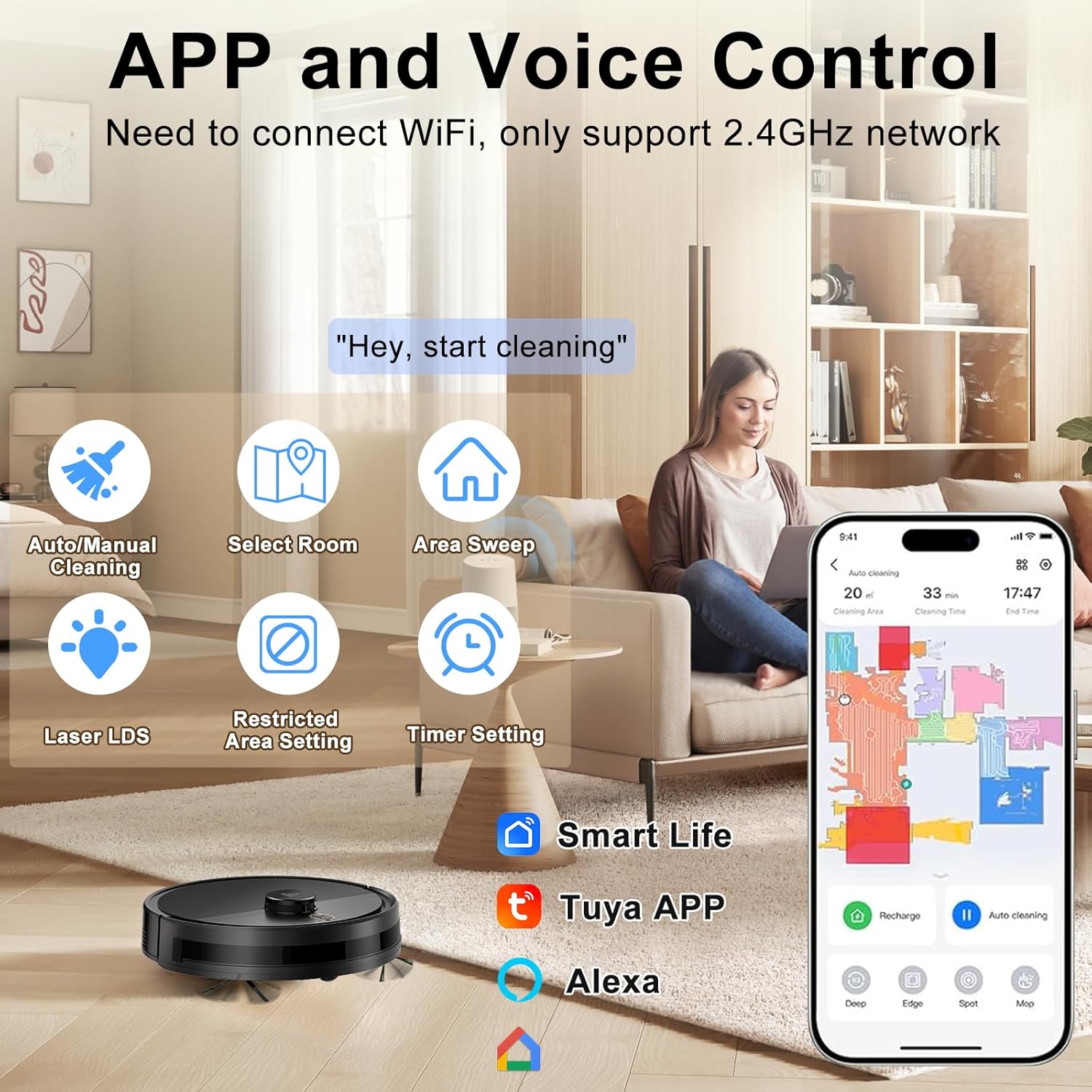
The Yigars Y580 can be controlled via a mobile application. தேடுங்கள் "Smart Life" or "Tuya Smart" in your app store (iOS/Android) or scan the QR code provided in the quick start guide.
- பயன்பாட்டைப் பதிவிறக்கி நிறுவவும்.
- ஒரு கணக்கை பதிவு செய்து உள்நுழையவும்.
- Ensure your mobile device is connected to a 2.4GHz Wi-Fi network. The robot does not support 5GHz networks.
- Follow the in-app instructions to add your Yigars Y580 robot vacuum. This typically involves resetting the robot's Wi-Fi (hold both buttons for 3 seconds until voice prompt) and connecting to its temporary Wi-Fi hotspot.
இயக்க வழிமுறைகள்
பகுதி 2 சுத்தம் செய்யும் சுழற்சியைத் தொடங்குதல்
கைமுறை தொடக்கம்
Press the Power/Clean button on the robot once. The robot will start cleaning in Auto mode.
பயன்பாட்டு கட்டுப்பாடு
Open the mobile app and select your Yigars Y580. You can choose from various cleaning modes:
- தானாக சுத்தம் செய்தல்: The robot intelligently maps and cleans your entire home.
- மண்டலத்தை சுத்தம் செய்தல்: ரோபோ சுத்தம் செய்ய வேண்டிய குறிப்பிட்ட பகுதிகளை வரைபடத்தில் வரையறுக்கவும்.
- Sectional Cleaning: Clean specific rooms or sections of your home.
- ஸ்பாட் சுத்தம்: ஒரு செறிவான பகுதியை சுத்தம் செய்ய ரோபோவை இயக்கவும்.
- விளிம்பு சுத்தம்: இந்த ரோபோ சுவர்கள் மற்றும் தளபாடங்கள் விளிம்புகளில் சுத்தம் செய்கிறது.
Pausing/Resuming Cleaning
Press the Power/Clean button on the robot or use the app to pause a cleaning cycle. Press again to resume.
Returning to Charging Dock
Press the Recharge button on the robot or use the app to send the robot back to its charging dock. The robot will automatically return to charge when its battery is low.

ஸ்மார்ட் அம்சங்கள்
- Rapid Mapping: The robot quickly maps your home environment and can store up to 5 distinct maps.
- திட்டமிடப்பட்ட சுத்தம்: பயன்பாட்டின் மூலம் ரோபோ தானாகவே சுத்தம் செய்ய குறிப்பிட்ட நேரங்களை அமைக்கவும்.
- தடைசெய்யப்பட்ட மண்டலங்கள்/மெய்நிகர் சுவர்கள்: Use the app to define areas the robot should avoid.
- தடைகளைத் தவிர்ப்பது: Equipped with 360° LiDAR laser technology, the robot intelligently navigates around obstacles and can cross thresholds up to 18mm and climb inclines up to 15°.
- தானியங்கி ரீசார்ஜிங்: When the battery level drops to 20%, the robot automatically returns to its charging dock. Once fully charged, it resumes cleaning from where it left off.


மோப்பிங் செயல்பாட்டைப் பயன்படுத்துதல்
மாப்பிங் செயல்பாட்டைப் பயன்படுத்த:
- Fill the water tank with clean water. Do not use cleaning solutions that are not approved for robot vacuums.
- தண்ணீர் தொட்டியில் துடைப்பான் திண்டை பாதுகாப்பாக இணைக்கவும்.
- நிரப்பப்பட்ட தண்ணீர் தொட்டியை ரோபோவில் நியமிக்கப்பட்ட இடத்தில் செருகவும்.
- Select a mopping mode or a combined vacuum/mop mode via the app. You can adjust the water output (3 humidity settings) in the app.
Note: Remove the water tank and mop pad when cleaning carpets or when the robot is not in use to prevent damage to floors or the robot.
பராமரிப்பு
Regular maintenance ensures optimal performance and extends the lifespan of your Yigars Y580 Robot Vacuum Cleaner.
டஸ்ட்பின் மற்றும் வடிகட்டி
Empty the dustbin after each use. Clean the high-efficiency filter weekly (or more often depending on usage) by tapping it gently to remove dust. Do not wash the high-efficiency filter with water. Replace the filter every 3-6 months.
தண்ணீர் தொட்டி மற்றும் துடைப்பான் பேட்
Empty any remaining water from the tank after each mopping cycle. Wash the mop pad with water and allow it to air dry completely before reattaching or storing.
பிரதான தூரிகை
Remove the main brush cover and lift out the main brush. Use the provided cleaning tool to remove hair and debris tangled around the brush. It is recommended to clean the main brush weekly.
பக்க தூரிகைகள்
Check the side brushes weekly for tangled hair or debris. If they are bent or damaged, replace them. It is recommended to replace side brushes every 3-6 months.
சென்சார்கள் மற்றும் சார்ஜிங் தொடர்புகள்
Wipe the cliff sensors, charging contacts on the robot and charging dock, and the LDS laser sensor window with a clean, dry cloth monthly to ensure proper function.
சரிசெய்தல்
If your Yigars Y580 encounters an issue, refer to the following common problems and solutions.
| பிரச்சனை | சாத்தியமான காரணம் | தீர்வு |
|---|---|---|
| ரோபோ பவர் ஆன் செய்யவில்லை. | பேட்டரி குறைவாக உள்ளது; பவர் பட்டனை சரியாக அழுத்தவில்லை. | Place robot on charging dock to charge. Press and hold Power button for 3 seconds. |
| ரோபோவால் சார்ஜிங் டாக்கைக் கண்டுபிடிக்க முடியவில்லை. | Charging dock obstructed; Robot too far from dock. | Ensure clear space around dock. Manually place robot near dock or guide it via app. |
| சுத்தம் செய்யும் செயல்திறன் மோசமாக உள்ளது. | குப்பைத் தொட்டி நிரம்பியுள்ளது; வடிகட்டி அடைக்கப்பட்டுள்ளது; தூரிகைகள் சிக்கலாகிவிட்டன. | Empty dustbin. Clean/replace filter. Clean main and side brushes. |
| ரோபோ அடிக்கடி சிக்கிக் கொள்கிறது. | Loose cables; Small objects on floor; High thresholds. | Clear obstacles before cleaning. Use No-Go Zones in app for problematic areas. |
| பயன்பாட்டு இணைப்பு சிக்கல்கள். | Incorrect Wi-Fi band (5GHz); Incorrect password; Robot not in pairing mode. | Ensure 2.4GHz Wi-Fi. Re-enter password. Reset robot Wi-Fi and re-pair. |
விவரக்குறிப்புகள்
| அம்சம் | விவரம் |
|---|---|
| பிராண்ட் | Yigars |
| மாதிரி பெயர் | Y580 |
| வழிசெலுத்தல் வகை | LiDAR Laser Navigation |
| சுத்தம் செயல்பாடுகள் | Vacuum, Sweep, Mop (3-in-1) |
| உறிஞ்சும் சக்தி | 2700Pa (3 சரிசெய்யக்கூடிய நிலைகள்) |
| டஸ்ட்பின் கொள்ளளவு | 350மிலி |
| தண்ணீர் தொட்டி கொள்ளளவு | 250ml (3 humidity settings) |
| பேட்டரி ஆயுள் | 120 நிமிடங்கள் வரை |
| தடை நீக்கம் | 18மிமீ |
| ஏறும் திறன் | 15° |
| மேற்பரப்பு பரிந்துரை | Hardwood, Carpet, Tile, Laminate |
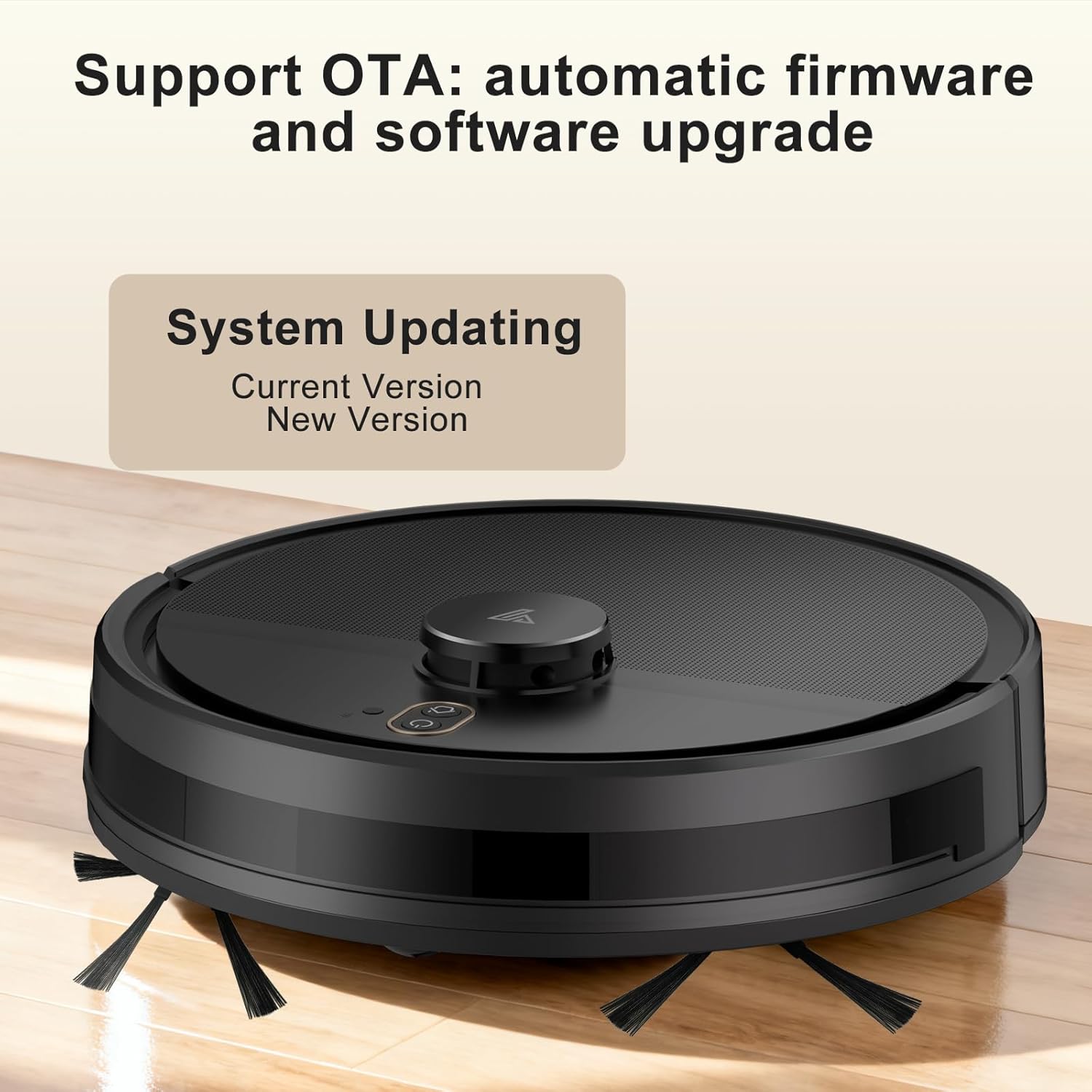
| சிறப்பு அம்சங்கள் | Anti-Fall, Multi-Floor Mapping (up to 5 maps), No-Go Zone, Wet/Dry, OTA Updates, App Control, Voice Control (Alexa, Google Assistant) |
| நிறம் | கருப்பு |

உத்தரவாதம் மற்றும் ஆதரவு
Yigars provides a standard manufacturer's warranty for this product. Please refer to the warranty card included in your package for specific terms and conditions, including warranty period and coverage details.
For technical support, troubleshooting assistance, or warranty claims, please contact Yigars customer service through the contact information provided on the official Yigars webதளம் அல்லது உங்கள் கொள்முதல் தளம்.
When contacting support, please have your model number (Y580) and purchase receipt ready.