
தயாரிப்பு முடிந்துவிட்டதுview
The LEICKE DAB+ Radio Tube (Model EP19035) is a versatile portable audio device combining a DAB+/FM radio with a powerful Bluetooth speaker. It features a robust 4500 mAh battery for extended playtime, dynamic RGB LED lighting, and multiple connectivity options including Micro SD and AUX-In. This manual provides essential information for setup, operation, and maintenance.
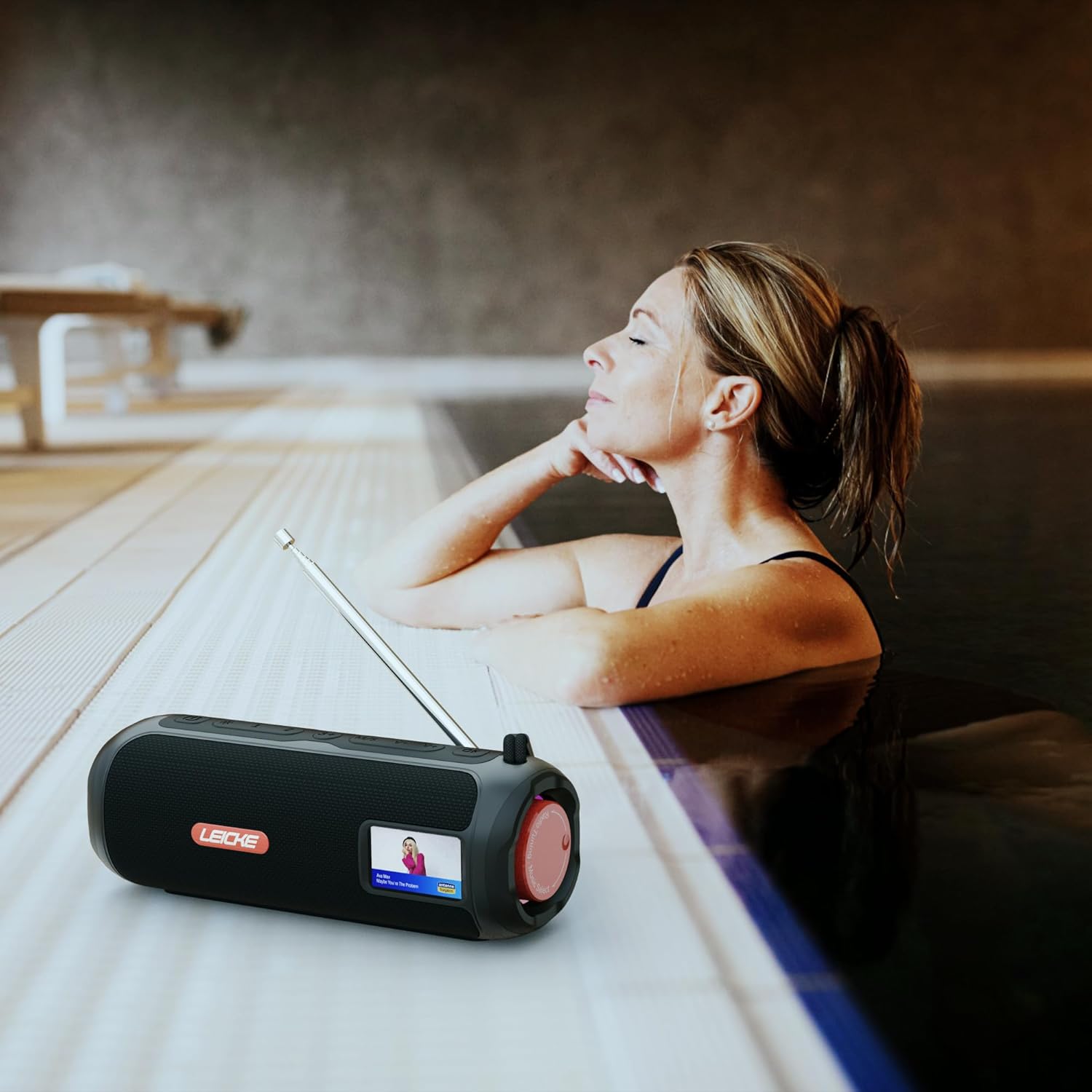
Image: The LEICKE DAB+ Radio Tube, showcasing its portable design, suitable for various environments like a poolside.
முக்கிய அம்சங்கள்:
- சக்திவாய்ந்த ஸ்டீரியோ ஒலி: Two 5W speakers deliver rich, clear audio with dynamic effects and powerful bass.
- நீட்டிக்கப்பட்ட பேட்டரி ஆயுள்: Integrated 4500 mAh rechargeable battery provides up to 12 hours of playtime.
- DAB+ & FM Radio: Enjoy noise-free digital DAB+ and traditional FM radio with 30 station presets.
- Atmospheric RGB Lighting: Features cool color-changing LED lights for enhanced ambiance.
- பல்துறை இணைப்பு: Bluetooth 5.3 for wireless streaming, Micro SD card slot, and 3.5 mm AUX-In.
- வசதியான சார்ஜிங்: USB-C port for quick and easy charging.
- கூடுதல் செயல்பாடுகள்: Includes an integrated alarm clock, sleep timer, and equalizer settings.
தொகுப்பு உள்ளடக்கங்கள்
பின்வரும் பொருட்களுக்கு தொகுப்பைச் சரிபார்க்கவும்:
- LEICKE DAB+ Radio Tube (Model EP19035)
- USB-C சார்ஜிங் கேபிள்
- உரிமையாளர் கையேடு
- (Note: Specific accessories like AUX cable may vary by region or package. Please refer to your product packaging.)
கட்டுப்பாடுகள் மற்றும் இணைப்புகள்
Familiarize yourself with the various buttons, ports, and indicators on your LEICKE DAB+ Radio Tube.

படம்: முன்பக்கம் view of the LEICKE DAB+ Radio Tube, highlighting the display, SD card slot, AUX input, and USB-C port.

படம்: பின்புறம் view of the LEICKE DAB+ Radio Tube, showing the extendable antenna, AUX port, USB-C port, and Micro SD slot.
துறைமுக விளக்கங்கள்:
- மைக்ரோ எஸ்டி ஸ்லாட்: Insert a Micro SD card for playing stored audio files.
- ஆக்ஸ்-இன் (3.5மிமீ): 3.5மிமீ ஆடியோ கேபிளைப் பயன்படுத்தி வெளிப்புற ஆடியோ சாதனங்களை இணைக்கவும்.
- யூ.எஸ்.பி-சி போர்ட்: சாதனத்தை சார்ஜ் செய்யப் பயன்படுகிறது.
- ஆண்டெனா: Extend for optimal DAB+ and FM radio reception.
(Note: Specific button functions will be detailed in the 'Operating' section.)
அமைவு
1. ஆரம்ப கட்டணம் வசூலித்தல்
- முதல் பயன்பாட்டிற்கு முன், சாதனத்தை முழுமையாக சார்ஜ் செய்யவும்.
- Connect the provided USB-C cable to the USB-C port on the speaker and the other end to a compatible USB power adapter (not included) or a computer's USB port.
- The charging indicator on the display will show the charging status. Once fully charged, the indicator will change.
2. ஆன் / ஆஃப் செய்தல்
- பவர் ஆன் செய்ய: Press and hold the Power button (usually marked with ⏻ ⏻ தமிழ் or சக்தி) for a few seconds until the display lights up.
- பவர் ஆஃப் செய்ய: Press and hold the Power button again for a few seconds until the display turns off.
இயக்க வழிமுறைகள்
பயன்முறை தேர்வு
அழுத்தவும் பயன்முறை button to cycle through available modes: DAB+ Radio, FM Radio, Bluetooth, Micro SD, and AUX-In.
1. DAB+ ரேடியோ செயல்பாடு
- சிறந்த வரவேற்பிற்காக ஆண்டெனாவை முழுமையாக நீட்டவும்.
- Select DAB+ mode using the பயன்முறை பொத்தான்.
- The radio will automatically scan for available DAB+ stations on first use or if no stations are found.
- பயன்படுத்தவும் முன்/அடுத்து கிடைக்கக்கூடிய நிலையங்களின் பட்டியலில் செல்ல பொத்தான்கள்.
- அழுத்தவும் ENTER/PLAY நிலையத்தைத் தேர்ந்தெடுக்க பொத்தானை அழுத்தவும்.
- முன்னமைவுகளைச் சேமிக்கிறது: ஒரு நிலையத்தைக் கேட்கும்போது, அழுத்திப் பிடிக்கவும் முன்னமைவு பொத்தானை. பயன்படுத்தவும் முன்/அடுத்து முன்னமைக்கப்பட்ட எண்ணைத் தேர்ந்தெடுக்க (1-30), பின்னர் அழுத்தவும் ENTER/PLAY சேமிக்க.
- முன்னமைவுகளை நினைவுபடுத்துகிறது: சுருக்கமாக அழுத்தவும் முன்னமைவு பொத்தான், பின்னர் பயன்படுத்தவும் முன்/அடுத்து to select a saved station and press ENTER/PLAY.
2. எஃப்எம் ரேடியோ செயல்பாடு
- சிறந்த வரவேற்பிற்காக ஆண்டெனாவை முழுமையாக நீட்டவும்.
- பயன்படுத்தி FM பயன்முறையைத் தேர்ந்தெடுக்கவும் பயன்முறை பொத்தான்.
- தானியங்கி ஸ்கேன்: அழுத்திப் பிடிக்கவும் விளையாடு/இடைநிறுத்தம் கிடைக்கக்கூடிய FM நிலையங்களை தானாக ஸ்கேன் செய்து சேமிக்க பொத்தானை அழுத்தவும்.
- கையேடு சரிப்படுத்தும்: சுருக்கமாக அழுத்தவும் முன்/அடுத்து அதிர்வெண்ணை நன்றாகச் சரிசெய்ய.
- முன்னமைவுகளைச் சேமிக்கிறது: Similar to DAB+ mode, press and hold முன்னமைவு to save, and briefly press to recall.
3. புளூடூத் இணைத்தல்
- இதைப் பயன்படுத்தி புளூடூத் பயன்முறையைத் தேர்ந்தெடுக்கவும் பயன்முறை button. The display will show "Bluetooth" and an icon will flash, indicating it's in pairing mode.
- On your smartphone, tablet, or laptop, enable Bluetooth and search for new devices.
- Select "LEICKE DAB+ Tube" from the list of available devices.
- இணைக்கப்பட்டதும், ஸ்பீக்கர் உறுதிப்படுத்தல் ஒலியை வெளியிடும், மேலும் காட்சியில் உள்ள புளூடூத் ஐகான் ஒளிர்வதை நிறுத்தும்.
- You can now play audio from your connected device through the speaker.
4. Micro SD Playback
- Insert a Micro SD card (with supported audio files) மைக்ரோ SD ஸ்லாட்டில்.
- Select Micro SD mode using the பயன்முறை button. The device will automatically start playing music from the card.
- பயன்படுத்தவும் விளையாடு/இடைநிறுத்தம் to control playback, and முன்/அடுத்து தடங்களைத் தவிர்க்க.
5. AUX-In Connection
- 3.5மிமீ ஆடியோ கேபிளின் ஒரு முனையை (சேர்க்கப்படவில்லை) ஸ்பீக்கரில் உள்ள AUX-In போர்ட்டுடன் இணைக்கவும்.
- மறுமுனையை உங்கள் வெளிப்புற சாதனத்தின் ஹெட்ஃபோன் ஜாக் அல்லது ஆடியோ வெளியீட்டில் இணைக்கவும்.
- Select AUX-In mode using the பயன்முறை பொத்தான்.
- உங்கள் வெளிப்புற சாதனத்திலிருந்து பிளேபேக் மற்றும் ஒலியளவைக் கட்டுப்படுத்தவும்.
6. தொகுதி கட்டுப்பாடு
Use the dedicated Volume Up (+) மற்றும் ஒலியளவைக் குறைத்தல் (-) buttons to adjust the audio level.
7. சமநிலை அமைப்புகள்
அழுத்தவும் EQ button (if available) to cycle through preset equalizer modes such as Pop, Rock, Classic, Jazz, etc. There is no manual equalizer adjustment.
8. RGB LED விளக்குகள்
The RGB LED lights will automatically activate when the device is powered on. There may be a dedicated button to change light modes or turn them off (refer to device specific button layout if available).
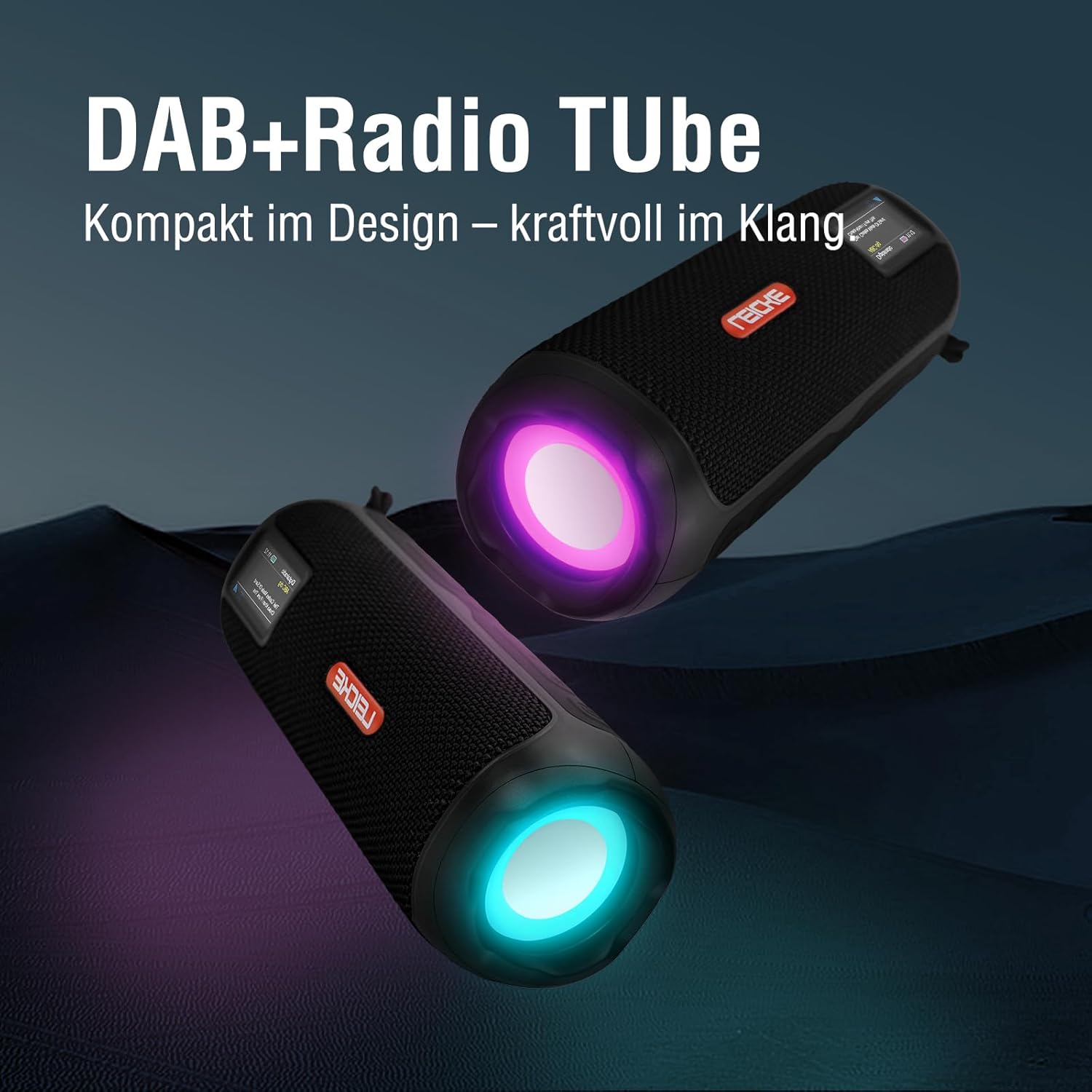
Image: Two LEICKE DAB+ Radio Tubes displaying their vibrant RGB LED lighting feature.
9. Alarm Clock and Sleep Timer
Access the menu settings (usually by pressing a மெனு or அமைக்கவும் button) to configure the alarm clock and sleep timer functions. Follow the on-screen prompts to set times and preferences.
பராமரிப்பு
சுத்தம் செய்தல்
- சுத்தம் செய்வதற்கு முன் சாதனம் அணைக்கப்பட்டு, எந்த மின் மூலத்திலிருந்தும் துண்டிக்கப்பட்டுள்ளதா என்பதை உறுதிப்படுத்திக் கொள்ளுங்கள்.
- வெளிப்புற மேற்பரப்புகளைத் துடைக்க மென்மையான, உலர்ந்த, பஞ்சு இல்லாத துணியைப் பயன்படுத்தவும்.
- சிராய்ப்பு கிளீனர்கள், மெழுகுகள் அல்லது கரைப்பான்களைப் பயன்படுத்த வேண்டாம், ஏனெனில் அவை பூச்சுக்கு சேதம் விளைவிக்கும்.
- எந்த திறப்புகளிலும் ஈரப்பதம் நுழைவதைத் தவிர்க்கவும்.
பேட்டரி பராமரிப்பு
- பேட்டரி ஆயுளை நீட்டிக்க, அடிக்கடி பேட்டரியை முழுமையாக டிஸ்சார்ஜ் செய்வதைத் தவிர்க்கவும்.
- பேட்டரியின் ஆயுளைப் பராமரிக்க, பயன்பாட்டில் இல்லாவிட்டாலும், சாதனத்தை தொடர்ந்து சார்ஜ் செய்யவும்.
- நீண்ட நேரம் பயன்பாட்டில் இல்லாதபோது, சாதனத்தை குளிர்ந்த, உலர்ந்த இடத்தில் சேமிக்கவும்.
சேமிப்பு
- When storing the device for a long time, ensure it is charged to about 50-70% to prevent deep discharge.
- சாதனத்தை தீவிர வெப்பநிலை, நேரடி சூரிய ஒளி மற்றும் அதிக ஈரப்பதத்திலிருந்து விலக்கி வைக்கவும்.
சரிசெய்தல்
| பிரச்சனை | சாத்தியமான காரணம் | தீர்வு |
|---|---|---|
| சாதனம் இயங்கவில்லை. | பேட்டரி குறைவாக உள்ளது; பவர் பட்டனை சரியாக அழுத்தவில்லை. | Charge the device fully. Press and hold the Power button for a few seconds. |
| ஒலி இல்லை. | ஒலி அளவு மிகக் குறைவு; தவறான பயன்முறை தேர்ந்தெடுக்கப்பட்டது; சாதனம் இணைக்கப்படவில்லை (புளூடூத்). | Increase volume. Ensure correct mode (DAB+, FM, BT, SD, AUX) is selected. Re-pair Bluetooth device. |
| மோசமான வானொலி வரவேற்பு. | ஆண்டெனா நீட்டிக்கப்படவில்லை; பலவீனமான சமிக்ஞை பகுதி. | Fully extend the antenna. Try moving the device to a different location. |
| புளூடூத் சாதனம் இணைக்கப்படவில்லை. | Speaker not in pairing mode; Device too far; Already connected to another device. | Ensure speaker is in Bluetooth pairing mode. Move devices closer. Disconnect from other devices. |
| மைக்ரோ SD அட்டை அங்கீகரிக்கப்படவில்லை. | கார்டு தவறாகச் செருகப்பட்டுள்ளது; ஆதரிக்கப்படவில்லை. file format; Corrupted card. | Reinsert the card correctly. Ensure files are in a supported format. Try a different Micro SD card. |
விவரக்குறிப்புகள்
| அம்சம் | விவரம் |
|---|---|
| பிராண்ட் | லீக் |
| மாதிரி எண் | EP19035 |
| ட்யூனர் தொழில்நுட்பம் | DAB Plus, FM |
| இணைப்பு | Bluetooth 5.3, Micro SD, 3.5mm AUX-In, USB-C (charging) |
| ஆடியோ வெளியீடு | 10W Stereo Sound (2 x 5W speakers) |
| பேட்டரி திறன் | 4500 mAh லித்தியம் அயன் |
| விளையாட்டு நேரம் | 12 மணிநேரம் வரை (பயன்பாட்டைப் பொறுத்து மாறுபடும்) |
| சிறப்பு அம்சங்கள் | RGB LED Lights, Equalizer, Alarm Clock, Sleep Timer, 30 DAB+/FM Presets |
| சக்தி ஆதாரம் | Battery Operated, Wired (USB-C) |
| தயாரிப்பு பரிமாணங்கள் | 3.2 x 3.2 x 12 செமீ; 660 கிராம் |
உத்தரவாத தகவல்
LEICKE products are designed and manufactured to the highest quality standards. This product is covered by a standard manufacturer's warranty. Please refer to the warranty card included in your package or visit the official LEICKE webஉங்கள் பிராந்தியத்திற்கு குறிப்பிட்ட விரிவான உத்தரவாத விதிமுறைகள் மற்றும் நிபந்தனைகளுக்கான தளத்தைப் பார்வையிடவும்.
எந்தவொரு உத்தரவாதக் கோரிக்கைகளுக்கும் வாங்கியதற்கான சான்றாக உங்கள் கொள்முதல் ரசீதை வைத்திருங்கள்.
வாடிக்கையாளர் ஆதரவு
If you encounter any issues or have questions regarding your LEICKE DAB+ Radio Tube that are not covered in this manual, please contact LEICKE customer support.
- ஆன்லைன் ஆதரவு: Visit the official LEICKE webஅடிக்கடி கேட்கப்படும் கேள்விகள், ஆதரவு வளங்கள் மற்றும் தொடர்பு படிவங்களுக்கான தளம்.
- மின்னஞ்சல் ஆதரவு: Refer to your product packaging or the LEICKE webபொருத்தமான ஆதரவு மின்னஞ்சல் முகவரிக்கான தளம்.
Please have your product model number (EP19035) and purchase details ready when contacting support.