
1. அறிமுகம்
This manual provides detailed instructions for the safe and effective use of your LOOP GEAR SK05PRO Power Bank Flashlight and LOOPDOT EDC RGB Flashlight. Please read this manual thoroughly before operating the devices and retain it for future reference.
தயாரிப்பு முடிந்துவிட்டதுview
The LOOP GEAR SK05PRO is a high-lumen flashlight that also functions as an 8000mAh power bank. It features dual-light sources (flood and spot) and fast charging capabilities. The LOOPDOT is a compact, interactive EDC (Everyday Carry) RGB flashlight with a pixel display and built-in mini-games.
2. பாதுகாப்பு தகவல்
- Do not look directly into the flashlight beam to avoid eye injury.
- குழந்தைகளிடமிருந்து சாதனங்களை ஒதுக்கி வைக்கவும்.
- Use only specified charging cables and power adapters.
- சாதனங்களை பிரிக்கவோ மாற்றவோ வேண்டாம்.
- Ensure the charging port covers are securely closed when not in use, especially in wet conditions, to maintain IP68 waterproof rating.
3 அமைவு
3.1 Initial Charging (SK05PRO)
Before first use, fully charge the SK05PRO flashlight. Connect the provided USB-C cable to the charging port on the SK05PRO and plug the other end into a compatible USB power adapter (not included). The charging indicator will show progress. A full charge ensures optimal performance and battery life.
The SK05PRO supports 20W fast charging.

Image: The SK05PRO flashlight connected via USB-C cable to charge a smartphone, demonstrating its power bank functionality.
3.2 Battery Installation (SK05PRO)
The SK05PRO uses replaceable 18650 lithium-ion batteries. To install or replace batteries:
- பேட்டரி பெட்டி மூடியை அவிழ்த்து விடுங்கள்.
- Insert the 18650 batteries according to the polarity markings (+/-) inside the compartment.
- பேட்டரி பெட்டி மூடியை மீண்டும் பாதுகாப்பாக திருகவும்.

Image: The SK05PRO flashlight with its battery compartment open, displaying two 4000mAh 18650 rechargeable lithium-ion batteries ready for installation or replacement.
3.3 Initial Charging (LOOPDOT)
The LOOPDOT also features a built-in rechargeable battery. Connect a USB-C cable to its charging port and a power source. The pixel display may indicate charging status.
4. இயக்க வழிமுறைகள்
4.1 SK05PRO Power Bank Flashlight
Power On/Off and Light Modes
- பவர் ஆன்: பவர் பட்டனை 1-2 விநாடிகள் அழுத்திப் பிடிக்கவும்.
- மாறுதல் முறைகள்: Short press the power button to cycle through different brightness levels and modes (e.g., Floodlight, Spotlight, combined).
- பவர் ஆஃப்: Press and hold the power button again.

Image: The SK05PRO flashlight illustrating its dual-light capability, showing a wide floodlight beam (3060 Lumens) and a focused spotlight beam (1300 Lumens) in different outdoor scenarios.
பவர் பேங்க் செயல்பாடு
To use the SK05PRO as a power bank, connect your external device (e.g., smartphone) to the USB-C output port on the flashlight using a compatible charging cable. The SK05PRO will automatically begin charging your device.
4.2 LOOPDOT EDC RGB Flashlight
பவர் ஆன்/ஆஃப் மற்றும் பிரகாச சரிசெய்தல்
- பவர் ஆன்/ஆஃப்: Refer to the specific button or twist mechanism on your LOOPDOT.
- ஸ்டெப்லெஸ் டிமிங்: Twist the gear dial on the LOOPDOT to adjust the brightness from a soft glow to high brightness.

Image: A hand holding the LOOPDOT flashlight, illustrating the 'Shake to Switch' feature that allows users to toggle between flood and spot light modes with a simple motion.

Image: Multiple LOOPDOT flashlights showcasing different ambient pixel light patterns, including Red-Blue, Red Flash, and Red-White flash alerts.
Interactive Mini Games
The LOOPDOT features 11 built-in mini pixel games. To access and play games, refer to the specific button presses or gestures outlined in the quick start guide included with your LOOPDOT. Examples of games include 'Catch-the-Gems', 'Lucky Direction', and 'Rock-paper-scissors'.
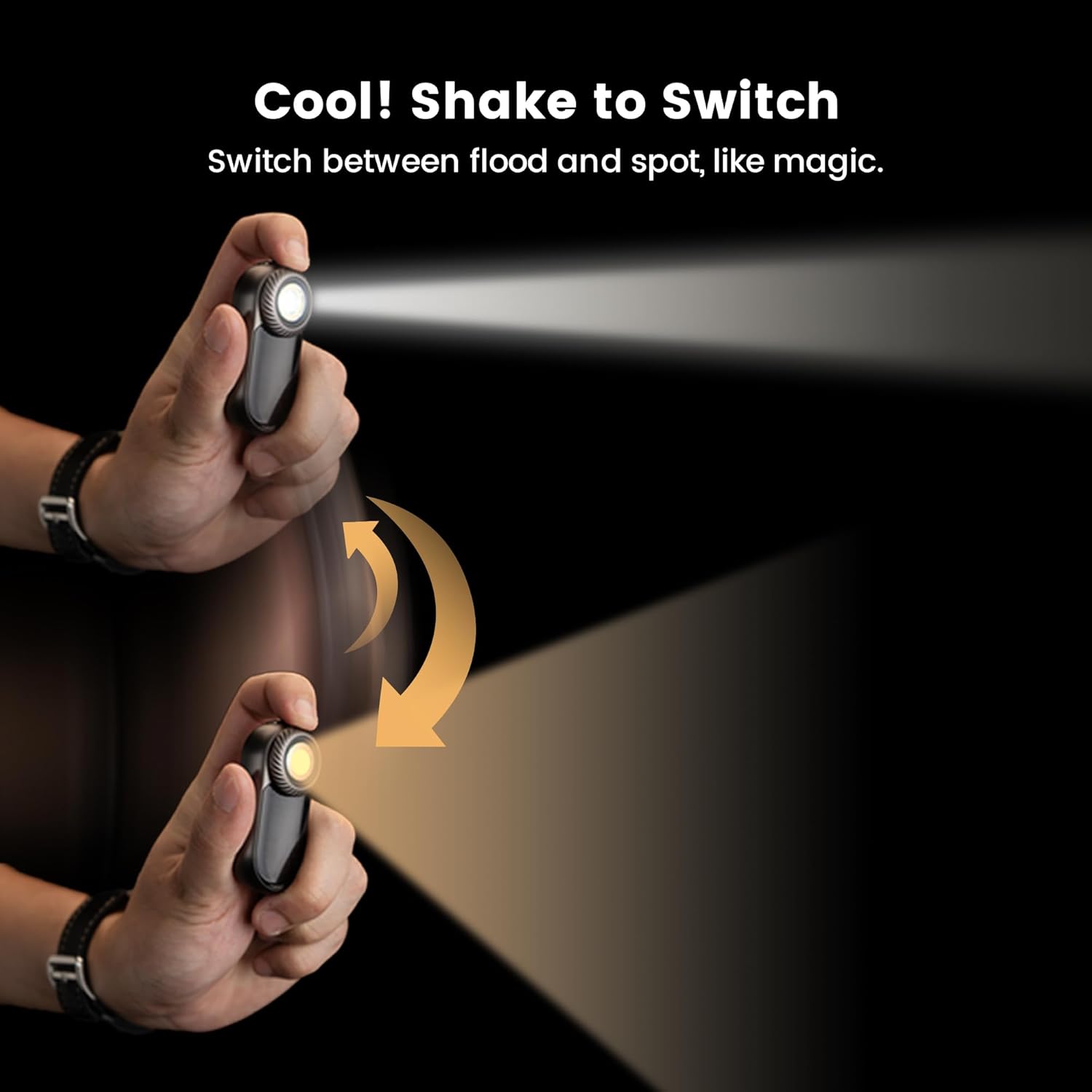
Image: Two LOOPDOT flashlights held in hands, displaying pixelated graphics from interactive mini-games such as 'Catch-the-Gems' and 'Rock-paper-scissors'.
5. பராமரிப்பு
5.1 சுத்தம் செய்தல்
மென்மையான, d துணியால் சாதனங்களைத் துடைக்கவும்.amp cloth. Do not use abrasive cleaners or solvents. Ensure all ports are closed before cleaning if using a damp துணி.
5.2 பேட்டரி பராமரிப்பு
- Recharge the devices regularly, even if not in frequent use, to maintain battery health.
- நீண்ட நேரம் பேட்டரிகளை முழுமையாக சார்ஜ் செய்வதைத் தவிர்க்கவும்.
- If the SK05PRO batteries are replaceable, ensure to use high-quality 18650 batteries.
5.3 சேமிப்பு
Store the devices in a cool, dry place away from direct sunlight and extreme temperatures. For long-term storage, charge the batteries to approximately 50% capacity.
6. சரிசெய்தல்
6.1 சாதனம் இயக்கப்படவில்லை
- Ensure the battery is charged. Connect to a power source and attempt to charge.
- For SK05PRO, check if batteries are correctly installed with proper polarity.
6.2 சார்ஜிங் சிக்கல்கள்
- Verify the charging cable and adapter are working correctly. Try a different cable or adapter.
- சார்ஜிங் போர்ட் சுத்தமாகவும், குப்பைகள் அற்றதாகவும் இருப்பதை உறுதிசெய்யவும்.
6.3 Light Output is Weak or Inconsistent
- Charge the device fully. Low battery can affect light output.
- லென்ஸ் சுத்தமாக இருப்பதை உறுதி செய்யவும்.
7. விவரக்குறிப்புகள்
| அம்சம் | SK05PRO Power Bank Flashlight | LOOPDOT EDC RGB Flashlight |
|---|---|---|
| மாதிரி | SK05PRO | LOOPDOT |
| பேட்டரி திறன் | 8000mAh | உள் ரிச்சார்ஜபிள் |
| மேக்ஸ் லுமன்ஸ் | 4360 லுமன்ஸ் | அனுசரிப்பு |
| அதிகபட்ச பீம் தூரம் | 405 மீட்டர் | N/A |
| சார்ஜ் செய்கிறது | USB-C, 20W Fast Charging | USB-C |
| ஒளி மூலங்கள் | Floodlight (3060 Lumens), Spotlight (1300 Lumens) | RGB LED, Flood/Spot (Shake to Switch) |
| நீர்ப்புகா மதிப்பீடு | IP68 | IP68 |
| காட்சி | N/A | 52-pixel Dot-Matrix |
| ஊடாடும் அம்சங்கள் | பவர் பேங்க் செயல்பாடு | 11 Mini Pixel Games, Ambient Pixel Lights |
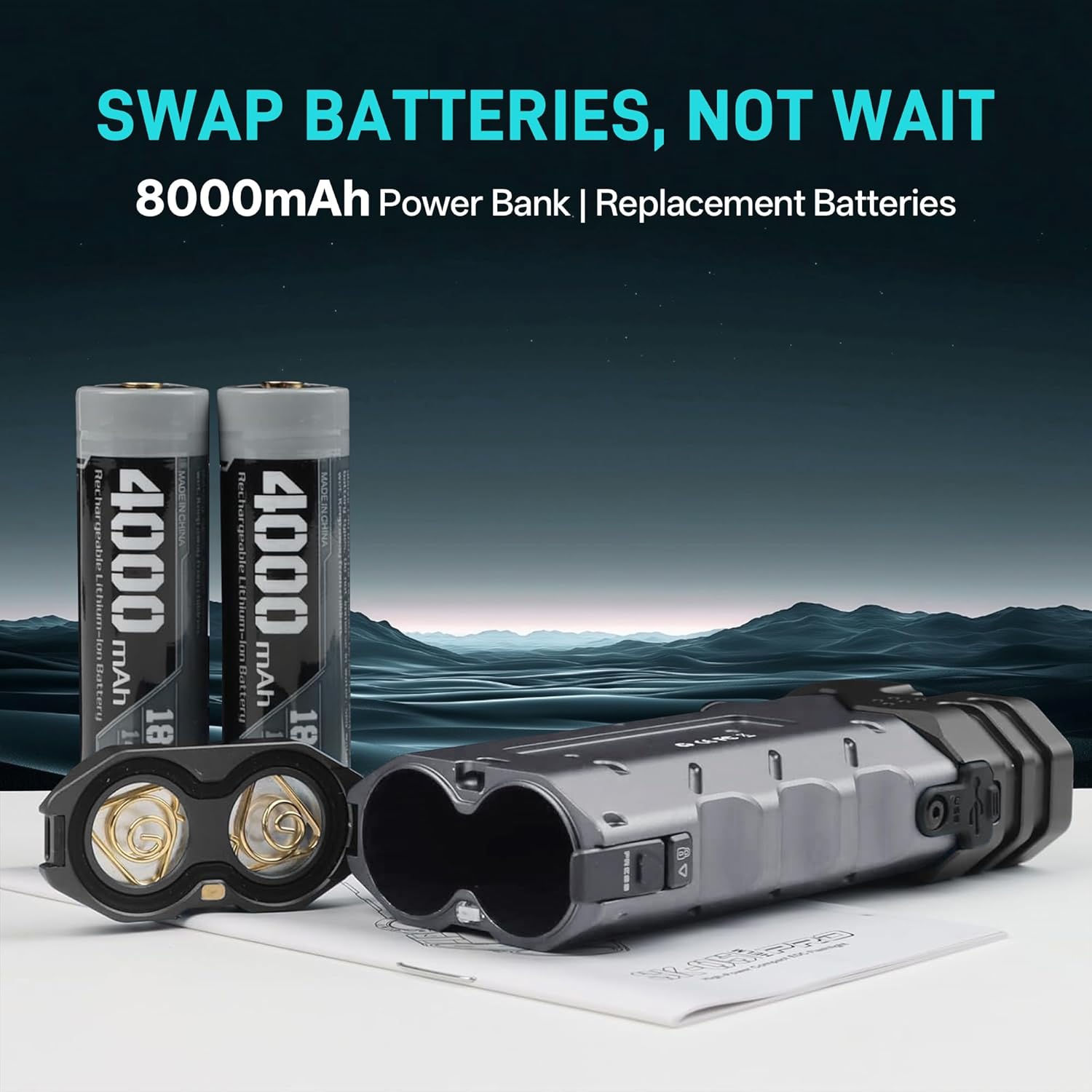
Image: The SK05PRO flashlight highlighting its maximum output of 4360 Lumens and a maximum beam distance of 405 meters, emphasizing its high power in a compact size.