
அறிமுகம்
Thank you for choosing the Salange 2026 Mini Projector. This portable smart projector is designed to deliver a high-quality visual experience with its 4K support, Android 14 operating system, and advanced connectivity features like WiFi 6 and Bluetooth 5.4. This manual provides essential information for safe and efficient use of your device. Please read it thoroughly before operation and retain it for future reference.
பாதுகாப்பு தகவல்
- l இருக்கும்போது ப்ரொஜெக்டர் லென்ஸை நேரடியாகப் பார்க்க வேண்டாம்amp உள்ளது.
- அதிக வெப்பத்தைத் தடுக்க ப்ரொஜெக்டரைச் சுற்றி சரியான காற்றோட்டத்தை உறுதி செய்யவும்.
- ப்ரொஜெக்டருடன் வழங்கப்பட்ட பவர் அடாப்டரை மட்டும் பயன்படுத்தவும்.
- Keep the projector away from water, moisture, and flammable materials.
- நிலையற்ற பரப்புகளில் ப்ரொஜெக்டரை வைப்பதைத் தவிர்க்கவும்.
- ப்ரொஜெக்டரை நீங்களே பிரிக்கவோ அல்லது சரிசெய்யவோ முயற்சிக்காதீர்கள். தகுதிவாய்ந்த சேவை பணியாளர்களைத் தொடர்பு கொள்ளவும்.
அமைவு
1. அன்பாக்சிங் மற்றும் ஆரம்ப வேலை வாய்ப்பு
Carefully remove the projector and all accessories from the packaging. Place the projector on a stable, flat surface. For optimal viewing, position the projector perpendicular to the projection surface. The projector features a 270° rotatable design for flexible placement.
2. மின் இணைப்பு
Connect the power cord to the projector's power input port and then plug it into a power outlet. The projector will typically power on automatically or can be turned on using the power button on the device or remote control.

படம்: பின்புறம் view of the Salange 2026 Mini Projector with power, HDMI, and USB ports.
3. கவனம் மற்றும் கீஸ்டோன் சரிசெய்தல்
The Salange 2026 Mini Projector supports manual focus adjustment. Rotate the focus ring on the projector to achieve a sharp image. It also features automatic vertical keystone correction (±45°) to eliminate image distortion, ensuring a rectangular picture even when the projector is not perfectly aligned. For more precise adjustments, 4-point correction may be available in the settings.

Image: Automatic vertical keystone correction and manual focus adjustment.
4. Network Connection (WiFi 6)
Navigate to the settings menu on the projector. Select 'Network' or 'Wi-Fi' and choose your desired network from the list. Enter the password if prompted. The projector supports dual-band (2.4 GHz + 5 GHz) Wi-Fi 6 for stable and fast connections.
5. புளூடூத் இணைத்தல்
To connect Bluetooth audio devices, go to the settings menu and select 'Bluetooth'. Turn on Bluetooth and search for available devices. Select your device from the list to pair. This allows for wireless audio output to speakers or headphones.
இயக்க வழிமுறைகள்
1. பவர் ஆன்/ஆஃப்
Press the power button on the projector or the remote control to turn the device on or off. A short press typically puts the projector into standby mode, while a long press performs a full shutdown.
2. Navigating the Android 14 Interface
The projector runs on Android 14.0, providing access to a wide range of applications. Use the remote control to navigate through the home screen, app drawer, and settings. The interface is similar to a smart TV, allowing for intuitive use.
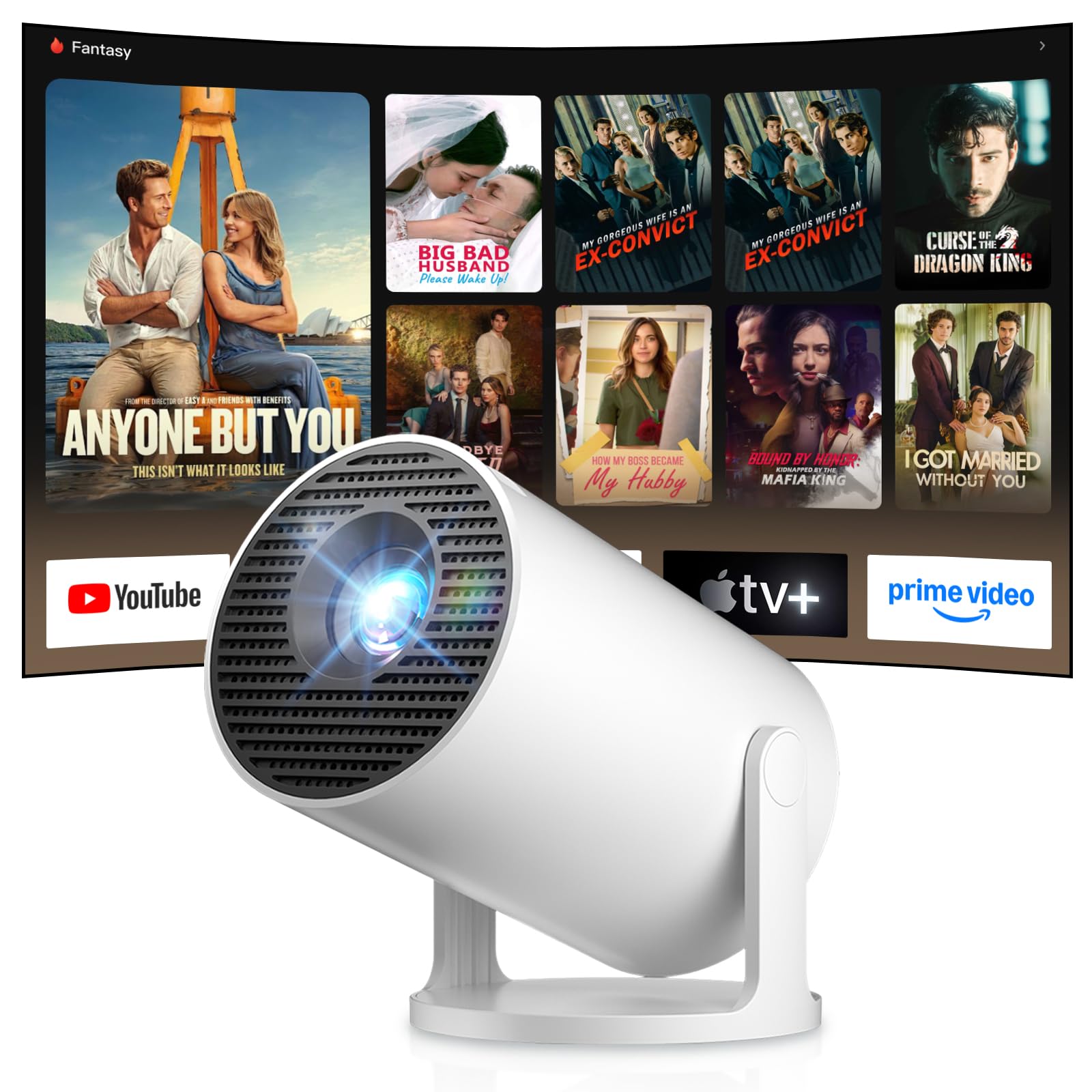
Image: Android TV 14.0 interface with streaming applications.
3. ஆப் நிறுவல்
With Android 14, you can install over 8,000 applications directly onto the projector. Access the app store (e.g., Google Play Store) from the home screen, search for desired apps (video players, games, office software), and install them.
4. Screen Mirroring (iOS/Android)
The projector supports screen mirroring for both iOS and Android devices. Ensure your mobile device and the projector are connected to the same Wi-Fi network. On your mobile device, activate the screen mirroring function (e.g., AirPlay for iOS, Cast for Android) and select the projector from the list of available devices.

Image: Wireless casting from mobile devices to the projector.
5. Connecting External Devices (HDMI, USB)
Use the HDMI port to connect devices such as laptops, game consoles (PS5, Switch), or TV sticks. Use the USB port to connect USB drives for media playback or other peripherals. Select the appropriate input source from the projector's input menu.
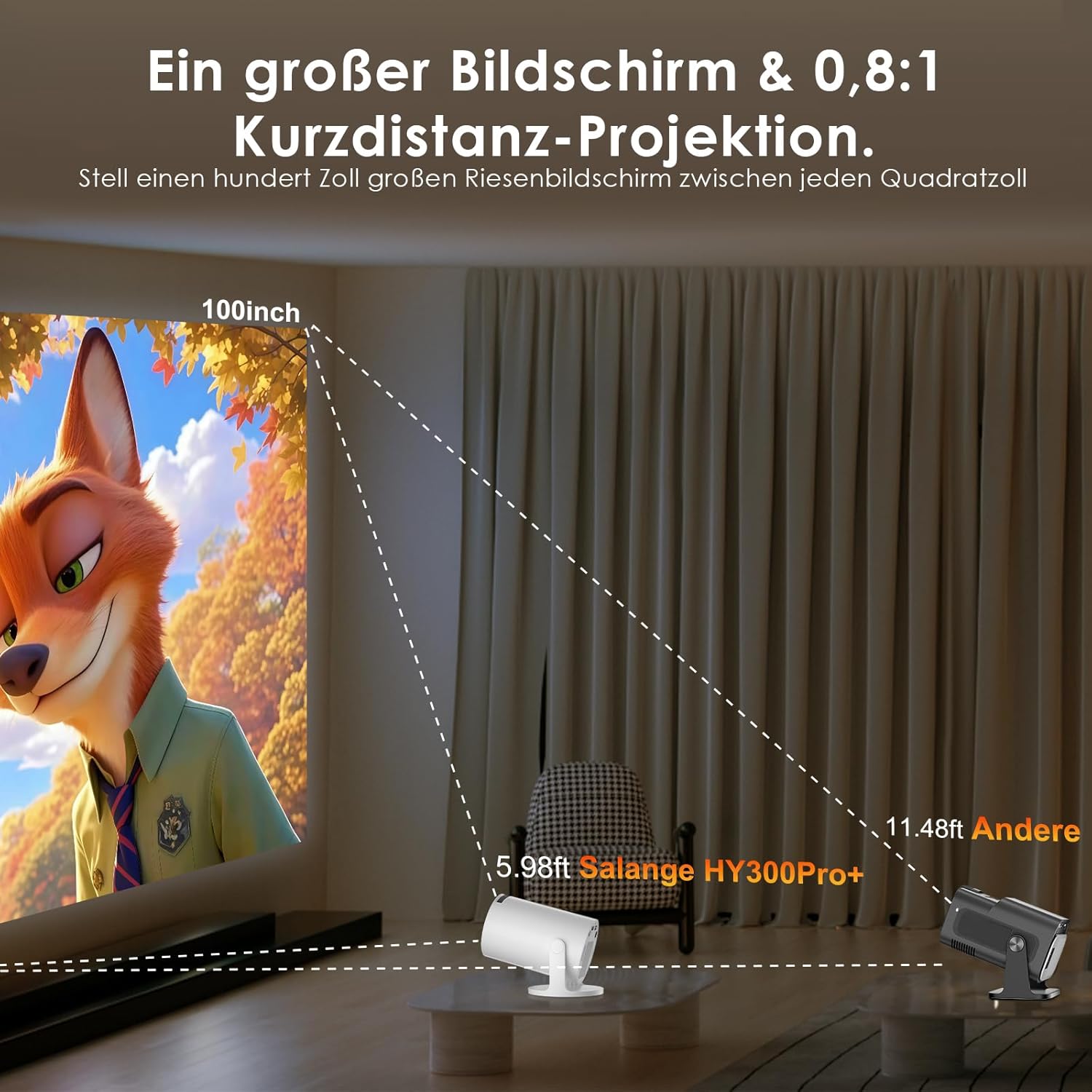
Image: Connectivity options for HDMI, Audio, and USB devices.
6. ஆடியோ வெளியீடு
The projector has built-in speakers. For enhanced audio, connect external speakers or headphones via Bluetooth or the 3.5mm audio jack.
பராமரிப்பு
1. லென்ஸை சுத்தம் செய்தல்
Use a soft, lint-free cloth specifically designed for optical lenses to gently wipe the projector lens. Avoid using abrasive cleaners or excessive pressure, which can scratch the lens.
2. வெளிப்புறத்தை சுத்தம் செய்தல்
ப்ரொஜெக்டரின் வெளிப்புறத்தை மென்மையான, உலர்ந்த துணியால் துடைக்கவும். பிடிவாதமான அழுக்குகளுக்கு, சிறிது தண்ணீர் ஊற்றவும்.amp துணியைப் பயன்படுத்தலாம், அதைத் தொடர்ந்து உலர்ந்த துணியைப் பயன்படுத்தலாம். கடுமையான இரசாயனங்கள் அல்லது கரைப்பான்களைப் பயன்படுத்த வேண்டாம்.
3. சேமிப்பு
நீண்ட நேரம் பயன்பாட்டில் இல்லாதபோது, ப்ரொஜெக்டரை குளிர்ந்த, உலர்ந்த மற்றும் தூசி இல்லாத சூழலில் சேமிக்கவும். சேதத்தைத் தடுக்க அசல் பேக்கேஜிங் அல்லது பாதுகாப்பு பெட்டியைப் பயன்படுத்தவும்.
சரிசெய்தல்
- சக்தி இல்லை: Ensure the power cord is securely connected to both the projector and the power outlet. Try a different outlet.
- உருவம் இல்லை: Check if the projector is powered on. Verify the input source is correctly selected (e.g., HDMI 1, USB). Ensure the lens cap is removed.
- மங்கலான படம்: Adjust the manual focus ring until the image is sharp. Check if the projector is too close or too far from the screen.
- Image Distortion (Trapezoid): The projector has automatic keystone correction. If manual adjustment is needed, check the display settings for keystone correction options.
- ஒலி இல்லை: Check the volume level on both the projector and the connected source device. Ensure external audio devices are correctly connected and selected as the output.
- வைஃபை/புளூடூத் இணைப்புச் சிக்கல்கள்: Ensure the projector is within range of your router or Bluetooth device. Restart the projector and your network devices. Re-pair Bluetooth devices.
- ரிமோட் கண்ட்ரோல் பதிலளிக்கவில்லை: ரிமோட் கண்ட்ரோலில் உள்ள பேட்டரிகளைச் சரிபார்க்கவும். ரிமோட்டுக்கும் ப்ரொஜெக்டரின் ஐஆர் ரிசீவருக்கும் இடையில் எந்தத் தடைகளும் இல்லை என்பதை உறுதிப்படுத்தவும்.
தயாரிப்பு விவரக்குறிப்புகள்
| அம்சம் | விவரக்குறிப்பு |
|---|---|
| உற்பத்தியாளர் | சலங்கே |
| ASIN | B0G43FF84L |
| பிறப்பிடமான நாடு | சீனா |
| பரிந்துரைக்கப்பட்ட பயன்பாடுகள் | Business, Home Cinema, Gaming, Education |
| சிறப்பு அம்சங்கள் | Wi-Fi Compatible, Digital Keystone Correction, Lightweight, Portable |
| இணைப்பு தொழில்நுட்பம் | ப்ளூடூத், HDMI, USB, Wi-Fi |
| நேட்டிவ் டிஸ்பிளே ரெசல்யூஷன் | 1280 x 720 பிக்சல்கள் |
| அதிகபட்ச காட்சி தெளிவுத்திறன் | 3840 x 2160 pixels (4K supported) |
| காட்சி வகை | எல்சிடி |
| தயாரிப்பு பரிமாணங்கள் (L x W x H) | 10.1 x 10.1 x 17 செ.மீ |
| படிவம் காரணி | போர்ட்டபிள் |
| மவுண்டிங் வகை | டேபிள் மவுண்ட் |
| பிரகாசம் | 8000 லுமன்ஸ் |
| நிறம் | வெள்ளை |
| இணக்கமான சாதனங்கள் | Game Console, Speaker, Laptop, Smartphone, Television |
| மாறுபாடு விகிதம் | 1500:1 |
| அதிகபட்ச பட அளவு | 150 அங்குலம் |
| குறைந்தபட்ச பட அளவு | 30 அங்குலம் |
| வீடியோ குறியாக்கம் | எச்.265 |
| படத்தை மேம்படுத்தும் தொழில்நுட்பம் | HDR |
| பெட்டியின் உள்ளடக்கம் | 1 Projector, 1 Power Cord, 1 Remote Control, 1 User Manual |
உத்தரவாத தகவல்
The Salange 2026 Mini Projector comes with a standard manufacturer's warranty. Please refer to the warranty card included in your product packaging for specific terms, conditions, and duration. Keep your proof of purchase for warranty claims.
வாடிக்கையாளர் ஆதரவு
For technical assistance, troubleshooting, or any questions regarding your Salange 2026 Mini Projector, please contact Salange customer support. Contact details can typically be found on the official Salange website or in the warranty information provided with your product.