
1. அறிமுகம்
The Tiksounds S12 is a portable Bluetooth speaker designed for versatile audio playback. It features Bluetooth 5.4 connectivity, 15W audio output, IPX7 waterproofing, True Wireless Stereo (TWS) pairing, and integrated LED lighting. This manual provides instructions for the proper setup, operation, and maintenance of your S12 speaker.
2. தொகுப்பு உள்ளடக்கங்கள்
- Tiksounds S12 Portable Bluetooth Speaker
- பவர் கேபிள்
- பயனர் கையேடு (இந்த ஆவணம்)
3. தயாரிப்பு அம்சங்கள்
- 15W Audio Output: Delivers clear sound for an enhanced listening experience.
- புளூடூத் 5.4 இணைப்பு: Provides a fast and stable wireless connection with compatible devices.
- IPX7 நீர்ப்புகா மதிப்பீடு: Protects the speaker from water immersion up to 1 meter for 30 minutes, suitable for outdoor use.
- உண்மையான வயர்லெஸ் ஸ்டீரியோ (TWS): Allows two S12 speakers to be paired together for 360° stereo sound.
- ஒருங்கிணைந்த LED விளக்குகள்: Features colorful LED lights that can pulse with music, enhancing the atmosphere.
- நீண்ட பின்னணி நேரம்: Up to 12 hours of music playback on a single charge (at 50% volume).
- போர்ட்டபிள் வடிவமைப்பு: Compact and lightweight (approximately 382g) for easy transport.
4. கட்டுப்பாடுகள் மற்றும் குறிகாட்டிகள்
The speaker features intuitive controls and LED indicators for easy operation.

Image: Speaker button layout and functions. This diagram illustrates the various buttons on the speaker and their corresponding actions, including single presses and long presses for power, volume, track control, light modes, and TWS pairing.
| பொத்தான் | செயல் | செயல்பாடு |
|---|---|---|
| Power Button (◯) | அழுத்திப் பிடிக்கவும் (2வி) | பவர் ஆன்/ஆஃப் |
| Power Button (◯) | ஒற்றை பதிப்பகம் | இசையை இயக்கு/இடைநிறுத்து, அழைப்பை ஏற்கு/முடி |
| Power Button (◯) | அழுத்திப் பிடிக்கவும் (1.5வி) | அழைப்பை நிராகரி |
| வால்யூம் அப் (+) | ஒற்றை பதிப்பகம் | ஒலியளவை அதிகரிக்கவும் |
| வால்யூம் அப் (+) | அழுத்திப் பிடிக்கவும் (2வி) | அடுத்த ட்ராக் |
| ஒலியை குறை (-) | ஒற்றை பதிப்பகம் | அளவைக் குறைக்கவும் |
| ஒலியை குறை (-) | அழுத்திப் பிடிக்கவும் (2வி) | முந்தைய ட்ராக் |
| Light Mode Button (☀) | ஒற்றை பதிப்பகம் | ஒளி பயன்முறையை மாற்றவும் |
| Light Mode Button (☀) | அழுத்திப் பிடிக்கவும் (3வி) | விளக்குகளை இயக்கவும் / அணைக்கவும் |
| TWS Button (TWS) | டபுள் பிரஸ் | TWS இணைத்தல் தொடங்கவும் |
5 அமைவு
5.1. சபாநாயகரிடம் கட்டணம் வசூலித்தல்
Before first use, fully charge the speaker. Use the provided power cable to connect the speaker to a compatible USB power source. The charging indicator will show the charging status. A full charge typically takes 3-4 hours.

Image: Speaker dimensions and battery specifications. This image highlights the compact size of the speaker (8cm x 11.3cm) and its 1800mAh battery, which charges in 3-4 hours.
5.2. பவர் ஆன்/ஆஃப்
- To power on, press and hold the Power Button (◯) for 2 seconds.
- To power off, press and hold the Power Button (◯) for 2 seconds again.
5.3. புளூடூத் இணைத்தல்
- ஸ்பீக்கர் இயக்கப்பட்டிருப்பதையும், புளூடூத் இணைத்தல் பயன்முறையில் இருப்பதையும் உறுதிசெய்து கொள்ளுங்கள் (ஒளிரும் LED மூலம் குறிக்கப்படுகிறது).
- உங்கள் சாதனத்தில் (ஸ்மார்ட்போன், டேப்லெட், மடிக்கணினி), புளூடூத்தை இயக்கவும்.
- தேடுங்கள் available Bluetooth devices and select "S12" from the list.
- Once connected, the speaker will indicate a successful pairing, and the LED will stop flashing.

Image: Multiple connection options. This image demonstrates the speaker's compatibility with various devices such as pads, PCs, and TVs, highlighting its versatile connectivity.
5.4. உண்மையான வயர்லெஸ் ஸ்டீரியோ (TWS) இணைத்தல்
To achieve 360° stereo sound, you can pair two Tiksounds S12 speakers together.
- இரண்டு S12 ஸ்பீக்கர்களும் இயக்கப்பட்டிருப்பதையும், வேறு எந்த புளூடூத் சாதனத்துடனும் இணைக்கப்படவில்லை என்பதையும் உறுதிசெய்யவும்.
- On one of the speakers, double-press the TWS Button. The speaker will enter TWS pairing mode.
- The two speakers will automatically search for and connect to each other. A successful connection will be indicated by an audible prompt.
- Once TWS paired, connect your device to one of the speakers via Bluetooth as described in section 5.3. Both speakers will now play audio in stereo.

Image: True Wireless Stereo (TWS) setup. This image illustrates two S12 speakers connected wirelessly to a laptop, demonstrating the TWS feature for a 360-degree audio experience.
6. இயக்க வழிமுறைகள்
6.1. இசை பின்னணி
- விளையாடு/இடைநிறுத்தம்: Single press the Power Button (◯).
- ஒலியை பெருக்கு: Single press the Volume Up (+) button.
- ஒலியை குறை: Single press the Volume Down (-) button.
- அடுத்த ட்ராக்: வால்யூம் அப் (+) பட்டனை 2 வினாடிகள் அழுத்திப் பிடிக்கவும்.
- முந்தைய ட்ராக்: ஒலியளவைக் குறைக்கும் (-) பொத்தானை 2 வினாடிகள் அழுத்திப் பிடிக்கவும்.
6.2. அழைப்பு மேலாண்மை
- பதில்/முடிவு அழைப்பு: Single press the Power Button (◯).
- அழைப்பை நிராகரி: Press and hold the Power Button (◯) for 1.5 seconds.
6.3. LED ஒளி முறைகள்
The speaker features multiple LED light modes.
- ஒளி பயன்முறையை மாற்றவும்: Single press the Light Mode Button (☀).
- விளக்குகளை ஆன்/ஆஃப் செய்: Press and hold the Light Mode Button (☀) for 3 seconds.
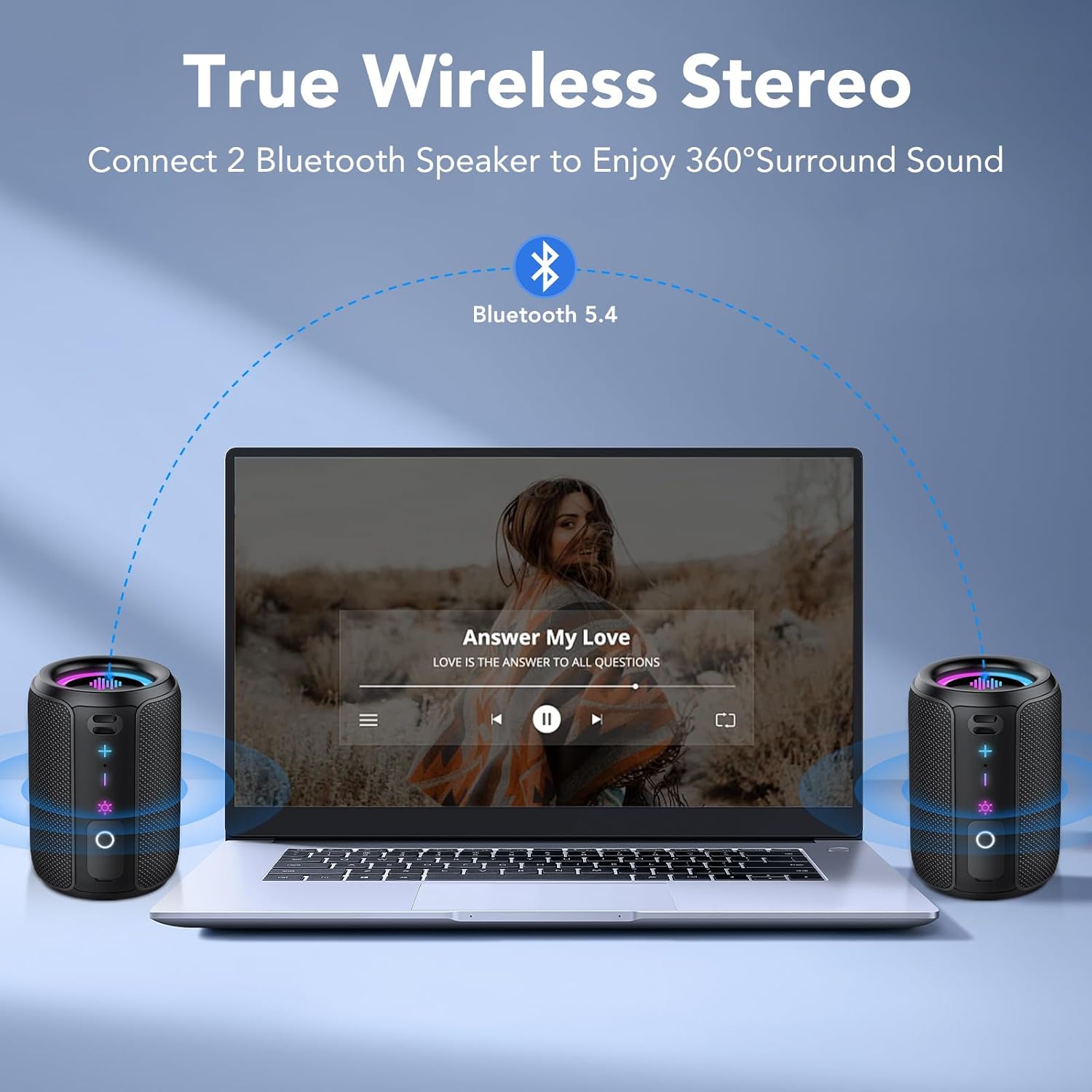
Image: RGB Colorful Lighting. This image displays three S12 speakers showcasing their dynamic RGB lighting, which can synchronize with music.
7. பராமரிப்பு
- சுத்தம்: ஸ்பீக்கரை மென்மையாக துடைக்கவும், டிamp துணி. சிராய்ப்பு கிளீனர்கள் அல்லது கரைப்பான்களைப் பயன்படுத்த வேண்டாம்.
- நீர் எதிர்ப்பு: While IPX7 rated, ensure the charging port cover is securely closed before exposing the speaker to water. Do not intentionally submerge the speaker for extended periods or beyond specified depths.
- சேமிப்பு: நேரடி சூரிய ஒளி மற்றும் அதிக வெப்பநிலையிலிருந்து விலகி குளிர்ந்த, உலர்ந்த இடத்தில் ஸ்பீக்கரை சேமிக்கவும்.
- பேட்டரி பராமரிப்பு: பேட்டரி ஆயுளை நீட்டிக்க, ஸ்பீக்கரை அடிக்கடி முழுமையாக டிஸ்சார்ஜ் செய்வதைத் தவிர்க்கவும். நீண்ட நேரம் பயன்படுத்தாவிட்டாலும், அதை தொடர்ந்து சார்ஜ் செய்யவும்.
8. சரிசெய்தல்
| பிரச்சனை | சாத்தியமான காரணம் | தீர்வு |
|---|---|---|
| ஸ்பீக்கர் இயக்கப்படவில்லை. | குறைந்த பேட்டரி. | ஸ்பீக்கரை முழுமையாக சார்ஜ் செய்யவும். |
| ஒலி இல்லை. | Volume too low; not paired; incorrect audio source. | Increase volume on speaker and device. Ensure successful Bluetooth pairing. Check device's audio output settings. |
| புளூடூத் இணைத்தல் தோல்வியடைகிறது. | ஸ்பீக்கர் இணைத்தல் பயன்முறையில் இல்லை; சாதன புளூடூத் முடக்கப்பட்டுள்ளது; மிகத் தொலைவில் உள்ளது. | Ensure speaker is in pairing mode. Turn device Bluetooth off and on. Move speaker closer to device (within 10 meters). Forget "S12" on device and re-pair. |
| மோசமான ஒலி தரம் அல்லது விலகல். | Low battery; device too far; interference. | Charge the speaker. Move device closer. Avoid obstacles between speaker and device. Reduce volume if distortion occurs at high levels. |
| TWS இணைத்தல் தோல்வியடைகிறது. | Speakers already paired to other devices; not in TWS mode. | Ensure both speakers are disconnected from other devices. Double-press TWS button on one speaker to initiate pairing. |
9. விவரக்குறிப்புகள்
| அம்சம் | விவரக்குறிப்பு |
|---|---|
| மாதிரி பெயர் | S12 |
| வெளியீட்டு சக்தி | 15 Watios |
| புளூடூத் பதிப்பு | 5.4 |
| பேட்டரி திறன் | 1800 mAh |
| பின்னணி நேரம் | 12 மணிநேரம் வரை (50% அளவு) |
| சார்ஜிங் நேரம் | 3-4 மணி நேரம் |
| நீர்ப்புகா மதிப்பீடு | IPX7 |
| பரிமாணங்கள் (D x W x H) | 8 x 8 x 11 செ.மீ |
| எடை | தோராயமாக 382 கிராம் |
| புளூடூத் வரம்பு | 10 மீட்டர் வரை |
| அதிர்வெண் பதில் | 20 KHz |
10. உத்தரவாதம் மற்றும் ஆதரவு
For warranty information, please refer to the documentation provided with your purchase or contact your retailer. For technical support or further assistance, please contact Tiksounds customer service through their official webதயாரிப்பு வாங்கப்பட்ட தளம் அல்லது தளம்.