
1. அறிமுகம்
This manual provides essential information for the safe and efficient operation, installation, and maintenance of your ANTHBOT M9 Robotic Lawnmower. Please read this manual thoroughly before using the product and keep it for future reference.
The ANTHBOT M9 is an advanced robotic lawnmower designed to maintain your lawn with minimal effort, featuring RTK navigation, intelligent mapping, and obstacle detection.
2. அமைவு மற்றும் நிறுவல்
Proper installation is crucial for the optimal performance of your ANTHBOT M9. The M9 utilizes RTK (Real-Time Kinematic) technology for precise positioning, eliminating the need for perimeter wires.
2.1 பிரித்தெடுத்தல் மற்றும் ஆரம்ப இடம்
Carefully unpack all components. Ensure the charging station and RTK reference station are placed in an open area with a clear view of the sky to ensure strong satellite signal reception. The RTK reference station should be securely fixed to the ground or a stable structure to prevent any movement that could affect mapping accuracy.
2.2 RTK Installation and App Configuration
The ANTHBOT M9 features a quick setup process. Installation of the RTK system, configuration through the dedicated mobile application, and automatic mapping of your lawn can typically be completed in approximately 10 minutes.

Figure 2.2.1: The ANTHBOT M9 system eliminates the need for physical boundary wires, saving significant installation time compared to traditional robotic lawnmowers.
The RTK system uses a GPS rod, and the package includes 1m and 3m extension cables to allow flexible placement of the GPS station further from the base if needed.
2.3 Dual RTK Coverage
The M9 supports dual RTK coverage, allowing it to operate effectively across both front and rear garden areas, provided the RTK signal is consistent.

Figure 2.3.1: Illustration of the ANTHBOT M9 utilizing dual RTK for comprehensive coverage of both front and rear garden areas, alongside its 4G global navigation capabilities.
3. ஆபரேஷன்
The ANTHBOT M9 is designed for autonomous and intelligent lawn care.
3.1 Intelligent Cutting Programming
Utilize the mobile application to set up intelligent cutting schedules for different zones of your lawn. You can program specific days and times for the mower to operate in designated areas.
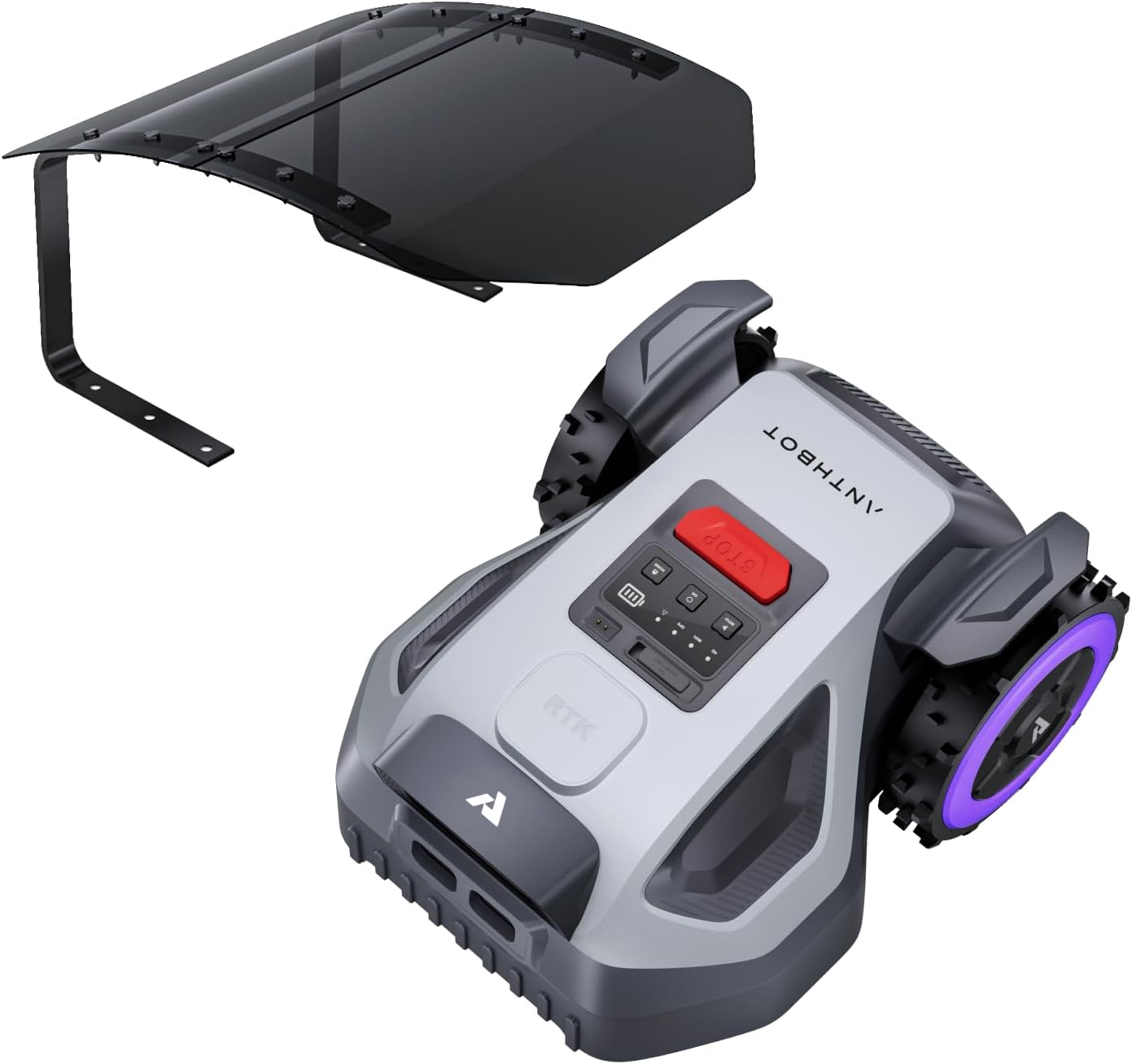
Figure 3.1.1: The ANTHBOT M9's intelligent cutting programming allows users to define specific mowing schedules for various lawn sections via the mobile application.
3.2 Ultra-Precision Navigation
The M9 employs full-band RTK and dual vision technology for highly accurate navigation. This system ensures precise positioning and efficient mowing patterns, even in complex environments.

Figure 3.2.1: The ANTHBOT M9's ultra-precision navigation system, combining full-band RTK with dual vision, ensures accurate movement and efficient lawn coverage.
3.3 AI Obstacle Detection
Equipped with 150° AI vision, the M9 can detect over 1000 types of obstacles, including people, pets, and garden items, ensuring safe operation and protection of wildlife.

Figure 3.3.1: The ANTHBOT M9's AI vision system actively detects and avoids over 1000 types of obstacles, enhancing safety during operation.
3.4 Adjustable Cutting Height
The cutting height of the M9 can be easily adjusted via the mobile application, allowing you to customize the lawn length between 3-7 cm according to your preference and grass growth conditions.

Figure 3.4.1: The ANTHBOT M9 allows for convenient adjustment of cutting height through its mobile application, offering flexibility for different lawn conditions.
3.5 4G Global Navigation (NetRTK)
For enhanced connectivity and navigation, the M9 supports NetRTK with Global 4G technology. This feature provides reliable positioning even in areas with challenging GPS signals. Note that 4G service may require a separate subscription and network compatibility in your area.
3.6 Low Noise Operation
The ANTHBOT M9 operates at a low noise level, typically ≤ 58 dB, allowing for quiet operation at any time of day or night without disturbing your neighbors.
4. பராமரிப்பு
Regular maintenance ensures the longevity and optimal performance of your robotic lawnmower.
4.1 சுத்தம் செய்தல்
Periodically clean the rotating plate and cutting blades to remove grass clippings and debris. Ensure the mower is turned off and disconnected from power before cleaning. The M9 is designed with IPX6 water resistance, allowing for easy cleaning with water.
4.2 மென்பொருள் புதுப்பிப்புகள் (OTA)
The ANTHBOT M9 supports Over-The-Air (OTA) updates, allowing for convenient software enhancements and bug fixes directly through the mobile application. Regularly check for and install available updates to ensure your mower has the latest features and performance improvements.

படம் 4.2.1: மேல்view of key ANTHBOT M9 features: IPX6 water resistance for easy cleaning, quiet operation (≤ 58 dB), an anti-theft system, convenient OTA software updates, and an accessible emergency stop button.
5. பாதுகாப்பு அம்சங்கள்
Your ANTHBOT M9 is equipped with several safety features to protect users and the device.
5.1 Anti-theft System
The mower includes an anti-theft system that can alert you if the device is moved outside its designated area or tampஉடன் ered.
5.2 எமர்ஜென்சி ஸ்டாப் பட்டன்
An easily accessible emergency stop button is located on the mower. Press this button immediately to halt all operations in case of an emergency.
6. சரிசெய்தல்
This section addresses common issues you might encounter with your ANTHBOT M9.
6.1 Signal Loss or Navigation Issues
- பிரச்சனை: Mower loses signal or navigates erratically.
- தீர்வு: Ensure the RTK reference station has a clear, unobstructed view of the sky. Avoid placing it near tall buildings or dense foliage. Verify that the base station is securely fixed and has not moved, as any movement can require re-mapping.
- பிரச்சனை: 4G navigation not working.
- தீர்வு: Check if 4G service is active and compatible with your region and network provider. Some providers may not be supported (e.g., Vodafone in some regions, as noted by users). Ensure the mower is in an area with good cellular coverage.
6.2 Mapping Errors
- பிரச்சனை: Mower does not follow the mapped area correctly or requires frequent re-mapping.
- தீர்வு: The stability of the base station is critical for map accuracy. Ensure it is very firmly anchored to the ground or a stable structure. Any slight movement of the base station can necessitate re-creating the map.
6.3 பொதுவான செயல்திறன் சிக்கல்கள்
- பிரச்சனை: Mower not cutting effectively or getting stuck.
- தீர்வு: Clean the cutting deck and blades regularly. Ensure the lawn is free of large debris or obstacles. Check for any pending software updates via the app.
7. விவரக்குறிப்புகள்
| அம்சம் | விவரம் |
|---|---|
| பிராண்ட் | ஆந்த்போட் |
| சக்தி ஆதாரம் | பேட்டரி மூலம் இயங்கும் |
| உடை | M9 + garage |
| தயாரிப்பு எடை | 9.8 கிலோகிராம் |
| வெட்டு அகலம் | 20 சென்டிமீட்டர் |
| செயல்பாட்டு முறை | தானியங்கி |
| தயாரிப்பு பரிமாணங்கள் (L x W x H) | 49.8 x 39.2 x 27.8 செ.மீ |
| சட்டசபை தேவை | ஆம் |
| அலகுகளின் எண்ணிக்கை | 1.0 |
| உற்பத்தியாளர் | ஆந்த்போட் |
| மாதிரி எண் | M9 |
| பகுதி எண் | M9 |
| ASIN | B0G7Z8HCWM |
8. உத்தரவாதம் மற்றும் ஆதரவு
For warranty information and technical support, please refer to the documentation included with your product or contact ANTHBOT customer service directly. You can typically find contact details on the manufacturer's official webதளத்திலோ அல்லது உங்கள் சில்லறை விற்பனையாளர் மூலமாகவோ.
Please have your model number (M9) and purchase details ready when contacting support.