
1. தயாரிப்பு முடிந்துவிட்டதுview
The GODIYMODULES 12x12mm Big Key Module Button Light Touch Switch is a versatile input component designed for various microcontroller platforms, including Arduino, SCM, ARM, and Raspberry Pi. This module provides a simple digital output, signaling a high level when pressed and a low level when released. It features a 3-pin interface for easy connection.
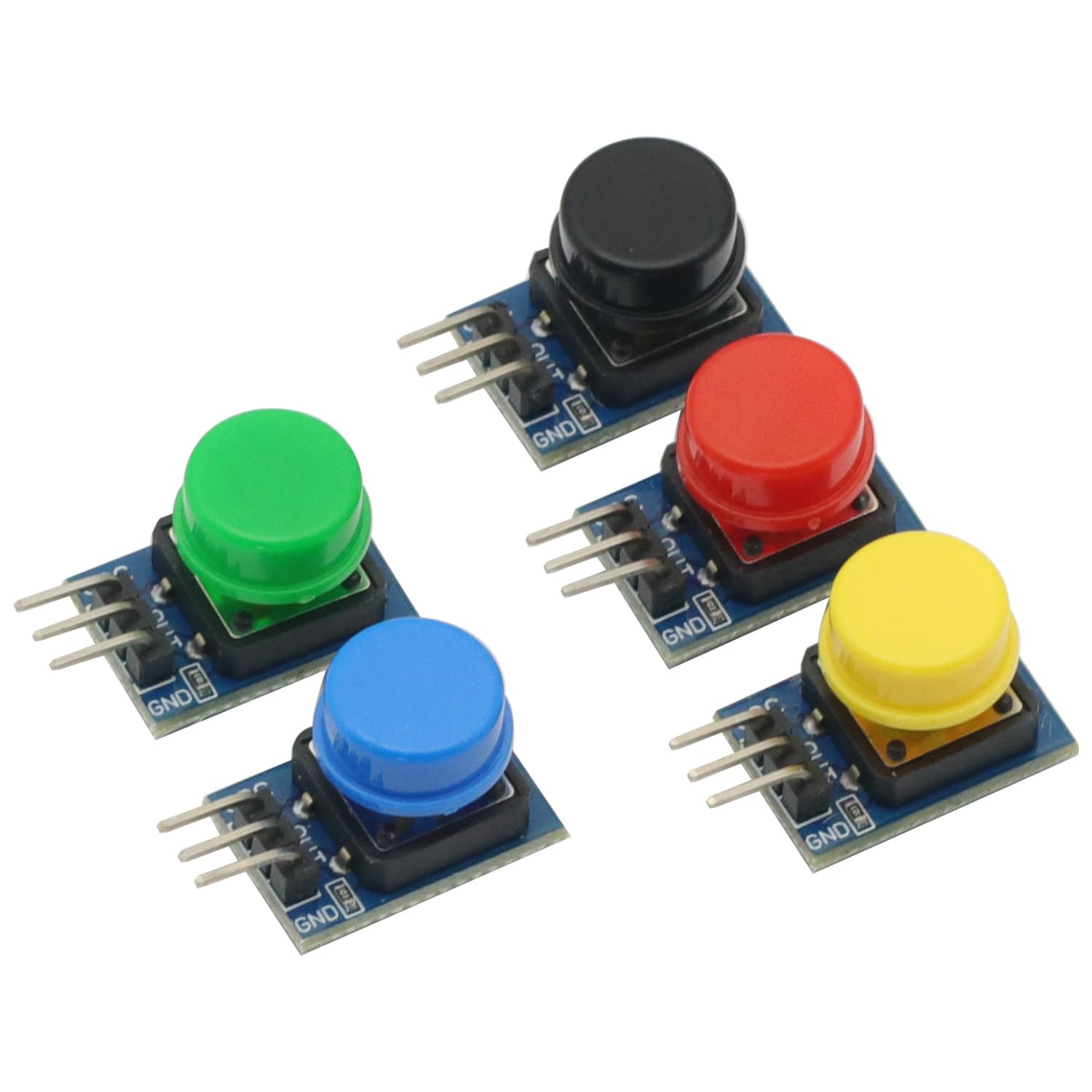
படம் 1: முடிந்துவிட்டதுview of the 5-piece 12x12mm Big Key Module Button set. Each button is mounted on a small PCB segment, connected in a row, featuring distinct colors.
தொகுப்பு உள்ளடக்கம்:
- 5 x 12x12mm Big Key Module Button Light Touch Switches (one each of Black, Blue, Yellow, Red, Green)
2. அமைவு மற்றும் இணைப்பு
This section details the steps required to correctly connect the Big Key Module Button to your development board.
2.1 பின்அவுட் விளக்கம்
Each button module features a 3-pin interface. Understanding these pins is crucial for proper connection.
- VCC: Power supply input (3.5V to 5V DC).
- ஜிஎன்டி: தரை இணைப்பு.
- வெளியே: Digital output pin.

படம் 2: Pinout labels for the VCC, OUT, and GND connections on each button module.
2.2 இணைப்பு படிகள்
- இணைக்கவும் வி.சி.சி pin of the button module to the 3.3V or 5V power supply output of your development board (e.g., Arduino, Raspberry Pi).
- இணைக்கவும் GND pin of the button module to the Ground (GND) pin of your development board.
- இணைக்கவும் வெளியே pin of the button module to a digital input pin on your development board.
- Ensure all connections are secure and correctly aligned to prevent damage to the module or development board.

படம் 3: பக்கம் view illustrating the 3-pin headers for connection.
3. இயக்க வழிமுறைகள்
The Big Key Module Button operates as a simple digital input device.
- When the button is அழுத்தினார், தி வெளியே pin will output a High Digital Level (typically 3.3V or 5V, depending on VCC).
- When the button is வெளியிடப்பட்டது, தி வெளியே pin will output a Low Digital Level (typically 0V).
You can read the state of the button using the digital read function on your microcontroller. For example, in Arduino, you would use digitalRead(pinNumber) to get the current state.
4. பராமரிப்பு
To ensure the longevity and reliable operation of your Big Key Module Buttons, follow these maintenance guidelines:
- சுத்தம்: Keep the modules free from dust and debris. Use a soft, dry cloth for cleaning. Avoid using liquids or abrasive materials.
- சேமிப்பு: Store the modules in a dry, cool environment, away from direct sunlight and extreme temperatures.
- கையாளுதல்: Handle the modules by their PCB edges to avoid touching the electronic components or bending the pins.
5. சரிசெய்தல்
If you encounter issues with your Big Key Module Button, refer to the following troubleshooting tips:
- No Output/Incorrect Output:
- Verify that VCC and GND connections are correct and secure.
- மின்சாரம் வழங்கல் தொகுதியை உறுதி செய்யவும்tage குறிப்பிட்ட வரம்பிற்குள் உள்ளது (3.5V - 5V).
- Check the connection of the OUT pin to your microcontroller's digital input.
- Test with a different digital input pin on your microcontroller.
- Inspect the module for any visible damage or bent pins.
- பொத்தான் பதிலளிக்கவில்லை:
- Ensure the button is fully pressed and released.
- Check for any physical obstructions preventing the button from moving freely.
6. விவரக்குறிப்புகள்
| அம்சம் | விவரக்குறிப்பு |
|---|---|
| தயாரிப்பு பெயர் | முக்கிய தொகுதி |
| தொகுதி அளவு | 11 x 22 மிமீ |
| பொத்தான் அளவு | 12 x 12 மிமீ |
| இயக்க தொகுதிtage | டிசி 3.5 வி - 5 வி |
| வெளியீட்டு வகை | Digital Level (Press High, Release Low) |
| இடைமுகம் | 3P Interface (VCC, GND, OUT) |
| இணக்கமான தளங்கள் | Arduino, SCM, ARM, Raspberry Pi |
| தொகுப்பு உள்ளடக்கங்கள் | 5PCS Big Key Module Button Light Touch Switch (Assorted Colors) |
| பொருளின் எடை | 0.704 ounces (approx. 20g for 5PCS) |
| தொகுப்பு பரிமாணங்கள் | 3.94 x 1.97 x 0.39 அங்குலம் |
7. உத்தரவாதம் மற்றும் ஆதரவு
For specific warranty information or technical support, please refer to the retailer or manufacturer's official webஎந்தவொரு உத்தரவாதக் கோரிக்கைகளுக்கும் உங்கள் கொள்முதல் ரசீதை வைத்திருங்கள்.