
அறிமுகம்
நன்றி, நன்றி.asing the Leadjoy Xeno Plus Game Controller. This controller is designed to provide a versatile and high-performance gaming experience across multiple platforms. This manual will guide you through the setup, operation, and maintenance of your new controller to ensure optimal performance and longevity.
தயாரிப்பு முடிந்துவிட்டதுview மற்றும் கூறுகள்
The Leadjoy Xeno Plus controller offers advanced features such as multi-mode connectivity, TMR joysticks, microswitch buttons, and customizable triggers. Familiarize yourself with the controller's components and included accessories.
தொகுப்பு உள்ளடக்கம்:
- Leadjoy Xeno Plus Game Controller Unit
- ஸ்மார்ட் சார்ஜிங் டாக்
- Replaceable Magnetic Cover (Clear Blue)
- Replaceable Cross D-pad
- அலங்கார ஸ்டிக்கர்கள்
- USB-C சார்ஜிங் கேபிள்
- அறிவுறுத்தல் கையேடு
கட்டுப்படுத்தி அமைப்பு:

படம்: முடிந்ததுview of the Leadjoy Xeno Plus Game Controller highlighting its various features and components, including TMR sticks, microswitch buttons, dual triggers, and back buttons.

Image: The complete package contents of the Leadjoy Xeno Plus Game Controller, including the controller, charging dock, USB-C cable, and interchangeable parts.
அமைவு
1. ஆரம்ப கட்டணம் வசூலித்தல்
- Connect the USB-C charging cable to the smart charging dock and a power source.
- Place the Leadjoy Xeno Plus controller onto the smart charging dock. The controller will automatically power off and begin charging.
- Allow the controller to fully charge before first use. The LED indicators on the controller will show charging status.
2. சாதனங்களுடன் இணைத்தல்
The Leadjoy Xeno Plus supports three connection modes: Wired, 2.4GHz Wireless, and Bluetooth.

Image: The Leadjoy Xeno Plus controller connected to various devices, illustrating its wired, 2.4G wireless, and Bluetooth connectivity options for PC, Switch, Android, and iOS.
கம்பி இணைப்பு:
- Connect the USB-C cable directly from the controller to your PC or compatible device.
- The controller will be automatically recognized.
2.4GHz Wireless Connection (via Dock):
- Plug the 2.4GHz wireless receiver (located in the smart charging dock) into a USB port on your PC or compatible device (e.g., Xbox Series S/X with R20 receiver, sold separately).
- The controller will automatically connect to the receiver.
புளூடூத் இணைப்பு:
- Press and hold the Bluetooth pairing button on the controller until the LED indicator flashes rapidly.
- On your device (Nintendo Switch, PC, Mac, iOS, Android), go to Bluetooth settings and select "Leadjoy Xeno Plus" from the list of available devices.
- இணைக்கப்பட்டவுடன், LED காட்டி திடமாக மாறும்.
- For Nintendo Switch, the controller supports one-click wake-up from sleep mode.
இயக்க வழிமுறைகள்
பவர் ஆன்/ஆஃப்:
- To power on, press the Home button.
- To power off, press and hold the Home button for a few seconds, or place it on the smart charging dock.
TMR Joysticks and Microswitch Buttons:
The controller features advanced TMR joysticks for high precision and durability, minimizing drift over time. The ABXY buttons utilize microswitches for a tactile and responsive click.

படம்: ஒரு விரிவான வரைபடம் காட்டுகிறதுasing the internal components and features of the TMR joysticks, emphasizing high-level sampling, resolution, linear feel, ultra-low latency, durability, and full customization.
Dual Trigger Modes:
The Xeno Plus controller features dual-mode triggers, allowing you to switch between Hair Trigger and Full Trigger modes based on your game type.
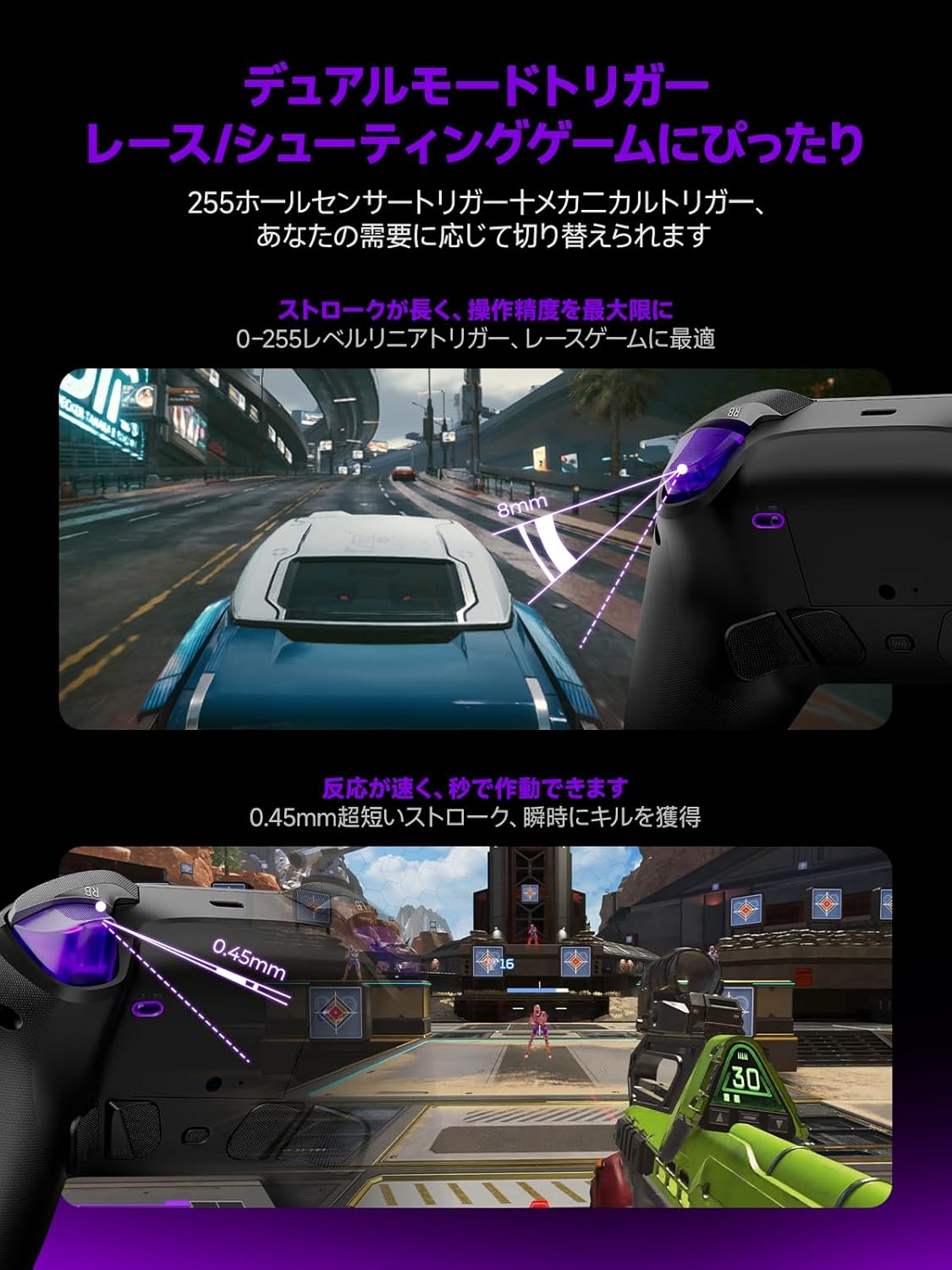
Image: Illustrations demonstrating the dual trigger modes. The top image shows a full trigger pull (8mm) ideal for precise throttle control in racing games. The bottom image shows a hair trigger pull (0.45mm) for rapid firing in shooting games.
- Full Trigger Mode: Ideal for racing games, providing analog input for precise throttle and brake control.
- ஹேர் ட்ரிகர் பயன்முறை: Optimized for FPS games, offering a short travel distance for instant firing and quicker reactions.
- To switch modes, use the dedicated switch located on the back of the controller.
Customizable Back Buttons:
The controller includes four customizable back buttons (R5, R4, L4, L5) that can be mapped to various functions or macros for enhanced gameplay.

படம்: ஏ view of the back of the Leadjoy Xeno Plus controller, highlighting the four customizable back buttons (R5, R4, L4, L5) and their mechanical microswitch design.
- Refer to the dedicated application for detailed instructions on mapping and creating macros for these buttons.
Motion Aim:
The controller supports motion aim, compatible with all games, offering precise control through gyroscope technology.
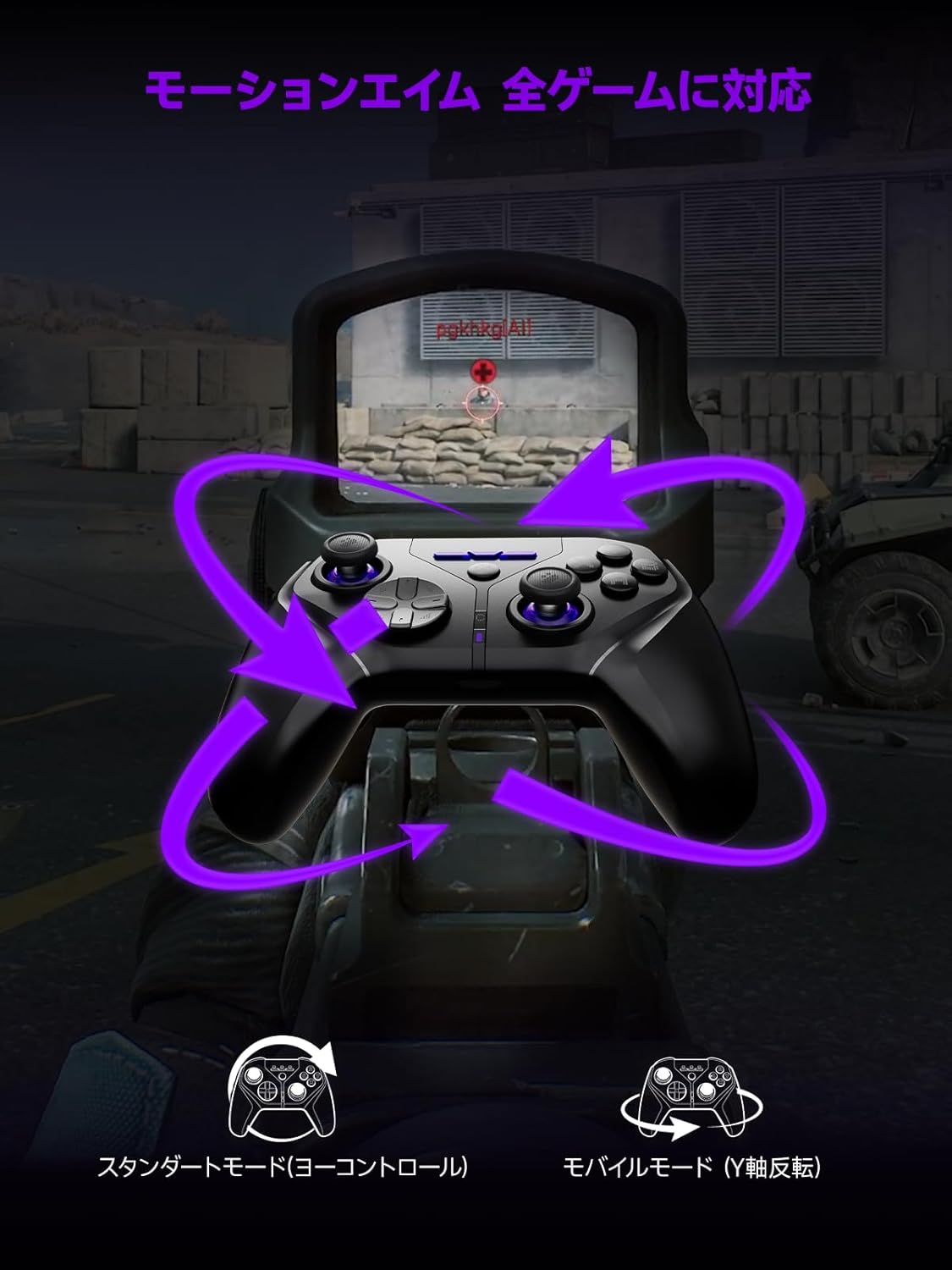
Image: A visual representation of the motion aim feature, showing how tilting the controller translates to in-game aiming, with options for standard (yaw control) and mobile (Y-axis inversion) modes.
- The controller features 1000Hz 6-axis gyroscope control for precise motion aiming.
- Settings for motion aim can be adjusted via the dedicated application.
NFC செயல்பாடு:
The controller is fully compatible with NFC functions, including amiibo for Nintendo Switch.
- To use NFC, place your amiibo figure or card on the designated NFC touchpoint on the controller.
- Ensure your game supports amiibo functionality.
பராமரிப்பு
சுத்தம்:
- Wipe the controller with a soft, dry cloth.
- சிராய்ப்பு கிளீனர்கள் அல்லது கரைப்பான்களைப் பயன்படுத்த வேண்டாம்.
பேட்டரி பராமரிப்பு:
- கட்டுப்படுத்தியை தீவிர வெப்பநிலைக்கு வெளிப்படுத்துவதைத் தவிர்க்கவும்.
- நீண்ட கால சேமிப்பிற்கு, பேட்டரியை தோராயமாக 50% சார்ஜ் செய்து, குளிர்ந்த, உலர்ந்த இடத்தில் சேமிக்கவும்.
- The smart charging dock includes overcharge protection to preserve battery life.
சரிசெய்தல்
| பிரச்சனை | சாத்தியமான காரணம் | தீர்வு |
|---|---|---|
| கட்டுப்படுத்தி இயக்கப்படவில்லை. | குறைந்த பேட்டரி. | Charge the controller using the smart charging dock or USB-C cable. |
| புளூடூத் வழியாக இணைக்க முடியவில்லை. | Not in pairing mode; device Bluetooth off; interference. | Ensure controller is in pairing mode (flashing LED). Check device Bluetooth settings. Move closer to the device. |
| 2.4GHz wireless connection issues. | Receiver not properly connected; interference. | Ensure the 2.4GHz receiver is securely plugged into a USB port. Reduce distance between controller and receiver. |
| பொத்தான்கள் அல்லது ஜாய்ஸ்டிக்குகள் செயல்படவில்லை. | Software glitch; low battery; physical damage. | Restart the controller. Ensure battery is charged. If issues persist, contact support. |
| கட்டுப்படுத்தி PC ஆல் அங்கீகரிக்கப்படவில்லை. | Driver issues; incorrect mode. | Ensure controller is in the correct mode (Xinput/Dinput if applicable). Try a different USB port. Update PC drivers. |
விவரக்குறிப்புகள்
- மாதிரி: Xeno Plus
- இணைப்பு: வயர்டு (USB-C), 2.4GHz வயர்லெஸ், புளூடூத்
- வாக்குப்பதிவு விகிதம்: 1000 ஹெர்ட்ஸ்
- ஜாய்ஸ்டிக்ஸ்: TMR (Magnetic Hall Effect)
- பொத்தான்கள்: Microswitch ABXY buttons, 4 customizable back buttons
- தூண்டுதல்கள்: Dual-mode (Hair Trigger / Full Trigger)
- பேட்டரி: 1000mAh (up to 30+ hours playtime)
- சார்ஜ்: Smart Charging Dock (USB-C)
- அதிர்வு: HD Vibration (ALPS linear motors)
- விளக்கு: தனிப்பயனாக்கக்கூடிய RGB
- சிறப்பு அம்சங்கள்: NFC (amiibo support), One-click Switch wake-up
- இணக்கத்தன்மை: Nintendo Switch (1/2/Lite/OLED), PC (Xinput/Dinput), iOS 13.4+, Android 10+, Steam Deck
- தயாரிப்பு பரிமாணங்கள்: 17.5 x 17.5 x 10 செ.மீ
- தயாரிப்பு எடை: 230 கிராம்
- தோற்றம்: சீனா
உத்தரவாதம் மற்றும் ஆதரவு
உத்தரவாதம்:
The Leadjoy Xeno Plus Game Controller comes with a 12-month warranty covering initial defects and operational malfunctions. Please retain your proof of purchase for warranty claims.
வாடிக்கையாளர் ஆதரவு:
For any questions, technical assistance, or warranty claims, please contact Leadjoy customer support through the retailer where you purchased the product or visit the official Leadjoy webஆதரவு ஆதாரங்களுக்கான தளம்.