1. அறிமுகம்
The iClever BoostStrip Series IC-BS02 Power Strip is designed to provide convenient and safe power distribution for your electronic devices. It features 3 AC outlets and 4 USB ports with SmartID technology, allowing for efficient charging. This power strip incorporates individual control switches for AC outlets and USB ports, along with overload protection and fire-proof materials for enhanced safety.
2. முக்கியமான பாதுகாப்பு தகவல்
- மதிப்பிடப்பட்ட சக்தி: Ensure that the total load power of connected devices does not exceed the rated power of 1250W (125V/Max. 10A). Exceeding this limit can cause overheating and potential damage.
- அதிக சுமை பாதுகாப்பு: The circuit automatically breaks off when the current exceeds its threshold to prevent damage from fire, sparks, or other issues caused by high-temperature devices. An overload switch helps to reset and restore functionality.
- Fire-Proof Materials: Constructed with 94V0 fire-proof materials capable of withstanding temperatures up to 750°C for increased safety.
- எழுச்சி பாதுகாப்பு: AC outlets are equipped with surge protection to safeguard devices from damages caused by voltage fluctuations, swells, or spikes.
- USB போர்ட் பாதுகாப்பு: USB ports include over-voltage, over-current, and high-temperature protections for safe charging of your devices.
- சாதனத்தை பிரிக்கவோ மாற்றவோ வேண்டாம்.
- தண்ணீர் மற்றும் அதிக ஈரப்பதம் உள்ள சூழல்களிலிருந்து விலகி இருங்கள்.
- மின் கம்பி அல்லது பிளக் சேதமடைந்தால் பயன்படுத்த வேண்டாம்.
3. தொகுப்பு உள்ளடக்கங்கள்
- 1 x iClever IC-BS02 Power Strip
- 1 x பயனர் கையேடு (இந்த ஆவணம்)
- 1 x உத்தரவாத அட்டை
4. தயாரிப்பு அம்சங்கள்
4.1 பொது ஓவர்view

The iClever BoostStrip Series IC-BS02 is a compact power strip featuring a unibody 3-prong plug and a 5ft 18AWG extension cord. It is designed for durability and safe performance under its rated conditions.
4.2 ஏசி அவுட்லெட்டுகள்

The power strip includes 3 standard AC outlets, providing a total output of 1250W (125V/10A). These outlets are surge protected to shield your connected appliances from power fluctuations.
4.3 USB சார்ஜிங் போர்ட்கள்
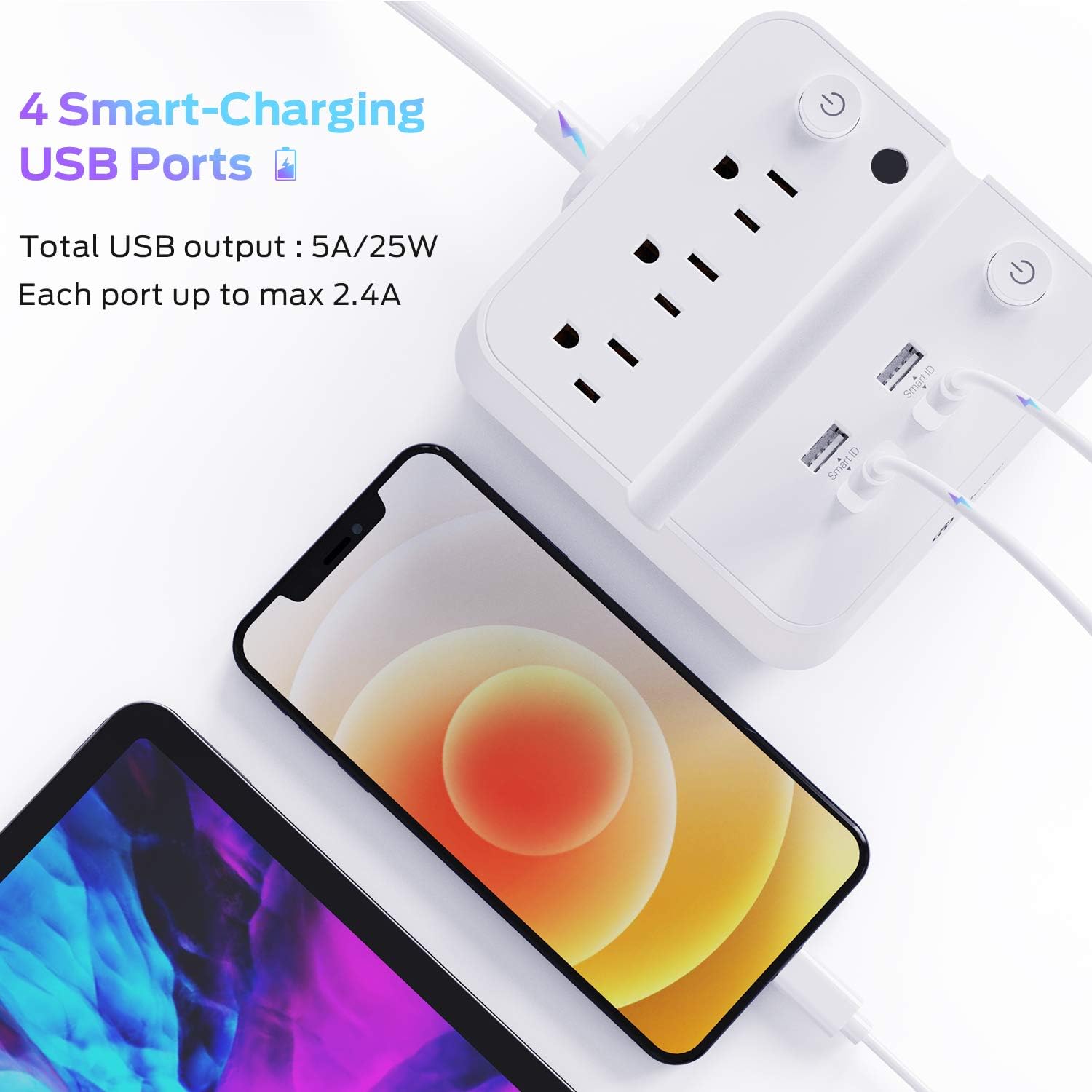
Equipped with 4 USB charging ports featuring SmartID Technology. Each port can supply up to 5V/2.4A, with a total USB output of 25W (5V/5A). These ports offer over-voltage, over-current, and high-temperature protections for safe and fast charging of your mobile devices.
4.4 Dual Switch Control and Overload Protection

The power strip features two individual control switches to separately manage the AC outlets and USB ports. This allows you to easily cut power to unused sections, conserving energy. The built-in overload protection automatically disconnects power if the current exceeds safe limits, preventing damage to connected devices and the unit itself. A reset button is available to restore power after an overload event.
4.5 Integrated Phone/Tablet Stand

A convenient groove on the top surface serves as a stand for your smartphone or tablet, allowing you to view your device while it charges.
4.6 சிறிய வடிவமைப்பு

With dimensions of approximately 4.9 x 4.9 x 1.57 inches, the power strip is designed to be compact and portable, suitable for various settings including home, office, or travel.
4.7 தயாரிப்பு முடிந்துவிட்டதுview வீடியோ
இந்த காணொளி ஒரு காட்சி விளக்கத்தை வழங்குகிறதுview of the iClever BoostStrip IC-BS02 Smart Power Strip, demonstrating its features including the 4 USB ports and 3 AC outlets, and highlighting its convenience for charging multiple devices.
5. அமைவு வழிமுறைகள்
- திறக்கவும்: Carefully remove the iClever IC-BS02 Power Strip from its packaging.
- இடம்: Place the power strip on a stable, flat surface, ensuring adequate ventilation and keeping it away from heat sources or water.
- சக்தியுடன் இணைக்கவும்: Plug the power strip's 3-prong plug into a standard 100-240V AC wall outlet.
- பவர் ஆன்: Press the individual power switches for the AC outlets and/or USB ports to turn them on. The indicator lights will illuminate when active.
6. இயக்க வழிமுறைகள்
- ஏசி அவுட்லெட்டுகளைப் பயன்படுத்துதல்: Plug your AC-powered devices into the 3 available AC outlets. Ensure the AC outlet switch is turned on.
- USB போர்ட்களைப் பயன்படுத்துதல்: Connect your USB charging cables to the 4 USB ports. Ensure the USB port switch is turned on. The SmartID technology will automatically detect your device and deliver the optimal charging current (up to 2.4A per port).
- Phone/Tablet Stand: Place your smartphone or tablet in the integrated groove on top of the power strip for convenient viewசார்ஜ் செய்யும் போது ing.
- பவர் ஆஃப்: To conserve energy or when not in use, press the individual power switches to turn off the AC outlets and/or USB ports.
7. பராமரிப்பு
- சுத்தம்: Disconnect the power strip from the wall outlet before cleaning. Use a dry, soft cloth to wipe the surface. Do not use liquid cleaners or aerosols.
- சேமிப்பு: Store the power strip in a cool, dry place when not in use for extended periods.
- ஆய்வு: மின் கம்பி மற்றும் பிளக்கில் ஏதேனும் சேதத்தின் அறிகுறிகள் உள்ளதா என அவ்வப்போது ஆய்வு செய்யுங்கள். சேதம் கண்டறியப்பட்டால், பயன்படுத்துவதை நிறுத்திவிட்டு வாடிக்கையாளர் ஆதரவைத் தொடர்பு கொள்ளவும்.
8. சரிசெய்தல்
Problem: No power to AC outlets or USB ports.
தீர்வு:
- பவர் ஸ்ட்ரிப் பாதுகாப்பாக வேலை செய்யும் சுவர் கடையில் இணைக்கப்பட்டுள்ளதை உறுதிசெய்யவும்.
- Check if the individual power switches for the AC outlets and/or USB ports are turned on.
- If the power strip has experienced an overload, the circuit breaker may have tripped. Press the overload reset button (usually a small black button near the AC outlets) to restore power.
- Verify that the total power consumption of connected devices does not exceed 1250W. Unplug some devices if necessary.
Problem: Devices are charging slowly or not at all via USB.
தீர்வு:
- Ensure the USB port switch is turned on.
- Check the USB cable for damage and ensure it is properly connected to both the power strip and your device.
- Some devices may require specific charging currents. While SmartID optimizes output, ensure your device is compatible with standard USB charging.
- If multiple high-power devices are connected to USB, the total 25W (5V/5A) output might be distributed, potentially slowing down individual charging.
9. விவரக்குறிப்புகள்
| அம்சம் | விவரக்குறிப்பு |
|---|---|
| மதிப்பிடப்பட்ட சக்தி | 125V/Max. 10A 1250W |
| ஏசி உள்ளீடு | ஏசி 100-240 வி 50-60 ஹெர்ட்ஸ் |
| ஏசி விற்பனை நிலையங்கள் | 3 |
| USB வெளியீடு | 4 x USB, 5V/Max 2.4A per port |
| Total USB Power | 25W (total 5V/5A output) |
| பரிமாணங்கள் | 4.9 x 4.9 x 1.57 அங்குலம் (125 x 125 x 40 மிமீ) |
| பொருளின் எடை | 12 OZ (342g) |
| நீட்டிப்பு தண்டு | 5ft 18AWG |
| பொருள் | 94V0 Fire-proof ABS+PC |
| சிறப்பு அம்சங்கள் | Dual Switch Control, Overload Protection, Surge Protection, Phone/Tablet Stand |
10. உத்தரவாதம் மற்றும் ஆதரவு
This iClever product comes with an 18-month worry-free warranty. A 30-day refund policy is also supported. For any product-related inquiries or support, please contact iClever customer service. Lifetime support service is provided.


