1. அறிமுகம்
The NETGEAR CM700 High Speed Cable Modem provides a reliable connection to high-speed cable Internet. Engineered with DOCSIS 3.0 technology and 32x8 channel bonding, it supports cable internet plans up to 800Mbps. This modem is designed to be compatible with major cable internet providers, offering a cost-effective alternative to renting equipment from your service provider.
2. தொகுப்பு உள்ளடக்கங்கள்
உங்கள் தொகுப்பில் அனைத்து பொருட்களும் இருப்பதை உறுதிசெய்து கொள்ளுங்கள்:
- High Speed Cable Modem (CM700)
- ஈதர்நெட் கேபிள்
- விரைவான நிறுவல் வழிகாட்டி
- பவர் அடாப்டர்
3. தயாரிப்பு முடிந்துவிட்டதுview
3.1 முன் குழு
The front panel of the CM700 modem features several LED indicators that provide status information about your connection and device operation.

படம் 1: முன் view of the NETGEAR CM700 cable modem with indicator lights for power, internet, upstream, downstream, and Ethernet activity.
3.2 பின்புற பேனல்
The rear panel contains all the necessary ports for connecting the modem to your internet service and other devices.

படம் 2: பின்புறம் view of the NETGEAR CM700 cable modem, highlighting the Ethernet port, Reset button, Cable/Internet coaxial connector, Power input, and On/Off switch.
4. அமைவு மற்றும் நிறுவல்
4.1 இணக்கத்தன்மை சரிபார்ப்பு
Before installation, verify that your internet service provider (ISP) supports the NETGEAR CM700 modem. This modem is compatible with major cable internet providers including Xfinity by Comcast, COX, and Spectrum. It is not compatible with Verizon, AT&T, CenturyLink, DSL providers, DirecTV, DISH, or any bundled voice service.
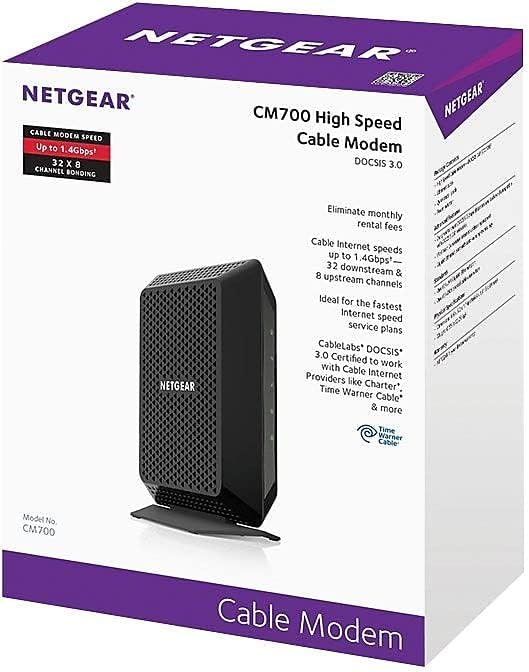
Figure 3: Compatibility logos for Xfinity, Cox, and Spectrum, confirming support for the CM700 modem.
4.2 உடல் இணைப்பு
- Power Off Existing Equipment: Disconnect power from your existing modem and router (if applicable).
- கோஆக்சியல் கேபிளை இணைக்கவும்: Connect a coaxial cable from the wall outlet to the Cable/Internet port on the rear of your CM700 modem. Ensure the connection is secure.
- ஈதர்நெட் கேபிளை இணைக்கவும்: Connect one end of the provided Ethernet cable to the Ethernet port on the rear of your CM700 modem. Connect the other end to your computer or to the WAN/Internet port of your Wi-Fi router.
- பவர் அடாப்டரை இணைக்கவும்: Plug the power adapter into the Power port on the modem and then into an electrical outlet. Press the On/Off button if present.
- விளக்குகளுக்காக காத்திருங்கள்: Allow the modem several minutes to power on and establish a connection. The Power, Downstream, Upstream, and Internet LEDs on the front panel should turn solid green or blue, indicating a successful connection.
4.3 Activate Your Internet Service
After connecting the modem, you will need to activate your internet service. The activation process varies by ISP:
- எக்ஸ்ஃபினிட்டி: For Xfinity customers, fast web self-activation is often available. Open a web browser on a connected device and follow the on-screen instructions. If self-activation fails, call Xfinity customer support.
- Other ISPs (Cox, Spectrum, etc.): Contact your ISP directly to activate the modem. You will typically need to provide the modem's serial number and MAC address, which are located on a label on the modem.
5. மோடத்தை இயக்குதல்
5.1 LED குறிகாட்டிகள்
The LED lights on the front of your CM700 modem provide important status information:
| LED | நிலை | விளக்கம் |
|---|---|---|
| சக்தி | திட பச்சை | மோடம் இயக்கப்பட்டுள்ளது. |
| கீழ்நிலை | திட நீலம் | Downstream channel is locked (DOCSIS 3.0). |
| திட பச்சை | Downstream channel is locked (DOCSIS 2.0). | |
| ஒளிரும் பச்சை | டவுன்ஸ்ட்ரீம் சேனலை ஸ்கேன் செய்கிறது. | |
| அப்ஸ்ட்ரீம் | திட நீலம் | Upstream channel is locked (DOCSIS 3.0). |
| திட பச்சை | Upstream channel is locked (DOCSIS 2.0). | |
| ஒளிரும் பச்சை | அப்ஸ்ட்ரீம் சேனலை ஸ்கேன் செய்கிறது. | |
| இணையம் | திட பச்சை | Modem is online and connected to the internet. |
| ஒளிரும் பச்சை | IP address is being acquired. | |
| ஈதர்நெட் | திட பச்சை | ஒரு சாதனம் ஈதர்நெட் போர்ட்டுடன் இணைக்கப்பட்டுள்ளது. |
| ஒளிரும் பச்சை | தரவு அனுப்பப்படுகிறது அல்லது பெறப்படுகிறது. |
6. பராமரிப்பு
- இடம்: Place the modem in a well-ventilated area to prevent overheating. Avoid placing it in enclosed spaces or near heat sources.
- சுத்தம்: Use a soft, dry cloth to clean the modem. Do not use liquid or aerosol cleaners.
- நிலைபொருள் புதுப்பிப்புகள்: Firmware updates are typically managed by your cable internet provider. Ensure your modem is always connected to the internet to receive these updates.
- வழக்கமான மறுதொடக்கங்கள்: Occasionally restarting your modem (power cycling) can help resolve minor connectivity issues and improve performance. To do this, unplug the power adapter, wait 10-15 seconds, and then plug it back in.
7. சரிசெய்தல்
7.1 இணைய இணைப்பு இல்லை
- கேபிள்களை சரிபார்க்கவும்: Ensure all cables (coaxial, Ethernet, power) are securely connected to the modem and wall outlets.
- LED நிலையை சரிபார்க்கவும்: Refer to the LED indicator table in Section 5.1. If the Downstream, Upstream, or Internet LEDs are not solid, there may be an issue with your cable signal or ISP connection.
- Power Cycle Modem: Unplug the modem's power adapter, wait 10-15 seconds, and plug it back in. Allow several minutes for the modem to restart and reconnect.
- ISP-ஐத் தொடர்பு கொள்ளவும்: If the issue persists after checking connections and power cycling, contact your internet service provider. There might be an outage in your area or a problem with your service.
7.2 மெதுவான இணைய வேகம்
- Verify Plan Speed: Confirm that your internet plan speed matches the capabilities of your modem. The CM700 supports plans up to 800Mbps.
- Test Directly: Connect a computer directly to the modem's Ethernet port (bypassing your router) and perform a speed test. This helps determine if the modem or your router is the bottleneck.
- குறுக்கீட்டைச் சரிபார்க்கவும்: If using a Wi-Fi router, ensure it's placed optimally and not experiencing interference from other devices.
- ISP-ஐத் தொடர்பு கொள்ளவும்: If speeds remain consistently low, contact your ISP to check your line quality and service provision.
8. விவரக்குறிப்புகள்
| அம்சம் | விவரம் |
|---|---|
| மாதிரி எண் | CM700-100NAS அறிமுகம் |
| DOCSIS தரநிலை | டாக்ஸிஸ் 3.0 |
| சேனல் பிணைப்பு | 32x8 (32 கீழ்நோக்கி, 8 மேல்நோக்கி) |
| அதிகபட்ச பதிவிறக்க வேகம் | 800 Mbps வரை (ISP சார்ந்தது) |
| ஈதர்நெட் துறைமுகங்கள் | 1 கிகாபிட் ஈதர்நெட் போர்ட் |
| பரிமாணங்கள் (LxWxH) | 6.6 x 5.2 x 1.7 அங்குலம் |
| எடை | 8.8 அவுன்ஸ் |
| தொகுதிtage | 100-240 வோல்ட்ஸ் |
| இயக்க முறைமை இணக்கத்தன்மை | மைக்ரோசாப்ட் விண்டோஸ் |
9. உத்தரவாதம் மற்றும் ஆதரவு
For warranty information and technical support, please visit the official NETGEAR website. You can find detailed warranty terms and contact information for customer support at www.netgear.com/warranty.


