அறிமுகம்
This instruction manual provides detailed information on the operation, features, and maintenance of your SONRU FM Transmitter Bluetooth Car Adapter. Please read this manual thoroughly before using the product to ensure proper function and safety.

Image: The SONRU FM Transmitter Bluetooth Car Adapter, a compact device designed to plug into a car's cigarette lighter socket, featuring a digital display, two USB charging ports (PD and QC3.0), and control buttons for music and calls.
பாதுகாப்பு தகவல்
- வெப்பமாக்கல்: Protect against over-heating during fast charging.
- வயர்லெஸ் குறுக்கீடு: May experience interference with other wireless devices.
- தனியுரிமை: Product includes a built-in microphone; be aware of privacy concerns.
தயாரிப்பு அம்சங்கள்
- மேம்படுத்தப்பட்ட புளூடூத் 5.3 தொழில்நுட்பம்: The adapter utilizes an advanced Bluetooth 5.3 chip for faster, more stable, and smarter connections. It optimizes transmission delay and connection stability, providing high-fidelity music.
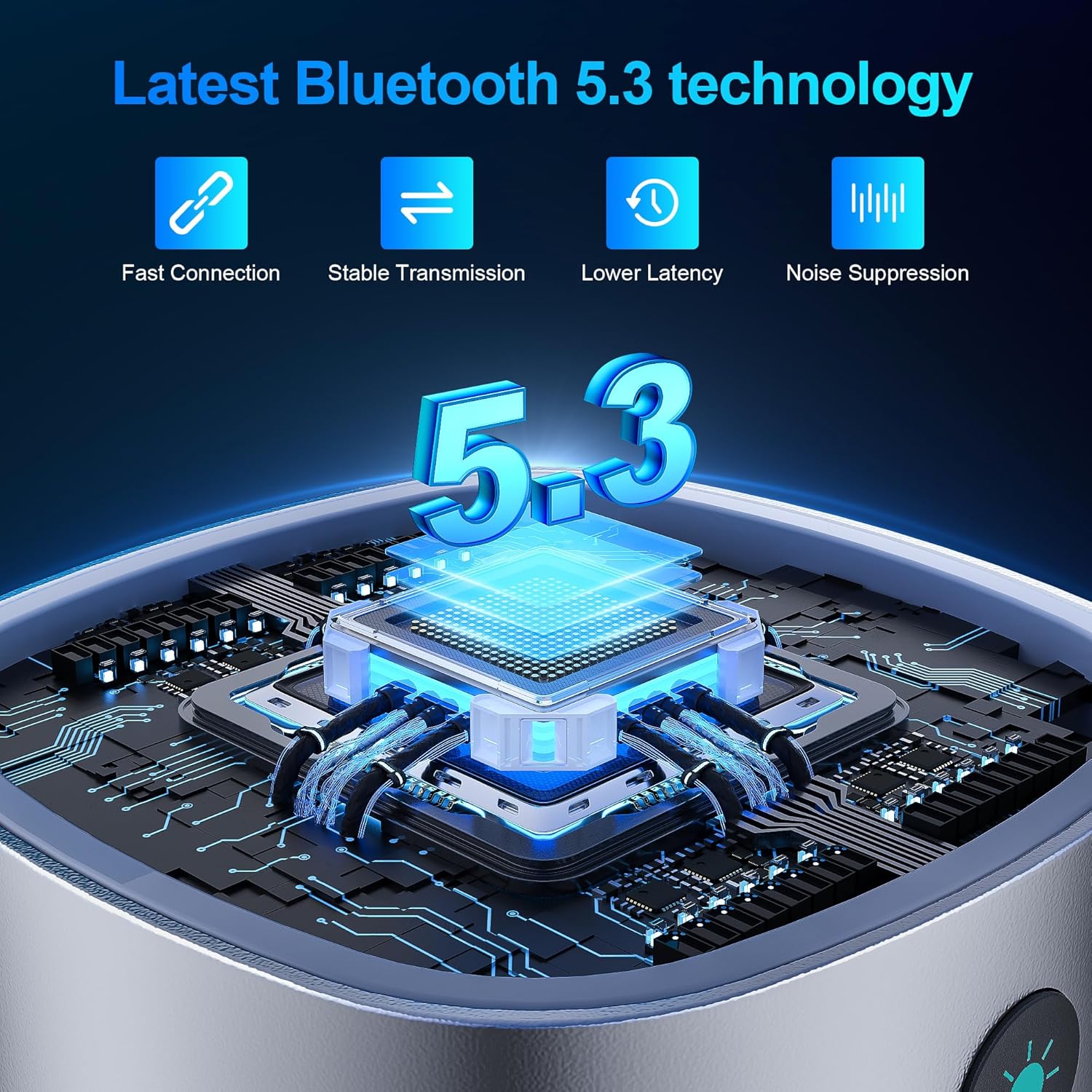
Image: A close-up showing the "Bluetooth 5.3" logo and a microchip, illustrating the advanced Bluetooth technology for fast connection, stable transmission, lower latency, and noise suppression.
- இரட்டை வேக சார்ஜிங் போர்ட்கள்: Equipped with PD 30W and QC3.0 18W fast charging ports, allowing simultaneous high-speed charging of two devices. This design is 80% more efficient than standard chargers, enabling devices to charge from 0% to 80% in approximately 30 minutes.
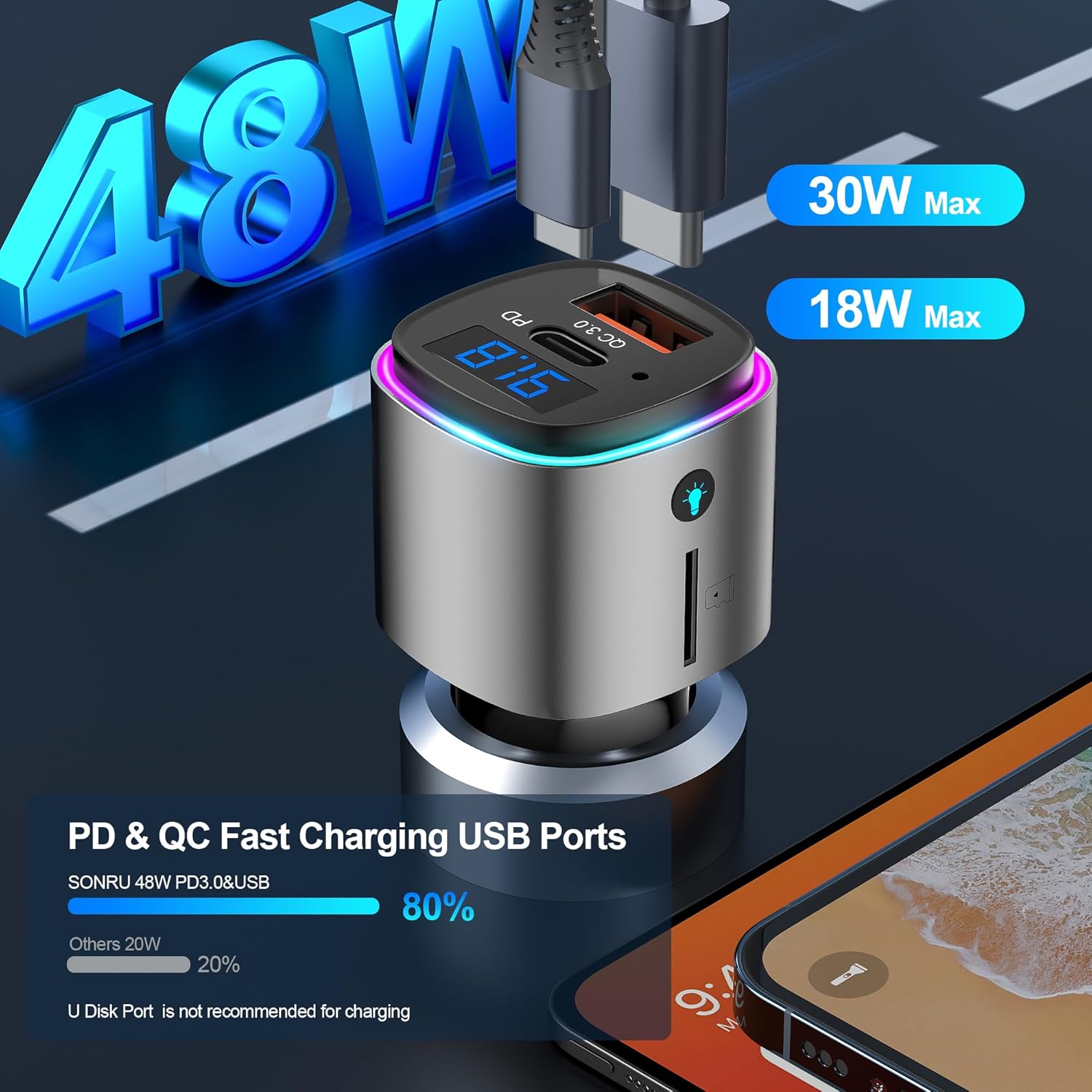
Image: The FM transmitter with two USB ports labeled "PD 30W" and "QC 3.0 18W", indicating its dual fast charging capabilities. The image also shows a comparison bar graph highlighting 80% efficiency.
- Hands-Free Calling & Crystal Clear Sound: Features CVC8.0 noise cancellation and echo cancellation to reduce external environmental noise, ensuring clear hands-free calls. A dedicated call button facilitates easy hands-free calling for safer driving.
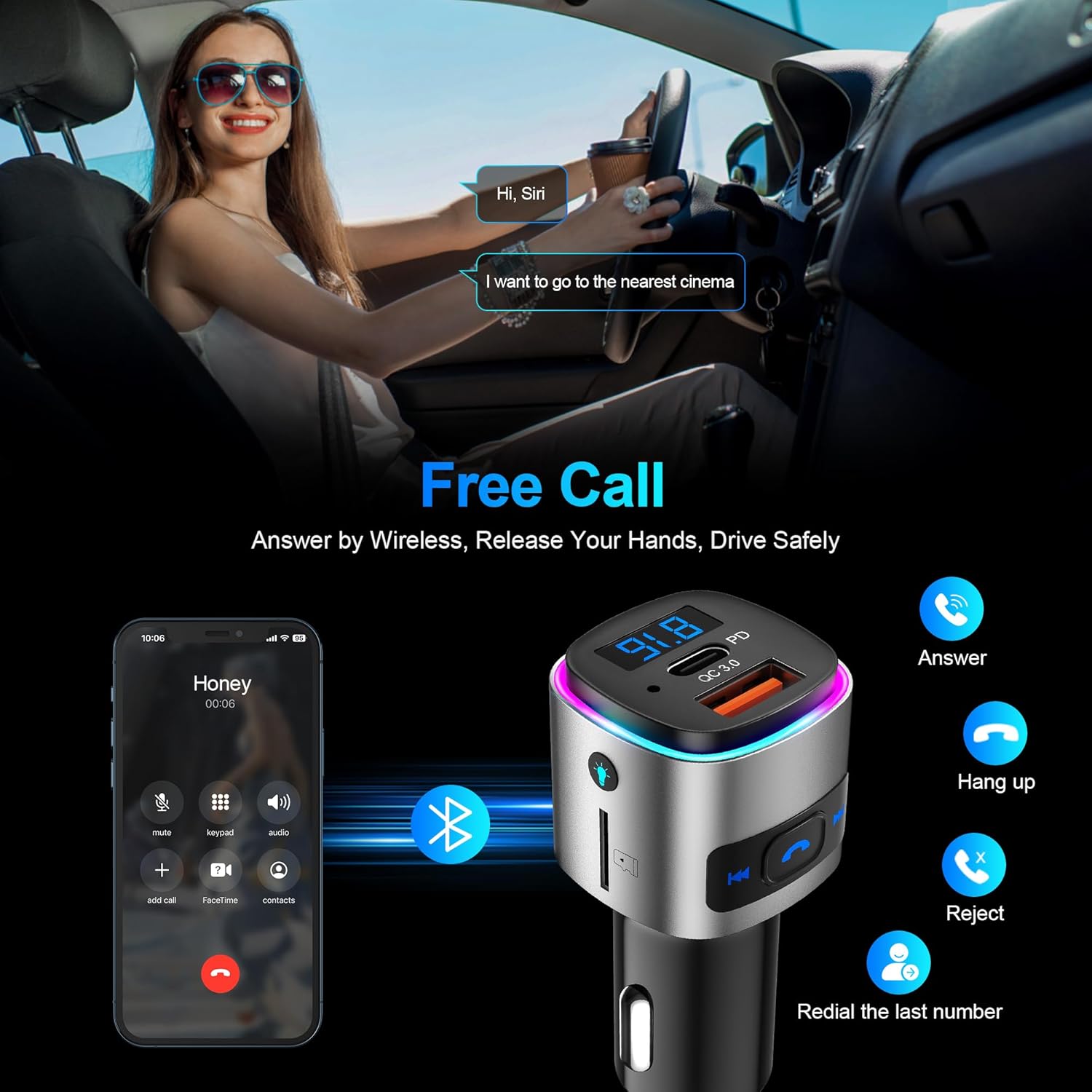
Image: A person driving and interacting with a voice assistant, with an overlay showing the FM transmitter and a phone displaying call options (answer, hang up, reject, redial). This illustrates the hands-free calling feature.
- Multifunctional FM Transmitter: Supports both Bluetooth and TF card playback (up to 32GB). It provides clear voice commands for safe driving, allowing activation of Siri or Google Assistant for phone calls. The device also features 7 colorful ambient lights.
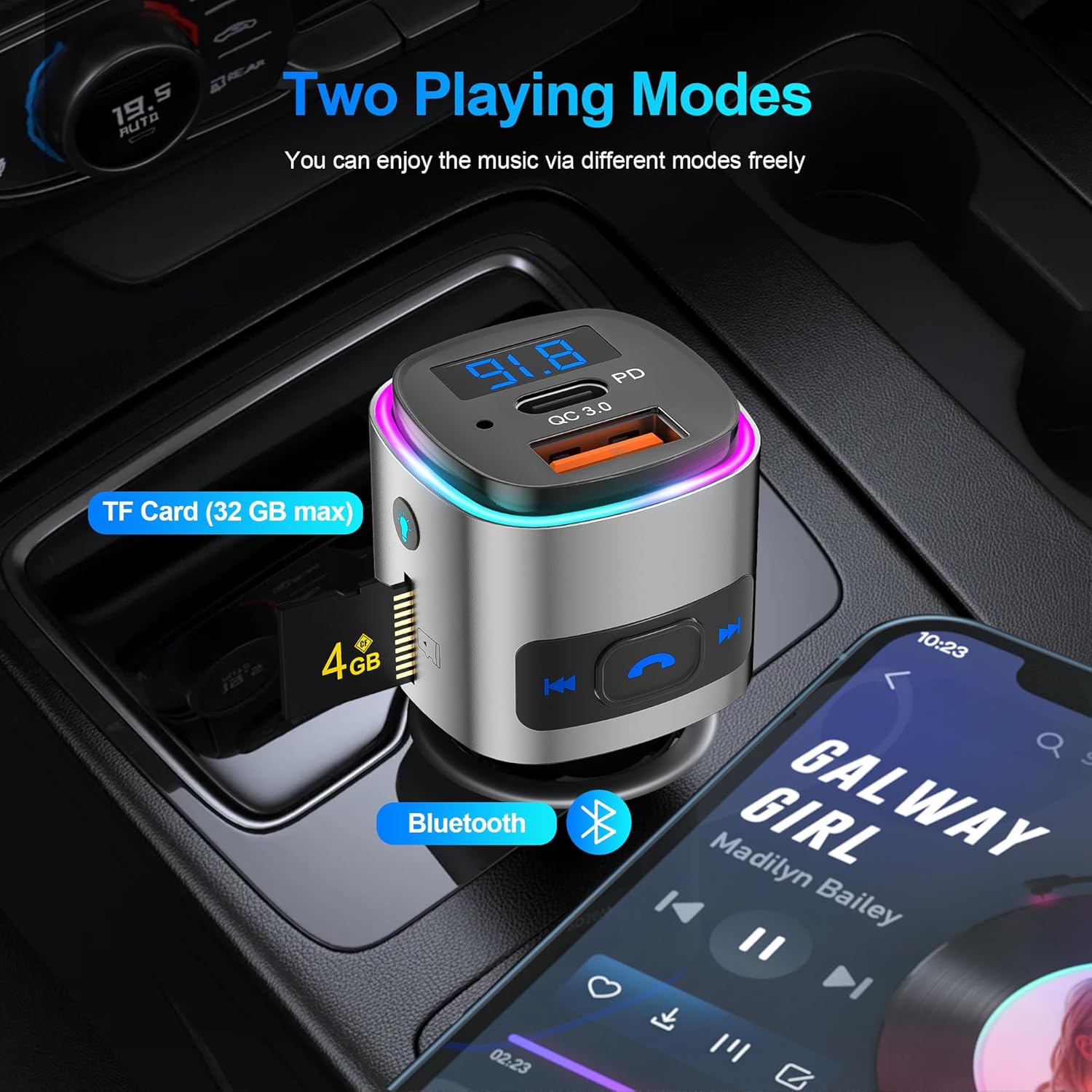
Image: The FM transmitter shown in a car's console, highlighting two music playing modes: TF Card (with a 4GB card inserted) and Bluetooth (with a phone displaying a music player app). This demonstrates its versatility.
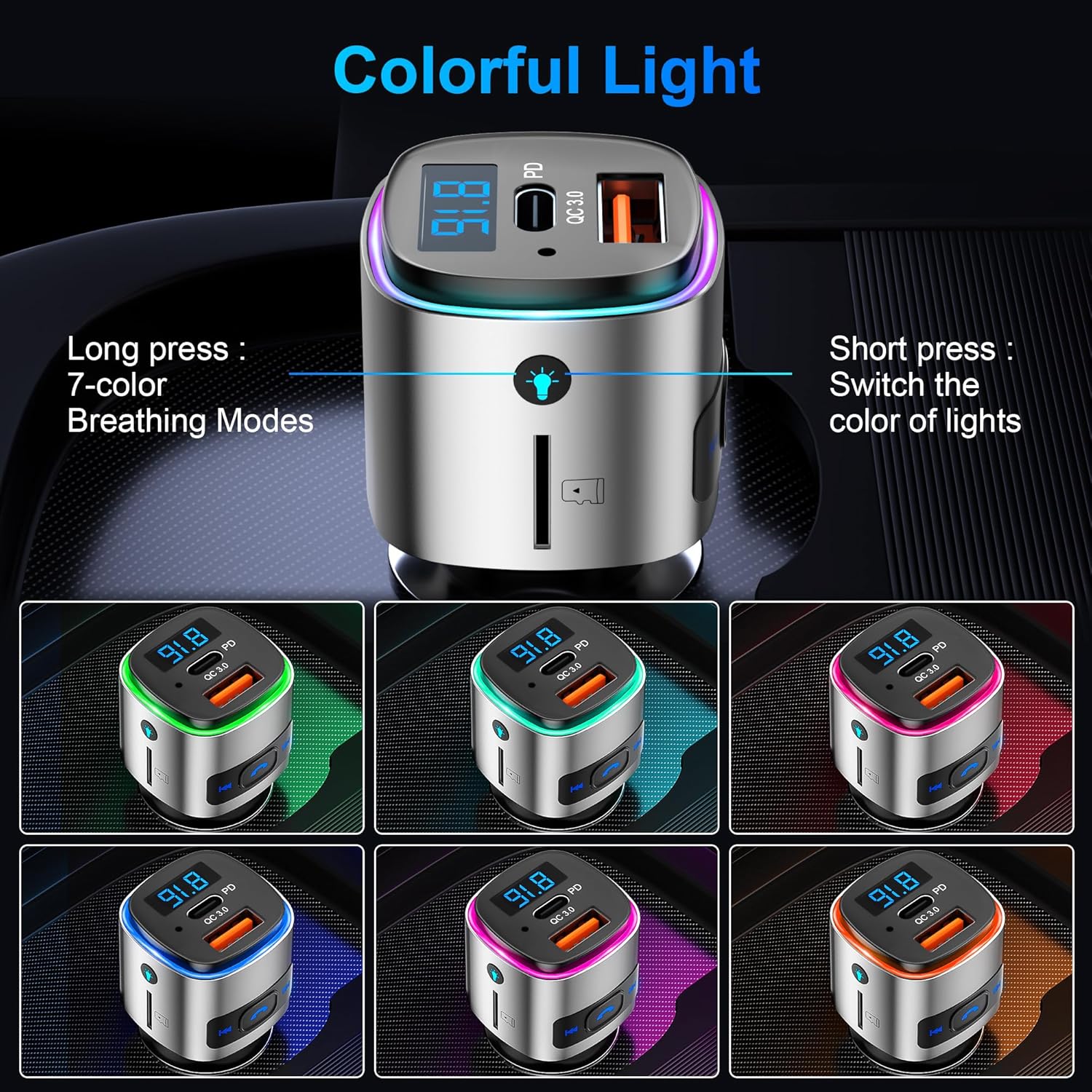
Image: The FM transmitter displaying various colorful light options (green, pink, blue, purple, cyan, yellow, white), indicating its customizable ambient lighting feature.
- Enhanced Safety & Guarantee: Provides multiple protections including over-heat, over-current, over-voltage, and short-circuit protection during device charging.
அமைவு வழிமுறைகள்
- Insert into Cigarette Lighter Socket: Plug the FM transmitter into your car's 12V cigarette lighter socket. The device will power on and display the current FM frequency.
Video: A demonstration of plugging the SONRU FM Transmitter into a car's cigarette lighter socket and then tuning the car radio to an unused FM frequency. It then shows pairing a smartphone via Bluetooth to the device and playing music through the car's speakers.
- டியூன் எஃப்எம் அதிர்வெண்: Find an empty FM frequency on your car radio (one with no static or active broadcast). Then, adjust the FM transmitter's frequency to match your car radio's frequency. This is typically done by long-pressing the "Next/FM+" or "Prev./FM-" buttons on the transmitter until the frequency display flashes, then short-pressing to adjust.
- புளூடூத் ஜோடி: On your smartphone, enable Bluetooth and search for available devices. Select "BC41" from the list to pair. Once connected, you can play audio from your phone through your car's speakers.
இயக்க வழிமுறைகள்
பொத்தான் செயல்பாடுகள் முடிந்துவிட்டனview
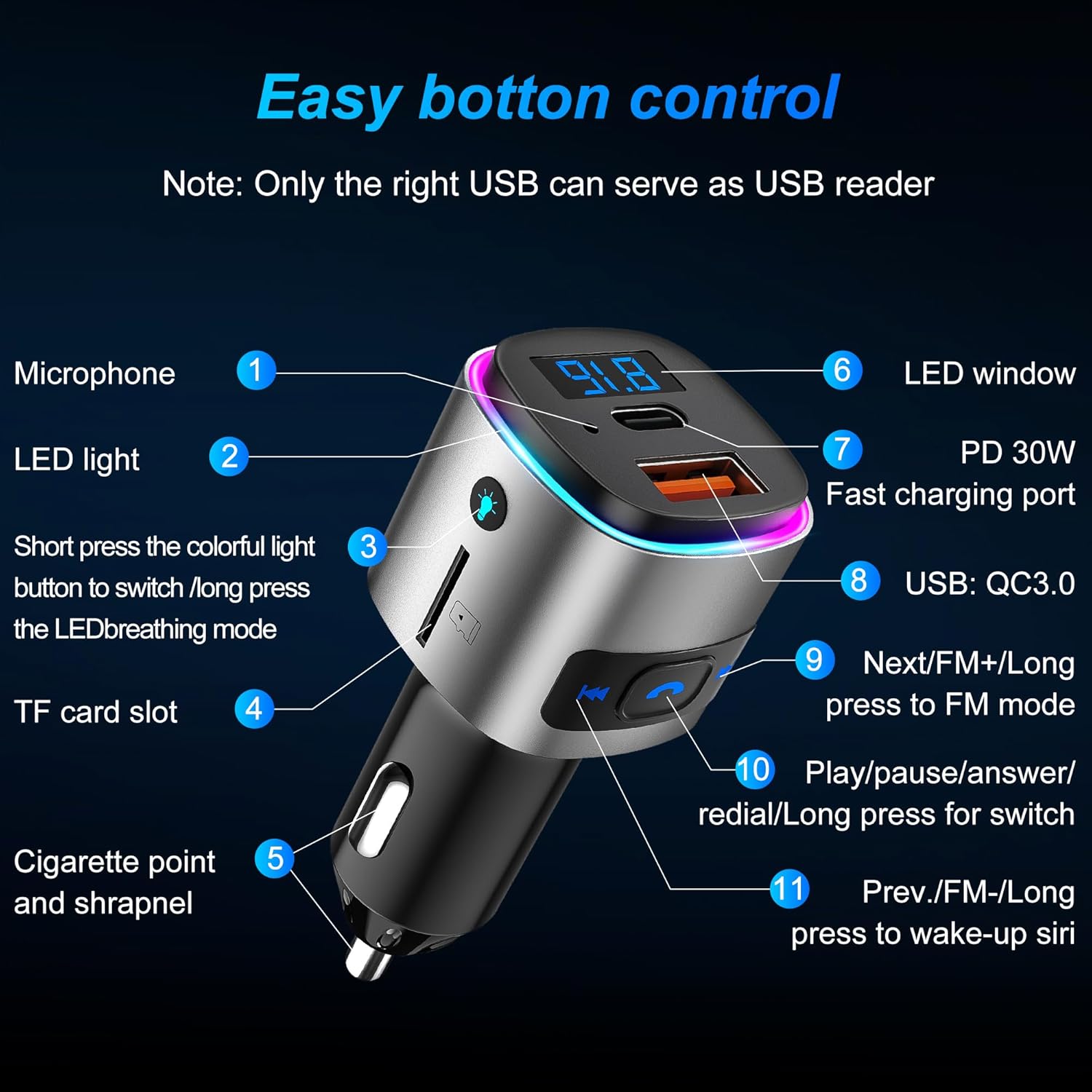
Image: A detailed diagram of the FM transmitter's buttons and ports, labeled with numbers and descriptions for easy identification and understanding of their functions.
- ஒலிவாங்கி: ஹேண்ட்ஸ்-ஃப்ரீ அழைப்பிற்கு.
- LED விளக்கு: Indicates device status and provides ambient lighting.
- Colorful Light Button: Short press to switch light color; long press to activate LED breathing mode.
- TF அட்டை ஸ்லாட்: Insert a TF card (up to 32GB) for music playback.
- Cigarette Point and Shrapnel: For power connection in the car's socket.
- LED ஜன்னல்: Displays FM frequency and voltage.
- PD 30W ஃபாஸ்ட் சார்ஜிங் போர்ட்: இணக்கமான சாதனங்களுக்கு அதிவேக சார்ஜிங்.
- QC3.0 18W Fast Charging Port: High-speed charging for compatible devices. Note: Only the right USB port (QC3.0) can serve as a USB reader for music playback from a U disk.
- Next/FM+ Button: Short press for next song/next FM frequency; long press to enter FM mode.
- Play/Pause/Answer/Redial Button: Short press to play/pause music, answer/hang up calls; long press to redial the last number.
- Prev./FM- Button: Short press for previous song/previous FM frequency; long press to wake up Siri/Google Assistant.
இசை பின்னணி
- புளூடூத் பயன்முறை: Once paired, open your music app on your phone and start playback. Use the transmitter's buttons to control tracks (Next/Prev) and play/pause.
- TF அட்டை பயன்முறை: Insert a TF card with MP3/WMA/WAV/FLAC audio files into the TF card slot. The device will automatically detect and play music. Use the transmitter's buttons for control.
- U வட்டு முறை: Insert a U disk with audio files into the QC3.0 USB port. The device will automatically detect and play music. Use the transmitter's buttons for control.
ஹேண்ட்ஸ்-ஃப்ரீ அழைப்பு
- பதில்/முடிவு அழைப்பு: Short press the phone button to answer an incoming call or end an ongoing call.
- அழைப்பை நிராகரி: Long press the phone button to reject an incoming call.
- மீண்டும்: Double-press the phone button to redial the last dialed number.
குரல் உதவியாளர்
- Activate Siri/Google Assistant: Long press the "Prev./FM-" button to activate your smartphone's voice assistant (Siri or Google Assistant).
சுற்றுப்புற விளக்கு
- நிறத்தை மாற்று: Short press the colorful light button to cycle through the 7 available colors.
- சுவாச முறை: Long press the colorful light button to activate the LED breathing mode, where colors fade in and out.
பராமரிப்பு
To ensure the longevity and optimal performance of your SONRU FM Transmitter, please follow these maintenance guidelines:
- சாதனத்தை உலர்வாக வைத்திருங்கள். ஈரப்பதம் உள் சுற்றுகளை சேதப்படுத்தும்.
- Avoid extreme temperatures. High temperatures can shorten the life of electronic devices.
- சாதனத்தை கைவிடவோ, தட்டவோ அல்லது அசைக்கவோ வேண்டாம். கரடுமுரடான கையாளுதல் உள் சர்க்யூட் போர்டுகளை உடைத்துவிடும்.
- மென்மையான, உலர்ந்த துணியால் சாதனத்தை சுத்தம் செய்யவும். கடுமையான இரசாயனங்கள் அல்லது சவர்க்காரங்களைப் பயன்படுத்த வேண்டாம்.
- Ensure the cigarette lighter socket is clean and free of debris for a secure connection.
சரிசெய்தல்
| பிரச்சனை | சாத்தியமான காரணம் | தீர்வு |
|---|---|---|
| பவர்/டிஸ்ப்ளே ஆஃப் இல்லை | Loose connection; car socket issue; device fault. | Ensure the device is firmly plugged in. Check if the car's cigarette lighter socket is working. Try in another vehicle if possible. |
| நிலையான அல்லது மோசமான ஆடியோ தரம் | FM frequency interference; volume too low/high; poor Bluetooth connection. | Change to a different, unused FM frequency on both the transmitter and car radio. Adjust volume on both the phone and car radio. Re-pair Bluetooth. |
| புளூடூத்தை இணைக்க முடியாது | புளூடூத் இயக்கப்படவில்லை; சாதனம் இணைத்தல் பயன்முறையில் இல்லை; குறுக்கீடு. | Ensure Bluetooth is enabled on your phone. Restart both the transmitter and phone. Make sure no other devices are connected to the transmitter. |
| சார்ஜ் மெதுவாக உள்ளது அல்லது வேலை செய்யவில்லை | Cable issue; device not compatible with fast charging; power output insufficient. | Use a high-quality charging cable. Ensure your device supports PD or QC3.0 fast charging. Check the power output requirements of your device. |
விவரக்குறிப்புகள்
- தயாரிப்பு பரிமாணங்கள்: 1.7 x 1.3 x 2.7 அங்குலங்கள் (1.7"L x 1.3"W x 2.7"H)
- பொருளின் எடை: 1.1 அவுன்ஸ்
- மாதிரி எண்: கி.மு.41
- இணைப்பு தொழில்நுட்பம்: புளூடூத் 5.3
- சக்தி ஆதாரம்: கம்பி மின்சார (கார் சிகரெட் லைட்டர்)
- சார்ஜிங் போர்ட்கள்: PD 30W, QC3.0 18W
- சிறப்பு அம்சங்கள்: Built-In Microphone, Fast Charging, Hands-Free Calls, Low Latency, Noise Cancellation, 7 Colorful LED Lights, TF Card/U Disk Playback
- FM அதிர்வெண் வீச்சு: 87.5 - 108.0 மெகா ஹெர்ட்ஸ்
உத்தரவாதம் மற்றும் ஆதரவு
SONRU provides a 2-year warranty for this product. If you encounter any problems during use within this period, please contact us. We are committed to providing a satisfactory solution.
For further assistance, please visit the official SONRU store or contact customer support through your purchase platform.


