அறிமுகம்
Welcome to the user manual for your Google Pixel 3 smartphone. This guide provides comprehensive instructions on setting up, operating, maintaining, and troubleshooting your device. The Google Pixel 3 is designed to offer a seamless and intelligent smartphone experience, featuring an advanced camera system, the Google Assistant, and an all-day battery.
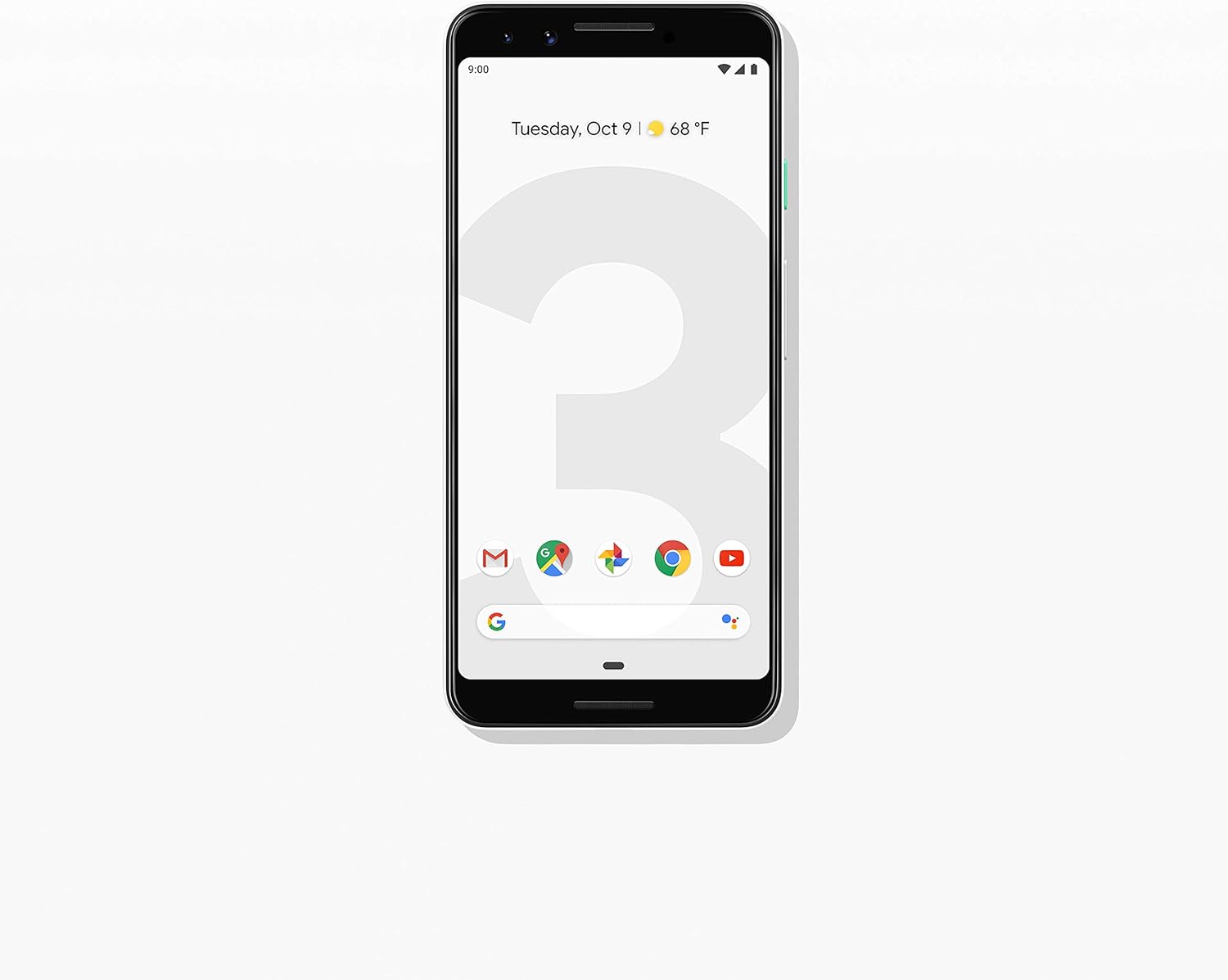
படம்: முன்பக்கம் view of the Google Pixel 3 smartphone, showcasing its display and sleek design in Clearly White.
அமைவு
1. அன்பாக்சிங் மற்றும் ஆரம்ப ஆய்வு
Upon opening the package, ensure all components are present and in good condition. The standard package for your Google Pixel 3 includes:
- Google Pixel 3 Smartphone
- USB-C digital earbud
- USB-C முதல் USB-C கேபிள்
- USB-C to 3.5mm headphone adapter
- Quick Switch Adapter (USB-A to USB-C)
- சிம் கருவி
2. சிம் கார்டு நிறுவல்
உங்கள் நானோ-சிம் கார்டை நிறுவ:
- தொலைபேசியின் இடது பக்கத்தில் சிம் கார்டு தட்டைக் கண்டறியவும்.
- Insert the SIM tool into the small hole on the tray to eject it.
- உங்கள் நானோ-சிம் கார்டை தங்க நிற தொடர்புகள் கீழே இருக்கும்படி தட்டில் வைக்கவும்.
- ட்ரேயை அது சரியான இடத்தில் கிளிக் செய்யும் வரை மெதுவாக தொலைபேசியினுள் தள்ளவும்.

படம்: பக்கம் view of the Google Pixel 3, highlighting the location of the SIM card tray and volume/power buttons.
3. ஆரம்ப பவர் ஆன் மற்றும் அமைவு வழிகாட்டி
Press and hold the power button on the right side of the phone until the Google logo appears. Follow the on-screen instructions to complete the initial setup, including connecting to Wi-Fi, signing in with your Google account, and setting up security features.
4. சாதனத்தை சார்ஜ் செய்தல்
Connect the USB-C cable to the phone's charging port at the bottom and the other end to the power adapter. Plug the adapter into a wall outlet. The Pixel 3 supports fast charging and wireless charging. A full charge typically takes approximately 2 hours.
இயக்க வழிமுறைகள்
1. Basic Navigation (Android 9 Pie)
The Google Pixel 3 runs on Android 9 Pie, offering intuitive gesture navigation.
- முகப்புத் திரை: முகப்புத் திரைக்குச் செல்ல, திரையின் அடிப்பகுதியில் இருந்து மேலே ஸ்வைப் செய்யவும்.
- ஆப் டிராயர்: Swipe up from the home screen to access all your applications.
- சமீபத்திய பயன்பாடுகள்: கீழிருந்து மேல்நோக்கி ஸ்வைப் செய்து, view சமீபத்தில் பயன்படுத்தப்பட்ட பயன்பாடுகள்.
- பின்: Tap the back arrow icon or swipe from the left or right edge of the screen (if gesture navigation is enabled).
- அறிவிப்புகள்: திரையின் மேலிருந்து கீழே ஸ்வைப் செய்யவும் view அறிவிப்புகள் மற்றும் விரைவு அமைப்புகள்.

Image: The Google Pixel 3 display showing the home screen with various app icons and the date/weather widget.
2. கேமரா அம்சங்கள்
The Pixel 3 camera is equipped with advanced features to capture high-quality photos and videos.
- குழு செல்ஃபிகள்: Utilize the wide-angle front camera to fit more people into your selfies.
- உருவப்படம் பயன்முறை: Create professional-looking photos with a blurred background (bokeh effect).
- சிறந்த புகைப்படம்: Automatically recommends the best shot from a burst of photos, ensuring no blinks or missed moments.
- Night Sight: Enhances low-light photography, capturing vibrant details in dark environments.
- 4K வீடியோ பதிவு: Record high-resolution videos at 30 frames per second.
3. கூகுள் உதவியாளர்
Access the Google Assistant by squeezing the sides of your phone or by saying "Hey Google" or "Ok Google." The Assistant can help with tasks such as setting alarms, getting directions, making calls, sending messages, and providing information.
4. அழைப்பு பரிசோதனை
The Call Screen feature allows the Google Assistant to answer calls from unknown numbers and provide a real-time transcription of the conversation, helping you avoid spam and nuisance calls.
5. டிஜிட்டல் நல்வாழ்வு
Monitor and manage your screen time with Digital Wellbeing. Set app timers, enable Wind Down mode to grayscale your screen and mute notifications for better sleep, and focus on what matters.
6. கூகிள் லென்ஸ்
Use Google Lens to search what you see. Point your camera at objects, text, or landmarks to get information, translate languages, or identify plants and animals.
பராமரிப்பு
1. பேட்டரி பராமரிப்பு
To maximize battery life (2915 mAh capacity):
- தீவிர வெப்பநிலையைத் தவிர்க்கவும்.
- Use the provided charger or a certified wireless charger.
- Enable Adaptive Battery in settings to limit battery usage for infrequently used apps.
- Consider using Battery Saver mode when battery is low.
2. மென்பொருள் புதுப்பிப்புகள்
Keep your device's software up to date to ensure optimal performance, security, and access to new features. Navigate to அமைப்புகள் > சிஸ்டம் > மேம்பட்டவை > சிஸ்டம் புதுப்பிப்பு புதுப்பிப்புகளைச் சரிபார்த்து நிறுவ.
3. உங்கள் சாதனத்தை சுத்தம் செய்தல்
Use a soft, lint-free cloth to clean the screen and body of your Pixel 3. Avoid abrasive materials or harsh chemicals. For stubborn smudges, slightly dampதண்ணீர் கொண்டு துணி en.
4. சேமிப்பு மேலாண்மை
The Pixel 3 comes with 64GB of internal storage. To manage storage effectively:
- Regularly clear app caches.
- தேவையற்றதை நீக்கவும் fileகள், புகைப்படங்கள் மற்றும் வீடியோக்கள்.
- Utilize cloud storage services like Google Photos (which offers free unlimited storage for Pixel users at original quality for photos and videos uploaded from the device).
சரிசெய்தல்
This section addresses common issues you might encounter with your Google Pixel 3.
| பிரச்சனை | தீர்வு |
|---|---|
| போன் ஆன் ஆகவில்லை | Ensure the battery is charged. Connect to a charger for at least 15 minutes. If unresponsive, press and hold the power button for 30 seconds. |
| மோசமான பேட்டரி ஆயுள் | Check battery usage in settings to identify draining apps. Reduce screen brightness, disable unnecessary features (Bluetooth, GPS when not in use), and enable Adaptive Battery. |
| செயலிழப்பது அல்லது உறைவது போன்ற பயன்பாடுகள் | பயன்பாட்டின் தற்காலிக சேமிப்பு மற்றும் தரவை அழிக்கவும் (Settings > Apps & notifications > App info > [App Name] > Storage & cache). Update the app or reinstall it. Ensure system software is up to date. |
| இணைப்புச் சிக்கல்கள் (வைஃபை/புளூடூத்) | Toggle Wi-Fi/Bluetooth off and on. Restart the phone. Forget and reconnect to the network/device. Reset network settings (Settings > System > Advanced > Reset options > Reset Wi-Fi, mobile & Bluetooth). |
| தொலைபேசி மெதுவாக உள்ளது அல்லது செயல்படவில்லை. | Restart the phone. Clear cached data. Uninstall unused apps. Check for system updates. As a last resort, consider a factory reset (back up data first). |
தொழிற்சாலை மீட்டமைப்பு
A factory reset will erase all data from your phone's internal storage. தொடர்வதற்கு முன் அனைத்து முக்கியமான தரவையும் காப்புப் பிரதி எடுக்கவும்.
- செல்க Settings > System > Advanced > Reset options.
- தட்டவும் எல்லா தரவையும் அழிக்கவும் (தொழிற்சாலை மீட்டமைப்பு).
- உங்கள் முடிவை உறுதிசெய்து, கேட்கப்பட்டால் உங்கள் பின்/வடிவம்/கடவுச்சொல்லை உள்ளிடவும்.
- தட்டவும் எல்லா தரவையும் அழிக்கவும்.
விவரக்குறிப்புகள்
Key technical specifications for the Google Pixel 3 (Model: G013A):
| அம்சம் | விவரம் |
|---|---|
| தயாரிப்பு பரிமாணங்கள் | 5.73 x 2.69 x 0.31 அங்குலம் |
| பொருளின் எடை | 12.8 அவுன்ஸ் |
| இயக்க முறைமை | ஆண்ட்ராய்டு 9.0 பை |
| ரேம் | 4 ஜிபி |
| நினைவக சேமிப்பு திறன் | 64 ஜிபி |
| திரை அளவு | 5.5 அங்குலம் |
| தீர்மானம் | 2560 x 1440 |
| பேட்டரி திறன் | 2915 மில்லிamp மணிநேரம் |
| சார்ஜிங் நேரம் | 2 மணி நேரம் (தோராயமாக) |
| இணைப்பு தொழில்நுட்பங்கள் | Bluetooth, 4G Cellular |
| சிறப்பு அம்சங்கள் | 4K Video Recording, GPS |
| நிறம் | Clearly White |
உத்தரவாதம் மற்றும் ஆதரவு
Your Google Pixel 3 is covered by a limited warranty provided by Google LLC. For detailed warranty terms and conditions, please refer to the warranty information included with your device packaging or visit the official Google support webதளம்.
ஆதரவைத் தொடர்பு கொள்கிறது
For technical assistance, troubleshooting beyond this manual, or warranty claims, please contact Google Support:
- ஆன்லைன் ஆதரவு: வருகை support.google.com/pixelphone
- சமூக மன்றங்கள்: Engage with other Pixel users and experts on Google's official forums.
When contacting support, please have your device's model number (G013A) and serial number ready.


