அறிமுகம்
Thank you for choosing the PPLEE Extra Loud Vibrating Alarm Clock. This alarm clock is designed to provide effective wake-up solutions for heavy sleepers, individuals who are deaf or hard of hearing, and anyone needing a reliable alarm. It features a large LED display, multiple wake-up modes including a powerful bed shaker, adjustable brightness and volume, a multi-color night light, and convenient USB charging ports. Please read this manual thoroughly to ensure proper setup and operation of your new alarm clock.
பெட்டியில் என்ன இருக்கிறது
- 1 x PPLEE Alarm Clock
- 1 x Bed Shaker
- 1 x பவர் அடாப்டர்
- 1 x USB கேபிள்
- 1 x பயனர் கையேடு
தயாரிப்பு முடிந்துவிட்டதுview
உங்கள் அலாரம் கடிகாரத்தின் கூறுகள் மற்றும் கட்டுப்பாடுகளுடன் உங்களைப் பழக்கப்படுத்திக் கொள்ளுங்கள்.

முன் view of the PPLEE alarm clock with its large green LED display and the connected bed shaker.

Diagram illustrating the clock's dimensions and key features such as vibrator, volume control, adjustable brightness, night light, memorized battery, 12H/24H time format, USB charging port, and 9-minute snooze.
The alarm clock features a large 7-inch LED display for clear visibility. On the top, you will find buttons for setting time, alarms, snooze, and controlling the night light. The back of the unit includes dual USB charging ports and connections for the power adapter and bed shaker.
அமைவு
- மின் இணைப்பு: Connect the provided power adapter to the DC IN port on the back of the alarm clock and plug it into a standard wall outlet. The display will light up.
- பேட்டரி காப்புப்பிரதி (விரும்பினால்): மின்சாரம் பயன்படுத்தும்போது பேட்டரி காப்பு செயல்பாட்டிற்குtages, insert 2 AAA batteries (not included) into the battery compartment on the bottom of the clock. These batteries will preserve time and alarm settings and trigger the alarm during power failure, but will not power the display or USB charging.
- பெட் ஷேக்கரை இணைக்கவும்: Plug the bed shaker's cable into the designated port on the back of the alarm clock. Place the bed shaker under your pillow or mattress for optimal vibration.
இயக்க வழிமுறைகள்
நேரம் மற்றும் தேதி அமைத்தல்
- நேரத்தை அமைக்கவும்: Press and hold the "SET TIME" button. Use the "HOUR" and "MINUTE" buttons to adjust the time. Press "SET TIME" again to confirm.
- 12/24 மணிநேர வடிவமைப்பு: Slide the "12H/24H" switch button on the back of the clock to select your preferred time format.
- பகல் சேமிப்பு நேரம் (DST): Press and hold the "SET TIME" button to activate or deactivate the DST function.
அலாரத்தை அமைத்தல்

Visual representation of the three available wake-up modes: vibration only, buzzer only, or both combined.
- அலாரம் நேரத்தை அமைக்கவும்: Press and hold the "ALARM SET" button. Use the "HOUR" and "MINUTE" buttons to set your desired alarm time. Press "ALARM SET" again to confirm.
- அலாரம் பயன்முறையைத் தேர்ந்தெடுக்கவும்: After setting the alarm time, press the "ALARM MODE" button repeatedly to cycle through the three wake-up modes:
- Bed Shaker Only: The bed shaker will activate.
- Buzzer Only: The alarm sound will play.
- Bed Shaker & Buzzer: Both the bed shaker and alarm sound will activate.
- அலாரத்தை இயக்கவும்/செயலிழக்கச் செய்யவும்: Press the "ALARM ON/OFF" button to turn the alarm on or off. An alarm icon will appear on the display when the alarm is active.
உறக்கநிலை செயல்பாடு
When the alarm sounds, press the large "SNOOZE" button on the top of the clock to temporarily silence the alarm for 9 minutes. The alarm will resume after 9 minutes. To stop the alarm completely, press the "ALARM PAUSE" button.
காட்சி பிரகாசத்தை சரிசெய்தல்

Illustration showing the adjustable brightness levels of the LED display, from 0% (off) to 100% (full brightness).
The display brightness can be adjusted from 0% to 100%. Use the "DIMMER" button to cycle through brightness levels or hold it to smoothly adjust the brightness to your preference.
அலாரம் ஒலியளவை சரிசெய்தல்

Diagram indicating three adjustable volume levels for the alarm, ranging from 70dB to 90dB.
The alarm volume has 3 levels (Low-Medium-High). Use the "VOLUME" button to select the desired alarm volume.
இரவு ஒளி செயல்பாடு

Image displaying the alarm clock with its top night light illuminated in various colors, highlighting the 7-color feature.
The alarm clock features a built-in night light with 7 color options. Press the "LIGHT" button to turn the night light on/off and cycle through the available colors.
USB சார்ஜிங் போர்ட்கள்
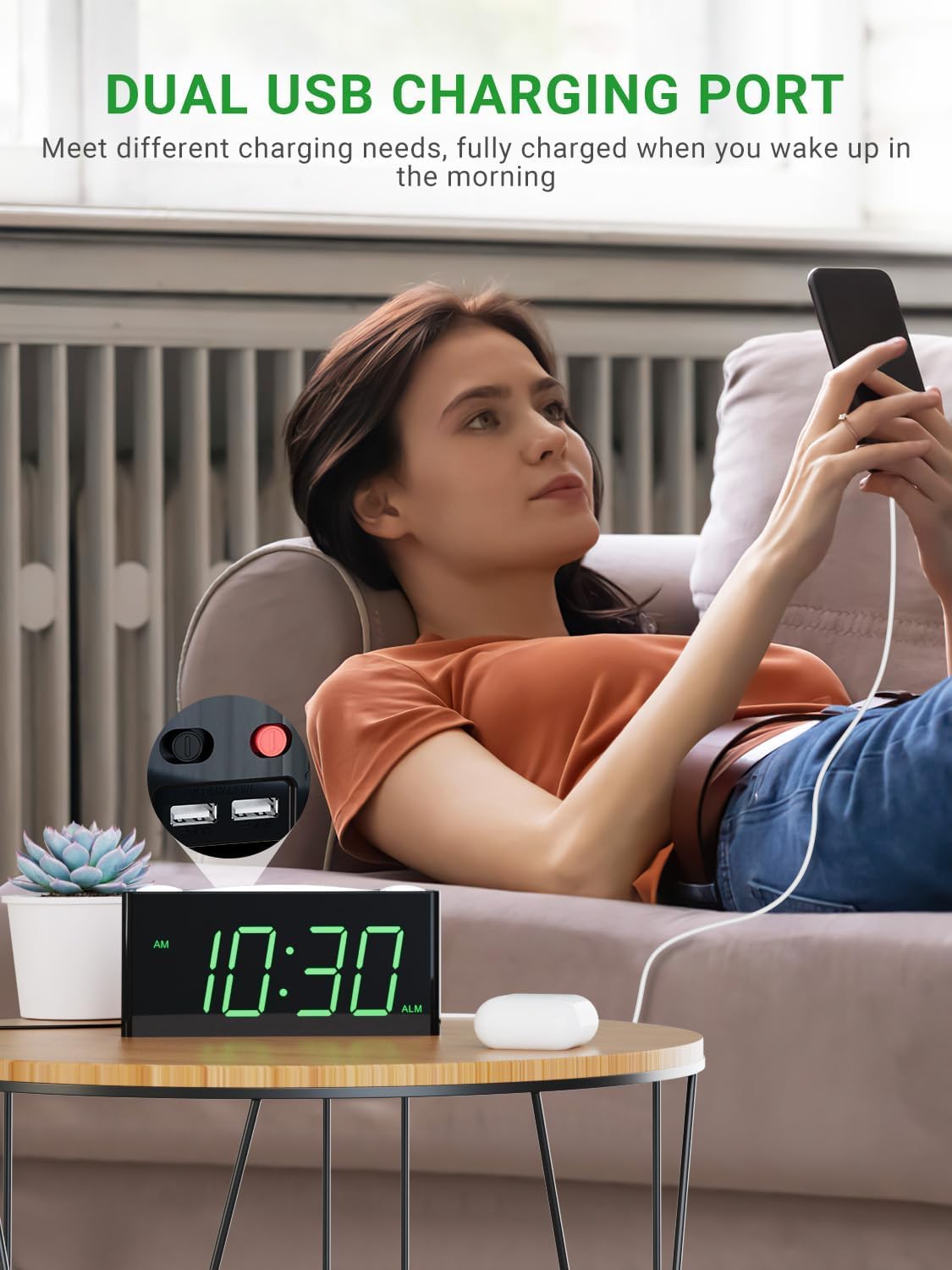
A user charging a mobile phone using one of the dual USB ports located on the back of the alarm clock.
Two USB charging ports are located on the back of the alarm clock. You can use these ports to charge your mobile devices overnight. Note that these ports are for charging only and do not transfer data.
பராமரிப்பு
- சுத்தம்: Use a soft, dry cloth to clean the surface of the alarm clock. Do not use liquid cleaners or abrasive sprays.
- இடம்: Place the alarm clock on a stable, flat surface away from direct sunlight, heat sources, and excessive moisture.
- சக்தி: Always use the original power adapter provided with the unit.
சரிசெய்தல்
| பிரச்சனை | சாத்தியமான காரணம் | தீர்வு |
|---|---|---|
| Clock display is off or not working. | No power, loose connection, or power outage. | Ensure power adapter is securely plugged in. Check wall outlet. If using battery backup, ensure batteries are fresh and correctly inserted. |
| Alarm does not sound or vibrate. | Alarm is not set, alarm mode is incorrect, or volume is too low. | Verify alarm time is set and activated (alarm icon visible). Check that the correct alarm mode (buzzer, shaker, or both) is selected. Increase alarm volume. Ensure bed shaker is properly connected. |
| மின்சாரம் நிறுத்தப்பட்ட பிறகு நேரம்/அமைப்புகள் மீட்டமைக்கப்படும்.tage. | Battery backup not installed or batteries are dead. | Install 2 new AAA batteries (not included) for backup. Ensure they are inserted with correct polarity. |
| USB சார்ஜிங் வேலை செய்யவில்லை. | Device not properly connected or clock not powered. | Ensure the USB cable is securely connected to both the clock and your device. Confirm the alarm clock is powered by the AC adapter. |
| காட்சி மிகவும் மங்கலாக அல்லது மிகவும் பிரகாசமாக உள்ளது. | பிரகாச அமைப்பை சரிசெய்ய வேண்டும். | Press or hold the "DIMMER" button to adjust the display brightness to your desired level. |
விவரக்குறிப்புகள்
| அம்சம் | விவரம் |
|---|---|
| பிராண்ட் | PPLEE |
| மாதிரி எண் | PPLEE-1008I-GN |
| காட்சி வகை | LED |
| நிறம் | Green Digits + Bed Shaker |
| தயாரிப்பு பரிமாணங்கள் | 1.57"அடி x 7"அடி |
| பொருளின் எடை | 0.7 பவுண்டுகள் (11.2 அவுன்ஸ்) |
| சக்தி ஆதாரம் | Corded Electric with Battery Backup Settings |
| பேட்டரி தேவை | 2 AAA பேட்டரிகள் (சேர்க்கப்படவில்லை) |
| சிறப்பு அம்சங்கள் | Digital LED display, easy to set, large display for vision impaired, outlet operated, USB phone charger, bed shaker, night light, snooze, 12/24H format, DST. |
உத்தரவாதம் & ஆதரவு
PPLEE Vibrating Loud Alarm Clock with Bed Shaker provides a ஒரு வருட உத்தரவாதம் from the date of purchase. Additionally, it includes a One-Month Money Back Guarantee மற்றும் 24-Hour Response for customer inquiries.
If you have any questions or require support regarding your product, please contact us via Amazon. We are committed to responding within 24 hours to assist you.
This product is designed for durability and ease of use, making it an excellent choice for personal use or as a gift.


