1. அறிமுகம்
This manual provides essential information for the assembly, operation, and maintenance of your ARCADE1UP Classic Cabinet Home Arcade, Model 7341. This unit is designed to bring classic arcade gaming into your home, featuring a 3/4 scale replica of traditional arcade cabinets.
The ARCADE1UP Final Fight At-Home Arcade Machine includes four classic games: Final Fight, 1944 (the Loop Master), Ghosts 'N Goblins, and Strider. It features a 17-inch color LCD display and authentic joystick and button controls for an immersive gaming experience.

Image 1.1: The ARCADE1UP Classic Cabinet Home Arcade (Final Fight) in a typical home setting. This image shows the full cabinet with its distinctive side art and illuminated marquee.
2. பாதுகாப்பு தகவல்
Please read and understand all safety warnings before assembling or operating this product. Failure to follow these instructions may result in injury or damage to the unit.
- மின் பாதுகாப்பு: பவர் அவுட்லெட் தொகுதியுடன் பொருந்துகிறது என்பதை உறுதிப்படுத்தவும்tage requirements specified on the power adapter. Do not use damaged power cords or plugs. Disconnect power before cleaning or servicing.
- சட்டசபை பாதுகாப்பு: Assembly requires adult supervision. Keep small parts away from children. Use appropriate tools and follow all assembly steps carefully.
- நிலைத்தன்மை: Place the arcade cabinet on a flat, stable surface to prevent tipping.
- எடை: The unit weighs approximately 26 kg (58.5 lbs). Exercise caution when lifting or moving the cabinet.
- சுற்றுச்சூழல்: Do not expose the unit to water, excessive moisture, or extreme temperatures. For indoor use only.
3. தொகுப்பு உள்ளடக்கங்கள்
Before beginning assembly, verify that all components are present and undamaged. Refer to the separate assembly guide included in your package for a detailed list of parts and hardware.
- Arcade Cabinet Panels (various sizes)
- 17-இன்ச் எல்சிடி டிஸ்ப்ளே
- Control Panel with Joysticks and Buttons
- பவர் அடாப்டர்
- Deck Protector (clear)
- வன்பொருள் தொகுப்பு (திருகுகள், டோவல்கள், முதலியன)
- Instruction Manual and Assembly Guide
4. அமைப்பு மற்றும் அசெம்பிளி
Assembly of the ARCADE1UP Classic Cabinet is required. It is designed for straightforward assembly, but it is recommended to have two adults for certain steps. A Philips head screwdriver is typically the only tool required.
- கூறுகளைத் திறக்கவும்: பேக்கேஜிங்கிலிருந்து அனைத்து பகுதிகளையும் கவனமாக அகற்றி, கீறல்களைத் தவிர்க்க சுத்தமான, மென்மையான மேற்பரப்பில் வைக்கவும்.
- Review சட்டசபை வழிகாட்டி: Consult the dedicated assembly guide provided in your package for step-by-step instructions, diagrams, and part identification.
- Assemble Cabinet Structure: Follow the guide to connect the side panels, back panel, and base using the provided hardware.
- காட்சியை நிறுவு: Secure the 17-inch LCD display into its designated slot within the cabinet. Connect the display cables as instructed.
- கட்டுப்பாட்டுப் பலகத்தை இணைக்கவும்: Mount the control panel, ensuring all joystick and button connections are properly seated. Install the clear deck protector over the control panel.
- இறுதி இணைப்புகள்: Connect the power adapter to the unit and then to a wall outlet.
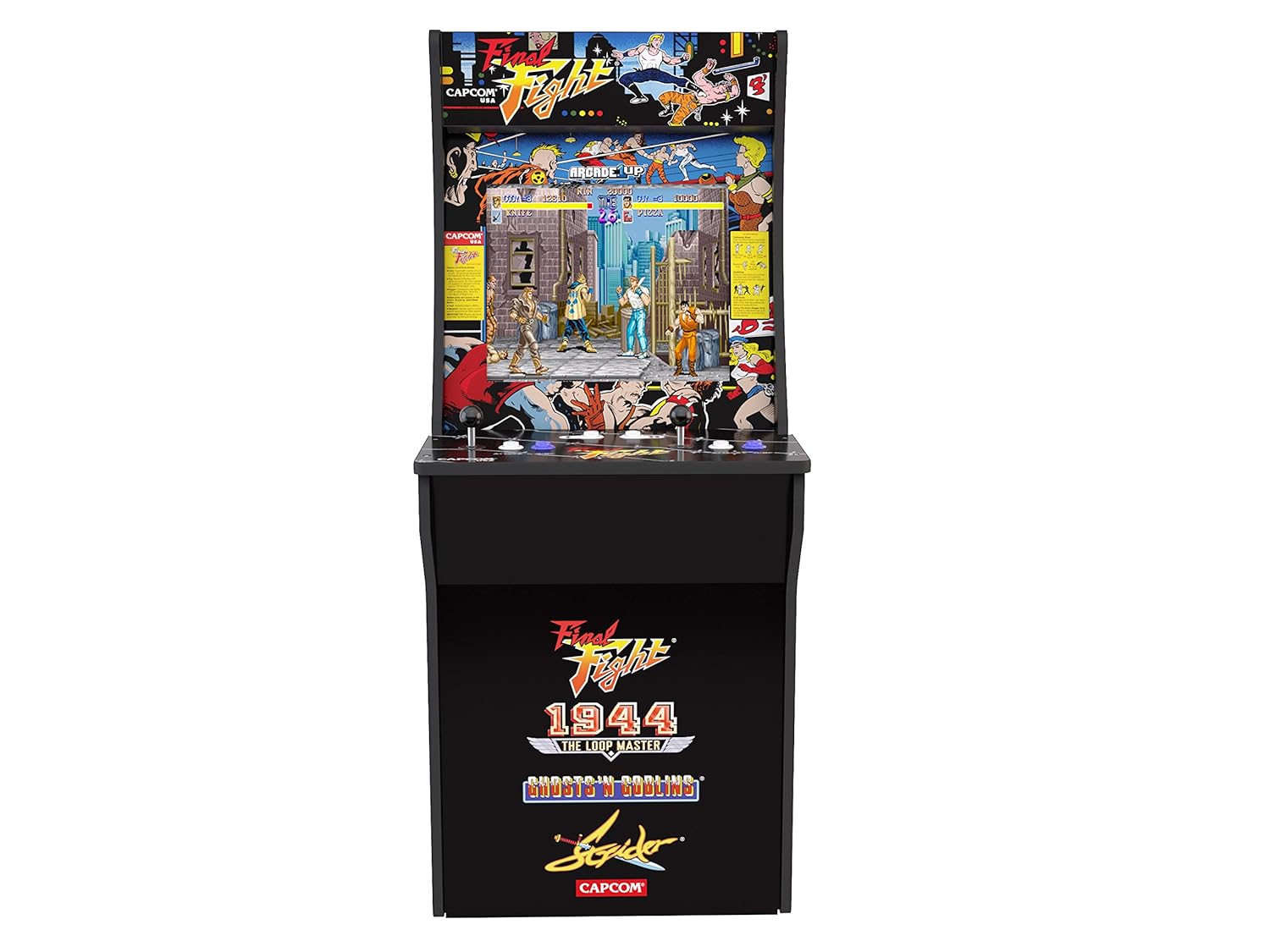

படம் 4.1: முன் மற்றும் பக்கம் views of the ARCADE1UP Final Fight cabinet, illustrating the assembled structure and artwork. These images provide a visual reference for the completed unit.
5. இயக்க வழிமுறைகள்
Once assembled and powered, your ARCADE1UP cabinet is ready for use. This unit operates coinlessly.
- பவர் ஆன்/ஆஃப்: Locate the power switch, typically on the control panel or rear of the unit. Flip the switch to the 'ON' position to power on the arcade. Flip to 'OFF' to power down.
- விளையாட்டு தேர்வு: Upon powering on, an on-screen game selection menu will appear. Use the joystick and action buttons to navigate and select your desired game.
- தொகுதி சரிசெய்தல்: The unit features adjustable volume. Controls for volume are usually located on the control panel. Adjust to a comfortable listening level.
- விளையாட்டு: Use the joysticks for movement and the designated action buttons for attacks, jumps, and other in-game actions. Refer to individual game instructions for specific controls.

படம் 5.1: ஒரு விரிவான view of the control panel, showing the joysticks, action buttons, and volume controls. This image helps users identify the various input methods for gameplay.
6. சேர்க்கப்பட்ட விளையாட்டுகள்
Your ARCADE1UP Final Fight cabinet comes pre-loaded with four classic arcade titles:
- Final Fight: A classic side-scrolling beat 'em up.
- 1944 (the Loop Master): A vertical-scrolling shoot 'em up.
- Ghosts 'N Goblins: A challenging platformer.
- Strider: A fast-paced action-platformer.
7. பராமரிப்பு
Proper care will ensure the longevity of your arcade cabinet.
- சுத்தம்: Use a soft, dry cloth to wipe down the cabinet surfaces. For the screen, use a screen-specific cleaner and a microfiber cloth. Avoid abrasive cleaners or excessive moisture.
- கண்ட்ரோல் பேனல்: The unit includes a clear deck protector. Keep this clean and free of debris.
- சேமிப்பு: If storing the unit, ensure it is in a dry, temperature-controlled environment.
8. சரிசெய்தல்
If you encounter issues with your ARCADE1UP cabinet, refer to the following common solutions:
| பிரச்சனை | சாத்தியமான தீர்வு |
|---|---|
| சக்தி இல்லை |
|
| No Display/Blank Screen |
|
| பதிலளிக்காததைக் கட்டுப்படுத்துகிறது |
|
| ஒலி இல்லை |
|
If problems persist after attempting these solutions, please contact ARCADE1UP customer support.
9. தொழில்நுட்ப விவரக்குறிப்புகள்
| அம்சம் | விவரம் |
|---|---|
| மாதிரி எண் | 7341 |
| பரிமாணங்கள் (H x W x D) | 116 cm x 59 cm x 49 cm (45.8" H x 22.75" W x 19" D) |
| எடை | 26 கிலோ (58.5 பவுண்ட்) |
| திரை அளவு | 17 அங்குலம் |
| காட்சி வகை | எல்சிடி |
| சக்தி ஆதாரம் | கம்பியூட்டப்பட்ட மின்சாரம் |
| வீரர்களின் எண்ணிக்கை | 4 |
| கட்டுப்படுத்தி வகை | ஜாய்ஸ்டிக் |
| சட்டசபை தேவை | ஆம் |
10. உத்தரவாதம் மற்றும் ஆதரவு
உத்தரவாதத் தகவலுக்கு, உங்கள் தயாரிப்புடன் சேர்க்கப்பட்டுள்ள உத்தரவாத அட்டையைப் பார்க்கவும் அல்லது அதிகாரப்பூர்வ ARCADE1UP ஐப் பார்வையிடவும். website. For technical support, replacement parts, or further assistance, please contact ARCADE1UP customer service directly. Contact details can typically be found on the manufacturer's webதளத்தில் அல்லது உங்கள் தயாரிப்பு பேக்கேஜிங்கில்.
உற்பத்தியாளர்: ARCADE1UP


