அறிமுகம்
This manual provides detailed instructions for the setup, operation, maintenance, and troubleshooting of your JLab Epic Air Sport ANC True Wireless Bluetooth 5 Earbuds. Please read this guide thoroughly to ensure optimal performance and longevity of your device.
பெட்டியில் என்ன இருக்கிறது
- JLab Epic Air Sport ANC Earbuds
- ஒருங்கிணைந்த USB சார்ஜிங் கேபிள் கொண்ட சார்ஜிங் கேஸ்
- Ear Cushions (Multiple sizes for optimal fit)
The package includes the earbuds, a charging case with a built-in USB-A cable, and various ear cushion sizes to ensure a comfortable and secure fit.
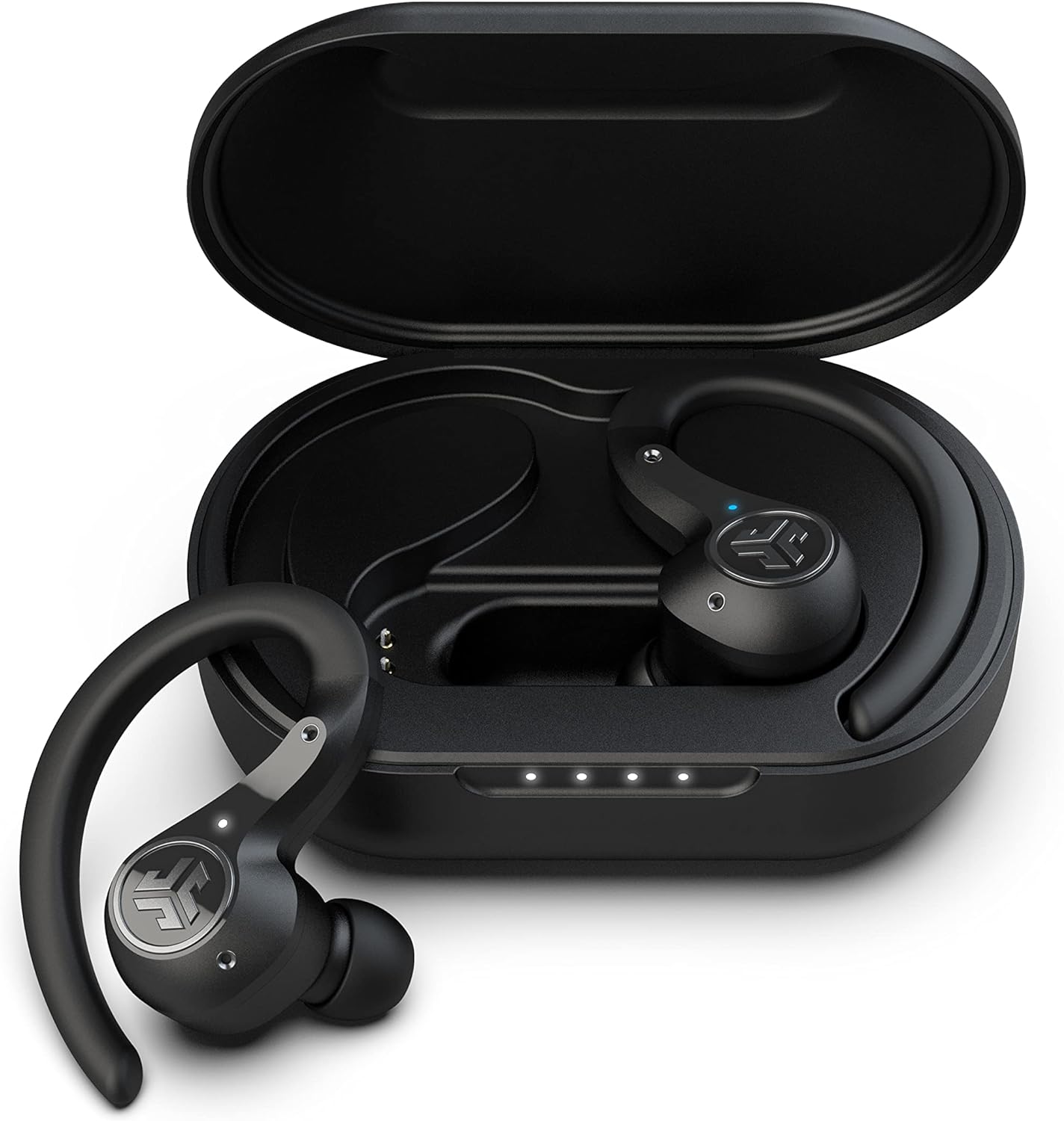
Image: JLab Epic Air Sport ANC Earbuds in their charging case.
அமைவு
1. ஆரம்ப கட்டணம் வசூலித்தல்
Before first use, fully charge your earbuds and charging case. The case features an integrated USB-A charging cable. Simply plug it into any USB-A charging port. The case also supports wireless charging.

Image: Charging case with its integrated USB cable extended for charging.
2. உங்கள் சாதனத்துடன் இணைத்தல்
- சார்ஜிங் கேஸிலிருந்து இரண்டு இயர்பட்களையும் அகற்றவும். அவை தானாகவே இணைத்தல் பயன்முறையில் நுழையும்.
- உங்கள் சாதனத்தில் (ஸ்மார்ட்போன், டேப்லெட் போன்றவை), புளூடூத் அமைப்புகளுக்குச் செல்லவும்.
- Select "JLab Epic Air Sport ANC" from the list of available devices to connect.
- இணைக்கப்பட்டதும், வெற்றிகரமான இணைப்பை உறுதிப்படுத்தும் ஆடியோ செய்தியைக் கேட்பீர்கள்.
The earbuds support dual connect, allowing you to use either earbud independently or both simultaneously. They will auto-connect to your device once paired.
இயக்க வழிமுறைகள்
தொடு கட்டுப்பாடுகள்
The Epic Air Sport ANC earbuds feature touch controls for various functions. Refer to the quick start guide for a detailed diagram of touch panel functions.
ஒலி முறைகள்
Control your listening experience with three distinct noise control modes:
- ANC ஆன்: Activates Smart Active Noise Cancellation to minimize external noise.
- ANC ஆஃப்: சத்தம் ரத்து செய்வதை முடக்குகிறது.
- விழிப்புடன் இருங்கள்: சுற்றுப்புற ஒலிகளைக் கடந்து செல்ல அனுமதித்து, உங்கள் சுற்றுப்புறத்தைப் பற்றி உங்களுக்குத் தெரியப்படுத்துகிறது.
These modes can be toggled directly from the earbuds or customized further using the JLab Air ANC app.

Image: Screenshot of the JLab Air ANC app interface, illustrating noise control settings.
திரைப்பட முறை
Activate Movie Mode for a super low latency experience, reducing audio lag to synchronize voices perfectly with on-screen visuals during video playback.
Wear Detect Sensor
Each earbud is equipped with an infrared sensor that automatically pauses your music when removed from your ear and resumes playback when placed back in.
C3 Calling
Benefit from clearer phone calls with C3 Calling technology. One microphone filters out surrounding noise, while another captures your voice for enhanced clarity.
பராமரிப்பு
சுத்தம் செய்தல்
Regularly clean your earbuds and charging case to maintain optimal performance and hygiene. Use a soft, dry cloth for the exterior. For ear tips, remove them and gently clean with a damp துணியை மீண்டும் இணைப்பதற்கு முன் அவை முற்றிலும் உலர்ந்திருப்பதை உறுதிசெய்து கொள்ளுங்கள்.
சேமிப்பு
Store the earbuds in their charging case when not in use to protect them and keep them charged. Avoid exposing the earbuds to extreme temperatures or direct sunlight for extended periods.
நீர் எதிர்ப்பு
The earbuds are IP66 sweatproof, offering protection against sweat and dirt. However, they are not designed for submersion in water. Ensure they are dry before placing them back in the charging case.
சரிசெய்தல்
- ஒலி/இணைப்பு சிக்கல்கள் இல்லை: Ensure both earbuds are charged and properly seated in the case. Re-pair the earbuds with your device by forgetting the device in your Bluetooth settings and repeating the pairing process.
- இயர்பட்ஸ் சார்ஜ் ஆகவில்லை: Check that the charging case is charged. Ensure the earbuds are correctly aligned with the charging pins in the case. Clean the charging contacts on both the earbuds and the case if necessary.
- சங்கடமான பொருத்தம்: Experiment with the different sizes of ear cushions provided to find the most comfortable and secure fit for your ears.
- ஒலி தர சிக்கல்கள்: Adjust the EQ settings via the JLab Air ANC app to match your preferences. Ensure ear tips provide a good seal.
விவரக்குறிப்புகள்
| அம்சம் | விவரக்குறிப்பு |
|---|---|
| மாதிரி பெயர் | JLab Epic Air Sport ANC |
| புளூடூத் பதிப்பு | 5.0 |
| இயர்பட் விளையாடும் நேரம் | 15+ hours (Bluetooth), 50+ hours (Bluetooth ANC) |
| மொத்த விளையாட்டு நேரம் (கேஸுடன்) | 70+ hours (Bluetooth), 55+ hours (Bluetooth ANC) |
| நீர் எதிர்ப்பு | IP66 Sweatproof |
| சத்தம் கட்டுப்பாடு | Smart Active Noise Cancellation (ANC On, ANC Off, Be Aware) |
| சார்ஜிங் விருப்பங்கள் | Wireless + Integrated USB-A Cable |
| கட்டுப்பாட்டு வகை | தொடு கட்டுப்பாடு |
| ஆடியோ டிரைவர் அளவு | 8 மில்லிமீட்டர்கள் |
| பொருளின் எடை | 3.52 அவுன்ஸ் (இயர்பட்ஸ்) |
உத்தரவாதம் & ஆதரவு
Your JLab Epic Air Sport ANC earbuds are covered by a 1-year warranty. This includes parts and labor. For warranty registration and support, please visit the official JLab webதளம் அல்லது வாடிக்கையாளர் சேவையை தொடர்பு கொள்ளவும்.
JLab offers up to 3 free replacement accessories within the warranty period and a 30-day return window with no questions asked (if purchased directly from official selling channels). Lifetime advisory support is also provided.
For any questions, difficulties with usage, or other inquiries, please refer to the contact information provided in your product packaging or on the official JLab webதளம்.
அதிகாரப்பூர்வ தயாரிப்பு வீடியோக்கள்
Full Demo & Review of Epic Air Sport Earbuds
Video: A comprehensive demonstration and review of the JLab Epic Air Sport Earbuds, detailing features and user experience.
Quick Unboxing Review
Video: A quick unboxing and first impressions of the JLab Epic Air Sport ANC Earbuds.


