1. அறிமுகம்
The TOPDON BT100 is a professional automotive battery tester designed to accurately assess the health of 6V and 12V lead-acid batteries and their associated charging systems. This device provides quick and precise analysis of battery voltagஇ, உள் எதிர்ப்பு, குளிர் கிராங்கிங் amps (CCA), and overall battery condition, helping users determine if a battery needs charging or replacement. It is compatible with a wide range of vehicles and battery types, making it an essential tool for automotive enthusiasts and professionals alike.

Image 1.1: The TOPDON BT100 Car Battery Tester, showing the main unit with its display and control buttons, connected to red and black battery clamps.
2 முக்கிய அம்சங்கள்
- Comprehensive Battery Analysis: Performs tests for battery health, state of charge, internal resistance, and cold cranking ampகள் (சிசிஏ).
- Cranking System Test: ஸ்டார்ட்டர் மோட்டாரின் செயல்திறனை மதிப்பிடுகிறது.
- Charging System Test: Analyzes the vehicle's charging system, including the generator and rectifier.
- பரந்த இணக்கத்தன்மை: Supports 6V and 12V lead-acid batteries, including Regular Flooded, AGM Flat Plate, AGM Spiral, GEL, and EFB types, with a testing range of 100-2000 CCA.
- உள்ளுணர்வு LED குறிகாட்டிகள்: Features three smart LED indicators (Good, Charge, Bad) for quick status assessment.
- Fast and Accurate Results: Delivers precise test results within seconds.
- சுயமாக இயங்கும் செயல்பாடு: Draws power directly from the battery under test, requiring no internal batteries or external power source.

Image 2.1: An illustration highlighting the various enhanced automotive battery load tests the BT100 can perform, including Charging Test, Voltage Test, Cranking Test, Load Test, Ripple Analysis, State of Charge (SOC), State of Health (SOH), Data Storage, and Resistance Test.
3. அமைவு மற்றும் இணைப்பு
To begin using your TOPDON BT100, follow these simple connection steps:
- பேட்டரியை தயார் செய்யவும்: Ensure the vehicle's ignition is off and all accessories are disconnected. Clean the battery terminals if they are corroded to ensure a good connection.
- Cl ஐ இணைக்கவும்amps: சிவப்பு நேர்மறை (+) cl ஐ இணைக்கவும்.amp to the positive battery terminal. Then, attach the black negative (-) clamp to the negative battery terminal. Ensure the clamps are securely fastened to prevent false readings or damage.
- பவர் ஆன்: The BT100 will automatically power on once correctly connected to the battery. The display will illuminate, indicating it is ready for operation.

படம் 3.1: ஒரு நெருக்கமான படம் view of the TOPDON BT100's red and black battery clamps, designed for secure and safe connection to battery terminals.
4. இயக்க வழிமுறைகள்
The BT100 features a user-friendly interface with intuitive buttons for navigation:
- உள்ளிடவும்: Confirms selections or proceeds to the next step.
- M (Menu): Accesses the main menu or returns to the previous screen.
- வெளியேறு: Exits the current function or returns to the main menu.
- மேல்/கீழ் அம்புகள்: மெனு விருப்பங்கள் வழியாகச் செல்கிறது அல்லது மதிப்புகளைச் சரிசெய்கிறது.
4.1. பேட்டரி சோதனை
This test assesses the overall health and charge level of the battery.
- From the main menu, select "Battery Test" and press உள்ளிடவும்.
- Select the appropriate battery type (e.g., Regular Flooded, AGM Flat Plate, GEL) using the Up/Down arrows and press உள்ளிடவும்.
- Input the battery's rated Cold Cranking Amps (CCA) using the Up/Down arrows to adjust the value and press உள்ளிடவும். This information is usually found on the battery label.
- The tester will perform the analysis and display the results, including Health, Charge, Internal Resistance, and the recommended action (e.g., Good, Charge, Replace).

Image 4.1.1: The BT100 display showing detailed battery health results, including capacity, battery voltage, start power, and alternator status, categorized as Good, Charge, or Bad.
4.2. கிராங்கிங் சிஸ்டம் சோதனை
This test evaluates the performance of the vehicle's starter motor.
- From the main menu, select "Cranking Test" and press உள்ளிடவும்.
- வாகனத்தின் இயந்திரத்தைத் தொடங்க திரையில் உள்ள வழிமுறைகளைப் பின்பற்றவும்.
- The tester will analyze the cranking voltage and time, then display whether the cranking system is normal or abnormal.

Image 4.2.1: The TOPDON BT100 connected to a car battery, with the display showing the results of a cranking system test, indicating the cranking time and voltage.
4.3. சார்ஜிங் சிஸ்டம் சோதனை
This test checks the vehicle's alternator and charging circuit.
- From the main menu, select "Charging Test" and press உள்ளிடவும்.
- திரையில் உள்ள வழிமுறைகளைப் பின்பற்றவும், இதில் பொதுவாக incre அடங்கும்asing the engine RPM to approximately 2500 r/min and holding it for 5 seconds.
- The tester will measure the loaded and unloaded voltage, as well as ripple voltage, to determine if the charging system is functioning correctly.
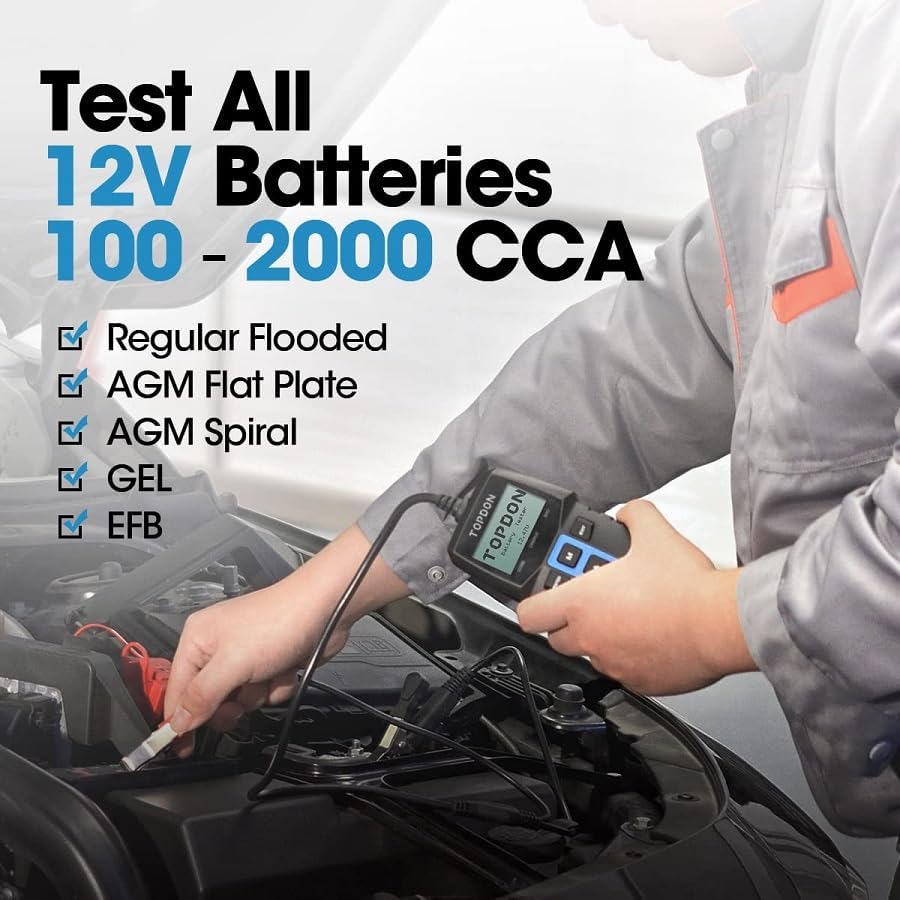
Image 4.3.1: The TOPDON BT100 connected to a car battery, with the display showing the results of a charging system test, indicating loaded and unloaded voltagஇ மற்றும் சிற்றலை.
5. Understanding Test Results
The BT100 provides clear indications of battery and system status:
- GOOD (Green LED): The battery or system is in good working condition.
- CHARGE (Yellow LED): The battery needs to be recharged, or the charging system is operating at a lower efficiency.
- BAD (Red LED): The battery needs to be replaced, or there is a significant issue with the charging/cranking system.
Detailed numerical readings for voltage, CCA, and internal resistance are displayed on the screen for further analysis.

Image 5.1: The BT100 display with its three LED indicators (Good, Charge, Bad) and a table explaining the corresponding capacity, battery voltage, start power, and alternator values.
6. இணக்கத்தன்மை
The TOPDON BT100 is designed for broad compatibility:
- பேட்டரி வகைகள்: 6V and 12V lead-acid batteries, including Regular Flooded, AGM Flat Plate, AGM Spiral, GEL, and EFB batteries.
- CCA வரம்பு: 100-2000 CCA.
- Vehicle Types: Suitable for cars, motorcycles, trucks, RVs, off-road vehicles, SUVs, boats, yachts, lawnmowers, and golf carts.

Image 6.1: The TOPDON BT100 demonstrating its ability to test all 12V battery types within the 100-2000 CCA range, including Regular Flooded, AGM Flat Plate, AGM Spiral, GEL, and EFB.
7. பாதுகாப்பு முன்னெச்சரிக்கைகள்
Always observe the following safety guidelines when using the TOPDON BT100:
- Wear appropriate eye protection and protective clothing when working near batteries.
- Ensure adequate ventilation to prevent the accumulation of explosive gases.
- Avoid sparks, flames, and smoking near the battery.
- பேட்டரி முனையங்கள் அல்லது cl-களைத் தொடாதீர்கள்.amps with bare hands while connected.
- Keep the device dry and clean. Do not expose it to rain or moisture.
- பேட்டரி அமிலம் தோலிலோ அல்லது கண்களிலோ பட்டால், உடனடியாக ஏராளமான தண்ணீரில் கழுவி, மருத்துவ உதவியை நாடுங்கள்.
8. விவரக்குறிப்புகள்
| அம்சம் | விவரக்குறிப்பு |
|---|---|
| பிராண்ட் | டாப்டன் |
| மாதிரி எண் | BT100 |
| இயக்க தொகுதிtage | 6V / 12V |
| CCA Test Range | 100-2000 சிசிஏ |
| அளவீட்டு துல்லியம் | +/-1% |
| ஆதரிக்கப்படும் பேட்டரி வகைகள் | Regular Flooded, AGM Flat Plate, AGM Spiral, GEL, EFB |
| சக்தி ஆதாரம் | Battery-powered (from vehicle battery) |
| பரிமாணங்கள் | 26.1 x 23.8 x 5.5 செ.மீ (தொகுப்பு) |
| எடை | 450 கிராம் |
9. சரிசெய்தல்
- சாதனம் இயக்கப்படவில்லை: cl ஐ உறுதிப்படுத்தவும்amps are securely connected to the correct battery terminals (red to positive, black to negative). The device draws power directly from the battery.
- தவறான அளவீடுகள்: Verify that the battery terminals are clean and free of corrosion. Double-check that the correct battery type and CCA rating have been entered into the device.
- "Replace" message after testing: If the device indicates "Replace" even after charging, it suggests the battery has internal damage (e.g., dead cells) and needs to be replaced, as charging will not restore its full capacity or health.
- Screen freezes or malfunctions: Disconnect the device from the battery, wait a few seconds, and then reconnect it. If the issue persists, contact customer support.
10. உத்தரவாதம் மற்றும் ஆதரவு
TOPDON offers a 30-day return policy for the BT100. For any product-related inquiries, technical support, or warranty claims, please contact TOPDON customer service through Amazon or directly via email. Refer to the product packaging or TOPDON's official webமிகவும் புதுப்பித்த தொடர்புத் தகவலுக்கான தளம்.
11. தயாரிப்பு வீடியோக்கள்
Why a Voltmeter Isn't Enough
Video 11.1: A short demonstration explaining the limitations of using a standard voltmeter for comprehensive battery testing and showcasing how the TOPDON BT100 provides a more accurate assessment of battery health, including identifying dead cells.
TOPDON BT100 Product Overview
Video 11.2: An official product video demonstrating the TOPDON BT100's features, ease of use, and its ability to perform various battery and charging system tests on a vehicle.


