1. சாதனம் முடிந்ததுview
The Apple iPhone 8 Plus combines classic design with advanced features. This renewed device offers reliable performance and a premium user experience in a Space Gray finish.

படம் 1.1: முன் மற்றும் பின் view of the Apple iPhone 8 Plus.
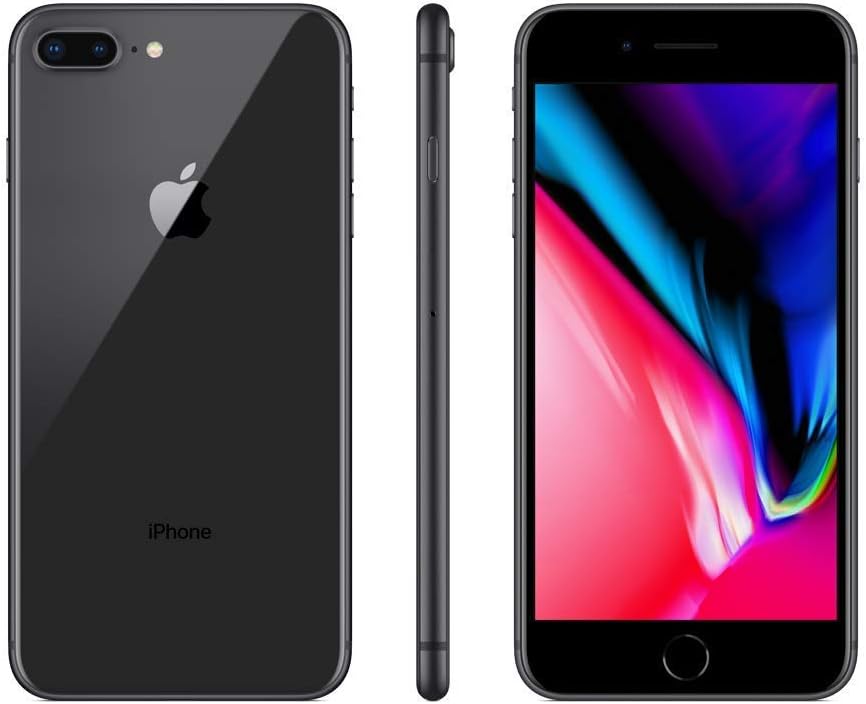
Figure 1.2: Detailed back view காட்டுasing the dual camera system and Apple logo.
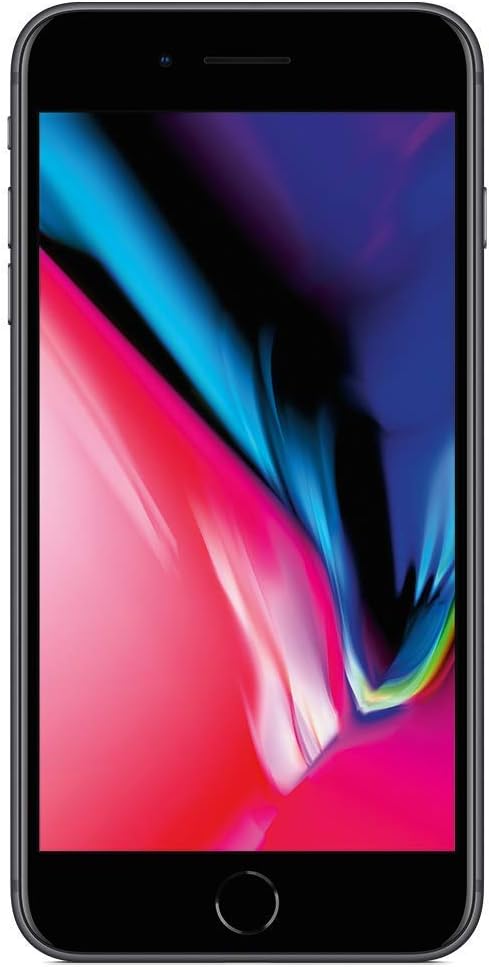
படம் 1.3: விரிவான முன்பக்கம் view highlighting the Retina HD display and Home button.

படம் 1.4: பக்கம் view showing the volume buttons and Ring/Silent switch.
2. பெட்டியில் என்ன இருக்கிறது
Your Apple iPhone 8 Plus package typically includes the following items:
- iPhone 8 Plus device
- மின்னல் இணைப்பான் கொண்ட இயர்பாட்கள்
- யூ.எஸ்.பி கேபிளுக்கு மின்னல்
- 5W USB Power Adapter
3. ஆரம்ப அமைப்பு
3.1 பவர் ஆன் மற்றும் சார்ஜ் செய்தல்
- பேட்டரியை சார்ஜ் செய்யவும்: Connect the Lightning to USB Cable to your iPhone and the 5W USB Power Adapter. Plug the adapter into a power outlet. Allow the device to charge for at least 30 minutes before first use.
- பவர் ஆன்: Press and hold the Side button (on the right side of the device) until the Apple logo appears.
3.2 சிம் கார்டு நிறுவல்
Your iPhone 8 Plus requires a nano-SIM card for cellular service. This device is [Locked] to a specific carrier.
- சிம் ட்ரேயைக் கண்டறிக: The SIM tray is on the right side of your iPhone.
- சிம் ட்ரேயை வெளியேற்றவும்: Insert a paperclip or SIM eject tool into the small hole on the SIM tray and push firmly until the tray pops out.
- சிம் கார்டைச் செருகவும்: Place your nano-SIM card into the tray with the gold contacts facing down and the cut corner aligned.
- தட்டில் மீண்டும் செருகவும்: பக்கவாட்டில் நன்றாகப் பொருந்தும் வரை, ட்ரேயை கவனமாக ஐபோனுக்குள் தள்ளவும்.
3.3 First-Time Setup Assistant
ஆரம்ப அமைப்பை முடிக்க திரையில் உள்ள வழிமுறைகளைப் பின்பற்றவும்:
- வணக்கம் திரை: Swipe up to begin.
- மொழி மற்றும் பிராந்தியம்: உங்களுக்கு விருப்பமான மொழி மற்றும் பிராந்தியத்தைத் தேர்ந்தெடுக்கவும்.
- விரைவு தொடக்கம்: If you have another iOS device, you can use Quick Start to set up your new iPhone automatically.
- வைஃபை நெட்வொர்க்: வைஃபை நெட்வொர்க்குடன் இணைக்கவும்.
- தரவு & தனியுரிமை: Review ஆப்பிளின் தரவு & தனியுரிமை தகவல்.
- டச் ஐடி: Set up your fingerprint for Touch ID.
- கடவுக்குறியீடு: ஆறு இலக்க கடவுக்குறியீட்டை உருவாக்கவும்.
- Apps & Data: Choose to restore from iCloud Backup, Mac/PC, transfer directly from iPhone, or set up as a new iPhone.
- ஆப்பிள் ஐடி: உங்கள் ஆப்பிள் ஐடியுடன் உள்நுழையவும் அல்லது புதிய ஒன்றை உருவாக்கவும்.
- Siri, Screen Time, and Analytics: Configure these features as desired.
4. Operating Your iPhone 8 Plus
4.1 காட்சி அம்சங்கள்
- Retina HD Display: Enjoy vibrant colors and sharp text on the 5.5-inch (diagonal) widescreen LCD Multi-Touch display with IPS technology, featuring a 1920-by-1080-pixel resolution at 401 ppi.
- உண்மையான தொனி: Automatically adjusts the display's white balance to match the light around you for a more natural viewஅனுபவம்.
- Wide Color Display (P3): Provides a broader range of colors for more accurate and vivid images.
- 3D டச்: Allows for pressure-sensitive gestures to access shortcuts and previews.
- பிரகாசம்: Features 625 nits max brightness (typical) for clear visibility in various lighting conditions.
4.2 கேமரா அமைப்பு
The iPhone 8 Plus is equipped with advanced camera technology for stunning photos and videos.
- Dual 12MP Rear Cameras: Features a Wide camera with ƒ/1.8 aperture and a Telephoto camera with ƒ/2.8 aperture.
- ஆப்டிகல் ஜூம்: Offers 2x optical zoom in; digital zoom up to 10x.
- Portrait Mode & Lighting: Capture professional-looking portraits with blurred backgrounds and five studio-quality lighting effects.
- ஆப்டிகல் இமேஜ் ஸ்டேபிலைசேஷன் (OIS): Reduces blur in photos and videos caused by camera shake.
- True Tone Flash with Slow Sync: Provides natural-looking flash photography.
- Additional Photo Features: Panorama (up to 63MP), Live Photos with stabilization, Wide color capture, Auto HDR, Auto image stabilization, Burst mode, Photo geotagஈறு.
- வீடியோ பதிவு: Record stunning 4K video at 24 fps, 30 fps, or 60 fps; 1080p HD video at 30 fps or 60 fps; 720p HD video at 30 fps. Supports Slo-mo video (1080p at 120 fps or 240 fps), Time-lapse video with stabilization, and Cinematic video stabilization.
- FaceTime HD Camera: A 7MP front-facing camera with ƒ/2.2 aperture, 1080p HD video recording at 30 fps, and Retina Flash for bright selfies.
4.3 செயல்திறன்
- A11 பயோனிக் சிப்: The powerful A11 Bionic chip with Neural Engine delivers fast and efficient performance for all your tasks, from gaming to multitasking.
- சேமிப்பு: This model comes with 64GB of internal storage.
4.4 Physical Controls
- Home Button with Touch ID: Located below the display, the Home button integrates Touch ID for secure fingerprint authentication.
- தொகுதி பொத்தான்கள்: Located on the left side, used to adjust media and ringer volume.
- Ring/Silent Switch: Above the volume buttons, used to quickly switch between ring and silent modes.
- பக்க பட்டன்: On the right side, used to power on/off, wake/sleep the device, and access Siri.
4.5 இணைப்பு
- வைஃபை: இணைய அணுகலுக்காக வயர்லெஸ் நெட்வொர்க்குகளுடன் இணைக்கவும்.
- புளூடூத்: Pair with wireless accessories like headphones and speakers.
- Cellular (4G): Access mobile data services through your carrier.
- ஏர் டிராப்: பகிரவும் files wirelessly with other Apple devices nearby.
- கார்ப்ளே: Integrate your iPhone with your car's infotainment system for safe access to apps.
5. பராமரிப்பு
5.1 பேட்டரி மேலாண்மை
To maximize your iPhone's battery life:
- Keep your software updated.
- Avoid extreme ambient temperatures.
- Optimize your settings (e.g., reduce screen brightness, enable Low Power Mode).
- For renewed devices, the battery health is guaranteed to be at least 80% of its original capacity.
5.2 நீர் மற்றும் தூசி எதிர்ப்பு
The iPhone 8 Plus is rated IP67 (maximum depth of 1 meter up to 30 minutes) under IEC standard 60529. This means it is resistant to splashes, water, and dust under controlled laboratory conditions. However, water and dust resistance are not permanent conditions and resistance might decrease as a result of normal wear. Do not attempt to charge a wet iPhone.
5.3 உங்கள் சாதனத்தை சுத்தம் செய்தல்
To clean your iPhone, use a soft, lint-free cloth. Avoid abrasive materials, alcohol, or harsh chemicals. Unplug all cables and turn off your iPhone before cleaning.
5.4 மென்பொருள் புதுப்பிப்புகள்
Regularly update your iOS software to ensure optimal performance, security, and access to the latest features. Updates can be performed over Wi-Fi via Settings > General > Software Update.
6. பொதுவான சிக்கல்களைச் சரிசெய்தல்
6.1 Device Unresponsive
If your iPhone becomes unresponsive, perform a force restart:
- Press and quickly release the Volume Up button.
- Press and quickly release the Volume Down button.
- Press and hold the Side button until you see the Apple logo.
6.2 நெட்வொர்க் இணைப்பு
If you experience issues with Wi-Fi or cellular data:
- Toggle Wi-Fi or Cellular Data off and on in Control Center or Settings.
- உங்கள் ஐபோனை மறுதொடக்கம் செய்யுங்கள்.
- Reset Network Settings (Settings > General > Transfer or Reset iPhone > Reset > Reset Network Settings).
6.3 பயன்பாட்டு சிக்கல்கள்
If an app is not responding or crashing:
- Force quit the app by swiping up from the bottom of the screen (or double-clicking the Home button) to open the App Switcher, then swipe the app up and off the screen.
- உங்கள் ஐபோனை மறுதொடக்கம் செய்யுங்கள்.
- Delete and reinstall the app.
6.4 தொழிற்சாலை மீட்டமைப்பு
A factory reset erases all data and settings from your iPhone. Back up your device before proceeding.
- Go to Settings > General > Transfer or Reset iPhone > Erase All Content and Settings.
- கேட்கப்பட்டால் உங்கள் கடவுக்குறியீட்டை உள்ளிடவும்.
- Confirm to erase your iPhone.
7. தொழில்நுட்ப விவரக்குறிப்புகள்
| அம்சம் | விவரக்குறிப்பு |
|---|---|
| மாதிரி பெயர் | ஐபோன் 8 பிளஸ் |
| பிராண்ட் | ஆப்பிள் |
| இயக்க முறைமை | iOS |
| திரை அளவு | 5.5 அங்குலம் |
| தீர்மானம் | 1920 x 1080 |
| நினைவக சேமிப்பு திறன் | 64 ஜிபி |
| ரேம் | 64 GB (Note: This likely refers to storage, not RAM, as iPhone 8 Plus has 3GB RAM) |
| காட்சி தொழில்நுட்பம் | எல்சிடி |
| செல்லுலார் தொழில்நுட்பம் | 4G |
| நிறம் | விண்வெளி சாம்பல் |
| பொருளின் எடை | 1 பவுண்டுகள் |
| நீர் எதிர்ப்பு மதிப்பீடு | IP67 |
8. உத்தரவாதம் மற்றும் ஆதரவு
This Apple iPhone 8 Plus is a renewed product. Amazon Renewed products are fully functional and come with generic or original accessories and packaging. They are inspected and tested to work and look like new.

படம் 8.1: மேல்view of Amazon Renewed product conditions (Excellent, Good, Acceptable).
திரும்பும் கொள்கை: This product is backed by a 90-day refund/replacement policy from the date of purchase.
For further assistance, please refer to the official Apple support website or contact your seller, WirelessSource, for specific product inquiries.
9. அதிகாரப்பூர்வ தயாரிப்பு வீடியோ
Video 9.1: A seller's perspective on the Apple iPhone 8 Plus, highlighting its features and benefits.


