1. அறிமுகம்
This user manual provides comprehensive instructions for the safe and efficient operation, installation, and maintenance of your SHARP UL-C09EA-W Portable Air Conditioner. Please read this manual thoroughly before using the appliance and retain it for future reference.
The SHARP UL-C09EA-W is a versatile portable air conditioning unit designed to cool rooms up to 26 square meters, featuring a cooling capacity of 2.6 kW (9,000 BTU). It also includes a dehumidifier function and multiple fan speeds to ensure an ideal indoor climate.
2. பாதுகாப்பு தகவல்
தீ, மின்சார அதிர்ச்சி அல்லது காயம் ஏற்படும் அபாயத்தைக் குறைக்க பின்வரும் பாதுகாப்பு முன்னெச்சரிக்கை நடவடிக்கைகளை எப்போதும் கடைபிடிக்கவும்.
- மின்வழங்கல் தொகுதியுடன் பொருந்துகிறது என்பதை உறுதிப்படுத்தவும்tage specified on the appliance's rating label (240V AC).
- சேதமடைந்த மின் கம்பி அல்லது பிளக் மூலம் யூனிட்டை இயக்க வேண்டாம்.
- வெப்ப மூலங்கள் மற்றும் நேரடி சூரிய ஒளியில் இருந்து சாதனத்தை விலக்கி வைக்கவும்.
- காற்று நுழைவாயில்கள் அல்லது கடைகளைத் தடுக்க வேண்டாம்.
- யூனிட்டை இயக்கும்போது சரியான காற்றோட்டத்தை உறுதி செய்யவும்.
- காற்று துவாரங்களில் பொருட்களைச் செருக வேண்டாம்.
- சுத்தம் செய்வதற்கு முன் அல்லது பராமரிப்பு செய்வதற்கு முன் யூனிட்டைத் துண்டிக்கவும்.
- இந்த சாதனம் அவர்களின் பாதுகாப்பிற்குப் பொறுப்பான ஒருவரால் உபகரணத்தைப் பயன்படுத்துவது தொடர்பான மேற்பார்வை அல்லது அறிவுறுத்தல் வழங்கப்படாவிட்டால், குறைந்த உடல், உணர்ச்சி அல்லது மன திறன்கள் அல்லது அனுபவம் மற்றும் அறிவு இல்லாமை கொண்ட நபர்கள் (குழந்தைகள் உட்பட) பயன்படுத்துவதை நோக்கமாகக் கொண்டிருக்கவில்லை.
- குழந்தைகள் கருவியுடன் விளையாடாமல் இருப்பதை உறுதி செய்ய கண்காணிக்க வேண்டும்.
3. தயாரிப்பு முடிந்துவிட்டதுview
3.1 கூறுகள்


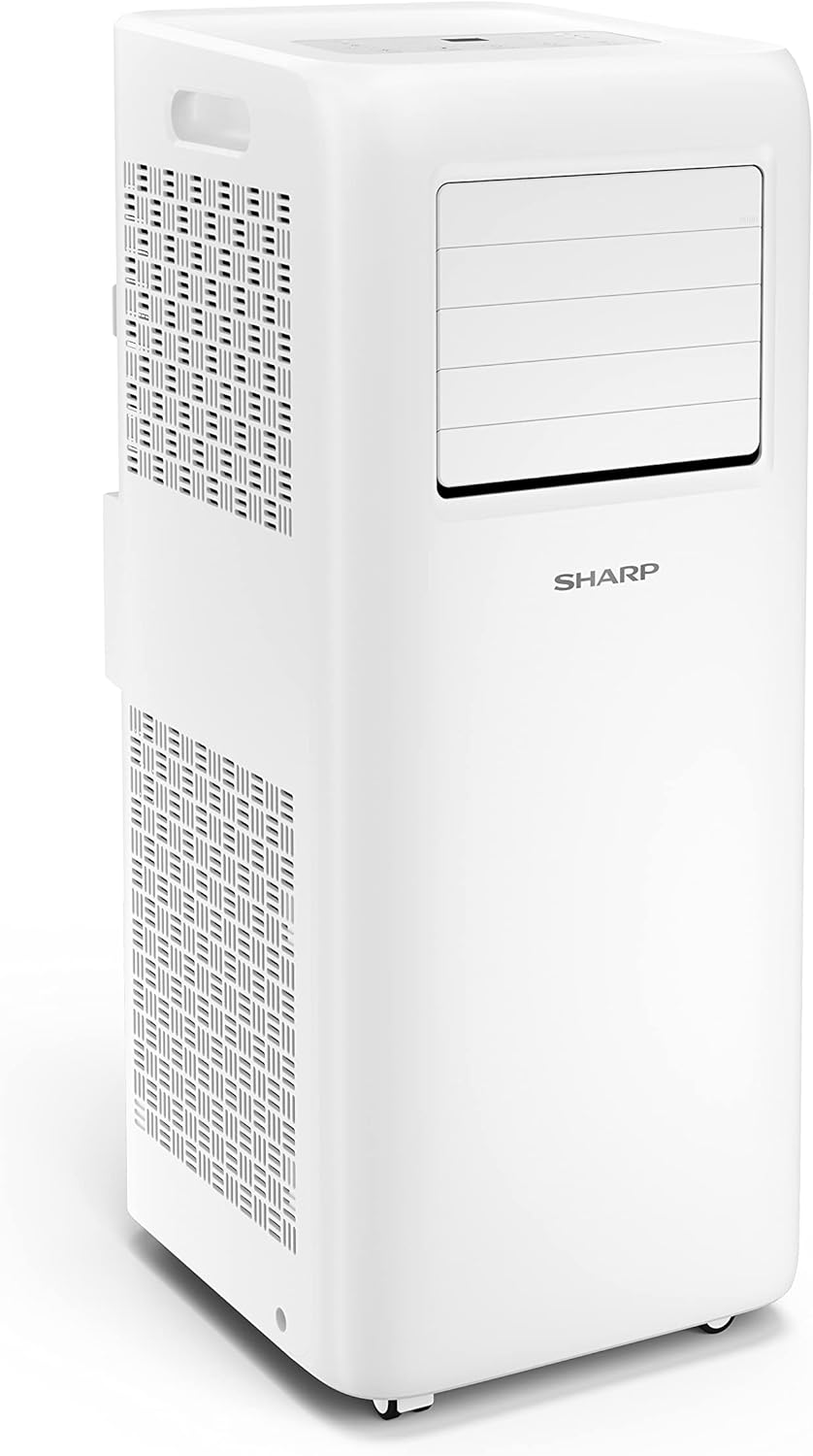
3.2 கண்ட்ரோல் பேனல் மற்றும் ரிமோட் கண்ட்ரோல்
The unit features an intuitive LED display on the top panel and comes with a remote control for convenient operation.

The remote control (included with 2x AAA batteries) provides full functionality from a distance, allowing you to adjust settings without directly interacting with the unit.
4 அமைவு
உங்கள் கையடக்க ஏர் கண்டிஷனரின் திறமையான செயல்பாட்டிற்கு சரியான அமைப்பு மிக முக்கியமானது.
- பேக்கிங்: பேக்கேஜிங்கிலிருந்து யூனிட் மற்றும் அனைத்து ஆபரணங்களையும் கவனமாக அகற்றவும். எதிர்கால சேமிப்பு அல்லது போக்குவரத்துக்காக பேக்கேஜிங்கை வைத்திருங்கள்.
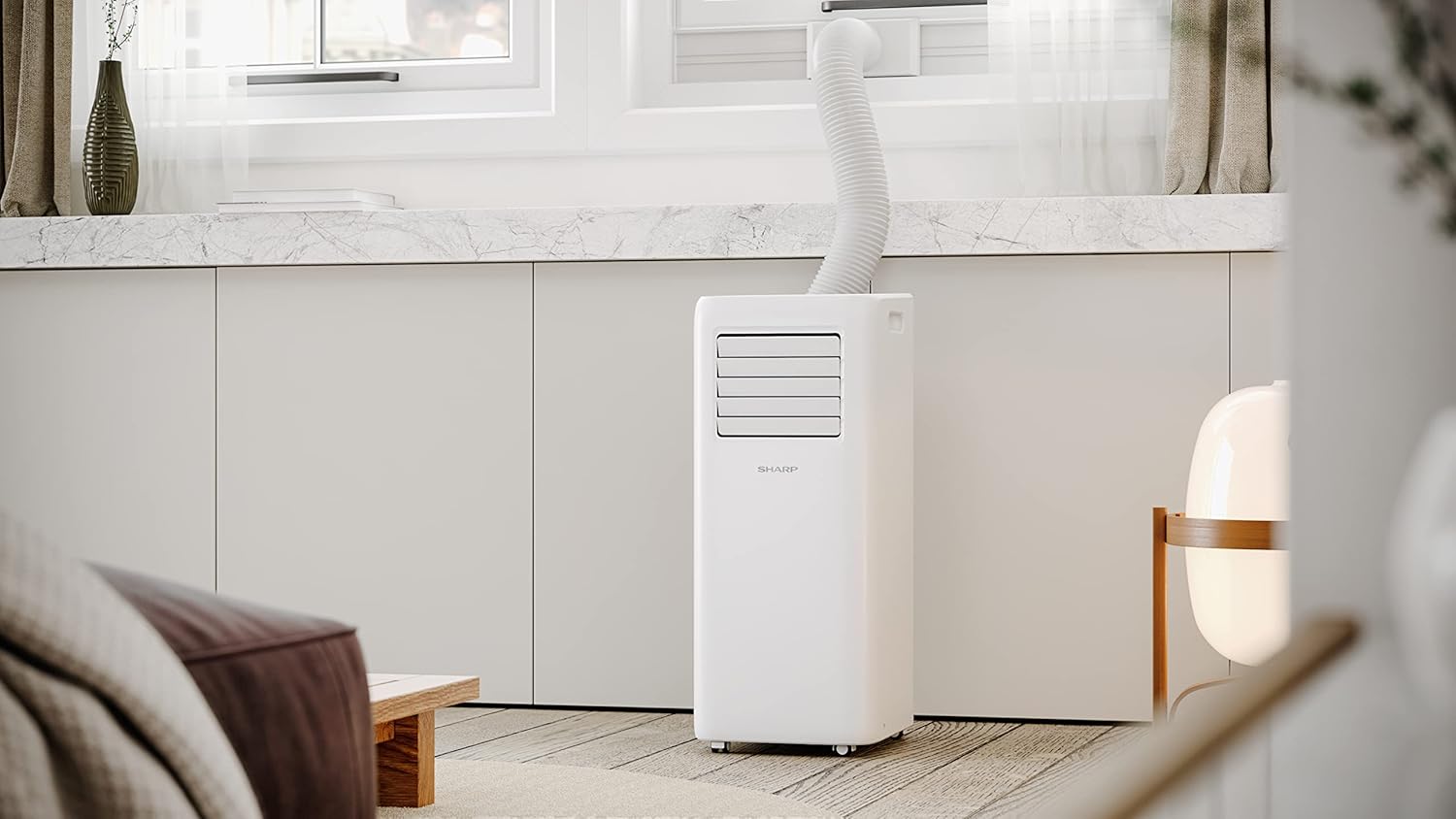
- நிலைப்படுத்தல்: Place the air conditioner on a flat, stable surface. Ensure there is adequate space around the unit for proper airflow (at least 20 cm from walls or furniture). The unit is equipped with castors for easy mobility.
- வெளியேற்ற குழாய் நிறுவல்:
- யூனிட்டின் பின்புறத்தில் நியமிக்கப்பட்ட கடையுடன் வெளியேற்றக் குழாயை இணைக்கவும்.
- Connect the funnel adapter to the other end of the exhaust hose.
- Extend the exhaust hose to a window or other suitable opening to vent hot air outside. Ensure the hose is as straight and short as possible to maximize efficiency.
- Window Kit (Optional/Recommended): For optimal performance, use a window sealing kit (not explicitly listed as included, but implied by "Fenster" installation method) to prevent hot air from re-entering the room.
- மின் இணைப்பு: Plug the power cord into a grounded electrical outlet (240V AC).
5. இயக்க வழிமுறைகள்
Your SHARP UL-C09EA-W offers various functions for customized comfort.
5.1 பவர் ஆன்/ஆஃப்
அழுத்தவும் சக்தி யூனிட்டை ஆன் அல்லது ஆஃப் செய்ய கண்ட்ரோல் பேனல் அல்லது ரிமோட் கண்ட்ரோலில் உள்ள பொத்தானை அழுத்தவும்.
5.2 பயன்முறை தேர்வு
அழுத்தவும் பயன்முறை button to cycle through available operating modes:
- குளிரூட்டும் முறை: For active cooling of the room. Set your desired temperature between 16°C and 35°C.
- ஈரப்பதமூட்டி செயல்பாடு: காற்றில் இருந்து அதிகப்படியான ஈரப்பதத்தை நீக்கி, ஈரப்பதமான நிலையில் ஆறுதலை மேம்படுத்துகிறது.
- ரசிகர் பயன்முறை: குளிராமல் காற்றை சுற்றுகிறது.
5.3 மின்விசிறி வேக சரிசெய்தல்
In Cooling or Fan mode, press the மின்விசிறி வேகம் button to select from three fan speeds: High, Medium, or Low. The noise level varies with fan speed (60-64 dB(A)).
5.4 வெப்பநிலை அமைப்பு
பயன்படுத்தவும் வெப்பநிலை அதிகரிப்பு (+) மற்றும் வெப்பநிலை குறைவு (-) buttons to adjust the desired room temperature in Cooling Mode.
5.5 டைமர் செயல்பாடு
The timer function allows you to set a specific time for the unit to turn on or off automatically.
5.6 தூக்க முறை
Activate Sleep Mode for quieter operation and gradual temperature adjustments during nighttime hours, promoting a comfortable sleeping environment.
5.7 Auto Restart Memory
ஒரு சக்தி ou வழக்கில்tage, மின்சாரம் மீட்டமைக்கப்பட்டவுடன், கடைசியாகப் பயன்படுத்தப்பட்ட அமைப்புகளுடன் அலகு தானாகவே மறுதொடக்கம் செய்யப்படும்.
5.8 குழந்தை பூட்டு
The child lock feature prevents accidental changes to settings, ensuring continuous operation as desired.
6. பராமரிப்பு
வழக்கமான பராமரிப்பு உகந்த செயல்திறனை உறுதிசெய்து உங்கள் ஏர் கண்டிஷனரின் ஆயுளை நீட்டிக்கிறது.
- காற்று வடிகட்டியை சுத்தம் செய்தல்: The air filter should be cleaned regularly (e.g., every two weeks or as needed) to maintain air quality and cooling efficiency.
- சுத்தம் செய்வதற்கு முன் சாதனத்தை அவிழ்த்து விடுங்கள்.
- Remove the air filter (refer to the full manual for location).
- வடிகட்டியை வெதுவெதுப்பான நீர் மற்றும் லேசான சோப்புப் பொருளைப் பயன்படுத்தி கழுவவும். நன்கு துவைத்து, மீண்டும் செருகுவதற்கு முன் காற்றில் முழுமையாக உலர விடவும்.
- அலகு வெளிப்புறத்தை சுத்தம் செய்தல்: அலகின் வெளிப்புறத்தை மென்மையான, d துணியால் துடைக்கவும்.amp துணி. கடுமையான இரசாயனங்கள் அல்லது சிராய்ப்பு கிளீனர்களைப் பயன்படுத்த வேண்டாம்.
- வடிகால் நீர்: The unit may accumulate condensed water, especially in dehumidifier mode. Refer to the full manual for instructions on how to drain the water reservoir.
- பருவகால சேமிப்பு: If storing the unit for an extended period, ensure it is thoroughly cleaned and dried. Drain all water, clean the filter, and store it in a dry, upright position.
7. சரிசெய்தல்
வாடிக்கையாளர் ஆதரவைத் தொடர்புகொள்வதற்கு முன், பின்வரும் பொதுவான சிக்கல்களையும் அவற்றின் தீர்வுகளையும் பார்க்கவும்:
| பிரச்சனை | சாத்தியமான காரணம் | தீர்வு |
|---|---|---|
| அலகு இயக்கப்படவில்லை. | மின்சாரம் இல்லை, மின் கம்பி துண்டிக்கப்பட்டுள்ளது, சர்க்யூட் பிரேக்கர் தடுமாறியது. | Check power connection, ensure outlet is functional, reset circuit breaker. |
| போதுமான குளிர்ச்சி இல்லை. | Air filter dirty, exhaust hose not properly installed, room too large, windows/doors open. | Clean air filter, ensure exhaust hose is sealed, close windows/doors, check room size against unit capacity. |
| அலகு சத்தமாக உள்ளது. | Unit not on a flat surface, fan speed too high, internal components vibrating. | Ensure unit is on a level surface, reduce fan speed, check for obstructions. |
| தண்ணீர் கசிவு. | Drain plug open, water tank full (if applicable), unit tilted. | Ensure drain plug is closed, empty water tank, place unit on a level surface. |
இந்த தீர்வுகளை முயற்சித்த பிறகும் சிக்கல் தொடர்ந்தால், தயவுசெய்து SHARP வாடிக்கையாளர் ஆதரவைத் தொடர்பு கொள்ளவும்.
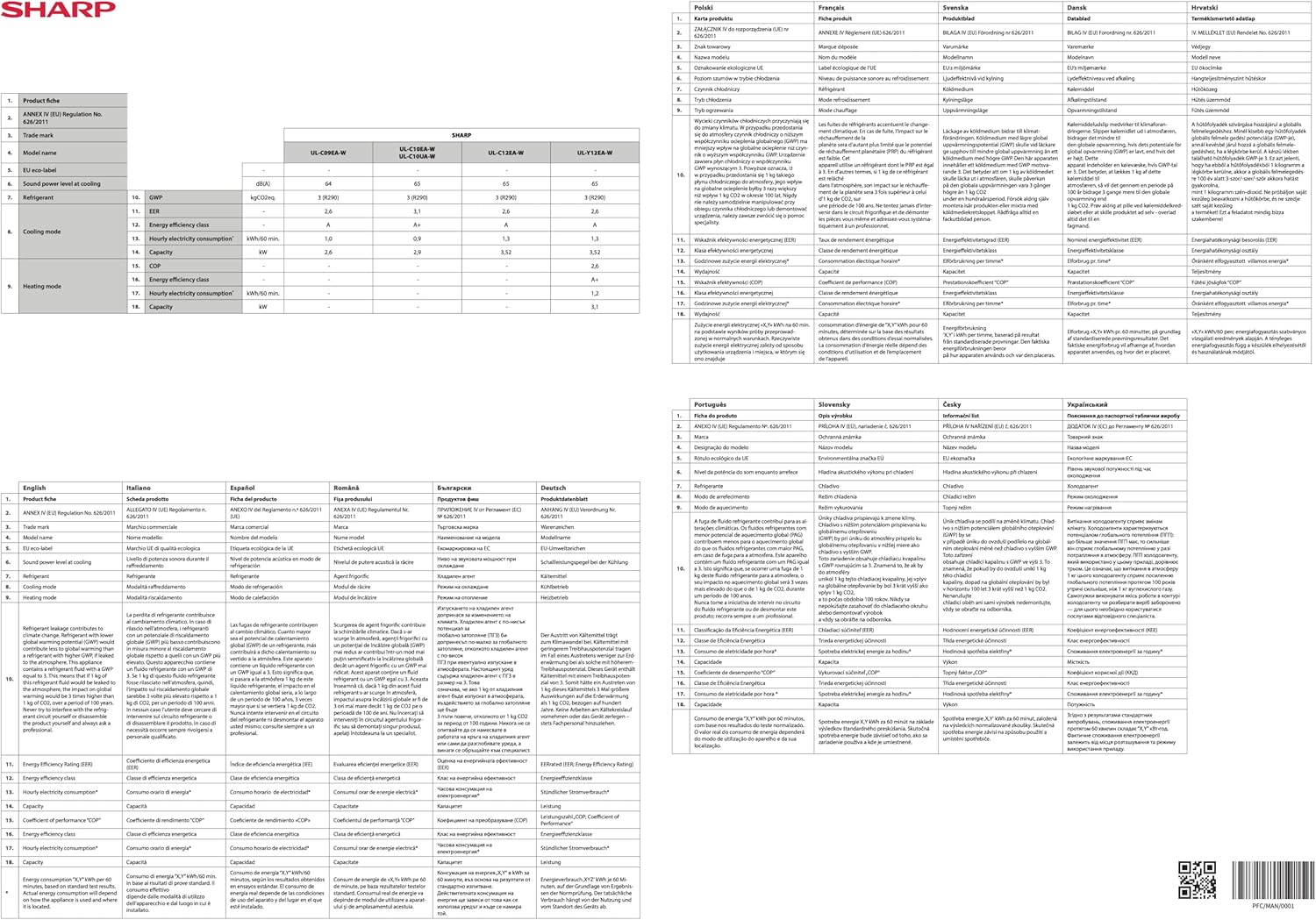
8. விவரக்குறிப்புகள்
| அம்சம் | விவரக்குறிப்பு |
|---|---|
| மாதிரி எண் | UL-C09EA-W |
| குளிரூட்டும் திறன் | 2.6 kW / 9,000 BTU |
| பரிந்துரைக்கப்பட்ட அறை அளவு | Up to 26 sq m |
| மின் நுகர்வு | 1,000 டபிள்யூ |
| ஆற்றல் திறன் வகுப்பு | A |
| குளிரூட்டி | R290 |
| தொகுதிtage | 240 வோல்ட் (ஏசி) |
| Noise Level (High/Medium/Low) | 64 / 62 / 60 dB(A) |
| Airflow (High/Medium/Low) | 250 / 230 / 210 m³/hr |
| இயக்க வெப்பநிலை வரம்பு (குளிர்ச்சி) | 16 முதல் 35 °C |
| தயாரிப்பு பரிமாணங்கள் (L x W x H) | 32 x 28.6 x 70 செ.மீ |
| தயாரிப்பு எடை | 24.5 கிலோகிராம் |
| சிறப்பு அம்சங்கள் | LED Display, Sleep Mode, 3 Fan Speeds, Remote Control, Exhaust Pipe & Funnel, Timer Function, Dehumidifier, Auto Restart Memory, Child Lock, Swing Mode |

9. உத்தரவாதம் மற்றும் ஆதரவு
Your SHARP UL-C09EA-W Portable Air Conditioner comes with a warranty. Please refer to the included warranty card ("Garantiekarte") for detailed terms and conditions regarding your product's warranty coverage.
For technical assistance, troubleshooting beyond this manual, or warranty claims, please contact SHARP customer support. Contact information can typically be found on the warranty card or the official SHARP webதளம்.


