1. அறிமுகம்
நன்றி, நன்றி.asing the Aiwa AW-LED55XVC-RM 55-inch Ultra HD Frameless Android TV. This television combines a stunning 4K UHD display with the versatility of the Android 9.0 operating system, offering a comprehensive entertainment experience. It features a built-in soundbar, DVB T2 digital tuner, Chromecast functionality, and multiple connectivity options. This manual provides essential information for the safe and efficient use of your new television.
2. பாதுகாப்பு தகவல்
Please read all safety instructions carefully before using the television and retain this manual for future reference. Failure to follow these instructions may result in electric shock, fire, or damage to the product.
- சக்தி ஆதாரம்: குறிப்பிட்ட தொகுதிக்குள் டிவி மின்சார விநியோகத்துடன் இணைக்கப்பட்டுள்ளதா என்பதை உறுதிப்படுத்திக் கொள்ளுங்கள்.tage வரம்பு (220 வோல்ட்).
- காற்றோட்டம்: காற்றோட்ட திறப்புகளை அடைக்காதீர்கள். அதிக வெப்பமடைவதைத் தடுக்க, டிவியைச் சுற்றி சரியான காற்றோட்டத்திற்கு போதுமான இடத்தை அனுமதிக்கவும்.
- நீர் மற்றும் ஈரப்பதம்: Do not expose the TV to rain, moisture, or place objects filled with liquids on or near the TV.
- சுத்தம்: சுத்தம் செய்வதற்கு முன் டிவியை மின் இணைப்பிலிருந்து கழற்றி வைக்கவும். மென்மையான, உலர்ந்த துணியைப் பயன்படுத்தவும். திரவ கிளீனர்கள் அல்லது ஏரோசல் கிளீனர்களைப் பயன்படுத்த வேண்டாம்.
- இடம்: Place the TV on a stable, level surface or mount it securely to a wall using a VESA compatible mount (200mm x 200mm). Keep it away from direct sunlight, heat sources, and strong magnetic fields.
- குழந்தைகள்: குழந்தைகள் டிவியில் ஏறவோ அல்லது விளையாடவோ கூடாது என்பதை உறுதிசெய்ய மேற்பார்வையிடவும்.
- சேவை: இந்த தயாரிப்புக்கு நீங்களே சேவை செய்ய முயற்சிக்காதீர்கள். தகுதிவாய்ந்த சேவை ஊழியர்களுக்கு அனைத்து சேவைகளையும் பார்க்கவும்.
3. தொகுப்பு உள்ளடக்கங்கள்
கீழே பட்டியலிடப்பட்டுள்ள அனைத்து பொருட்களும் உங்கள் தொகுப்பில் சேர்க்கப்பட்டுள்ளதா என்பதைச் சரிபார்க்கவும். ஏதேனும் பொருட்கள் காணவில்லை அல்லது சேதமடைந்திருந்தால், உங்கள் சில்லறை விற்பனையாளரைத் தொடர்பு கொள்ளவும்.
- 1 x Aiwa AW-LED55XVC-RM 55-inch Ultra HD Frameless Android TV
- 1 x ரிமோட் கண்ட்ரோல் (பேட்டரிகளுடன்)
- 1 x பவர் கார்டு
- 1 x பயனர் கையேடு (இந்த ஆவணம்)
- 2 x TV Stands (for table mounting)
- டிவி ஸ்டாண்டுகளுக்கான திருகுகள்
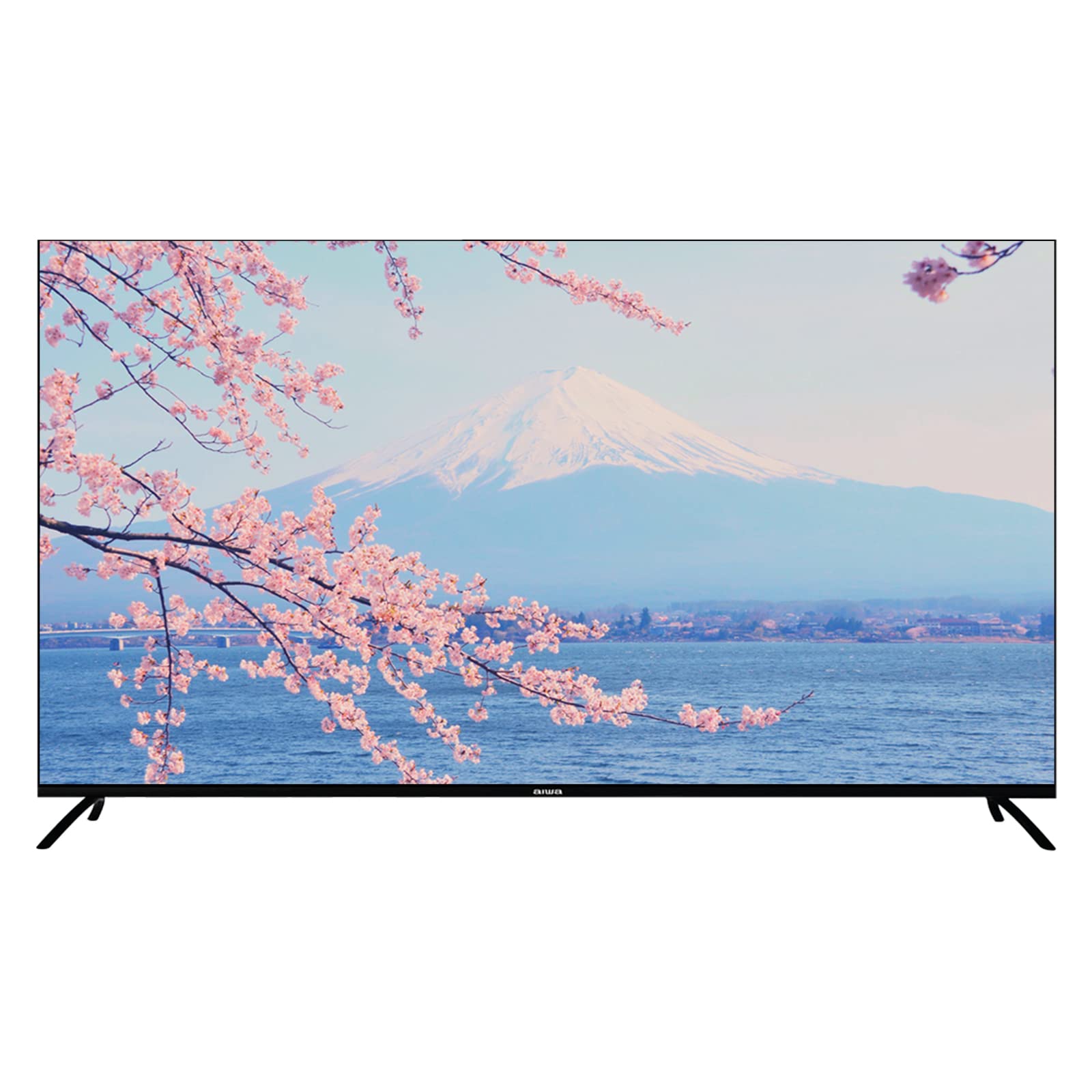
Image: Aiwa AW-LED55XVC-RM TV and included accessories. This image shows the television unit, remote control, and detachable stands.
4 அமைவு
4.1 Attaching the TV Stands (Table Mount)
- திரை சேதமடைவதைத் தடுக்க, டிவியை மென்மையான, சுத்தமான மேற்பரப்பில் கவனமாக முகம் கீழே வைக்கவும்.
- ஒவ்வொரு ஸ்டாண்டையும் டிவியின் அடிப்பகுதியில் உள்ள தொடர்புடைய திருகு துளைகளுடன் சீரமைக்கவும்.
- கொடுக்கப்பட்டுள்ள திருகுகளைப் பயன்படுத்தி ஸ்டாண்டுகளைப் பாதுகாக்கவும். அவை உறுதியாக இறுக்கப்பட்டுள்ளதா என்பதை உறுதிப்படுத்திக் கொள்ளுங்கள்.
- ஒரு நிலையான, சமமான மேற்பரப்பில் டிவியை அதன் நேர்மையான நிலைக்கு கவனமாக உயர்த்தவும்.
4.2 சுவர் பொருத்துதல் (விரும்பினால்)
This TV supports VESA standard wall mounts (200mm x 200mm). Wall mount hardware is not included. Please consult a professional for wall mounting installation to ensure safety and proper setup.
4.3 வெளிப்புற சாதனங்களை இணைத்தல்
வெளிப்புற சாதனங்களை இணைப்பதற்காக டிவியில் பல்வேறு போர்ட்கள் உள்ளன:
- HDMI (3 போர்ட்கள்): For connecting Blu-ray players, game consoles, set-top boxes, etc. Use HDMI 2.0 compatible cables for optimal 4K performance.
- USB 2.0 (2 ports): For connecting USB storage devices (e.g., flash drives) to play media or for service updates.
- AV IN (1 port): கூட்டு வீடியோ மற்றும் ஸ்டீரியோ ஆடியோ கேபிள்களைப் பயன்படுத்தி பழைய சாதனங்களை இணைப்பதற்கு.
- Fibre Optic (1 port): For digital audio output to a sound system or home theater receiver.
- ஆண்டெனா/கேபிள் உள்ளீடு: For connecting a DVB T2 compatible antenna for digital terrestrial television.
படம்: பின்புறம் view of the Aiwa AW-LED55XVC-RM TV. This image illustrates the location of various input/output ports such as HDMI, USB, AV IN, and Fibre Optic.
4.4 ஆரம்ப பவர்-ஆன் மற்றும் நெட்வொர்க் அமைப்பு
- பவர் கார்டை டிவியுடனும் பின்னர் சுவர் அவுட்லெட்டுடனும் இணைக்கவும்.
- ரிமோட் கண்ட்ரோல் அல்லது டிவியில் உள்ள பவர் பட்டனை அழுத்தவும்.
- மொழித் தேர்வு, நேர மண்டலம் மற்றும் நெட்வொர்க் இணைப்பு உள்ளிட்ட ஆரம்ப அமைப்பை முடிக்க திரையில் உள்ள வழிமுறைகளைப் பின்பற்றவும்.
- For network connection, select your Wi-Fi network and enter the password, or connect an Ethernet cable to the LAN port (if available).
- Tune in DVB T2 channels by following the on-screen prompts for channel scanning.
5. உங்கள் டிவியை இயக்குதல்
5.1 ஆண்ட்ராய்டு டிவி இடைமுகம்
Your Aiwa TV runs on Android 9.0, providing access to a wide range of apps and services. Navigate the interface using the directional buttons and OK button on your remote control. The Home screen displays recommended content, installed apps, and input sources.
5.2 Chromecast ஐப் பயன்படுத்துதல்
The built-in Chromecast allows you to cast content (videos, music, photos) from your compatible smartphone, tablet, or computer directly to your TV. Ensure your device and TV are connected to the same Wi-Fi network. Look for the Cast icon (example icon) within supported apps on your mobile device.
5.3 DVB T2 Digital Television
With the integrated DVB T2 tuner, you can receive free-to-air digital terrestrial television channels. After connecting an antenna and performing a channel scan during initial setup, you can access these channels via the TV's input selection or dedicated TV app.
5.4 Built-in Soundbar
The TV features a built-in soundbar with Dolby Surround System support, providing enhanced audio quality. You can adjust audio settings through the TV's sound menu to customize your listening experience.
6. பராமரிப்பு
6.1 டிவியை சுத்தம் செய்தல்
- சுத்தம் செய்வதற்கு முன்பு எப்போதும் டிவியை அவிழ்த்து விடுங்கள்.
- திரை மற்றும் அலமாரியைத் துடைக்க மென்மையான, உலர்ந்த, பஞ்சு இல்லாத துணியைப் பயன்படுத்தவும்.
- திரையில் பிடிவாதமான குறிகளுக்கு, லேசாக dampen the cloth with water or a specialized screen cleaner (ensure it's safe for LED screens) and wipe gently. Do not spray liquid directly onto the screen.
- சிராய்ப்பு கிளீனர்கள், மெழுகுகள் அல்லது கரைப்பான்களைப் பயன்படுத்துவதைத் தவிர்க்கவும்.
6.2 மென்பொருள் புதுப்பிப்புகள்
Your Android TV may receive software updates periodically to improve performance and add new features. Ensure your TV is connected to the internet. You can check for updates manually in the TV's settings menu (typically under "About" or "System Updates").
7. சரிசெய்தல்
உங்கள் டிவியில் சிக்கல்கள் ஏற்பட்டால், வாடிக்கையாளர் ஆதரவைத் தொடர்புகொள்வதற்கு முன் பின்வரும் பொதுவான சிக்கல்கள் மற்றும் தீர்வுகளைப் பார்க்கவும்.
| பிரச்சனை | சாத்தியமான காரணம் / தீர்வு |
|---|---|
| மின்சாரம் இல்லை / டிவி ஆன் ஆகவில்லை |
|
| படம் இல்லை, ஆனால் ஒலி உள்ளது. |
|
| ஒலி இல்லை, ஆனால் படம் உள்ளது. |
|
| ரிமோட் கண்ட்ரோல் வேலை செய்யவில்லை |
|
| Wi-Fi உடன் இணைக்க முடியவில்லை |
|
8. விவரக்குறிப்புகள்
Below are the technical specifications for the Aiwa AW-LED55XVC-RM 55-inch Ultra HD Frameless Android TV.
| அம்சம் | விவரம் |
|---|---|
| மாதிரி | AW-LED55XVC-RM |
| திரை அளவு | 55 அங்குலம் |
| காட்சி தொழில்நுட்பம் | LED |
| தீர்மானம் | 3840 x 2160 (4K UHD) |
| புதுப்பிப்பு விகிதம் | 60 ஹெர்ட்ஸ் |
| பதில் நேரம் | 6.5 எம்.எஸ் |
| இயக்க முறைமை | ஆண்ட்ராய்டு 9.0 |
| ட்யூனர் தொழில்நுட்பம் | DVB-T2 Digital Ready |
| ஆடியோ வெளியீட்டு முறை | Surround (Dolby Surround System) |
| HDMI போர்ட்கள் | 3 (HDMI 2.0) |
| USB போர்ட்கள் | 2 (யூ.எஸ்.பி 2.0) |
| ஏவி ஐஎன் | 1 |
| கண்ணாடி இழை | 1 |
| VESA Distance | 200 மிமீ x 200 மிமீ |
| தொகுதிtage | 220 வோல்ட் |
| தயாரிப்பு பரிமாணங்கள் (W x D x H) | 123.1 x 8.9 x 71.3 cm (without stand) / 123.1 x 31.3 x 79.9 cm (with stand) |
| பொருளின் எடை | 13.3 கிலோ |
| சிறப்பு அம்சங்கள் | Frameless Design, Built-in Soundbar, 10 Bit High Dynamic Range Imaging Decoder, Chromecast, Incredibly Fluid Motion |
9. உத்தரவாதம் மற்றும் ஆதரவு
For warranty information and customer support, please refer to the warranty card included with your product or visit the official Aiwa webஉத்தரவாதக் கோரிக்கைகளுக்கான வாங்கியதற்கான சான்றாக உங்கள் கொள்முதல் ரசீதை வைத்திருங்கள்.
If you require technical assistance or have questions not covered in this manual, please contact Aiwa customer service.


