1. முக்கியமான பாதுகாப்பு வழிமுறைகள்
சாதனத்தைப் பயன்படுத்துவதற்கு முன் அனைத்து வழிமுறைகளையும் கவனமாகப் படிக்கவும். எதிர்கால குறிப்புக்காக இந்த கையேட்டை வைத்திருங்கள்.
- தொகுதி உறுதிtagமின் சாதனத்தில் சுட்டிக்காட்டப்பட்ட உங்கள் உள்ளூர் மெயின் தொகுதிக்கு ஒத்திருக்கிறதுtagஇ இணைக்கும் முன்.
- சாதனம், பவர் கார்ட் அல்லது பிளக் ஆகியவற்றை தண்ணீரில் அல்லது வேறு எந்த திரவத்திலும் மூழ்கடிக்க வேண்டாம்.
- Always unplug the coffee maker from the power outlet before cleaning and when not in use. Allow it to cool down before adding or removing parts.
- பழுதடைந்த தண்டு அல்லது பிளக், அல்லது சாதனம் செயலிழந்த பிறகு அல்லது எந்த வகையிலும் சேதமடைந்த பிறகு, எந்த ஒரு சாதனத்தையும் இயக்க வேண்டாம்.
- சாதனம் வீட்டு உபயோகத்திற்கு மட்டுமே. வெளியில் பயன்படுத்த வேண்டாம்.
- தண்டு மேசை அல்லது கவுண்டரின் விளிம்பில் தொங்கவிடாதீர்கள் அல்லது சூடான மேற்பரப்புகளைத் தொடாதீர்கள்.
- Place the coffee maker on a firm, flat surface, away from hot gas or electric burners and heated ovens.
- சூடான மேற்பரப்புகளைத் தொடாதே. கைப்பிடிகள் அல்லது கைப்பிடிகளைப் பயன்படுத்தவும்.
- குழந்தைகள் அல்லது அருகில் எந்த உபகரணமும் பயன்படுத்தப்படும்போது நெருக்கமான கண்காணிப்பு அவசியம்.
- சாதனத்தை அதன் நோக்கம் தவிர வேறு பயன்படுத்த வேண்டாம்.
2. தயாரிப்பு முடிந்துவிட்டதுview
The Cecotec Coffee 66 Drop & Thermo Time is a drip coffee maker designed for ease of use and consistent coffee brewing. It features a programmable timer, intensity control, and a thermal carafe to keep your coffee warm.

படம் 2.1: முன் view of the Cecotec Coffee 66 Drop & Thermo Time Drip Coffee Maker. This image shows the main body, control panel with LCD display, and the thermal carafe in its position.
கூறுகள்:
- தண்ணீர் தொட்டி: Located at the back, with a clear water level indicator.
- மூடி: Covers the water tank and coffee filter basket.
- வடிகட்டி கூடை: Holds the reusable mesh filter or paper filter.
- Reusable Mesh Filter: For holding coffee grounds.
- வெப்ப கேராஃப்: Stainless steel carafe with a capacity of up to 10 cups, designed to keep coffee hot.
- கண்ட்ரோல் பேனல்: Features an LCD display and buttons for various functions.
- அளவிடும் கரண்டி: For accurate coffee ground measurement.
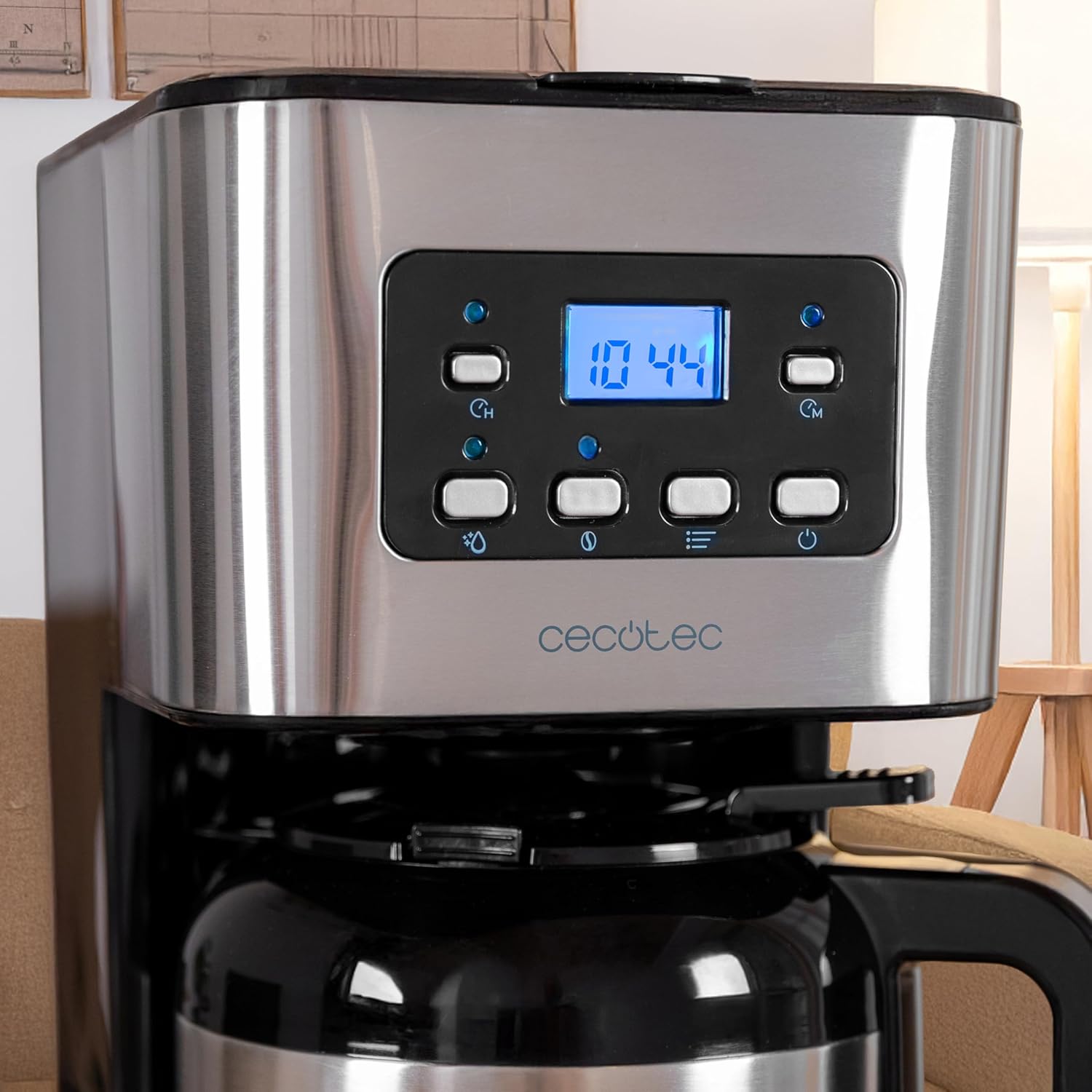
படம் 2.2: நெருக்கமான காட்சி view of the control panel. The LCD display shows the time, and various buttons for power, intensity, timer, and programming are visible.
3. அமைப்பு மற்றும் முதல் பயன்பாடு
3.1 பிரித்தல் மற்றும் ஆரம்ப சுத்தம் செய்தல்
- அனைத்து பேக்கேஜிங் பொருட்கள் மற்றும் விளம்பர லேபிள்களை கவனமாக அகற்றவும்.
- Wash the thermal carafe, lid, and reusable mesh filter in warm, soapy water. Rinse thoroughly and dry.
- காபி தயாரிப்பாளரின் வெளிப்புறத்தை விளம்பரத்துடன் துடைக்கவும்amp துணி.
- Before first use, run a brewing cycle with only water (no coffee grounds) to clean the internal components. Fill the water tank to the MAX level, place the empty filter basket and carafe, and start a cycle. Discard the water.
3.2 கடிகாரத்தை அமைத்தல்
- Plug the coffee maker into a power outlet. The LCD display will show '12:00' or flash.
- 'TIME' பொத்தானை அழுத்தவும். மணிநேர இலக்கங்கள் ஒளிரும்.
- Use the 'MIN' and 'PROG' buttons to adjust the hour.
- மீண்டும் 'TIME' ஐ அழுத்தவும். நிமிட இலக்கங்கள் ஒளிரும்.
- Use the 'MIN' and 'PROG' buttons to adjust the minutes.
- Press 'TIME' a third time or wait a few seconds for the setting to be saved.
4. இயக்க வழிமுறைகள்
4.1 காபி காய்ச்சுதல்
- காபி மேக்கரின் மூடியைத் திறக்கவும்.
- Fill the water tank with fresh, cold water up to the desired level, indicated by the water level gauge. Do not exceed the 'MAX' line.
- Place the reusable mesh filter into the filter basket. If using a paper filter, place it inside the mesh filter.
- Add the desired amount of ground coffee into the filter. A general guideline is one level measuring spoon (approximately 7g) per cup. Adjust to your taste.
- மூடியை பாதுகாப்பாக மூடு.
- வெப்பக் குப்பியை வார்மிங் தட்டில் சரியாக வைக்கப்பட்டுள்ளதா என்பதை உறுதிப்படுத்திக் கொள்ளுங்கள்.
- Press the 'ON/OFF' button to start brewing. The indicator light will illuminate.
- The brewing process will begin. Once complete, the coffee maker will automatically turn off.
- Carefully remove the carafe and pour your coffee.

படம் 4.1: A person pouring freshly brewed coffee from the thermal carafe into a mug. The carafe's handle and spout are visible.
4.2 Using the Intensity Function (Aroma)
To adjust the coffee strength:
- After adding water and coffee grounds, but before pressing 'ON/OFF', press the 'INTENSITY' (aroma) button.
- The display will indicate the selected intensity level.
- Press 'ON/OFF' to start brewing with the chosen intensity.
4.3 Programming the Delay Brew Timer
You can set the coffee maker to start brewing at a specific time:
- Prepare the coffee maker with water and coffee grounds as described in section 4.1.
- Press the 'PROG' button. The display will show 'PROG' and the hour digits will flash.
- Use the 'MIN' and 'PROG' buttons to set the desired hour for brewing to start.
- Press 'PROG' again. The minute digits will flash.
- Use the 'MIN' and 'PROG' buttons to set the desired minutes.
- Press 'PROG' a third time or wait a few seconds. The 'PROG' indicator will light up, confirming the timer is set.
- திட்டமிடப்பட்ட நேரத்தில் காபி தயாரிப்பாளர் தானாகவே காய்ச்சத் தொடங்கும்.
5. பராமரிப்பு மற்றும் சுத்தம்
வழக்கமான சுத்தம் செய்தல் உகந்த செயல்திறனை உறுதிசெய்து உங்கள் காபி தயாரிப்பாளரின் ஆயுளை நீட்டிக்கிறது.
5.1 தினசரி சுத்தம்
- எப்பொழுதும் சாதனத்தை அவிழ்த்து சுத்தம் செய்வதற்கு முன் அதை முழுமையாக குளிர்விக்க அனுமதிக்கவும்.
- Remove the thermal carafe, lid, and reusable mesh filter. Wash them in warm, soapy water. Rinse thoroughly and dry.
- பயன்படுத்திய காபி தூளை நிராகரிக்கவும்.
- காபி தயாரிப்பாளரின் வெளிப்புற மேற்பரப்புகளை மென்மையான, டி-துணியால் துடைக்கவும்.amp துணி. சிராய்ப்பு கிளீனர்கள் அல்லது துடைக்கும் பட்டைகள் பயன்படுத்த வேண்டாம்.
- The thermal carafe is இல்லை பாத்திரங்கழுவி பாதுகாப்பானது.
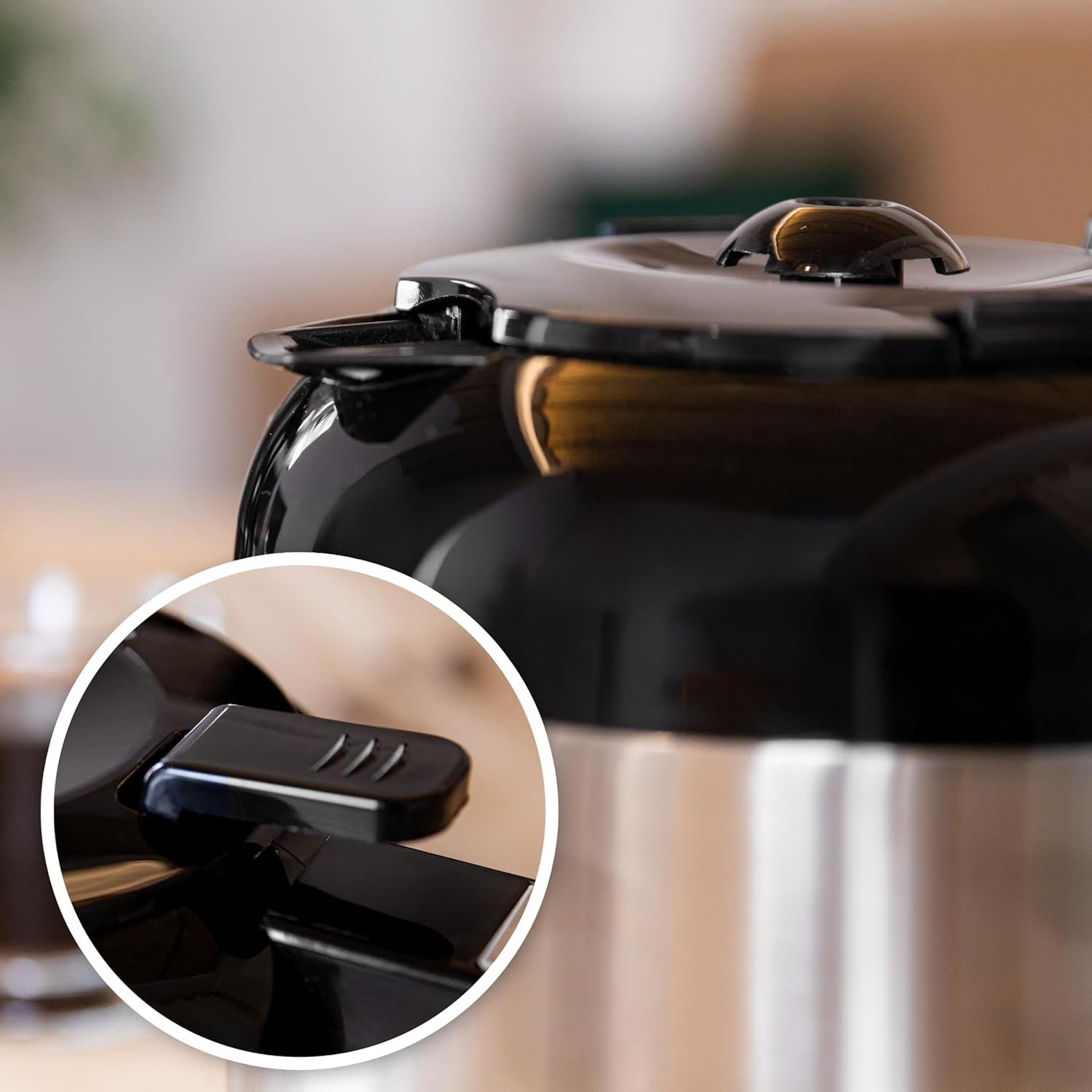
படம் 5.1: Close-up of the thermal carafe lid, highlighting the drip-stop mechanism. This part should be cleaned regularly to prevent blockages.
5.2 டெஸ்கேலிங்
Mineral deposits (limescale) can build up in your coffee maker over time, affecting its performance. Descale your coffee maker every 2-3 months, or more frequently if you have hard water.
- Fill the water tank with a solution of white vinegar and water (1 part vinegar to 2 parts water).
- வெற்று வெப்ப கேராஃப்பை வார்மிங் தட்டில் வைக்கவும்.
- காபி கிரவுண்ட் இல்லாமல் காபி காய்ச்சும் சுழற்சியைத் தொடங்குங்கள்.
- After about half the solution has brewed through, turn off the coffee maker and let it sit for 15-20 minutes to allow the solution to work.
- காபி காய்ச்சும் சுழற்சியை முடிக்க காபி தயாரிப்பாளரை மீண்டும் இயக்கவும்.
- கேரஃப்பில் இருந்து வினிகர் கரைசலை அப்புறப்படுத்துங்கள்.
- மீதமுள்ள வினிகர் சுவை அல்லது வாசனையை அகற்ற புதிய, சுத்தமான தண்ணீரில் 2-3 சுழற்சிகளை இயக்கவும்.
6. சரிசெய்தல்
If you encounter issues with your coffee maker, refer to the following table:
| பிரச்சனை | சாத்தியமான காரணம் | தீர்வு |
|---|---|---|
| காபி காய்ச்சுவதில்லை. | No power; water tank empty; carafe not in place; timer set. | Check power connection; fill water tank; ensure carafe is correctly positioned; check timer settings. |
| காபி மிகவும் பலவீனமானது. | Not enough coffee grounds; coarse grind; intensity setting too low. | Add more coffee grounds; use a finer grind; select a higher intensity setting. |
| வடிகட்டியிலிருந்து காபி நிரம்பி வழிகிறது. | Too many coffee grounds; filter clogged; carafe not in place. | Reduce coffee grounds; clean filter thoroughly; ensure carafe is fully inserted. |
| Unusual noise during brewing. | சுண்ணாம்பு அளவு உருவாக்கம். | Perform a descaling cycle (see Section 5.2). |
7. விவரக்குறிப்புகள்
| அம்சம் | விவரம் |
|---|---|
| பிராண்ட் | செகோடெக் |
| மாதிரி பெயர் | Coffee 66 Drop & Thermo Time |
| பொருள் மாதிரி எண் | 00274 |
| வகை | சொட்டு காபி இயந்திரம் |
| திறன் | 1.2 Litres (up to 10 cups) |
| கேராஃப் பொருள் | Stainless Steel (Thermal) |
| சக்தி | 950 டபிள்யூ |
| சிறப்பு அம்சங்கள் | Removable Tank, Thermal Carafe, Water Filter, Programmable Timer (24 hours), Intensity Function, Drip-free feature, Overheating protection |
| தயாரிப்பு பரிமாணங்கள் | 25D x 17W x 32.5H சென்டிமீட்டர்கள் |
| பொருளின் எடை | 2 கிலோ 100 கிராம் |
| உள்ளிட்ட கூறுகள் | Filter coffee maker, instruction manual, Measuring spoon |
8. உத்தரவாதம் மற்றும் ஆதரவு
This Cecotec appliance is covered by a manufacturer's warranty. Please refer to the warranty card included with your product for specific terms and conditions, including the warranty period and coverage details.
தொழில்நுட்ப ஆதரவு, உதிரி பாகங்கள் அல்லது உத்தரவாதக் கோரிக்கைகளுக்கு, தயவுசெய்து Cecotec வாடிக்கையாளர் சேவையை அவர்களின் அதிகாரி மூலம் தொடர்பு கொள்ளவும். website or the contact information provided in your product packaging. Ensure you have your model number (00274) and proof of purchase available when contacting support.


