1. அறிமுகம்
Thank you for choosing the Philips Airfryer Combi XXL HD9880/90. This appliance is designed to provide a healthier way to prepare your favorite meals with little to no added oil. This manual provides essential information for the safe and efficient use of your Airfryer, including setup, operation, maintenance, and troubleshooting.
2. முக்கியமான பாதுகாப்பு தகவல்
சாதனத்தைப் பயன்படுத்துவதற்கு முன் இந்த அறிவுறுத்தல் கையேட்டை கவனமாகப் படித்து, எதிர்கால குறிப்புக்காக சேமிக்கவும். இந்த வழிமுறைகளைப் பின்பற்றத் தவறினால் மின்சார அதிர்ச்சி, தீ அல்லது கடுமையான காயம் ஏற்படலாம்.
- சாதனத்தை எப்போதும் நிலையான, கிடைமட்ட மற்றும் நிலை மேற்பரப்பில் வைக்கவும்.
- சாதனத்தை தண்ணீரில் அல்லது வேறு எந்த திரவத்திலும் மூழ்கடிக்க வேண்டாம்.
- தொகுதி உறுதிtagமின் சாதனத்தில் சுட்டிக்காட்டப்பட்ட உங்கள் உள்ளூர் மெயின் தொகுதிக்கு ஒத்திருக்கிறதுtagஇ இணைக்கும் முன்.
- கருவி மற்றும் அதன் தண்டு குழந்தைகளுக்கு எட்டாதவாறு வைக்கவும்.
- காற்று நுழைவாயில் மற்றும் வெளியேறும் திறப்புகளைத் தடுக்க வேண்டாம்.
- ஒருபோதும் பாத்திரத்தை எண்ணெய் அல்லது பிற திரவங்களால் நிரப்ப வேண்டாம்.
- சூடான மேற்பரப்புகளைத் தொடாதே. கைப்பிடிகள் அல்லது கைப்பிடிகளைப் பயன்படுத்தவும்.
- பயன்பாட்டில் இல்லாதபோது மற்றும் சுத்தம் செய்வதற்கு முன்பு கடையிலிருந்து கருவியைத் திறக்கவும்.
3. தயாரிப்பு முடிந்துவிட்டதுview
The Philips Airfryer Combi XXL HD9880/90 is a versatile kitchen appliance designed for frying, baking, grilling, and roasting with minimal oil. It features a large capacity and smart cooking capabilities.
3.1 கூறுகள்
- முக்கிய அலகு: வெப்பமூட்டும் உறுப்பு மற்றும் மின்விசிறியை வைத்திருக்கிறது.
- கண்ட்ரோல் பேனல்: Digital display for settings and programs.
- கூடை மற்றும் பான்: Removable components for food preparation.
- ஒருங்கிணைந்த உணவு வெப்பமானி: For precise cooking temperature monitoring.
- ரேபிட் காம்பி ஏர் தொழில்நுட்பம்: Ensures even cooking and crisp results.
- NutriU App Connectivity: For remote control and recipe access.
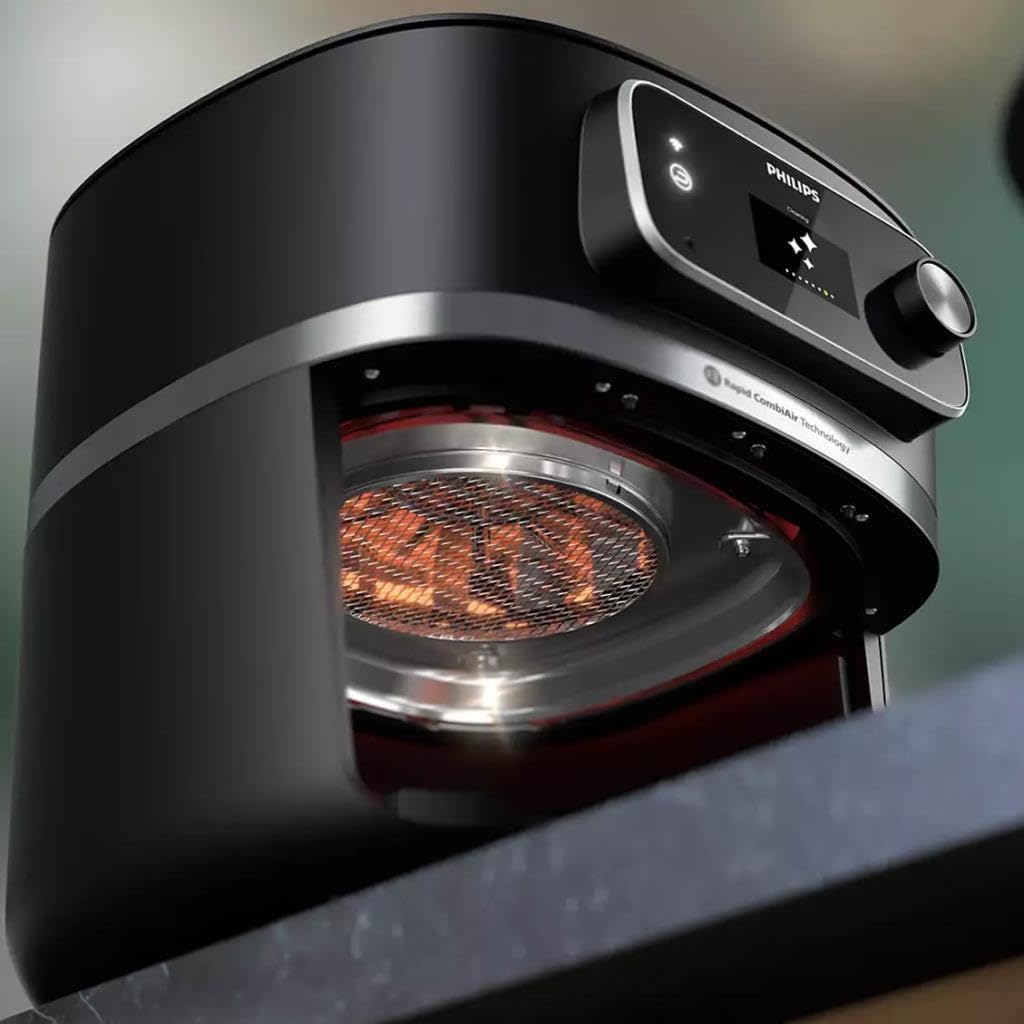
3.2 தயாரிப்பு படங்கள்



4 அமைவு
4.1 பேக்கிங்
- சாதனத்திலிருந்து அனைத்து பேக்கேஜிங் பொருட்களையும் அகற்றவும்.
- சாதனத்திலிருந்து ஏதேனும் ஸ்டிக்கர்கள் அல்லது லேபிள்களை அகற்றவும்.
- Pull out the pan and basket from the appliance.
4.2 ஆரம்ப சுத்தம்
- Clean the pan and basket with hot water, some dishwashing liquid, and a non-abrasive sponge. These parts are also dishwasher safe.
- சாதனத்தின் உள்ளேயும் வெளியேயும் ஈரமான துணியால் துடைக்கவும்.
4.3 வேலை வாய்ப்பு
- சாதனத்தை நிலையான, கிடைமட்ட மற்றும் வெப்ப-எதிர்ப்பு மேற்பரப்பில் வைக்கவும்.
- Ensure there is at least 10 cm (4 inches) of free space on the back and sides, and 10 cm (4 inches) of free space above the appliance to allow for proper ventilation.
4.4 மின் இணைப்பு
பிரதான பிளக்கை தரையிறக்கப்பட்ட சுவர் கடையில் செருகவும்.
4.5 NutriU App Pairing
For smart features, download the Philips NutriU app from your device's app store. Follow the in-app instructions to pair your Airfryer with your smartphone or tablet. This enables remote control, access to recipes, and cooking programs.
5. இயக்க வழிமுறைகள்
5.1 அடிப்படை செயல்பாடு
- Place the food in the Airfryer basket. Do not exceed the MAX indication.
- Slide the pan with the basket back into the Airfryer.
- சாதனத்தை இயக்க ஆற்றல் பொத்தானை அழுத்தவும்.
- தேவையான வெப்பநிலை மற்றும் சமையல் நேரத்தை அமைக்க கட்டுப்பாட்டுப் பலகத்தைப் பயன்படுத்தவும்.
- சமைக்கத் தொடங்க ஸ்டார்ட் பட்டனை அழுத்தவும்.
5.2 Using the Integrated Food Thermometer
- Insert the thermometer probe into the thickest part of the food, avoiding bone or gristle.
- Connect the thermometer cable to the port on the Airfryer.
- Select the appropriate food type or desired internal temperature on the control panel or via the NutriU app. The Airfryer will automatically stop cooking once the target temperature is reached.
5.3 முன்-திட்டமிடப்பட்ட அமைப்புகள்
The Airfryer comes with several pre-programmed settings for common dishes. Select these from the control panel or the NutriU app for optimized cooking results.
5.4 Tips for Best Results
- For smaller ingredients, shaking the basket halfway through the cooking time helps ensure even cooking.
- Do not overfill the basket to allow hot air to circulate effectively.
- For crispy results, lightly brush or spray food with oil.
6. பராமரிப்பு மற்றும் சுத்தம்
ஒவ்வொரு பயன்பாட்டிற்கும் பிறகு சாதனத்தை சுத்தம் செய்யவும்.
6.1 சுத்தம் செய்வதற்கு முன்
- சாதனத்தை அவிழ்த்து முழுமையாக குளிர்விக்க அனுமதிக்கவும்.
6.2 பான் மற்றும் கூடையை சுத்தம் செய்தல்
- The pan and basket have a non-stick coating. Do not use metal kitchen utensils or abrasive cleaning materials to clean them.
- They can be cleaned in the dishwasher or by hand with hot water, dishwashing liquid, and a non-abrasive sponge.
6.3 Cleaning the Heating Element
- வெப்பமூட்டும் உறுப்பிலிருந்து உணவு எச்சங்களை அகற்ற ஒரு சுத்தம் செய்யும் தூரிகையைப் பயன்படுத்தவும்.
6.4 வெளிப்புறத்தை சுத்தம் செய்தல்
- சாதனத்தின் வெளிப்புறத்தை ஈரமான துணியால் துடைக்கவும்.
7. சரிசெய்தல்
| பிரச்சனை | சாத்தியமான காரணம் | தீர்வு |
|---|---|---|
| ஏர்பிரையர் வேலை செய்யவில்லை. | சாதனம் செருகப்படவில்லை. | பிரதான பிளக்கை தரையிறக்கப்பட்ட சுவர் கடையில் செருகவும். |
| உணவு சமமாக சமைக்கப்படுவதில்லை. | கூடையில் அதிக உணவு; உணவு அசைக்கப்படவில்லை. | உணவின் அளவைக் குறைக்கவும்; சமைக்கும் பாதியிலேயே கூடையை அசைக்கவும். |
| சாதனத்திலிருந்து வெள்ளை புகை வெளியேறுகிறது. | Fat residues from previous use; oil in the pan. | Clean the pan and basket thoroughly; ensure no oil is in the pan. |
| NutriU app connectivity issues. | Wi-Fi signal weak; incorrect pairing steps. | Ensure strong Wi-Fi signal; re-attempt pairing following in-app instructions. |
8. விவரக்குறிப்புகள்
- மாதிரி எண்: HD9880/90
- பிராண்ட்: பிலிப்ஸ்
- நிறம்: கருப்பு
- திறன்: 8.3 லிட்டர்
- சக்தி: 2200 வாட்ஸ்
- பொருள்: துருப்பிடிக்காத எஃகு
- தயாரிப்பு பரிமாணங்கள் (L x W x H): 30 x 25 x 80 செ.மீ
- பொருளின் எடை: 9.4 கிலோகிராம்
- சிறப்பு அம்சம்: Combi Model, Smart Connectivity (NutriU App)
9. உத்தரவாதம் மற்றும் ஆதரவு
விரிவான உத்தரவாதத் தகவலுக்கு, உங்கள் வாங்குதலுடன் சேர்க்கப்பட்டுள்ள உத்தரவாத அட்டையைப் பார்க்கவும் அல்லது அதிகாரப்பூர்வ Philips ஐப் பார்வையிடவும். website. If you encounter any issues or require technical assistance, please contact Philips customer support. Keep your proof of purchase for warranty claims.
ஆன்லைன் ஆதரவு: வருகை www.philips.com/support அடிக்கடி கேட்கப்படும் கேள்விகள் மற்றும் தொடர்பு விருப்பங்களுக்கு.


