அறிமுகம்
Thank you for choosing the SOAR NCAA Sport True Wireless Earbuds V.5. This manual provides detailed instructions for the proper setup, operation, and maintenance of your earbuds. Please read this manual thoroughly before use to ensure optimal performance and longevity of your device.
தொகுப்பு உள்ளடக்கங்கள்
- SOAR NCAA Sport True Wireless Earbuds V.5 (Left and Right)
- போர்ட்டபிள் சார்ஜிங் கேஸ்
- யூ.எஸ்.பி டைப்-சி சார்ஜிங் கேபிள்
- Extra Ear Gels (various sizes)
- பயனர் கையேடு (இந்த ஆவணம்)
தயாரிப்பு முடிந்துவிட்டதுview
Familiarize yourself with the components of your SOAR True Wireless Earbuds.

Image: The SOAR NCAA Sport True Wireless Earbuds V.5, featuring the TCU Horned Frogs logo, are shown both inside their open charging case and as a single earbud outside the case. The closed charging case lid is also displayed, highlighting the team logo.

Image: A diagram highlighting the functional aspects of the earbuds, including sweat resistance, secure fit ear hooks, the portable charging case, clear call quality, and intuitive one-touch controls.
- காதணிகள்: Left and Right earbuds with integrated controls and ear hooks for a secure fit.
- சார்ஜிங் கேஸ்: Stores and recharges the earbuds.
- LED குறிகாட்டிகள்: Provide status updates for charging and pairing.
- Multi-function Button/Touch Control: பிளேபேக், அழைப்புகள் மற்றும் குரல் உதவியாளரை நிர்வகிப்பதற்கு.
- ஒலிவாங்கி: ஹேண்ட்ஸ்-ஃப்ரீ அழைப்பிற்காக உள்ளமைக்கப்பட்டுள்ளது.
அமைவு
1. இயர்பட்ஸ் மற்றும் கேஸை சார்ஜ் செய்தல்
- முதல் பயன்பாட்டிற்கு முன், இயர்பட்கள் மற்றும் சார்ஜிங் கேஸை முழுமையாக சார்ஜ் செய்யவும்.
- இயர்பட்களை சார்ஜிங் கேஸில் வைக்கவும். அவை சரியாகப் பொருத்தப்பட்டுள்ளதா என்பதை உறுதிப்படுத்திக் கொள்ளுங்கள்.
- Connect the USB Type-C cable to the charging port on the case and the other end to a USB power source (e.g., computer, wall adapter).
- The LED indicators on the case and/or earbuds will show charging status. Refer to the LED indicator section for details.
- Once fully charged, disconnect the charging cable. A full charge provides over 10 hours of music and talk time.
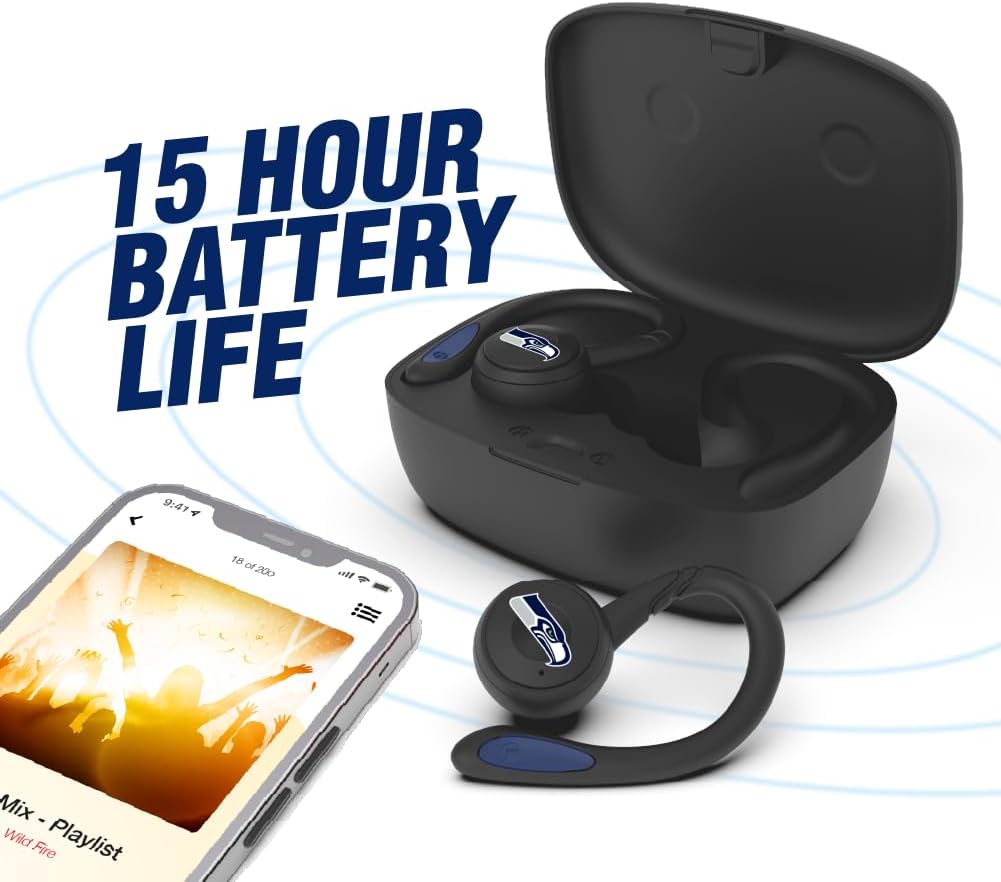
Image: The earbuds are shown within their charging case, positioned beside a smartphone playing music, emphasizing the extended battery life for continuous audio enjoyment.
2. புளூடூத் சாதனத்துடன் இணைத்தல்
- இயர்பட்கள் சார்ஜ் செய்யப்படுவதை உறுதிசெய்யவும்.
- Open the charging case. The earbuds will automatically enter pairing mode, and their LED indicators will flash (e.g., blue and red alternately).
- உங்கள் சாதனத்தில் (ஸ்மார்ட்போன், டேப்லெட், முதலியன), புளூடூத்தை இயக்கவும்.
- தேடுங்கள் available Bluetooth devices. You should see "SOAR Earbuds V.5" or a similar name appear in the list.
- Select the earbuds from the list to connect. Once connected, the LED indicators on the earbuds will stop flashing or show a solid blue light, and you will hear an audible confirmation.
- இணைத்தல் தோல்வியுற்றால், இயர்பட்களை அணைத்து, உங்கள் சாதனத்தில் புளூடூத்தை முடக்கி, படிகளை மீண்டும் செய்யவும்.
இயக்க வழிமுறைகள்
பவர் ஆன்/ஆஃப்
- பவர் ஆன்: Open the charging case, or press and hold the multi-function button on each earbud for approximately 3 seconds.
- பவர் ஆஃப்: Place the earbuds back into the charging case and close the lid, or press and hold the multi-function button on each earbud for approximately 5 seconds.
இசை பின்னணி
- விளையாடு/இடைநிறுத்தம்: இரண்டு இயர்பட்டிலும் உள்ள மல்டி-ஃபங்க்ஷன் பட்டனை ஒருமுறை தட்டவும்.
- அடுத்த ட்ராக்: வலதுபுற இயர்பட்டில் உள்ள பல செயல்பாட்டு பொத்தானை இருமுறை தட்டவும்.
- முந்தைய ட்ராக்: இடதுபுற இயர்பட்டில் உள்ள பல செயல்பாட்டு பொத்தானை இருமுறை தட்டவும்.
- ஒலியை பெருக்கு: வலதுபுற இயர்பட்டில் உள்ள மல்டி-ஃபங்க்ஷன் பட்டனை மூன்று முறை தட்டவும்.
- ஒலியை குறை: இடதுபுற இயர்பட்டில் உள்ள மல்டி-ஃபங்க்ஷன் பட்டனை மூன்று முறை தட்டவும்.
அழைப்பு மேலாண்மை
- பதில்/முடிவு அழைப்பு: இரண்டு இயர்பட்டிலும் உள்ள மல்டி-ஃபங்க்ஷன் பட்டனை ஒருமுறை தட்டவும்.
- அழைப்பை நிராகரி: இரண்டு இயர்பட்டிலும் உள்ள மல்டி-ஃபங்க்ஷன் பட்டனை 2 வினாடிகள் அழுத்திப் பிடிக்கவும்.
குரல் உதவியாளர்
- குரல் உதவியாளரைச் செயலாக்கு: Press and hold the multi-function button on either earbud for 2 seconds (when not on a call).
பராமரிப்பு
- சுத்தம்: இயர்பட்கள் மற்றும் சார்ஜிங் கேஸை சுத்தம் செய்ய மென்மையான, உலர்ந்த, பஞ்சு இல்லாத துணியைப் பயன்படுத்தவும். கடுமையான இரசாயனங்கள் அல்லது சிராய்ப்புப் பொருட்களைப் பயன்படுத்த வேண்டாம்.
- காது ஜெல்கள்: Regularly remove and clean the ear gels with a damp துணி. மீண்டும் இணைப்பதற்கு முன் அவை முற்றிலும் உலர்ந்திருப்பதை உறுதி செய்யவும்.
- சேமிப்பு: பயன்பாட்டில் இல்லாதபோது, இயர்பட்களைப் பாதுகாக்கவும், சார்ஜ் செய்து வைத்திருக்கவும், அவற்றை அவற்றின் சார்ஜிங் கேஸில் சேமிக்கவும். நேரடி சூரிய ஒளி மற்றும் அதிக வெப்பநிலையிலிருந்து விலகி, குளிர்ந்த, உலர்ந்த இடத்தில் சேமிக்கவும்.
- நீர் எதிர்ப்பு: The earbuds are sweat resistant, but not waterproof. Avoid submerging them in water or exposing them to heavy rain.
சரிசெய்தல்
| பிரச்சனை | தீர்வு |
|---|---|
| இயர்பட்கள் ஆன் ஆகவில்லை. | Ensure the earbuds are charged. Place them in the charging case and connect the case to power. |
| இயர்பட்ஸ் சாதனத்துடன் இணைக்கப்படவில்லை. |
|
| ஒரு இயர்பட் மட்டுமே வேலை செய்கிறது. |
|
| மோசமான ஒலி தரம் அல்லது இணைப்பு துண்டிக்கப்படுதல். |
|
விவரக்குறிப்புகள்
| அம்சம் | விவரம் |
|---|---|
| மாதிரி எண் | NCAA-TWS5-TXC |
| இணைப்பு | புளூடூத் 5.0 |
| வயர்லெஸ் வீச்சு | 30 அடி (9 மீட்டர்) வரை |
| பேட்டரி ஆயுள் | Over 10 hours (music & talk time per charge) |
| சார்ஜிங் போர்ட் | USB வகை-C |
| கட்டுப்பாட்டு வகை | Touch Control / Multi-function Button |
| ஒலிவாங்கி | உள்ளமைக்கப்பட்ட |
| பொருள் | பிளாஸ்டிக் |
| எடை | Approximately 140 g (total item weight) |
உத்தரவாதம் மற்றும் ஆதரவு
For warranty information and customer support, please refer to the official SOAR product webஉங்கள் தளத்தில் அல்லது உங்கள் சில்லறை விற்பனையாளரைத் தொடர்பு கொள்ளவும். எந்தவொரு உத்தரவாதக் கோரிக்கைகளுக்கும் உங்கள் வாங்கியதற்கான ஆதாரத்தை வைத்திருங்கள்.
மேலும் உதவிக்கு, தயவுசெய்து செல்க: www.soar.com (Note: This is a placeholder link. Please refer to the actual product packaging or manufacturer's website for accurate support information.)


