1. அறிமுகம்
The MAYBESTA Mini Wireless Lavalier Microphone system provides a convenient and high-quality audio solution for recording on various mobile devices. Designed for ease of use, this system features automatic connection, wide compatibility with iOS and Android, and effective noise cancellation for clear sound capture. It is ideal for interviews, podcasts, vlogging, live streaming, and other content creation activities.
2. தொகுப்பு உள்ளடக்கங்கள்
உங்கள் தொகுப்பில் அனைத்து பொருட்களும் உள்ளதா என்பதை சரிபார்க்கவும்:
- 2 x Wireless Microphones (Transmitters)
- 1 x Receiver (with Lightning and USB-C compatibility)
- 2 x Microphone Clips
- 1 x USB சார்ஜிங் கேபிள்
- 1 x பயனர் கையேடு

Image: The package includes two wireless microphones, one receiver, two clips, a USB charging cable, and a user manual.
3. அமைவு வழிமுறைகள்
The MAYBESTA wireless microphone system is designed for quick and easy setup. No additional apps or Bluetooth pairing are required.
- Charge the Microphones: Before first use, ensure both microphones are fully charged using the provided USB charging cable. The charging indicator light will show charging status.
- ரிசீவரை இணைக்கவும்: Plug the receiver directly into your smartphone or tablet's charging port (Lightning for iOS, USB-C for Android). Ensure your device is unlocked.
- Power On Microphones: Press and hold the power button on each microphone for approximately 3 seconds. A solid green light on both the receiver and the microphone indicates a successful connection.
- பதிவைத் தொடங்கு: Open your preferred audio or video recording application on your device and start recording. The microphone will now capture audio.
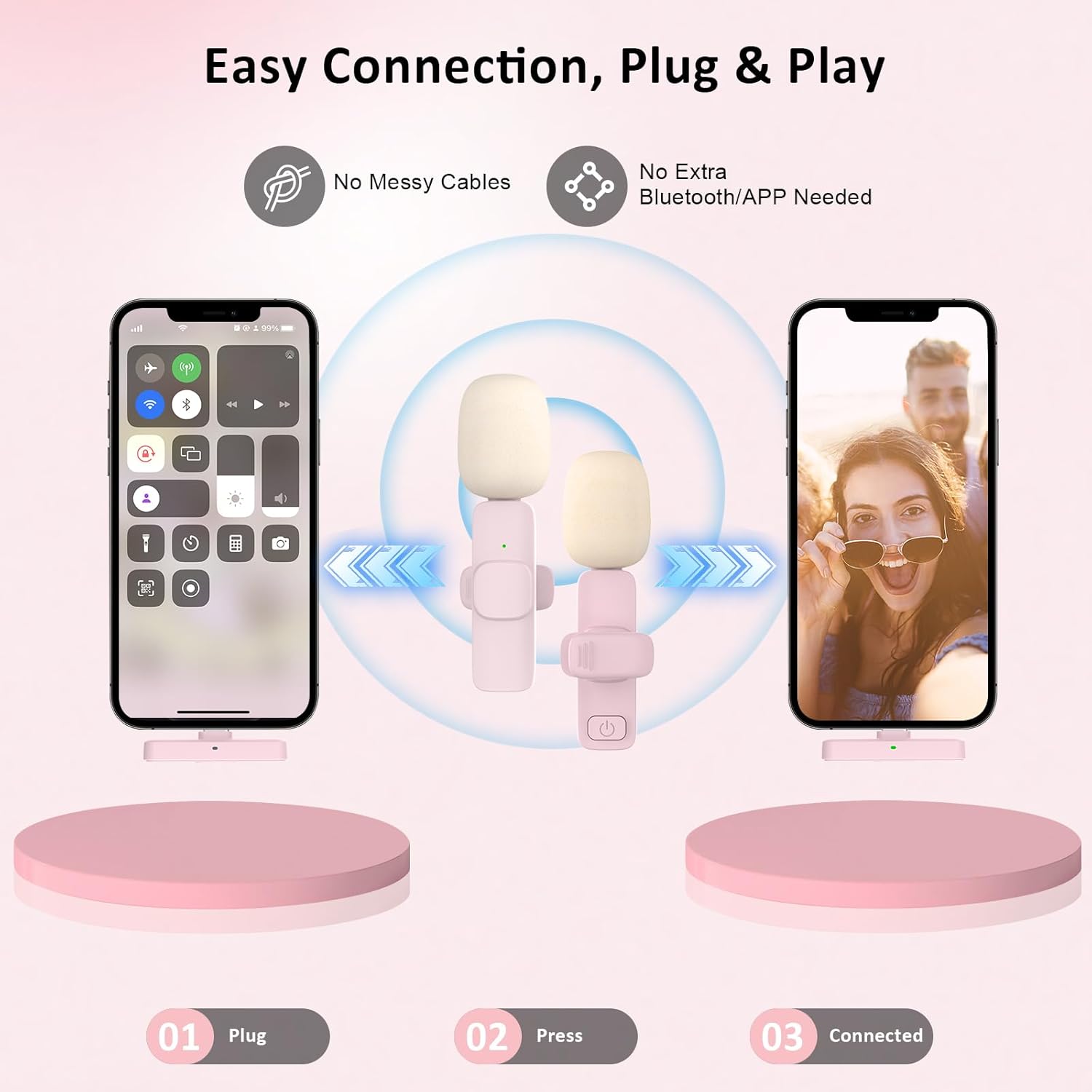
Image: Visual guide demonstrating the plug-and-play connection process: 1. Plug the receiver into your phone. 2. Press the power button on the microphone. 3. The devices are connected, indicated by a green light.

Image: A step-by-step illustration of the quick connection process, showing the phone, receiver, and microphone, with instructions to plug, press, and record.
4. இயக்க வழிமுறைகள்
4.1. Audio Capture
The MAYBESTA microphone features an omnidirectional sound reception pattern, capturing audio from all directions. This is ideal for interviews, group discussions, or general recording where sound from multiple sources is desired.

Image: A visual representation of omnidirectional sound pickup, showing the microphone effectively capturing voices in a multi-person setting.
4.2. சத்தம் ரத்து செய்தல்
Equipped with an intelligent chip, the microphone actively reduces ambient noise, ensuring clear and clean sound quality for your recordings. This feature is particularly useful in environments with background distractions.

படம்: ஒரு வெட்டுப்பாதை view of the microphone highlighting its internal smart chip and noise reduction capabilities, with visual cues of sound wave processing.
4.3. Dual Microphone Use
The package includes two microphones, allowing for simultaneous recording from two separate individuals. This is beneficial for interviews, collaborative content, or any scenario requiring dual audio input.

Image: Two people using separate microphones while recording, illustrating the ability to pick up sounds from two parties simultaneously.
4.4. Wireless Freedom
The universal wireless system utilizes Bluetooth technology, providing up to 50 feet of transmission range. This allows for freedom of movement during recording without being restricted by cables, making it suitable for dynamic content creation.

Image: A visual demonstrating the wireless range of 50 feet, with two individuals using the microphones and a smartphone recording from a distance.
4.5. பயன்பாட்டு காட்சிகள்
This microphone system supports audio and video recording across various social media platforms and applications, including YouTube, TikTok, and for purposes such as interviews, podcasts, vlogging, and live streaming.
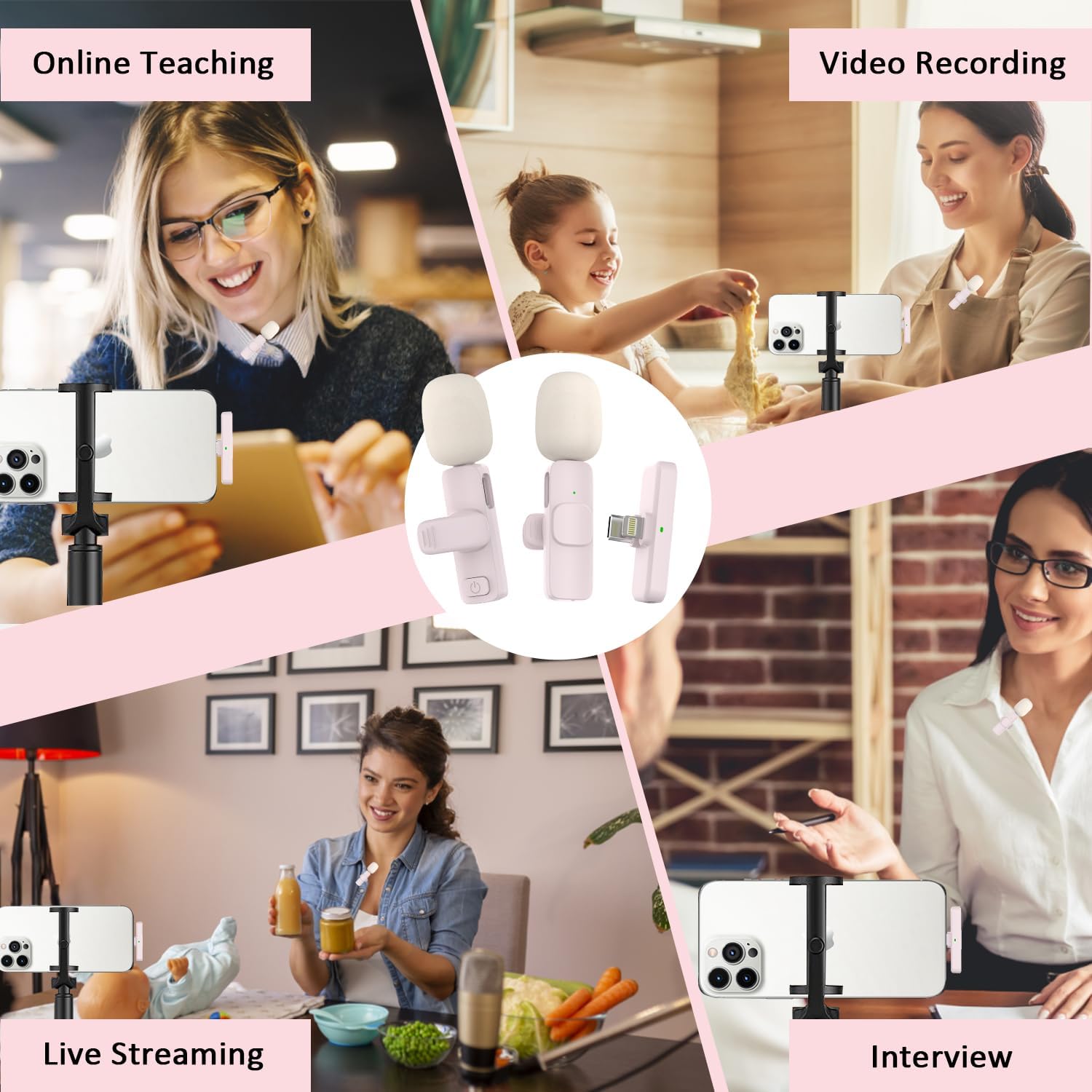
படம்: ஒரு படத்தொகுப்பு காட்சிasing diverse applications of the microphone, such as online teaching, video recording, live streaming, and interviews.
5. இணக்கத்தன்மை
The MAYBESTA wireless microphone system offers broad compatibility with both iOS and Android devices.
- iOS சாதனங்கள்: Compatible with all iPhone and iPad series, including models with Lightning ports (e.g., iPhone 6/6s/6Plus/6s Plus, iPhone SE/SE2, iPhone 7/Plus, iPhone 8/Plus, iPhone X/XR/XS/XS Max, iPhone 11/11Pro/11ProMax, iPhone 12/12Mini/12 Pro/12 ProMax, iPhone 13/13Mini/13 Pro/13 ProMax, iPhone 14/14 Plus/14 Pro/14 Pro Max) and USB-C ports (e.g., latest iPad Pro series, iPhone 15/15 Plus/15 Pro/15 Pro Max).
- Android சாதனங்கள்: Compatible with Android 6.0 or above.
குறிப்பு:
- If your phone case is thick, the receiver may not connect properly. Please remove the phone case before plugging in the receiver to ensure a secure connection.
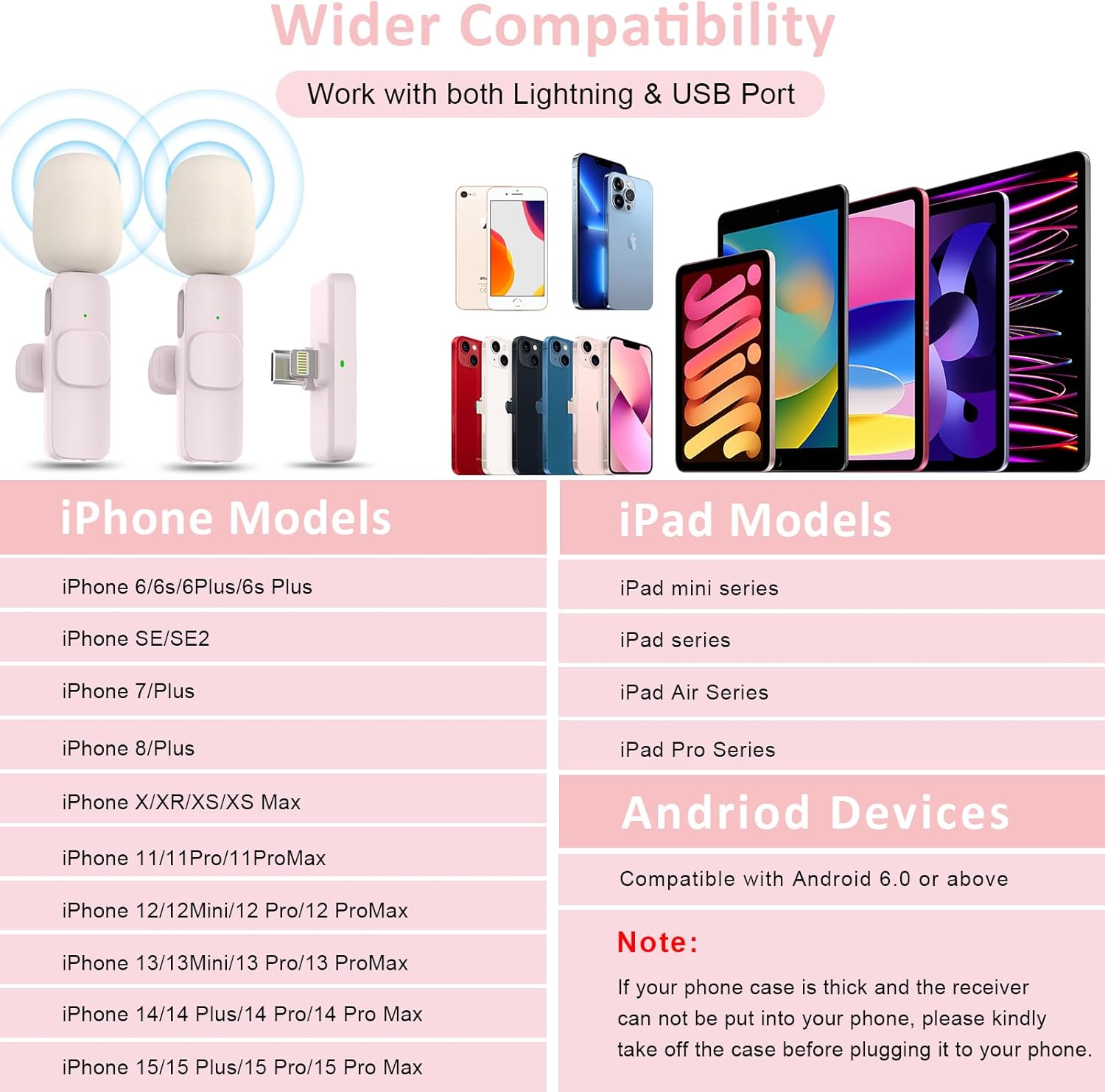
Image: A detailed chart outlining the extensive compatibility of the microphone with various iPhone, iPad, and Android devices, supporting both Lightning and USB-C connections.
6. பராமரிப்பு
To ensure the longevity and optimal performance of your MAYBESTA wireless microphone system, follow these maintenance guidelines:
- சுத்தம்: Use a soft, dry cloth to clean the microphone and receiver. Avoid using liquid cleaners or solvents, as these can damage the electronic components.
- சேமிப்பு: Store the devices in a cool, dry place away from direct sunlight and extreme temperatures. When not in use for extended periods, store them in their original packaging or a protective case.
- சார்ஜ்: Charge the microphones regularly, even if not in frequent use, to maintain battery health. Avoid overcharging or completely draining the battery.
- கையாளுதல்: Handle the microphones and receiver with care. Avoid dropping them or subjecting them to strong impacts.
7. சரிசெய்தல்
If you encounter issues with your MAYBESTA wireless microphone, refer to the following troubleshooting tips:
- Microphone Not Connecting:
- Ensure both the microphone and receiver are powered on and fully charged.
- Verify the receiver is securely plugged into your device's port.
- Check if your phone case is obstructing the receiver connection; remove it if necessary.
- Restart both the microphone and your recording device.
- Poor Sound Quality / No Sound:
- Ensure the microphone is clipped securely and positioned correctly (e.g., near the speaker's mouth).
- வெளிப்புற மைக்ரோஃபோன் தேர்ந்தெடுக்கப்பட்டுள்ளதா என்பதை உறுதிப்படுத்த உங்கள் சாதனத்தின் ஆடியோ உள்ளீட்டு அமைப்புகளைச் சரிபார்க்கவும்.
- Confirm the distance between the microphone and receiver is within the 50-foot operating range.
- Minimize environmental noise where possible, although the microphone has noise cancellation.
- Test with a different recording application to rule out app-specific issues.
- பேட்டரி விரைவாக வடிகிறது:
- Ensure microphones are fully charged before use.
- Avoid operating in extremely cold environments, which can affect battery performance.
- பேட்டரி ஆயுள் கணிசமாகக் குறைந்தால், வாடிக்கையாளர் ஆதரவைத் தொடர்பு கொள்ளவும்.
8. விவரக்குறிப்புகள்
| அம்சம் | விவரம் |
|---|---|
| மாதிரி எண் | WM355 |
| பொருளின் எடை | 20 கிராம் (0.705 அவுன்ஸ்) |
| பரிமாணங்கள் (L x W x H) | 0.55 x 0.28 x 2.56 அங்குலம் |
| மைக்ரோஃபோன் படிவ காரணி | லாவலியர் (கிளிப்-ஆன்) |
| சக்தி ஆதாரம் | Battery Powered (1 C Lithium Ion battery included) |
| பொருள் | அக்ரிலோனிட்ரைல் புடாடியீன் ஸ்டைரீன் |
| சிக்னல்-டு-சத்தம் விகிதம் | 78 டி.பி |
| வன்பொருள் இயங்குதளம் | ஸ்மார்ட்போன், டேப்லெட் |
| சேனல்களின் எண்ணிக்கை | 1 |
| இணைப்பு தொழில்நுட்பம் | புளூடூத் |
| இணைப்பான் வகை | Lightning, USB-C (via receiver) |
| சிறப்பு அம்சங்கள் | பேட்டரி இண்டிகேட்டர் லைட், கிளிப், மியூட் செயல்பாடு, சத்தம் குறைப்பு |
| போலார் பேட்டர்ன் | சர்வ திசை |
| வயர்லெஸ் டிரான்ஸ்மிஷன் வரம்பு | 50 அடி வரை |
9. உத்தரவாதம் மற்றும் ஆதரவு
For warranty information and customer support, please refer to the contact details provided with your purchase or visit the official MAYBESTA webஎந்தவொரு உத்தரவாதக் கோரிக்கைகளுக்கும் உங்கள் வாங்கியதற்கான ஆதாரத்தை வைத்திருங்கள்.


