1. அறிமுகம்
நன்றி, நன்றி.asing the Claiks Electric Standing Desk. This manual provides essential information for the safe assembly, operation, and maintenance of your new desk. Please read these instructions carefully before use and retain them for future reference.

Image 1.1: The Claiks Electric Standing Desk, illustrating its dimensions (120cm width, 60cm depth, 72-118cm height) and integrated features like storage hooks and cable clips.
2. பாதுகாப்பு தகவல்
பாதுகாப்பான செயல்பாட்டை உறுதிசெய்யவும், காயம் அல்லது சேதத்தைத் தடுக்கவும், பின்வரும் பாதுகாப்பு வழிகாட்டுதல்களைக் கவனிக்கவும்:
- Keep children and pets away from the desk during height adjustment.
- மேசை நகரும் பாதையில் (மேலே அல்லது கீழ்) எந்த தடைகளும் இல்லை என்பதை உறுதிப்படுத்திக் கொள்ளுங்கள்.
- Do not overload the desk. The maximum load capacity is 80 kg (176.4 lbs).
- மேசையில் உட்காரவோ அல்லது நிற்கவோ கூடாது.
- Only use the provided power adapter and cable.
- If the desk makes unusual noises or movements, discontinue use immediately and contact customer support.
- திரவங்களை நேரடியாக கட்டுப்பாட்டுப் பலகத்தில் அல்லது மின் கூறுகளுக்கு அருகில் வைப்பதைத் தவிர்க்கவும்.
3. தொகுப்பு உள்ளடக்கங்கள்
Before assembly, verify that all components are present and undamaged. If any parts are missing or damaged, please contact Claiks customer support.

Image 3.1: All components included in the Claiks Electric Standing Desk package, laid out for assembly. This includes the tabletop (in two sections), leg frames, motor, control panel, screws, and tools.
கூறுகளின் பட்டியல்:
- Tabletop (2 sections)
- கால் சட்டங்கள் (2)
- Crossbar/Support Beam
- Motor and Control Box
- கண்ட்ரோல் பேனல்
- பவர் அடாப்டர் மற்றும் கேபிள்
- Storage Hooks (2)
- கேபிள் கிளிப்புகள்
- அசெம்பிளி வன்பொருள் (திருகுகள், துவைப்பிகள், ஆலன் ரெஞ்ச்)
4. அமைப்பு மற்றும் அசெம்பிளி
Assembly typically requires one person. An electric drill (not included) is recommended for faster and more secure screw fastening, especially for the tabletop.
- கூறுகளைத் திறக்கவும்: பேக்கேஜிங்கிலிருந்து அனைத்து பகுதிகளையும் கவனமாக அகற்றி, கீறல்களைத் தவிர்க்க சுத்தமான, மென்மையான மேற்பரப்பில் வைக்கவும்.
- கால் சட்டங்களை அசெம்பிள் செய்யவும்: Attach the feet to the bottom of each leg column using the provided screws.
- குறுக்குப்பட்டியை இணைக்கவும்: Secure the crossbar/support beam between the two leg columns. Ensure all screws are tightened.
- Attach Motor and Control Box: Mount the motor and control box to the designated positions on the frame, typically under the tabletop area. Connect the motor cables to the control box.
- Position Tabletop: Place the tabletop sections upside down on a soft surface. Carefully align the assembled frame onto the tabletop.
- பாதுகாப்பான டேப்லெட்: Fasten the tabletop to the frame using the provided screws. Ensure the tabletop sections are flush and securely joined.
- கட்டுப்பாட்டுப் பலகத்தை நிறுவவும்: Mount the control panel to the front edge of the tabletop, typically on the right side, and connect its cable to the control box.
- பாகங்கள் இணைக்கவும்: Install the storage hooks and cable clips as desired.
- பவர் இணைக்கவும்: Plug the power adapter into the control box and then into a wall outlet.
- ஆரம்ப அளவுத்திருத்தம் (தேவைப்பட்டால்): Refer to the operating instructions for initial setup or calibration steps if the desk does not respond immediately.
5. இயக்க வழிமுறைகள்
Your Claiks Electric Standing Desk features intuitive controls for height adjustment and memory functions.

Image 5.1: The multi-function control panel with LED display, memory buttons (1, 2, 3), and up/down adjustment buttons.
5.1 உயரம் சரிசெய்தல்
- மேல்/கீழ் பட்டன்கள்: பயன்படுத்தவும் மேலே (▲) மற்றும் கீழே (▼) arrow buttons to adjust the desk height. The desk will move smoothly at a speed of 20 mm/s.
- The adjustable height range is from 72 cm (28.3 inches) to 118 cm (46.5 inches).
- The current height is displayed on the LED screen.
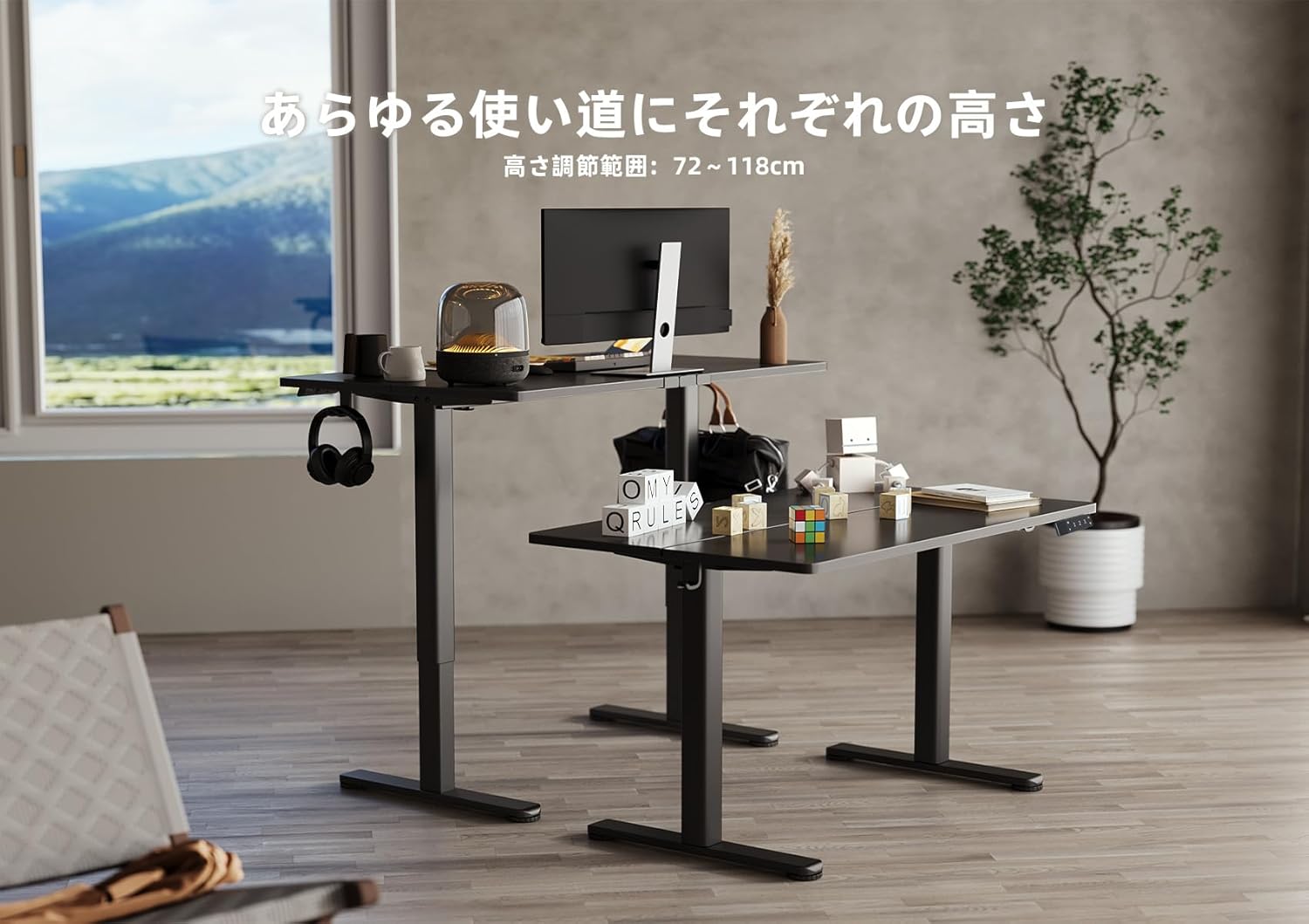
Image 5.2: Two Claiks Electric Standing Desks demonstrating the adjustable height range, suitable for various uses.
5.2 நினைவக செயல்பாடு
The desk can store up to three preferred height settings.
- நினைவக நிலையை அமைக்கவும்: மேல்/கீழ் பொத்தான்களைப் பயன்படுத்தி மேசையை உங்கள் விருப்பமான உயரத்திற்கு சரிசெய்யவும்.
- அழுத்தவும் "எம்" button. The LED display will flash.
- 3 வினாடிகளுக்குள், எண் பொத்தான்களில் ஒன்றை அழுத்தவும் ("1", "2", அல்லது "3") to save the current height to that position. The display will show "S-1", "S-2", or "S-3" to confirm.
- ஒரு நினைவக நிலையை நினைவுபடுத்து: தொடர்புடைய எண் பொத்தானை அழுத்தவும் ("1", "2", அல்லது "3"). மேசை தானாகவே சேமிக்கப்பட்ட உயரத்திற்கு நகரும்.
6. பராமரிப்பு
Proper maintenance ensures the longevity and optimal performance of your Claiks Electric Standing Desk.
- சுத்தம்: The tabletop is made of melamine resin, which is resistant to water, heat, and dirt. Wipe the surface with a soft, damp துணி மற்றும் லேசான சோப்பு. சிராய்ப்பு கிளீனர்கள் அல்லது கடுமையான இரசாயனங்கள் தவிர்க்கவும்.
- கேபிள் மேலாண்மை: Regularly check and organize cables to prevent tangling or damage, especially during height adjustments. Use the provided cable clips.
- ஆய்வு: எல்லா திருகுகளும் இணைப்புகளும் இறுக்கமாக இருப்பதை உறுதிசெய்ய அவ்வப்போது அவற்றைச் சரிபார்க்கவும். தேவைப்பட்டால் மீண்டும் இறுக்கவும்.
- மோட்டார் பராமரிப்பு: The motor is designed for durability. Avoid obstructing its movement or attempting to disassemble it.
7. சரிசெய்தல்
உங்கள் மேசையில் ஏதேனும் சிக்கல்கள் ஏற்பட்டால், பின்வரும் பொதுவான சிக்கல்கள் மற்றும் தீர்வுகளைப் பார்க்கவும்:
| பிரச்சனை | சாத்தியமான காரணம் | தீர்வு |
|---|---|---|
| மேசை அசையவில்லை. | மின் கேபிள் துண்டிக்கப்பட்டது; அதிக சுமை; மோட்டார் பிழை. | Check power connections. Reduce weight on desk. Unplug for 10 seconds, then plug back in to reset. |
| மேசை சீரற்ற முறையில் நகர்கிறது அல்லது அசாதாரண சத்தத்தை எழுப்புகிறது. | தளர்வான இணைப்புகள்; அடைப்பு; சீரற்ற எடை விநியோகம். | Check all assembly screws. Ensure no objects are interfering with leg movement. Redistribute weight evenly. |
| Error code displayed on control panel. | குறிப்பிட்ட கணினிப் பிழை. | Refer to the specific error code in a more detailed troubleshooting guide (if available) or contact customer support. Often, a power cycle (unplug and replug) can resolve temporary errors. |
If the problem persists after attempting these solutions, please contact Claiks customer support for assistance.
8. விவரக்குறிப்புகள்
- பிராண்ட்: கிளேக்ஸ்
- மாதிரி எண்: P1.01.001.0004.JP
- தயாரிப்பு பரிமாணங்கள்: 120 cm (Width) x 60 cm (Depth) x 70 cm (Height, minimum static)
- சரிசெய்யக்கூடிய உயர வரம்பு: 72 செ.மீ - 118 செ.மீ (28.3 அங்குலம் - 46.5 அங்குலம்)
- தூக்கும் வேகம்: 20 mm/s (0.8 inches/s)
- அதிகபட்ச சுமை திறன்: 80 கிலோ (176.4 பவுண்ட்)
- பொருளின் எடை: 20.8 கிலோ
- டேப்லெட் பொருள்: Melamine Resin
- அடிப்படை பொருள்: கார்பன் ஸ்டீல்
- நிறம்: கருப்பு
- சிறப்பு அம்சங்கள்: Height Adjustment, Memory Function (3 presets), Compact, Scratch Resistant
- அறை வகை: Study Room, Home Office

Image 8.1: The Claiks Electric Standing Desk demonstrating its robust 80kg load capacity.

Image 8.2: Illustration of the desk's quiet operation, comparing its 45dB noise level to common sounds.
9. உத்தரவாதம் மற்றும் ஆதரவு
Claiks provides a 3 வருட உற்பத்தியாளர் உத்தரவாதம் for this product. This warranty covers repairs or exchanges for manufacturing defects during the warranty period.
For customer support, repairs, or exchanges, please contact Claiks directly. Our customer support team is available in multiple languages, including English and Japanese, to assist you with any inquiries or issues.
உத்திரவாதக் கோரிக்கைகளுக்காக உங்கள் வாங்கியதற்கான ஆதாரத்தை வைத்துக் கொள்ளவும்.


